Cómo configurar filtros geográficos y temporales en el servicio MFA SaaS
Los filtros geográficos y temporales del servicio MFA SaaS de Protectimus permiten aplicar políticas de control de acceso a un recurso en función del país del usuario (filtro geográfico) o de la hora de inicio de sesión (filtro temporal). Esto refuerza la seguridad de la autenticación multifactor al limitar cuándo y desde dónde pueden iniciar sesión los usuarios.
Notas importantes:
- Un filtro solo funciona después de asignarlo a un recurso.
- Puede asignar el mismo filtro a varios recursos.
- El número de filtros que puede crear depende del plan de servicio seleccionado.
1. Cómo crear un filtro geográfico
Un filtro geográfico restringe el acceso a un recurso del servicio MFA SaaS de Protectimus según el país del usuario. Puede configurar el control de acceso geográfico para:
- Permitir el acceso solo desde los países seleccionados (Allowed Countries)
- Denegar el acceso desde los países seleccionados (Forbidden Countries)
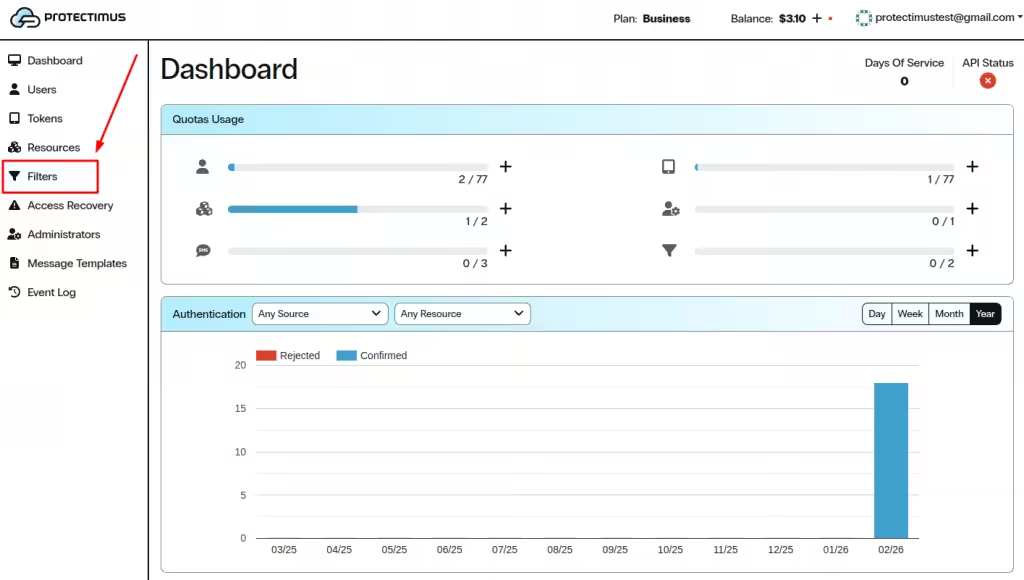
1.1. Abrir la página Filters
- Inicie sesión en su cuenta del servicio SaaS de Protectimus.
- En el menú de la izquierda, haga clic en Filters.
1.2. Comenzar a crear un nuevo filtro geográfico
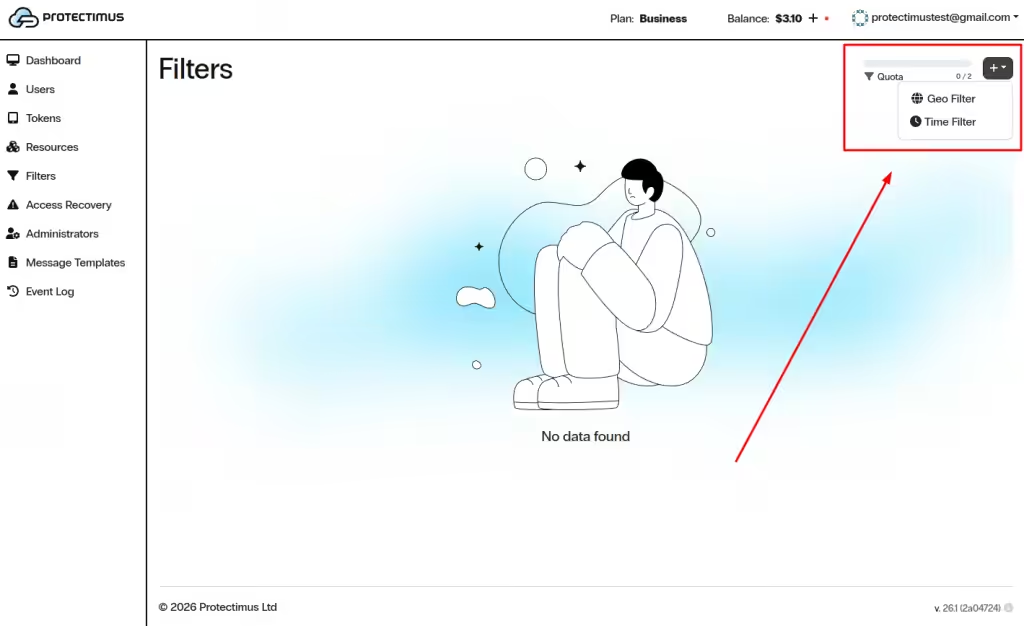
- En la esquina superior derecha, haga clic en el botón +.
- Seleccione Geo Filter.
1.3. Configurar y crear el filtro geográfico
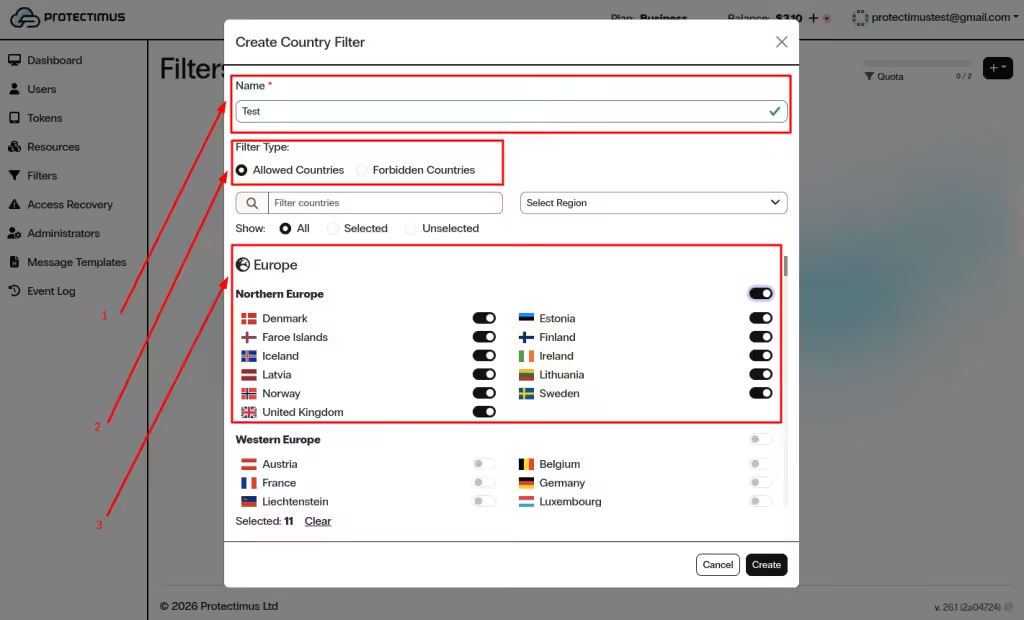
En la ventana Create Country Filter:
- Introduzca el nombre del filtro en el campo Name.
- Elija el Filter Type:
- Allowed Countries — el acceso solo se permite desde los países seleccionados.
- Forbidden Countries — se deniega el acceso desde los países seleccionados.
- Seleccione los países mediante los interruptores; puede utilizar la búsqueda y los filtros por región para encontrarlos más rápidamente.
- Haga clic en Create.
2. Cómo crear un filtro temporal
Un filtro temporal restringe el acceso a un recurso según la zona horaria, los días de la semana y determinados intervalos de tiempo. Este control es útil para aplicar políticas de autenticación durante el horario laboral y reducir el acceso no autorizado fuera de él.
2.1. Comenzar a crear un nuevo filtro temporal
- Inicie sesión en su cuenta del servicio SaaS de Protectimus.
- En el menú de la izquierda, haga clic en Filters.
- En la esquina superior derecha, haga clic en el botón +.
- Seleccione Time Filter.
2.2. Configurar y crear el filtro temporal
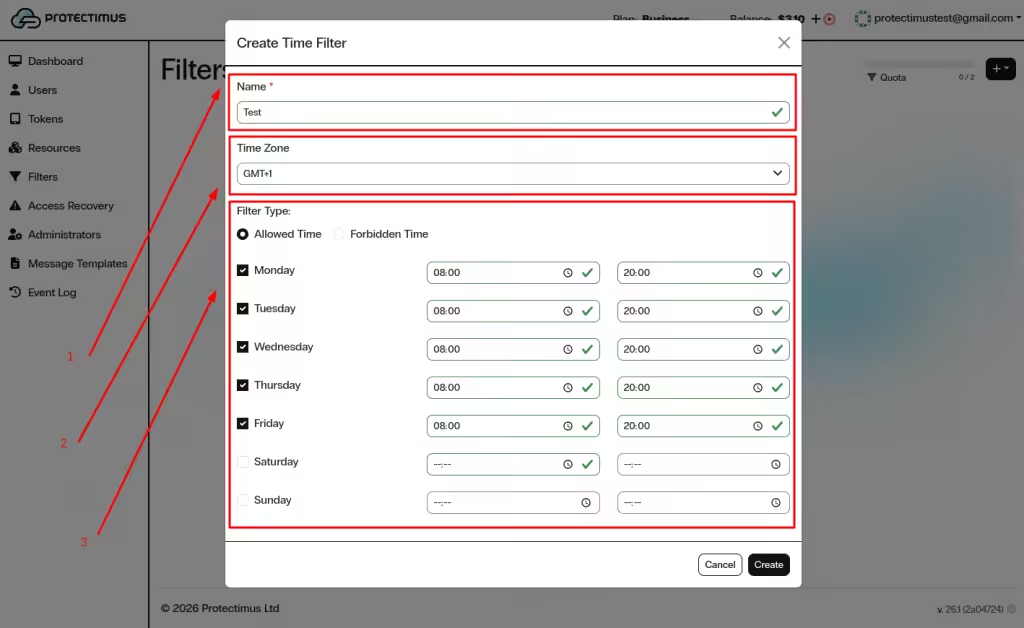
En la ventana Create Time Filter:
- Introduzca el nombre del filtro en el campo Name.
- Seleccione la Time Zone.
- Elija el Filter Type:
- Allowed Time — el acceso solo se permite durante las horas especificadas.
- Forbidden Time — se deniega el acceso durante las horas especificadas.
- Seleccione los días de la semana.
- Defina el intervalo de tiempo permitido o prohibido para cada día seleccionado.
- Haga clic en Create.
3. Cómo asignar un filtro a un recurso
Después de crear un filtro geográfico o temporal, asígnelo a un recurso para aplicar restricciones de acceso por país u horario.
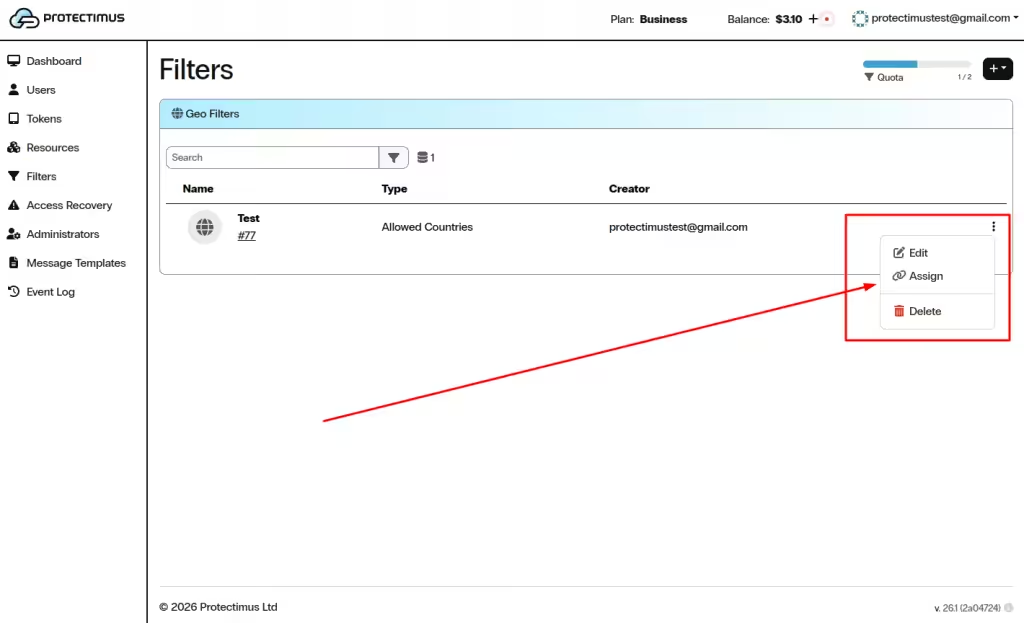
- Vaya a Filters y busque el filtro necesario en la lista.
- Haga clic en los tres puntos (⋮) situados a la derecha del filtro.
- Seleccione Assign.
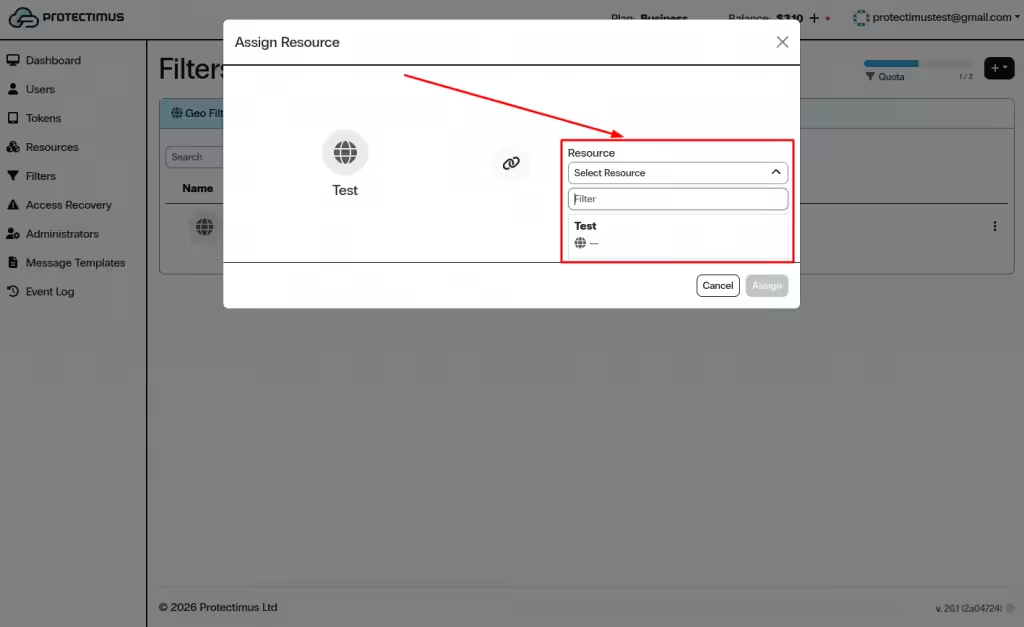
- En la ventana Assign Resource, abra la lista desplegable Select Resource.
- Elija el recurso necesario.
- Haga clic en Assign.
El uso de filtros geográficos y temporales en el servicio MFA SaaS de Protectimus refuerza la autenticación multifactor mediante políticas de control de acceso basadas en la ubicación y en el tiempo. Una configuración correcta ayuda a reducir los intentos de inicio de sesión no autorizados y mejora la seguridad general de la cuenta.
Si tiene alguna pregunta, póngase en contacto con el servicio de atención al cliente de Protectimus.













