Guía para configurar tokens SMS para la autenticación de dos factores
Los tokens Protectimus SMS envían contraseñas de un solo uso (OTP) a los usuarios mediante mensajes de texto. Este método es sencillo y familiar para los usuarios finales, ya que las OTP se envían directamente a un número de teléfono móvil.
Esta guía explica cómo los administradores pueden configurar Protectimus para que los usuarios puedan registrar sus propios tokens Protectimus SMS a través del portal de autoservicio de Protectimus.
Antes de comenzar:
- Cree un recurso en el sistema Protectimus.
- Añada usuarios y asegúrese de que cada uno tenga una contraseña o una dirección de correo electrónico registrada.
- Active el portal de autoservicio para el recurso.
Encontrará instrucciones detalladas en las siguientes guías:
Cómo registrar un token Protectimus SMS mediante el portal de autoservicio
Esta guía paso a paso muestra cómo los administradores pueden configurar Protectimus para que los usuarios registren y activen sus propios tokens Protectimus SMS mediante el portal de autoservicio de Protectimus.
- Inicie sesión en el servicio SaaS de Protectimus.
- Abra la página Resources y seleccione el recurso necesario.
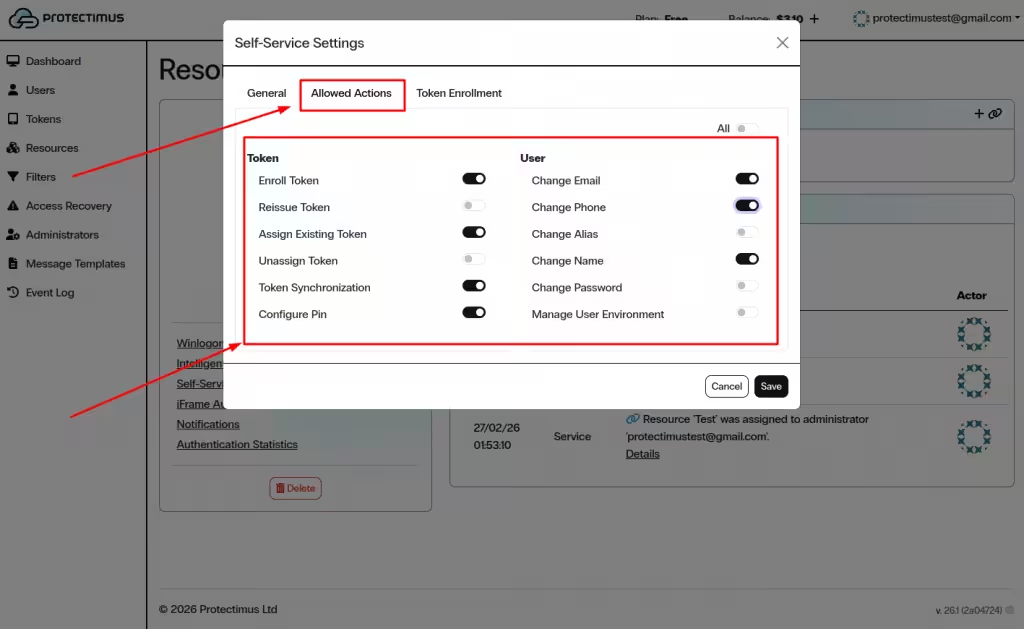
- Active Enroll Token en la sección Allowed Actions.
- Permita el registro de tokens SMS en la pestaña Token Enrollment.
- Proporcione a los usuarios el enlace al portal de autoservicio.
- Los usuarios inician sesión en el portal y hacen clic en Assign New.
- Seleccione SMS, introduzca los datos del token y confirme la activación.
- El token SMS aparecerá en la sección Segundo factor después de la activación.
1. Activar el registro de tokens Protectimus SMS en el portal de autoservicio
- Inicie sesión en su cuenta del servicio SaaS de Protectimus.
- Abra la página Resources y seleccione el recurso necesario.
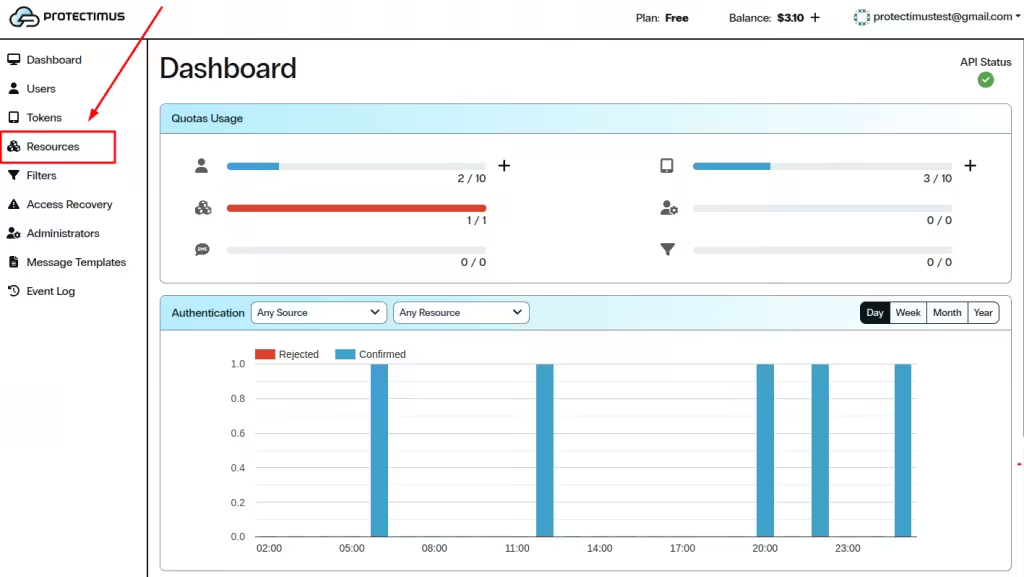
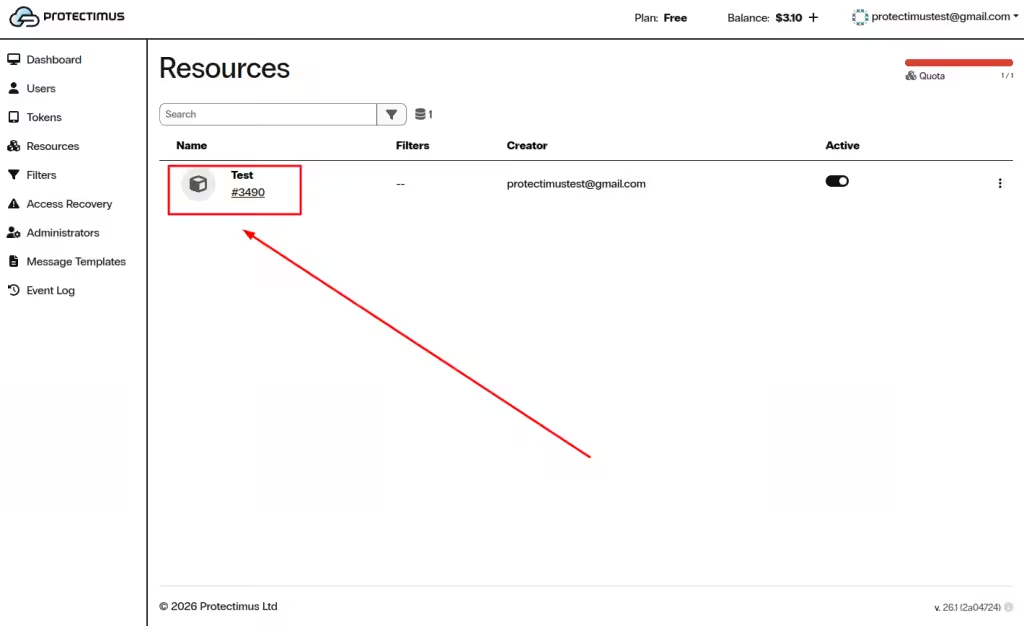
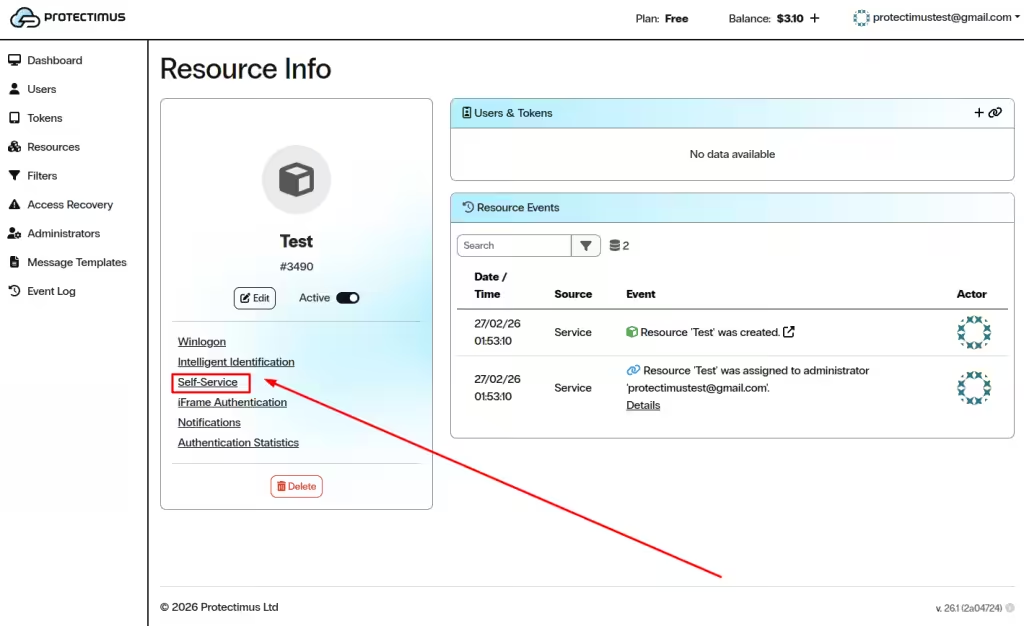
- Abra la pestaña Self-Service.
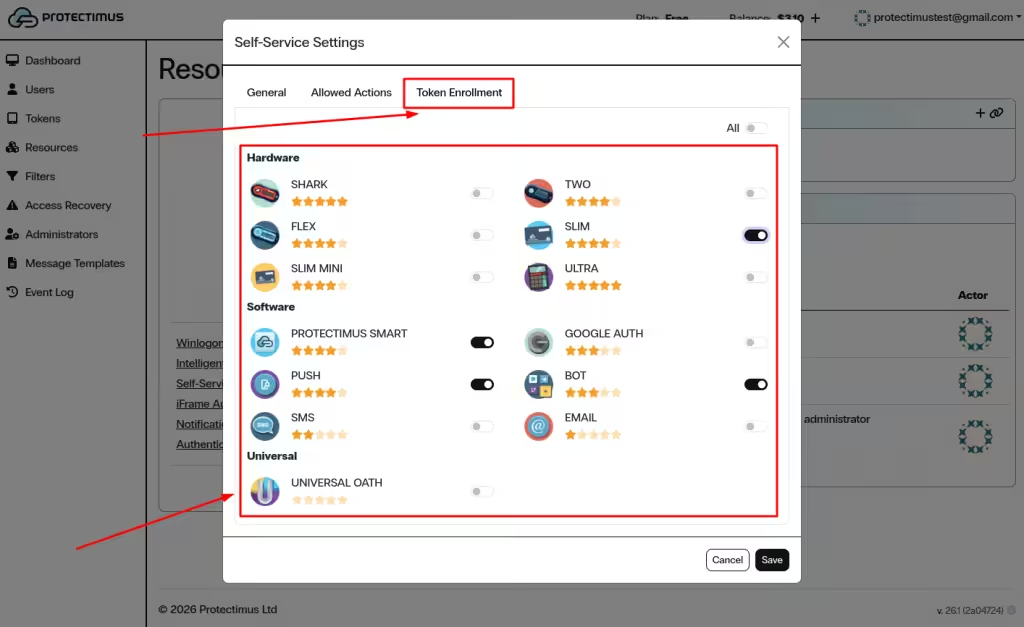
- En la sección Allowed Actions, active Enroll Token.
- Abra la pestaña Token Enrollment.
- Active SMS como tipo de token disponible.
- Haga clic en Save.
2. Proporcionar a los usuarios acceso al portal de autoservicio
Para acceder al portal de autoservicio, los usuarios necesitan:
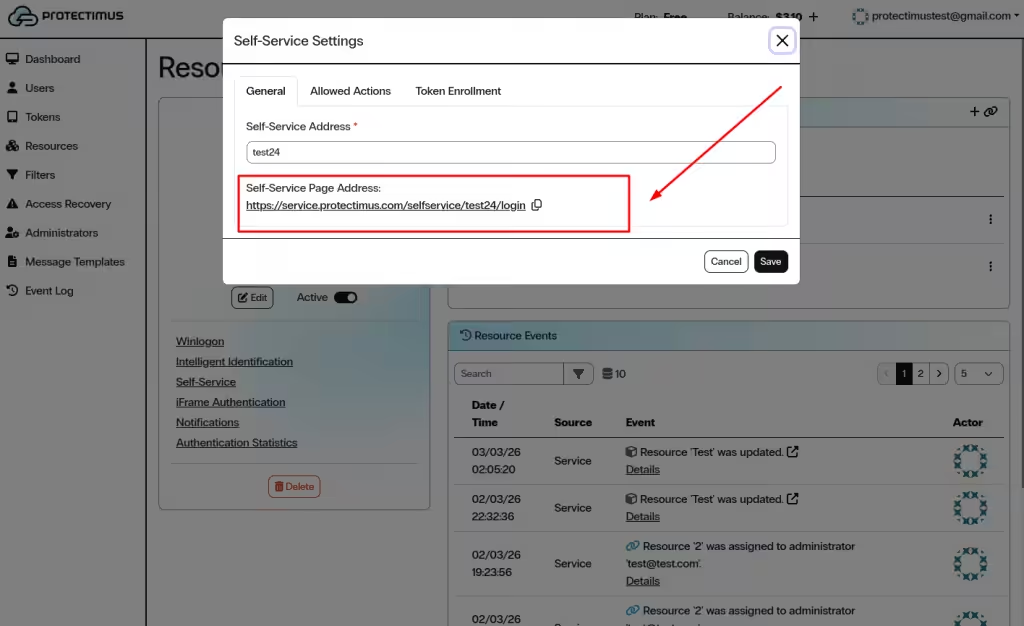
- La Self-Service Page Address generada en la configuración del recurso.
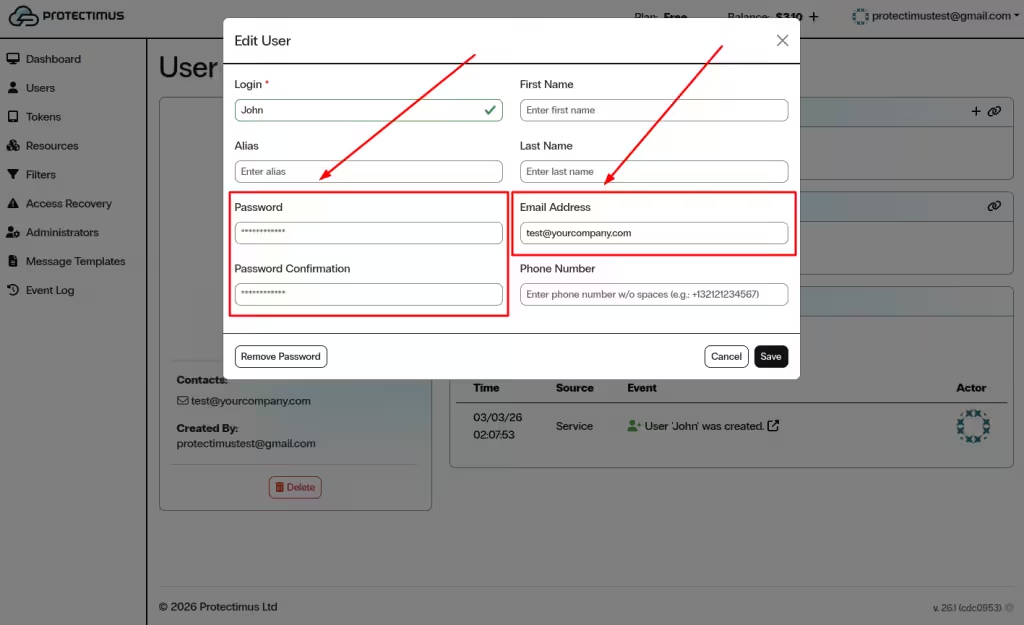
- Su nombre de usuario y una contraseña o una dirección de correo electrónico registrada.
Envíe a los usuarios el enlace al portal de autoservicio y pídales que registren sus tokens. Indíqueles también qué nombre de usuario y contraseña, o qué dirección de correo electrónico, deben utilizar para iniciar sesión en el portal de autoservicio de Protectimus.
3. Cómo registran los usuarios un token Protectimus SMS en el portal de autoservicio
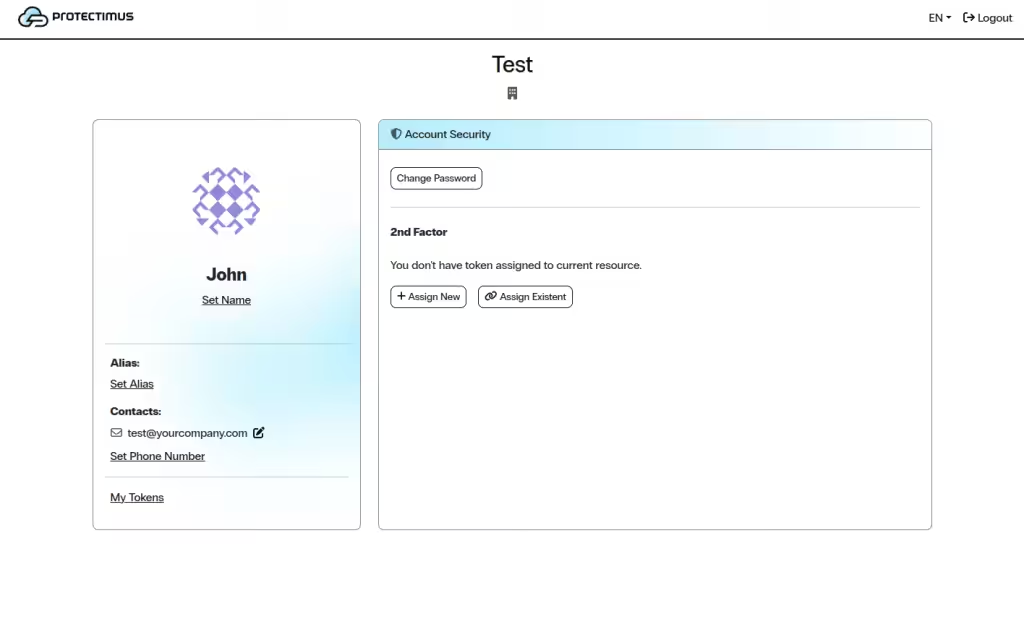
- Abra el portal de autoservicio mediante el enlace proporcionado por su administrador.
- Inicie sesión con su nombre de usuario y contraseña o mediante la verificación por correo electrónico.
- En la sección Segundo factor, haga clic en Assign New.
- En la ventana Add Token, seleccione SMS.
- Introduzca el nombre del token en el campo Name.
- Introduzca en el campo Phone Number el número de teléfono al que se enviarán las contraseñas de un solo uso.
- Seleccione el valor deseado de OTP Length, si esta opción está disponible.
- Haga clic en Save o Next, según la configuración de su portal.
- Se enviará una contraseña de un solo uso al número de teléfono indicado.
- Introduzca la OTP recibida para confirmar la activación.
- Después de la activación correcta, el token SMS aparecerá en la sección Segundo factor.
Guías relacionadas
También pueden resultarle útiles las siguientes guías:
Si tiene alguna pregunta, póngase en contacto con el servicio de atención al cliente de Protectimus.













