Creación, asignación y gestión de tokens OTP
Visite la página Tokens para obtener más información sobre los tokens OTP compatibles. Puede combinar los tipos de token que necesite.
¡TENGA EN CUENTA! Para no agregar todos los tokens manualmente, puede activar Portal de autoservicio para usuarios que permite a los usuarios crear, registrar y gestionar sus propios tokens.
¡ATENCIÓN! Un usuario solo puede utilizar un token para autenticarse en un recurso. El número de tokens que puede añadir depende del Service Plan que seleccione.
1. Cómo agregar tokens manualmente
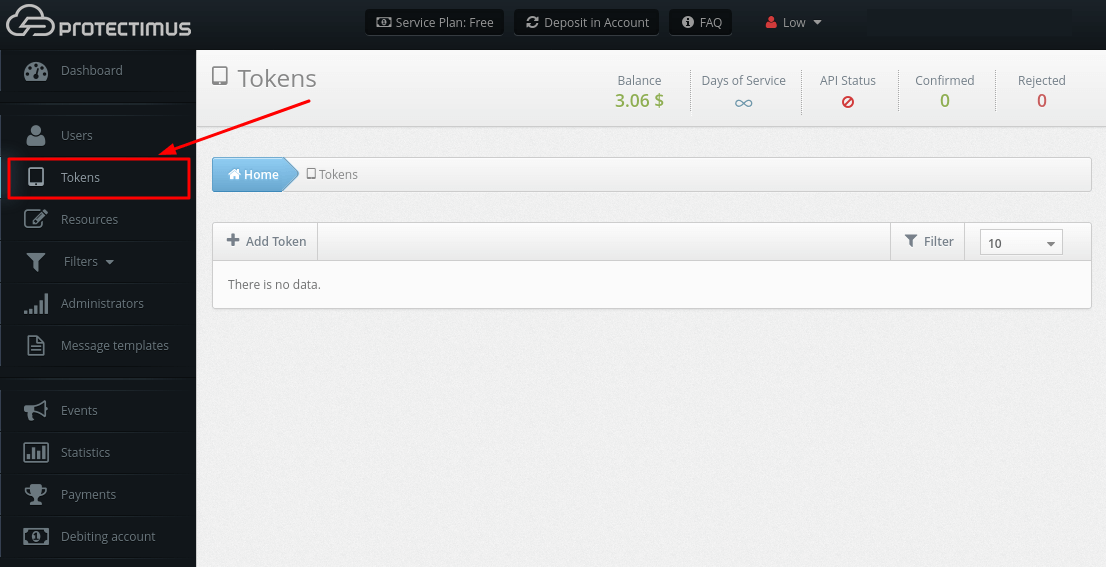
- Inicie sesión en su cuenta en Protectimus SAAS Service o On-Premise Platform y vaya a la página Tokens.
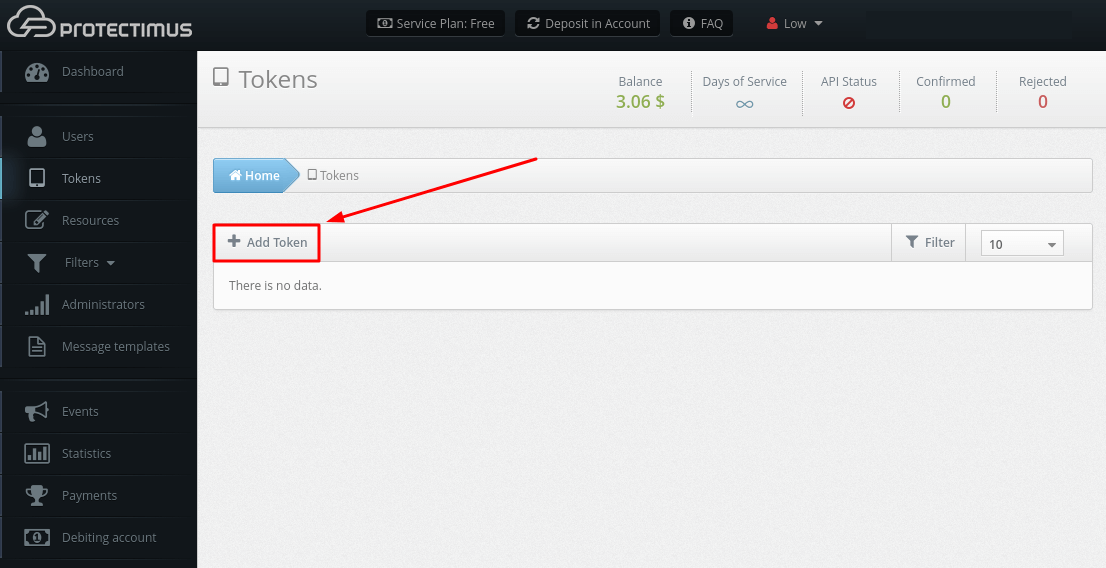
- Haga clic en el botón Add Token.
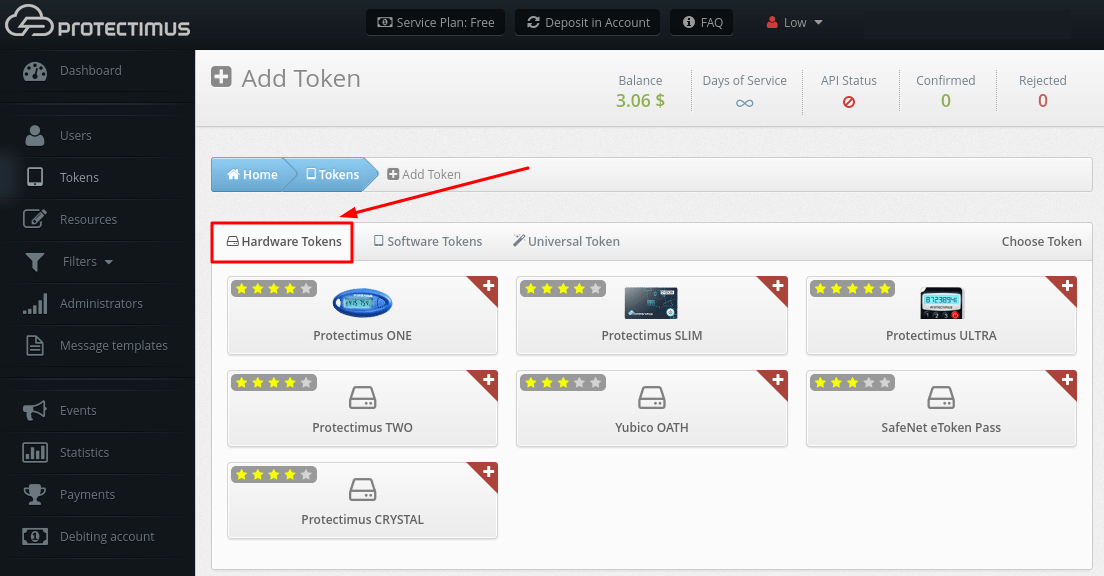
- Seleccione el token que desea añadir. Puede ser:
- Tokens de hardware. Protectimus Two (use el botón Protectimus Two), Protectimus Slim NFC (use el botón Protectimus Slim), Protectimus Flex (use el botón Protectimus Slim), Yubiko OATH, SafeNet eToken Pass.
- Tokens de software. Aplicación 2FA Protectimus SMART (use el botón Protectimus SMART), cualquier otra aplicación de autenticación de dos factores como Google Authenticator (use el botón Google Authenticator), entrega de la contraseña OTP por correo electrónico (use el botón Protectimus MAIL), SMS (use el botón Protectimus SMS), o chatbots en Facebook Messenger, Telegram, Viber (use el botón Bot token).
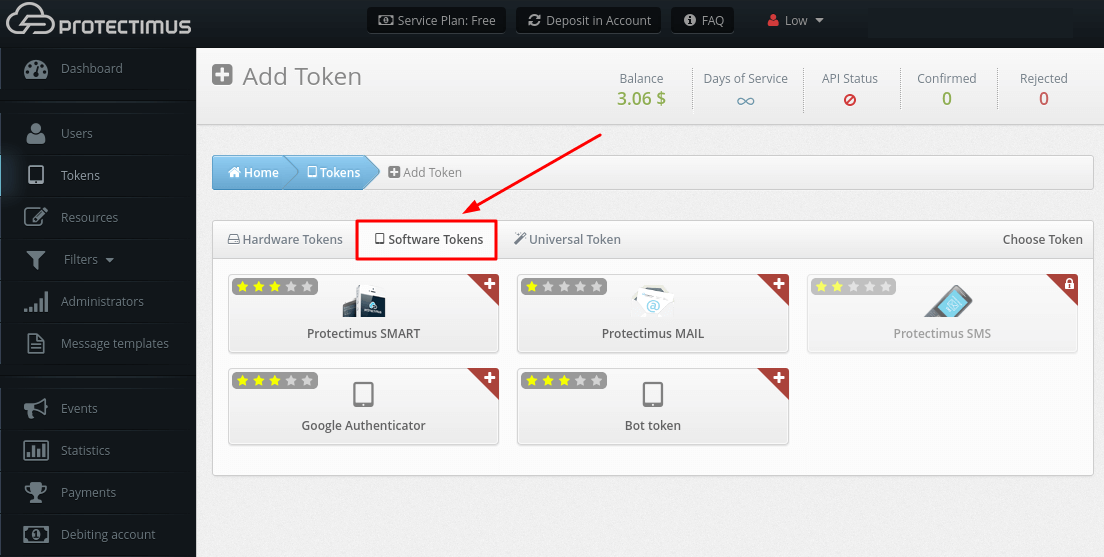
- Token universal. Este mecanismo permite agregar tokens de hardware OATH de otros proveedores. Necesita conocer la clave secreta del token.
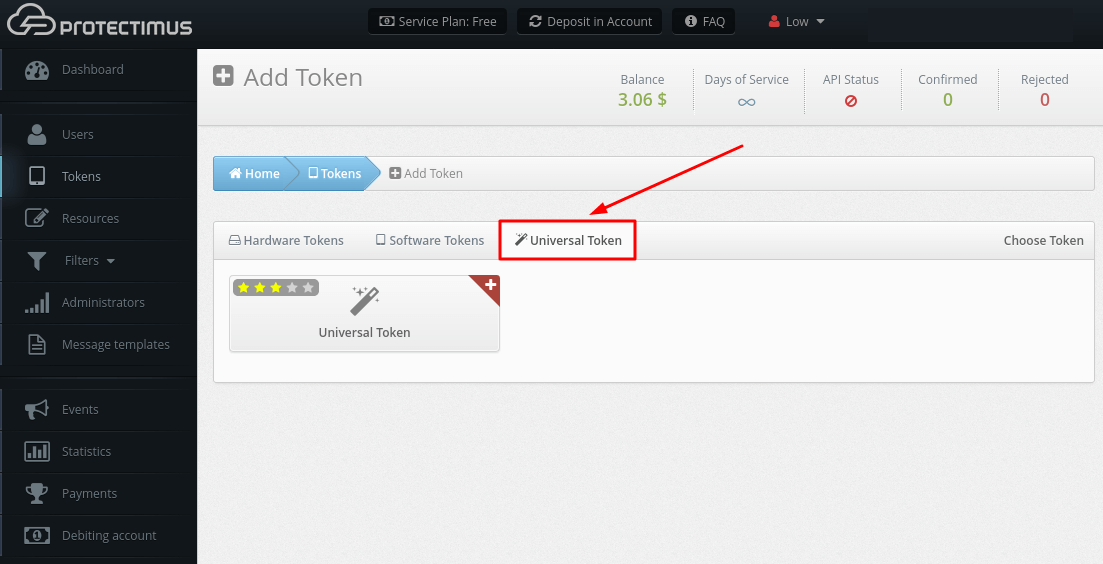
- Después de seleccionar el tipo deseado de token OTP, deberá completar todos los campos necesarios, ingresar una contraseña de un solo uso del token y hacer clic en Save.
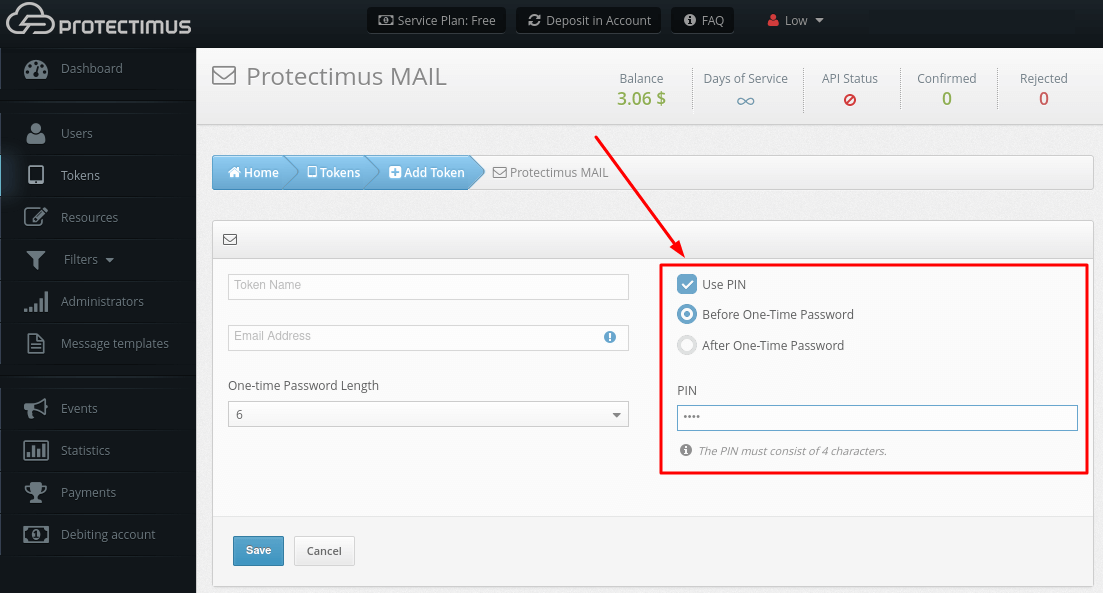
¡TENGA EN CUENTA! También puede utilizar un código PIN con cualquier tipo de token. Si activa esta función, el usuario deberá introducir el código PIN en el campo junto con la contraseña de un solo uso, antes o después de ella según lo haya configurado el administrador. La contraseña de un solo uso y el PIN deben introducirse como una sola cadena, sin espacios ni otros caracteres entre ambos. Esto añade un nivel de protección adicional a la cuenta del usuario.
¡ATENCIÓN! Después de agregar el token, debe asignar el token a un usuario específico y asignar un token con usuario al recurso.
2. Cómo editar tokens
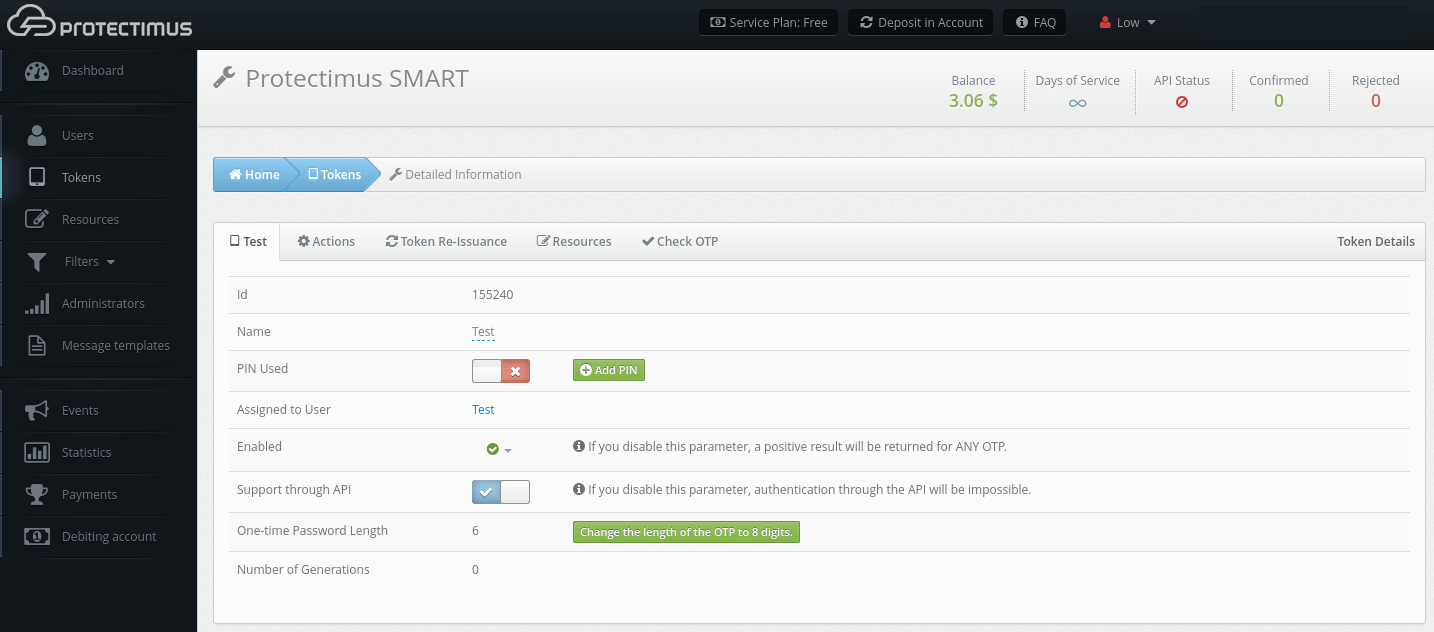
- Vaya a la página Tokens.
- Encuentre el token que necesita y haga clic en su Name.
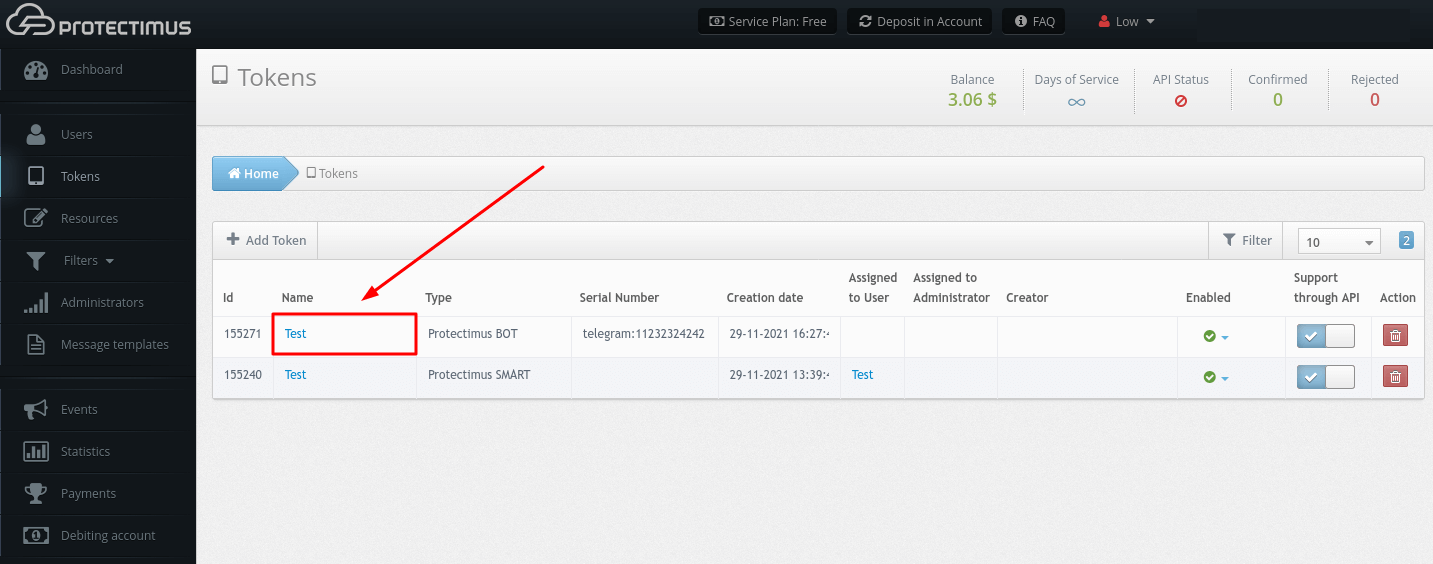
- Se abrirá una página con información detallada sobre el token, donde podrá:
- cambiar el nombre del token;
- agregar / cambiar / eliminar código PIN;
- desactivar temporalmente el token;
- cambiar la longitud de la contraseña de un solo uso.
3. Cómo desactivar tokens
Si un usuario pierde su token o, por ejemplo, lo olvida en casa y desea brindarle acceso urgente, puede desactivar este token por un período de tiempo determinado o para siempre.
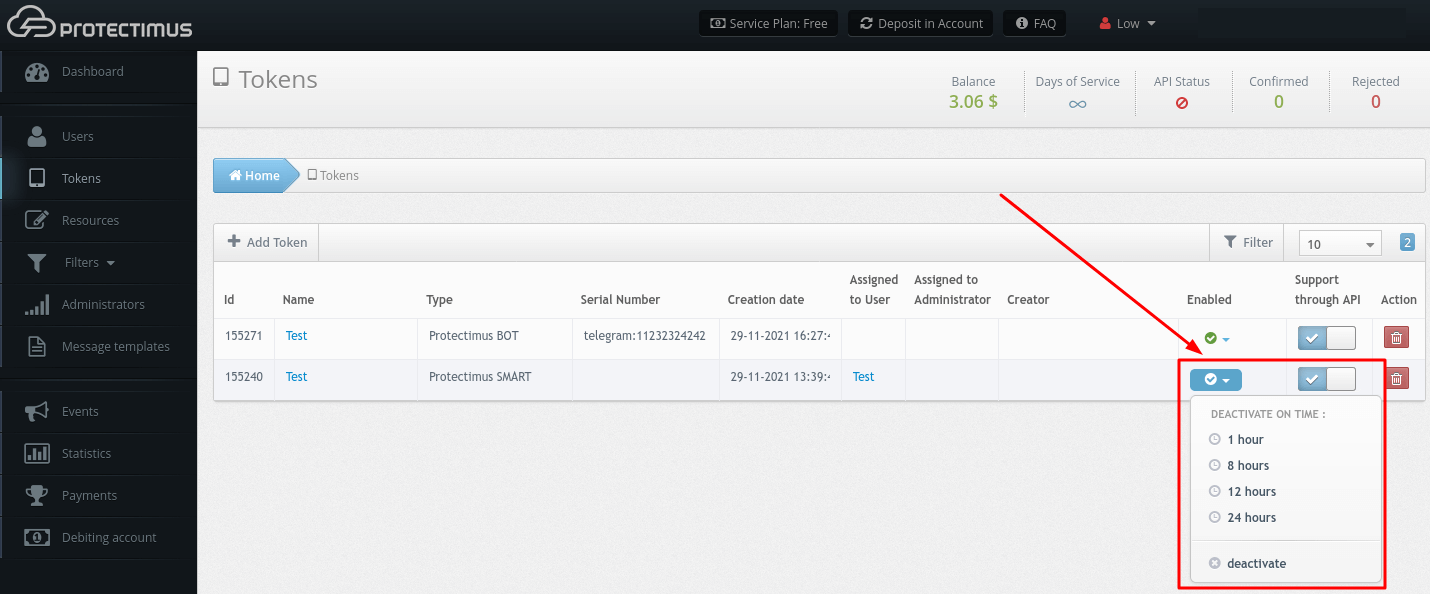
- Vaya a la página Tokens.
- Busque el token que necesita y haga clic en la lista desplegable del campo Enabled. Puede desactivar el token para:
- 1 hora;
- 8 horas;
- 12 horas;
- 24 horas;
- También puede desactivarlo de forma permanente seleccionando la opción deactivate.
¡ATENCIÓN! Cuando deshabilita este parámetro, se devolverá un resultado positivo para CUALQUIER OTP.
4. Cómo volver a emitir tokens
Si un usuario pierde el acceso a su token, un administrador puede volver a emitirlo manualmente. También puede habilitar el Portal de autoservicio para usuarios y permitir que los usuarios reasignen sus tokens por sí mismos.
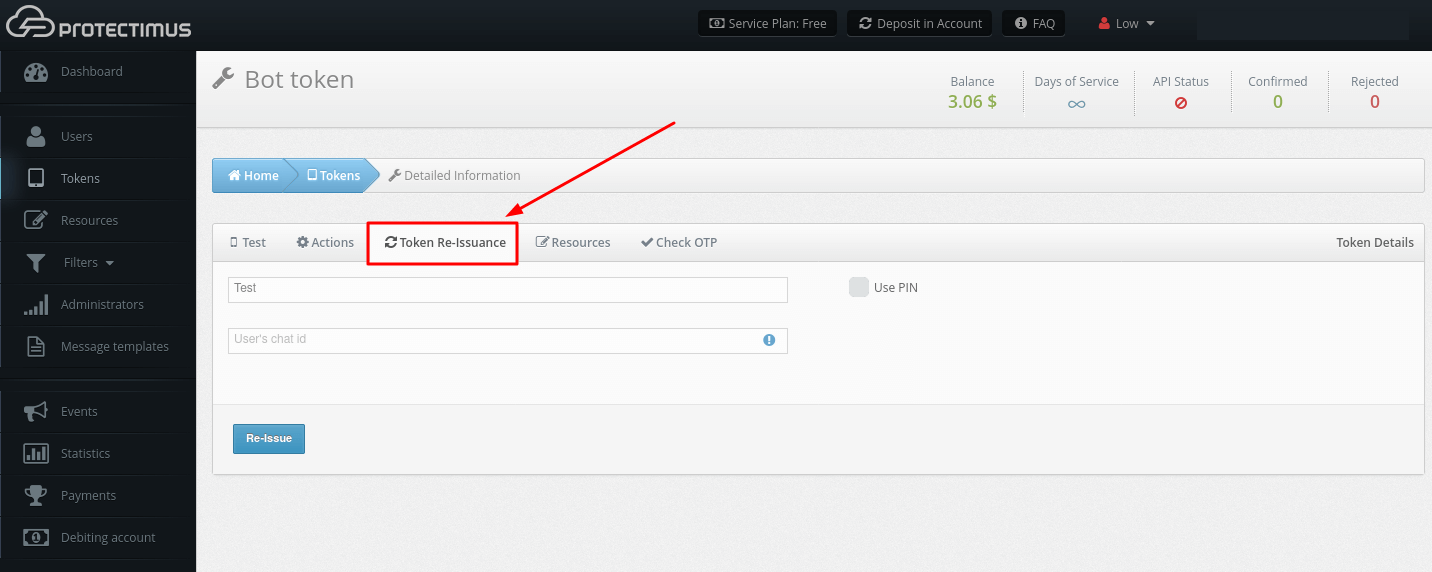
- Vaya a la página Tokens.
- Encuentre el token que necesita y haga clic en su Name.
- Vaya a la pestaña Token Re-Issuance, complete todos los campos obligatorios y haga clic en Re-Issue.
5. Cómo eliminar tokens
¡TENGA EN CUENTA! Solo el creador o el administrador principal pueden eliminar los tokens.
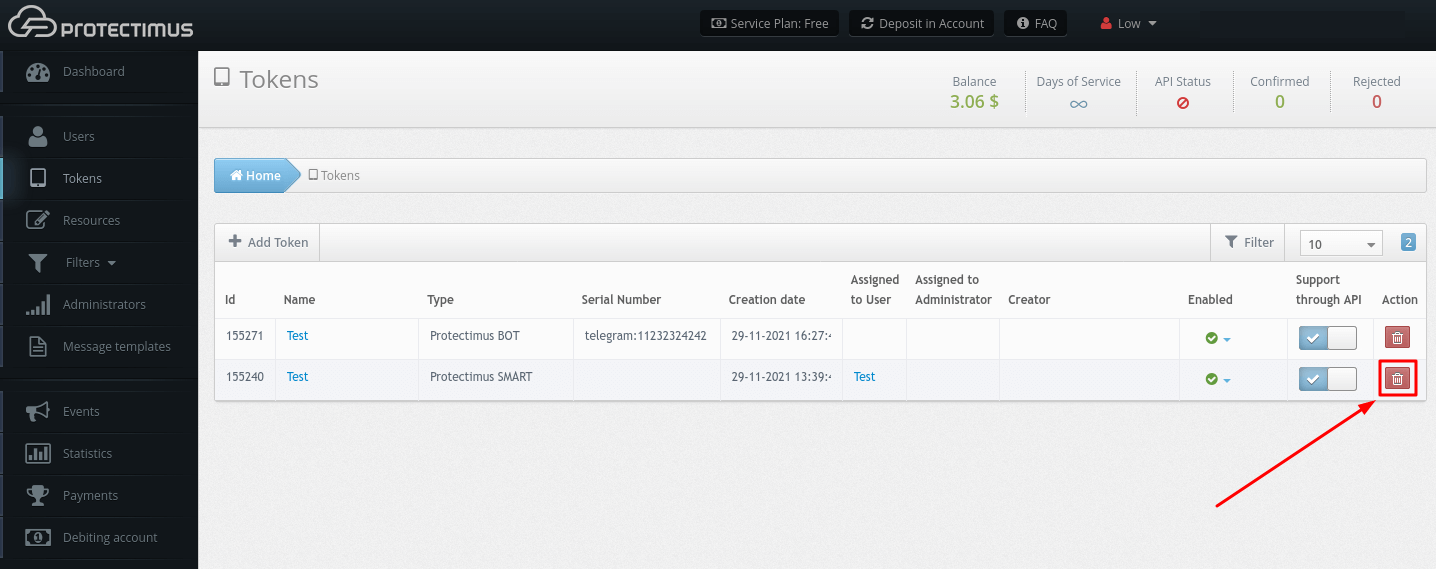
- Vaya a la página Tokens.
- Busque el token que necesita y haga clic en el botón rojo con el icono de una papelera, y confirme la acción.
6. Cómo sincronizar tokens de hardware con el servidor MFA
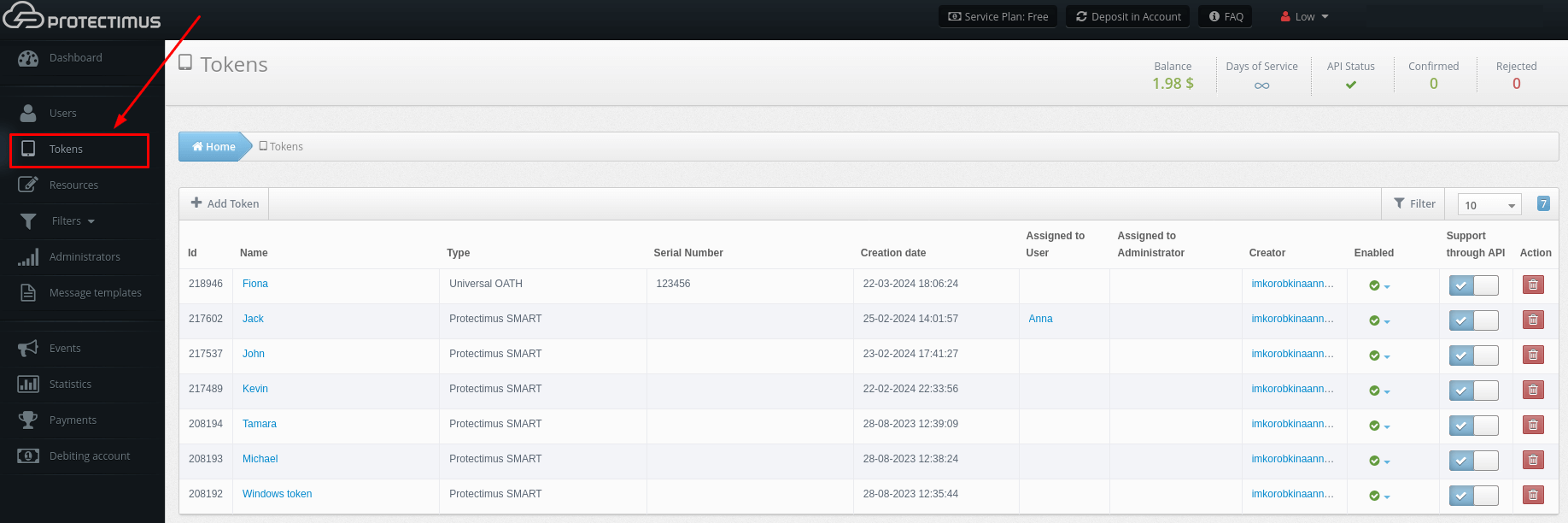
- Vaya a la página Tokens.
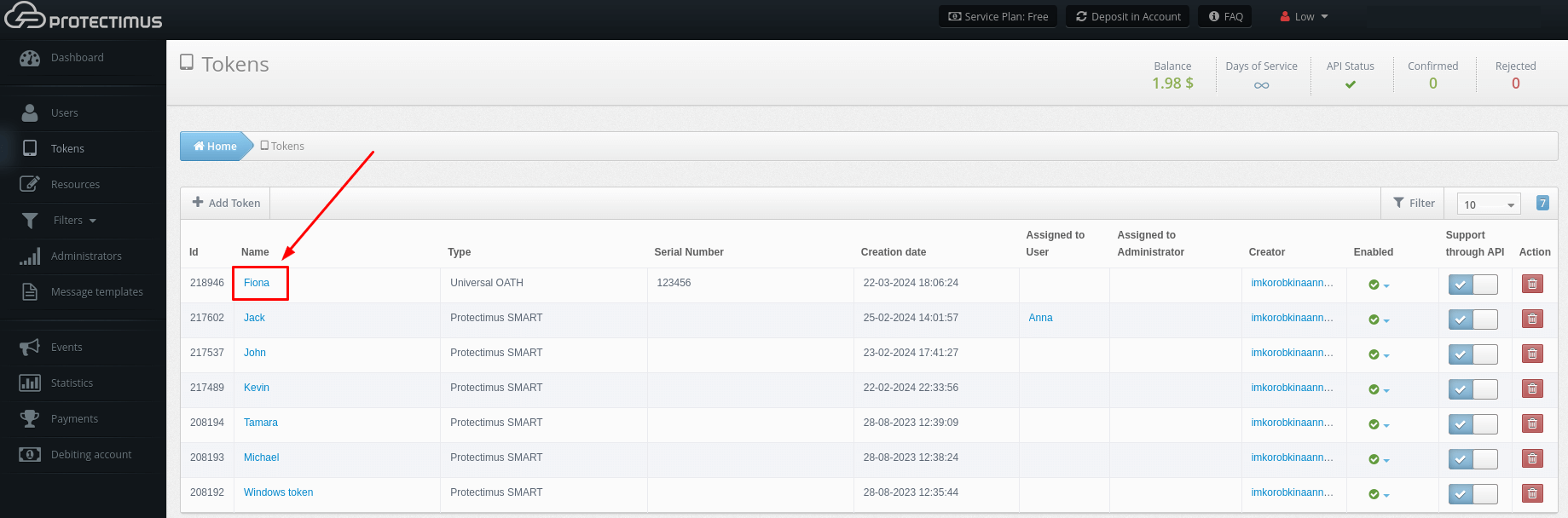
- Encuentre el token que necesita y haga clic en su nombre.
- Vaya a la pestaña Token Synchronization.
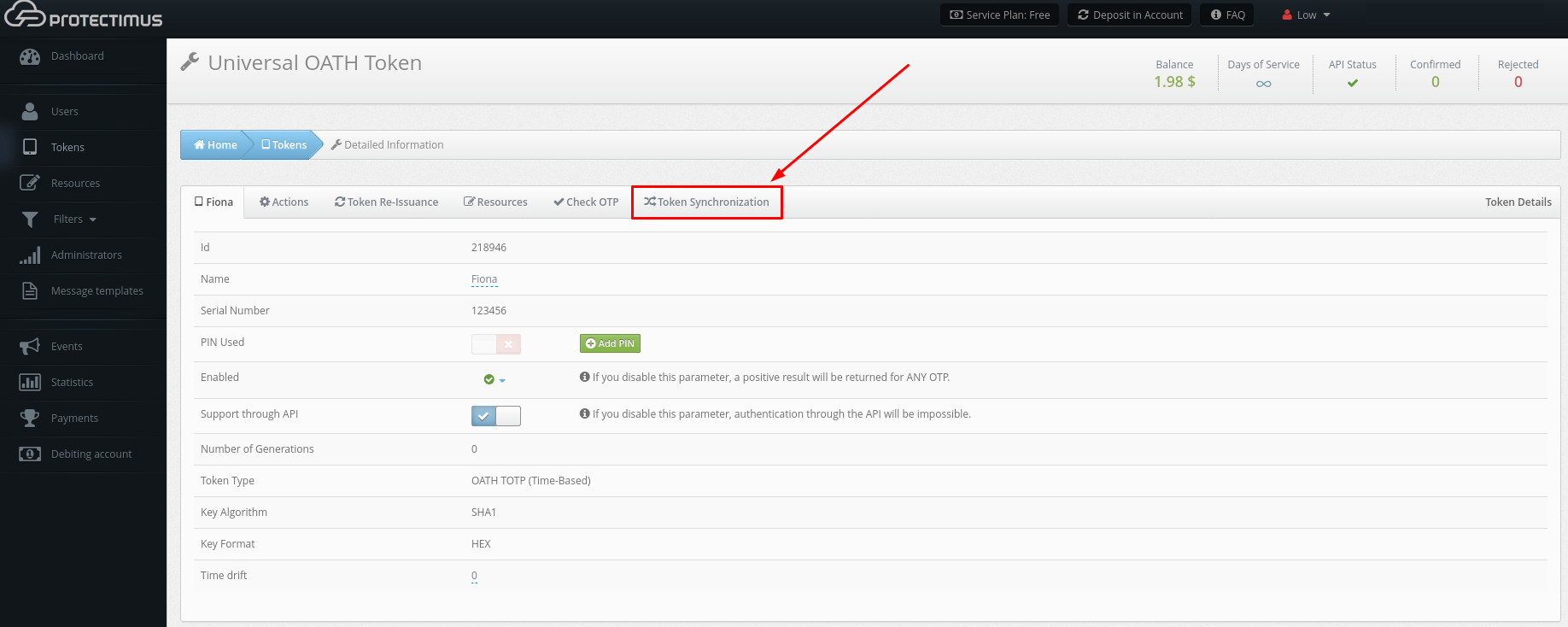
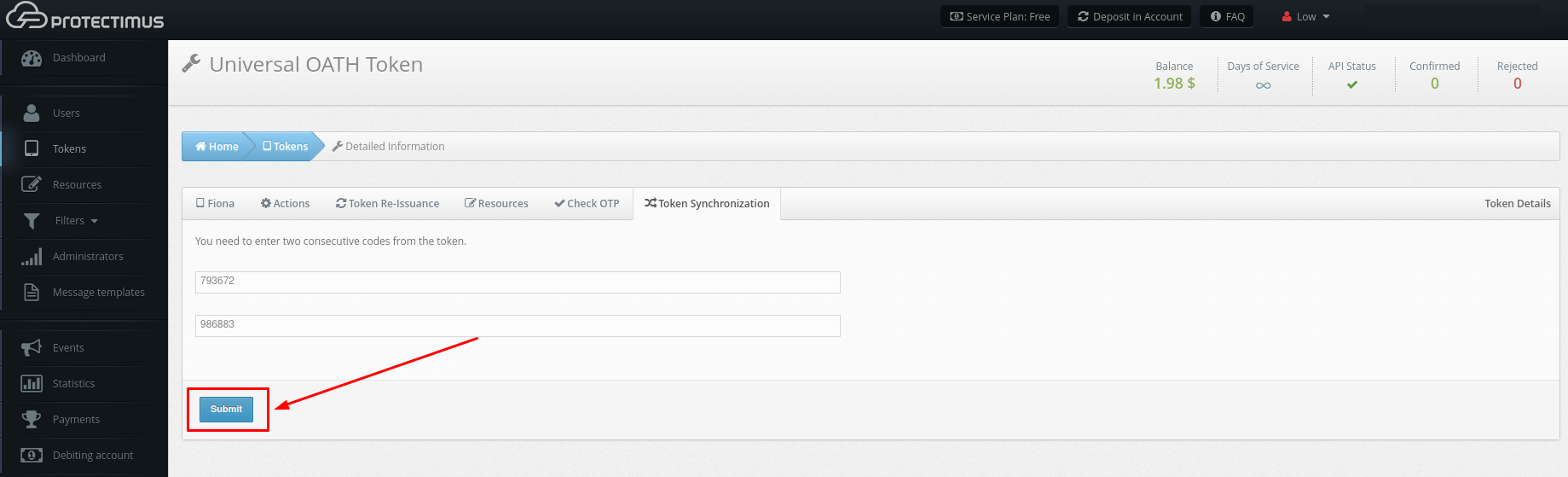
- Introduzca dos códigos de un solo uso consecutivos del token que está sincronizando en los campos correspondientes y haga clic en Submit.