



La integración de la solución de autenticación multifactor de Protectimus permite configurar fácilmente la autenticación de dos factores (2FA) para Cisco Meraki Client VPN, en solo unos minutos. Al añadir MFA como capa de seguridad, Cisco Meraki Client VPN garantiza el acceso exclusivo de usuarios autorizados y mejora la protección frente a ciberamenazas.
En la actualidad, con el trabajo remoto ampliamente extendido, es fundamental establecer un sistema seguro de acceso remoto. Protectimus ofrece una solución de autenticación multifactor para Cisco Meraki Client VPN que mantiene protegido el acceso a la VPN incluso si las credenciales de inicio de sesión de un usuario se ven comprometidas. La autenticación de dos factores constituye una defensa sólida frente a diversas amenazas, como el phishing, los ataques de fuerza bruta, la ingeniería social, los ataques MITM y la suplantación de datos, y protege así los datos y recursos de su organización.
Protectimus proporciona acceso seguro a Cisco Meraki Client VPN mediante autenticación multifactor (MFA) a través del Protectimus RADIUS Server.
A continuación se muestra el esquema de funcionamiento de Protectimus para la 2FA de Cisco Meraki Client VPN.
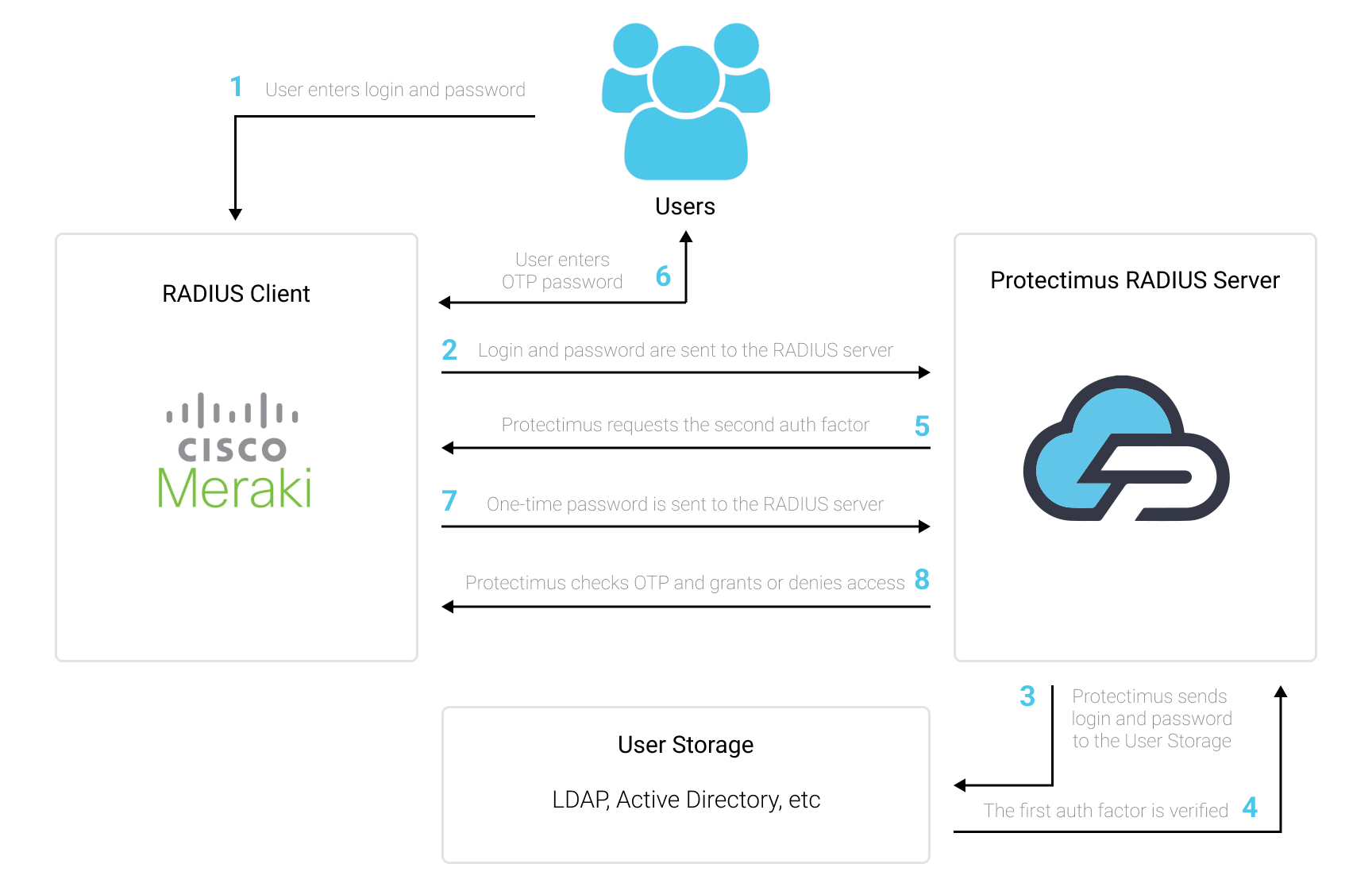
La solución de autenticación de dos factores de Protectimus para Cisco Meraki Client VPN añade una capa de seguridad adicional que bloquea eficazmente los intentos de acceso no autorizado a la VPN.
Después de habilitar la autenticación de dos factores (2FA) en el servidor Cisco Meraki Client VPN, los usuarios deberán proporcionar dos factores de autenticación distintos para acceder a sus cuentas.
Al implementar 2FA/MFA para Cisco Meraki VPN, los usuarios deberán proporcionar:
Para vulnerar una instancia de Cisco Meraki Client VPN protegida mediante autenticación de dos factores (2FA/MFA), un atacante tendría que obtener simultáneamente una contraseña convencional y una contraseña de un solo uso, y solo dispondría de 30 segundos para interceptar esta última. La dificultad casi insuperable de esta tarea demuestra la extraordinaria eficacia de la autenticación de dos factores frente a la mayoría de los ataques.
Puede configurar 2FA para Cisco Meraki con Protectimus mediante RADIUS:
- Regístrese en Protectimus SAAS Service o instale On-Premise 2FA Platform y configure los ajustes básicos.
- Instale y configure Protectimus RADIUS Server.
- Añada Protectimus como servidor RADIUS para Cisco Meraki Client VPN.
Elija el tipo de implementación y complete la configuración básica:
Protectimus Cloud Service
Protectimus On-Premise Platform
Encontrará instrucciones detalladas para instalar y configurar Protectimus RADIUS Server con el fin de habilitar la autenticación de dos factores en Cisco Meraki VPN mediante RADIUS en nuestra guía de instalación de Protectimus RADIUS Server para la 2FA de Cisco Meraki Client VPN.
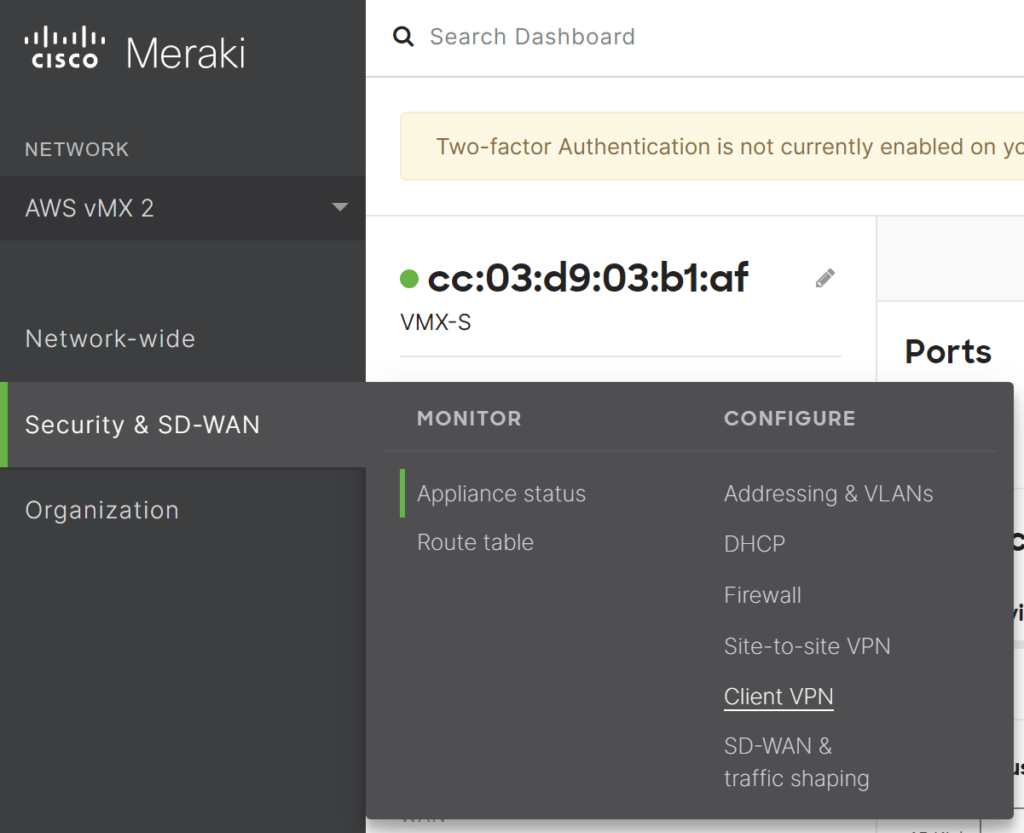
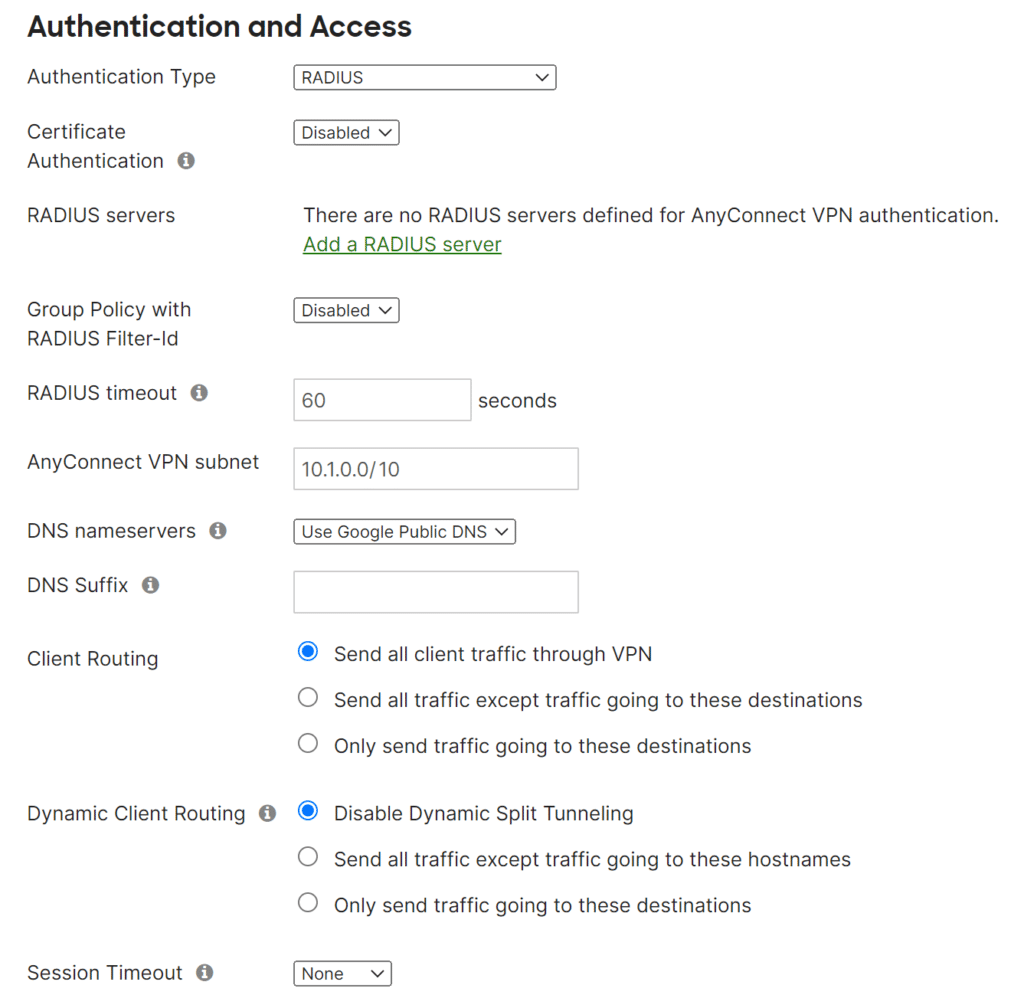
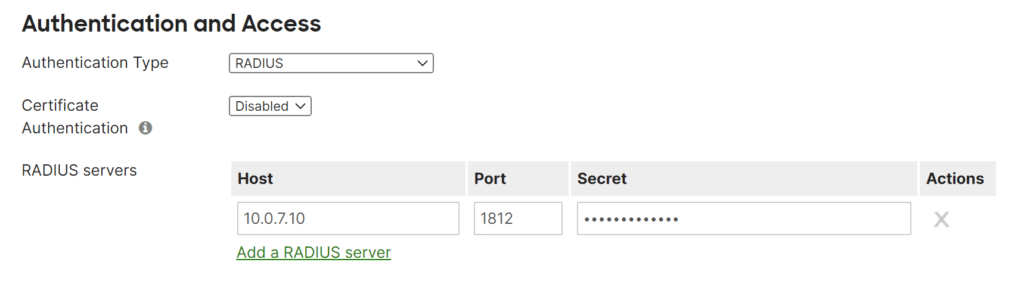
La integración de 2FA/MFA para Cisco Meraki VPN ya está completa.
Si tiene alguna otra pregunta, póngase en contacto con el servicio de atención al cliente de Protectimus.










