Configuración de la autenticación de dos factores en Cisco AnyConnect VPN
La 2FA de Cisco AnyConnect puede activarse mediante el protocolo RADIUS y el sistema de autenticación de dos factores de Protectimus.
Al configurar las políticas de autenticación en Cisco AnyConnect, las solicitudes se envían mediante RADIUS a Protectimus RADIUS Server. Este servidor consulta al servidor de autenticación de Protectimus para verificar la contraseña de un solo uso y devuelve la respuesta a Cisco AnyConnect mediante RADIUS.
Para consultar los métodos de autenticación compatibles, las opciones de implementación, la información de cumplimiento y una comparación con Cisco Duo, consulte la solución MFA de Protectimus para Cisco AnyConnect.
Consulte el esquema de configuración para ver cómo funciona la autenticación de dos factores de Cisco AnyConnect mediante RADIUS.
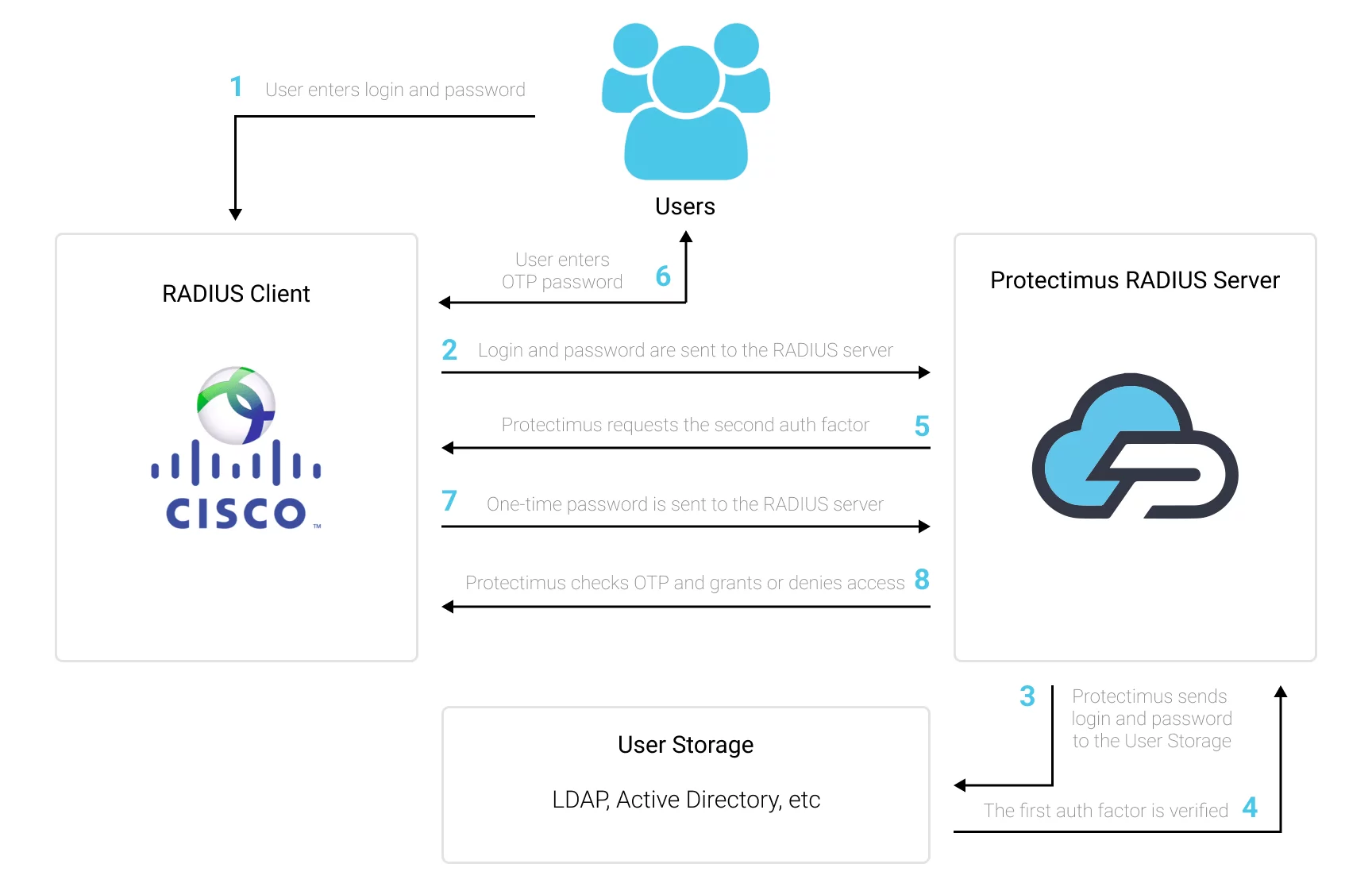
Para activar la autenticación de dos factores (2FA) en Cisco AnyConnect:
- Instale y configure Protectimus RADIUS Server.
- Regístrese en el servicio SaaS 2FA de Protectimus o instale la plataforma Protectimus On-Premise y configure los ajustes básicos.
- Configure las políticas de autenticación de Cisco AnyConnect.
1. Registrarse y configurar los ajustes básicos
Elija su opción de implementación y complete la configuración básica:
Servicio en la nube de Protectimus
- Regístrese en el servicio en la nube de Protectimus y active la API.
- Añada un recurso.
- Añada usuarios.
- Añada tokens manualmente o active el portal de autoservicio para usuarios.
- Asigne tokens a los usuarios.
- Asigne usuarios y tokens al recurso.
Plataforma Protectimus On-Premise
- Instale la plataforma Protectimus On-Premise. Si instala la plataforma Protectimus en Windows, seleccione la opción RADIUS durante la instalación.
- Añada un recurso.
- Añada usuarios.
- Añada tokens manualmente o active el portal de autoservicio para usuarios.
- Asigne tokens a los usuarios.
- Asigne usuarios y tokens al recurso.
2. Instalar y configurar Protectimus RADIUS Server
Encontrará instrucciones detalladas para instalar y configurar Protectimus RADIUS Server en nuestra guía de instalación de Protectimus RADIUS Server para la 2FA de Cisco AnyConnect.
3. Configurar las políticas de autenticación 2FA de Cisco AnyConnect
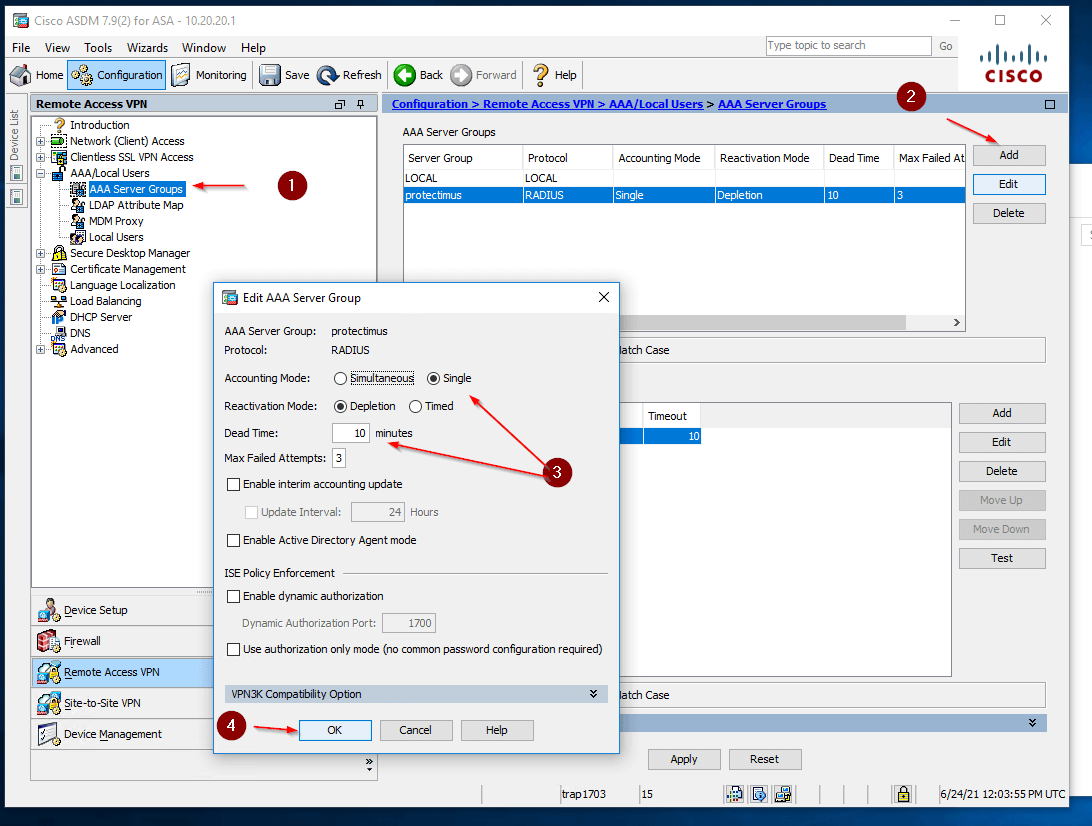
3.1. Añadir el grupo de servidores RADIUS a la configuración de Cisco ASA:
- Conéctese a Cisco ASA mediante Cisco ASDM
- Abra Configuration —> Remote Access VPN —> AAA/Local Users —> AAA Server Groups
- Haga clic en AAA Server Groups —> Add (1, 2)
- Defina el nombre y los parámetros como se muestra en la figura siguiente (3)
- Haga clic en OK (4)
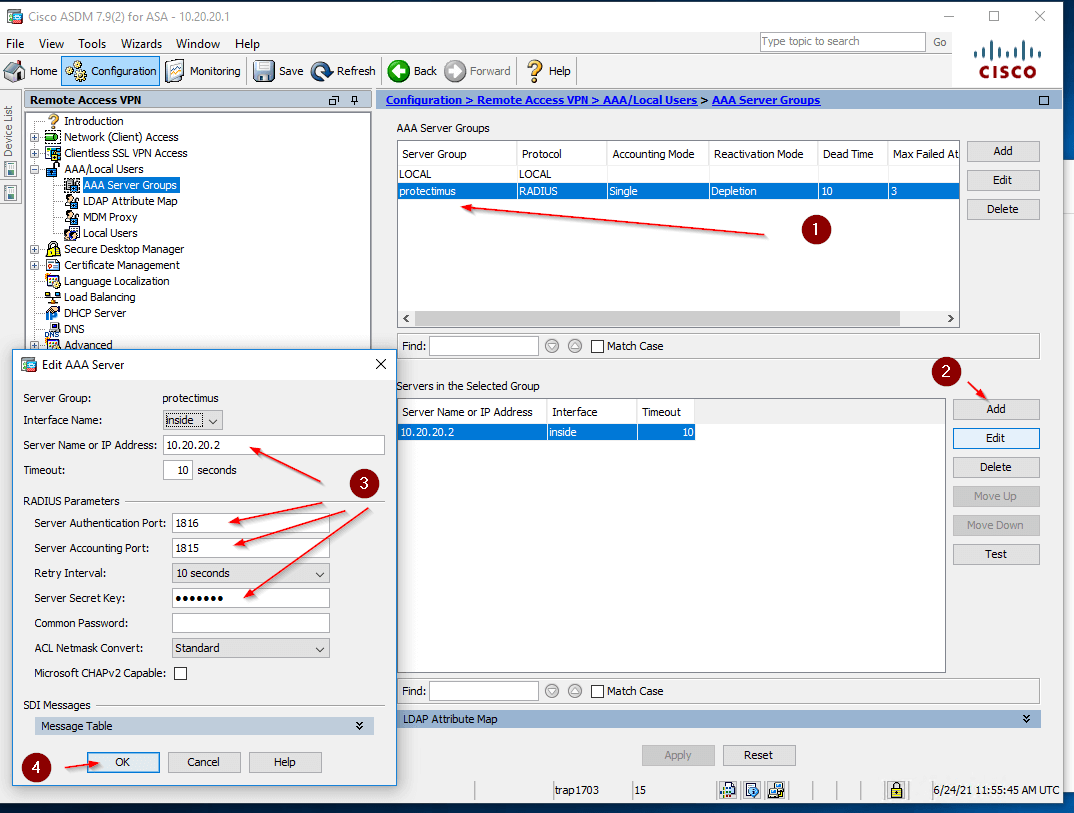
3.2. Añadir el servidor RADIUS a un grupo de servidores:
- Seleccione el grupo de servidores RADIUS que acaba de crear (1)
- Haga clic en Add (2)
- Defina los parámetros del servidor RADIUS (3)
- Haga clic en OK (4)
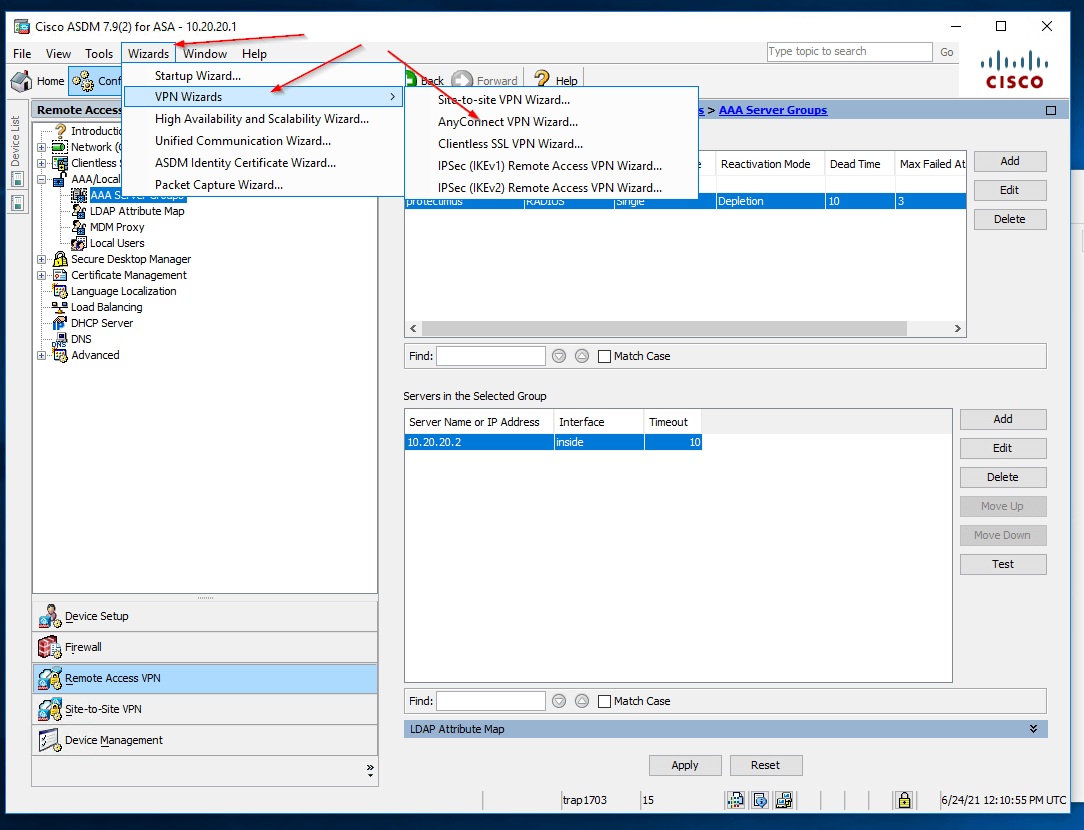
3.3. Configurar la conexión VPN de AnyConnect:
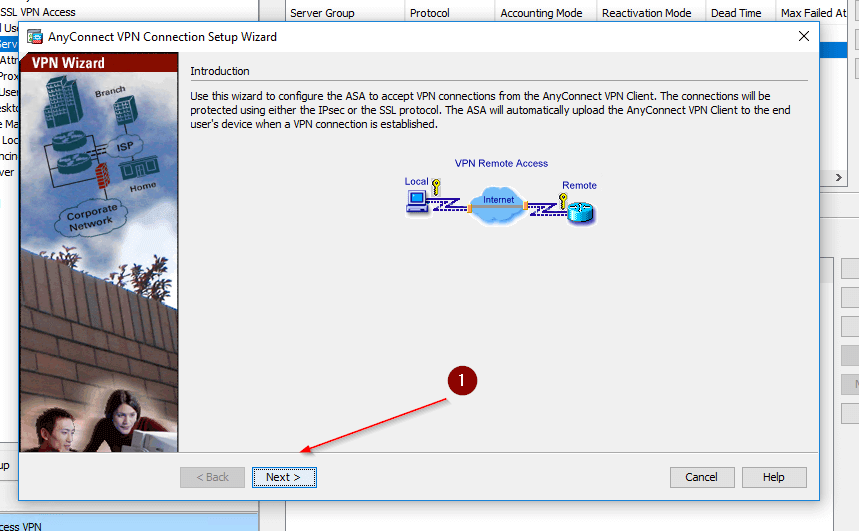
- Abra AnyConnect VPN Wizard. Haga clic en Wizards —> VPN Wizards —> AnyConnect VPN Wizard como se muestra en la figura.
- Luego haga clic en Next como se muestra en la figura siguiente.
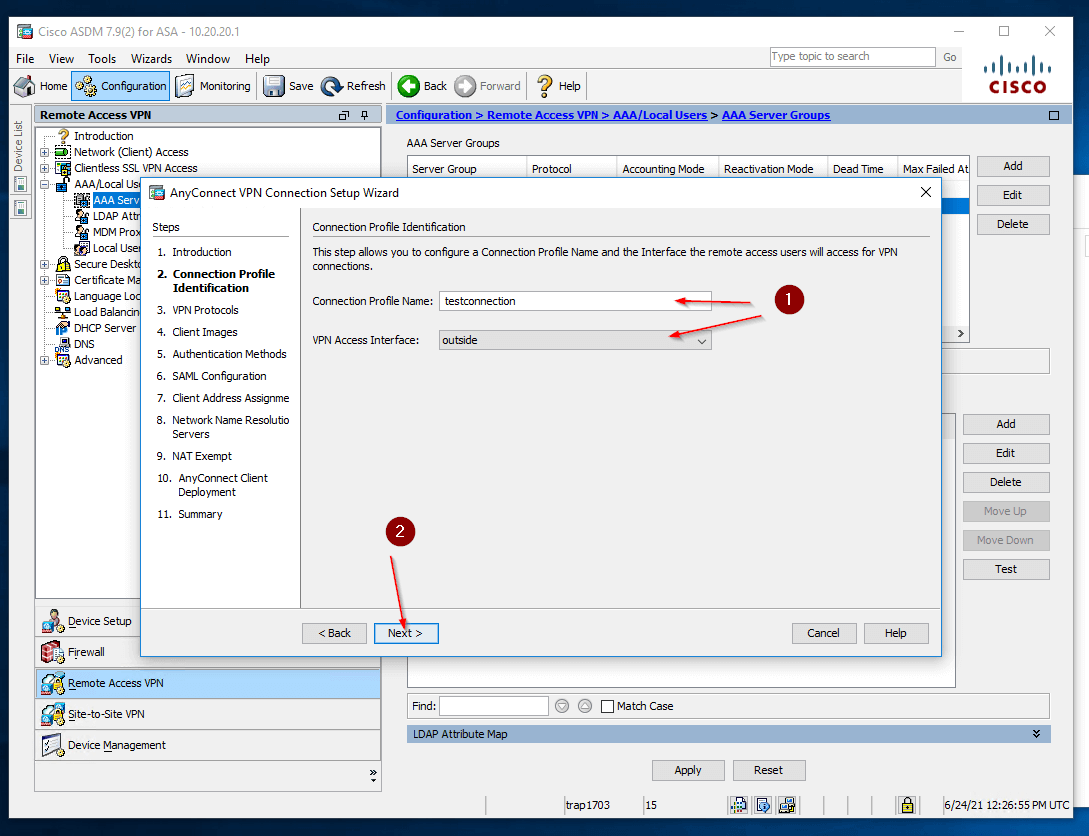
- Especifique el Connection Profile Name y VPN Access Interface (1).
A continuación, haga clic en Next (2).
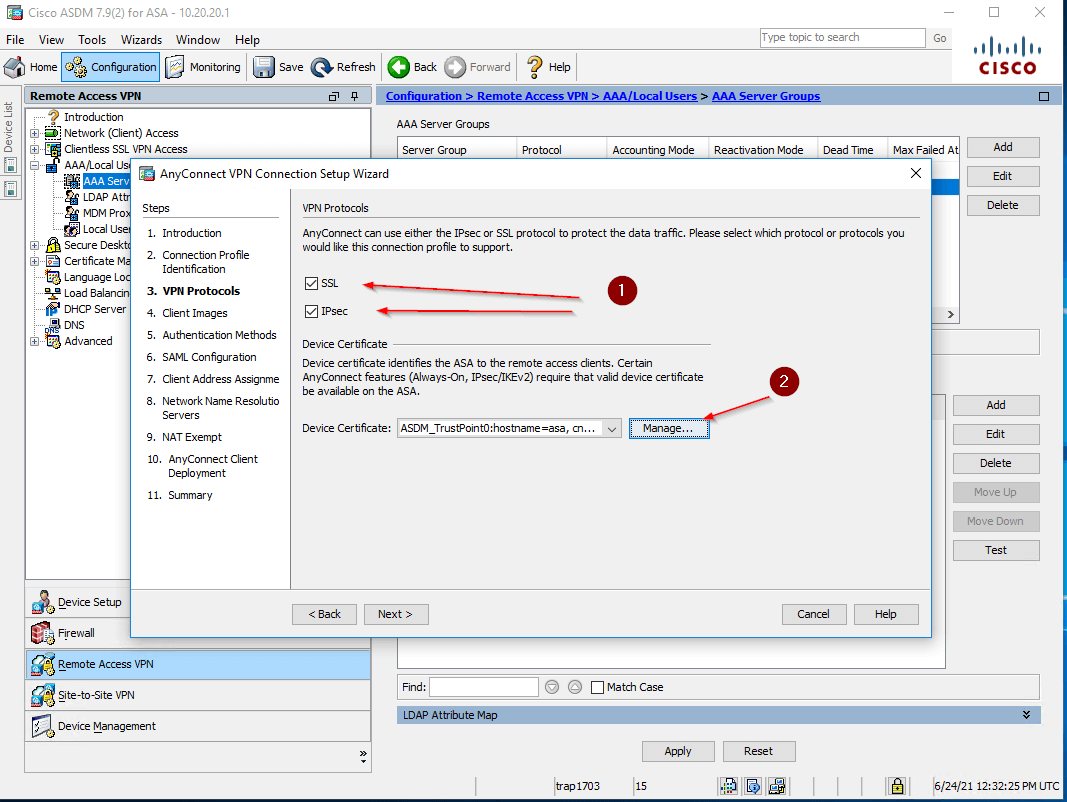
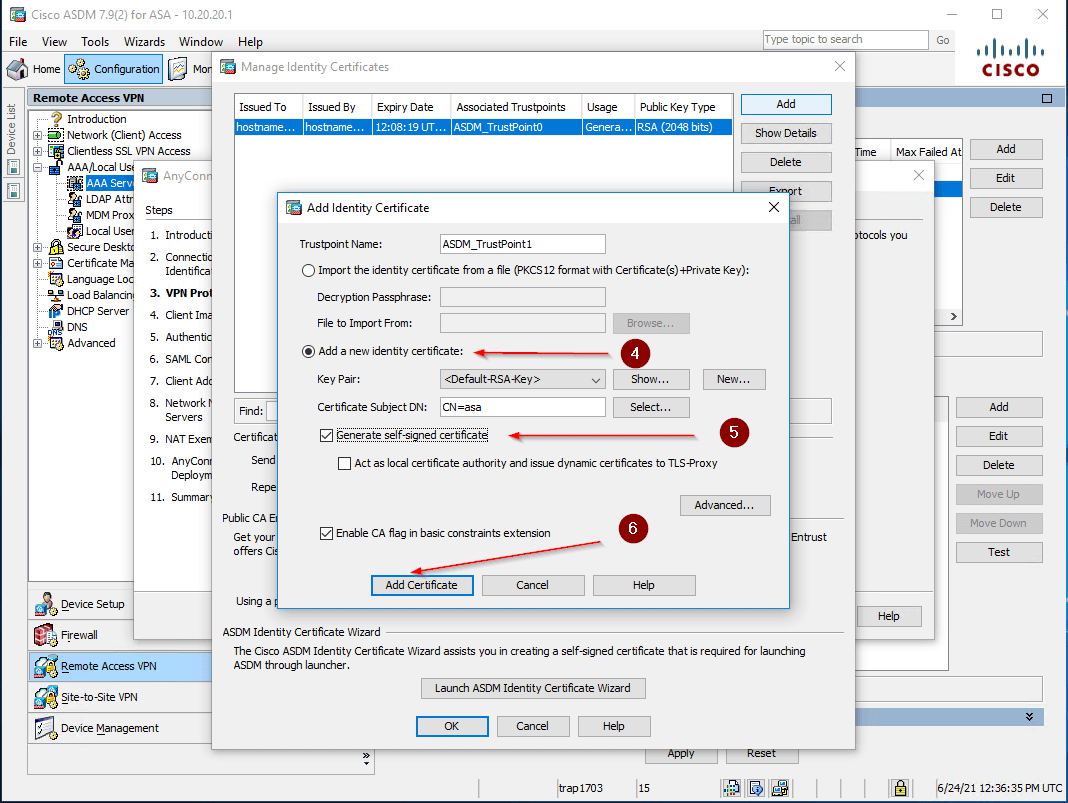
- Configure VPN Protocols y añada un Certificate como se muestra en las figuras siguientes.
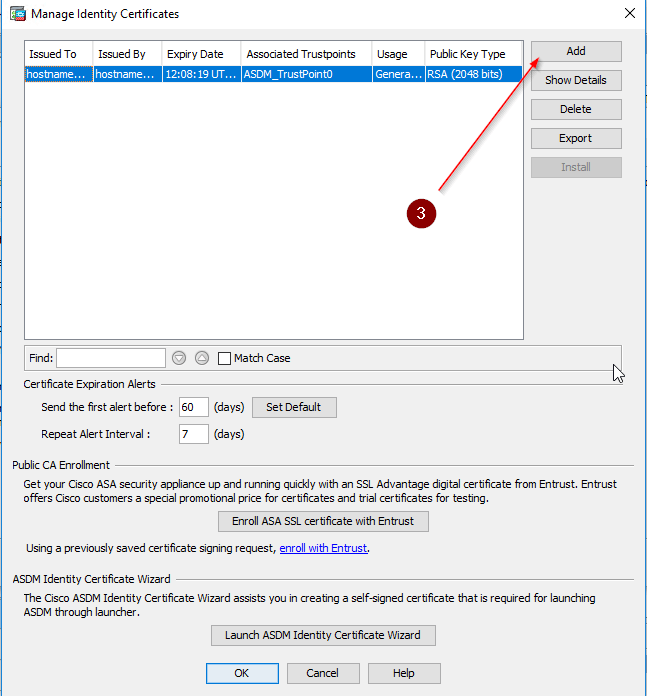
- Si es necesario, puede generar y añadir un certificado autofirmado como se muestra en la figura. Después, haga clic en OK —> OK —> Next.
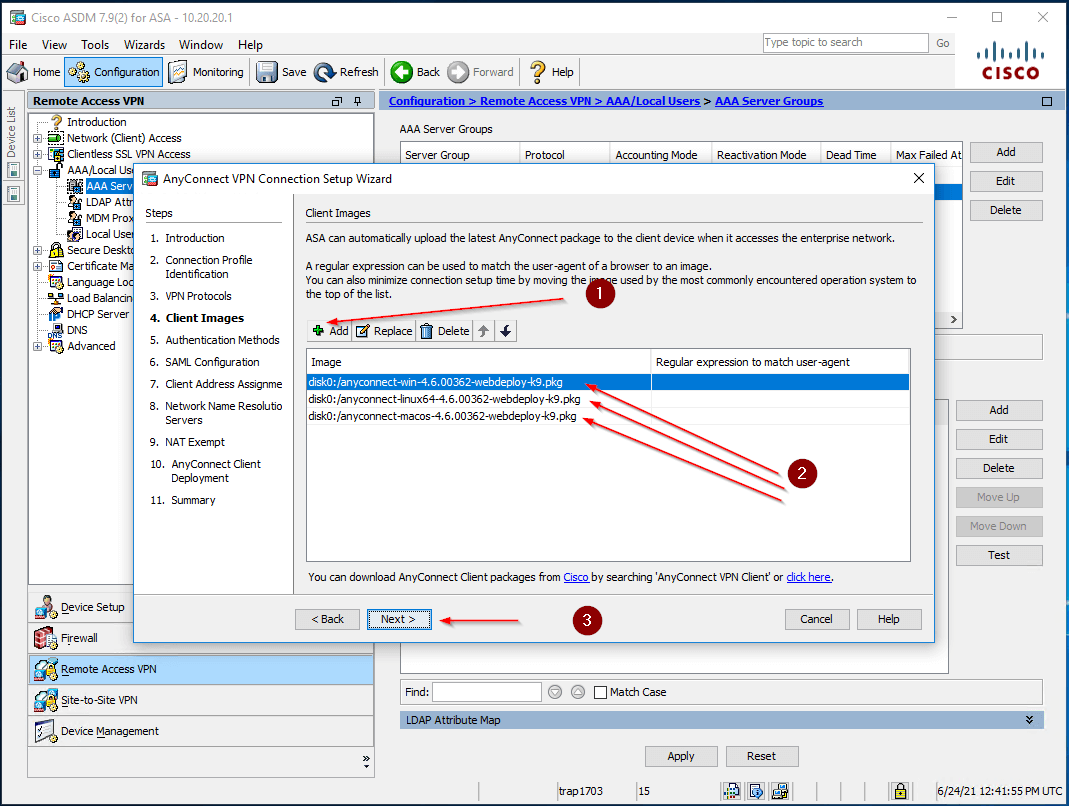
- Añada una imagen del cliente VPN (archivos *.pkg)
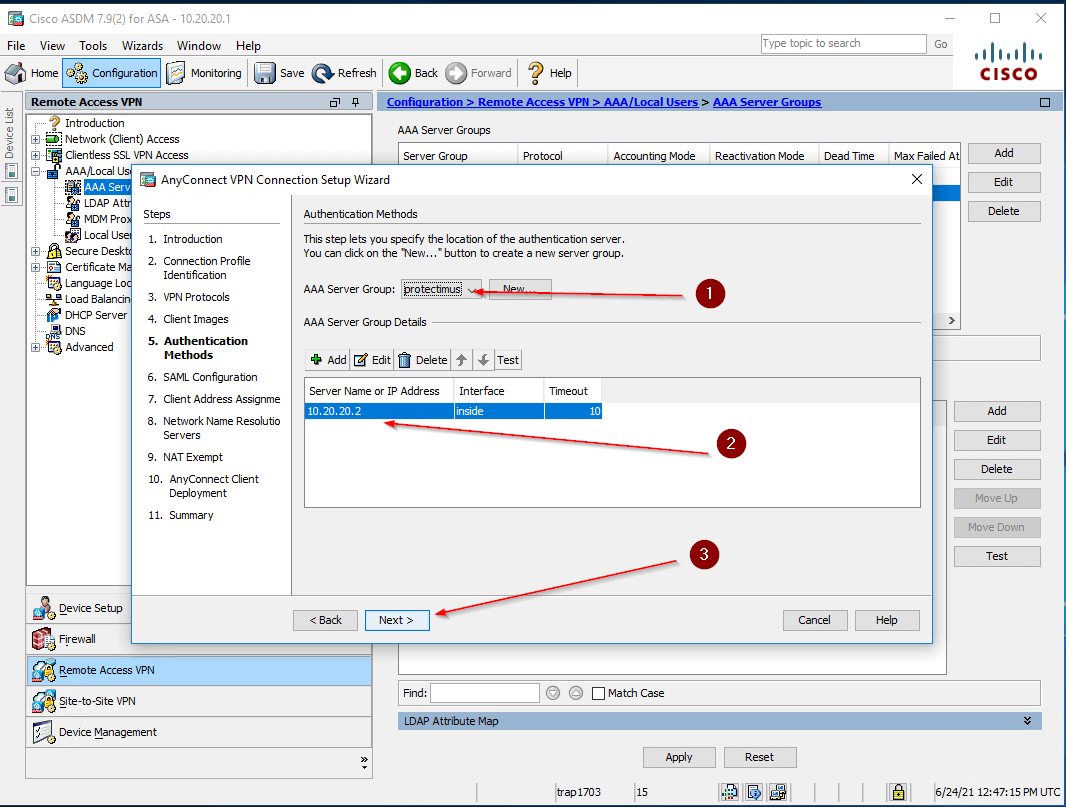
- Configure los métodos de autenticación:
- Seleccione como AAA Server Group el grupo de servidores RADIUS que creó (1)
- Modifique el nombre o la dirección IP del servidor si es necesario (2)
- Haga clic en Next (3)
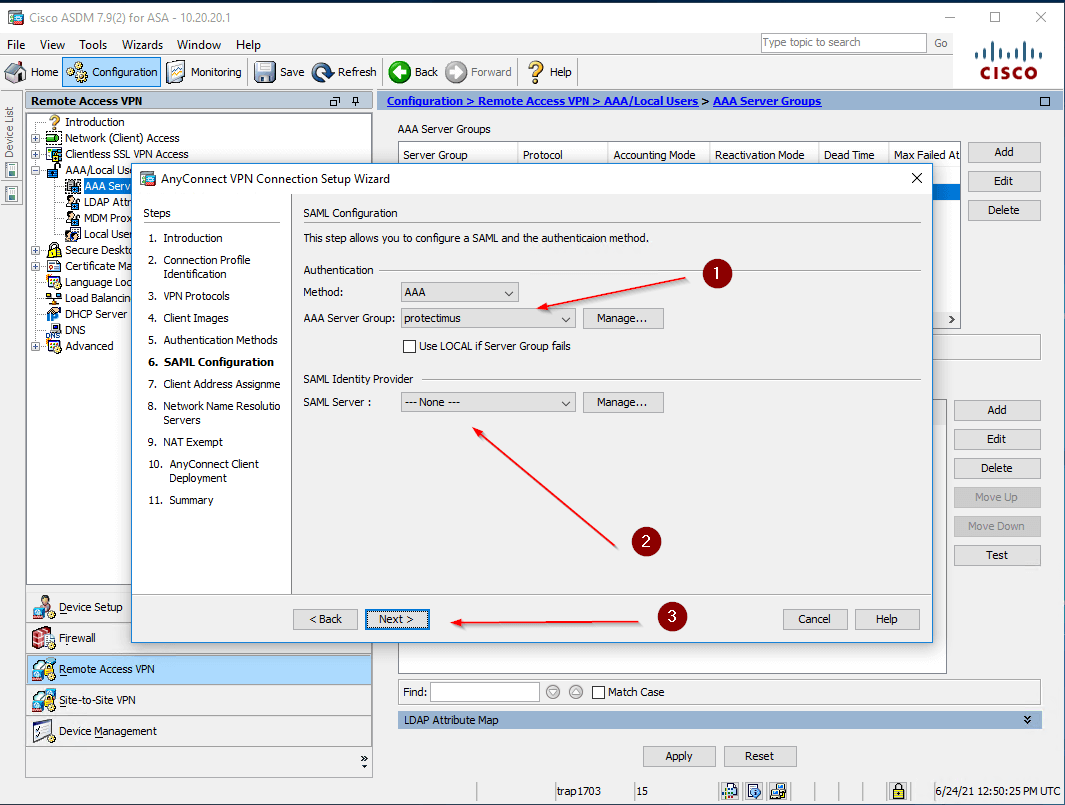
- Configure SAML:
- Seleccione como AAA Server Group el grupo de servidores RADIUS que creó (1)
- Deje “None” en el campo SAML Server (2)
- Haga clic en Next (3)
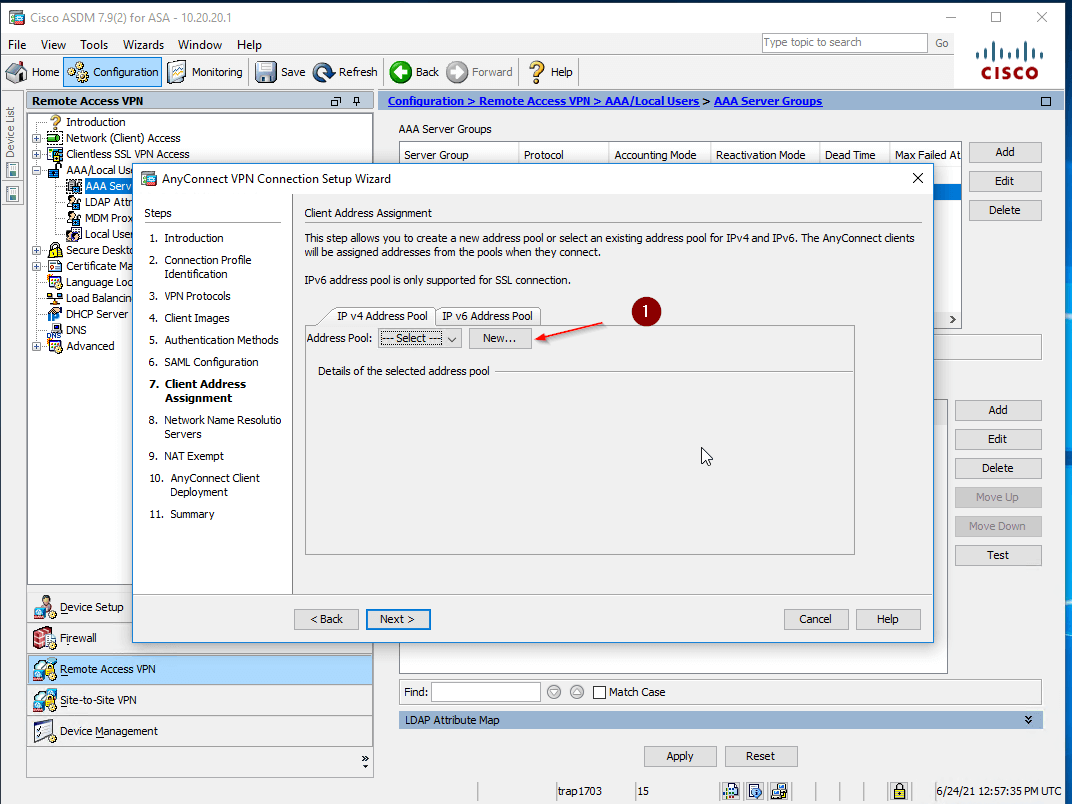
- Configure el conjunto de direcciones IP que se asignará a los clientes:
- Elija New (1)
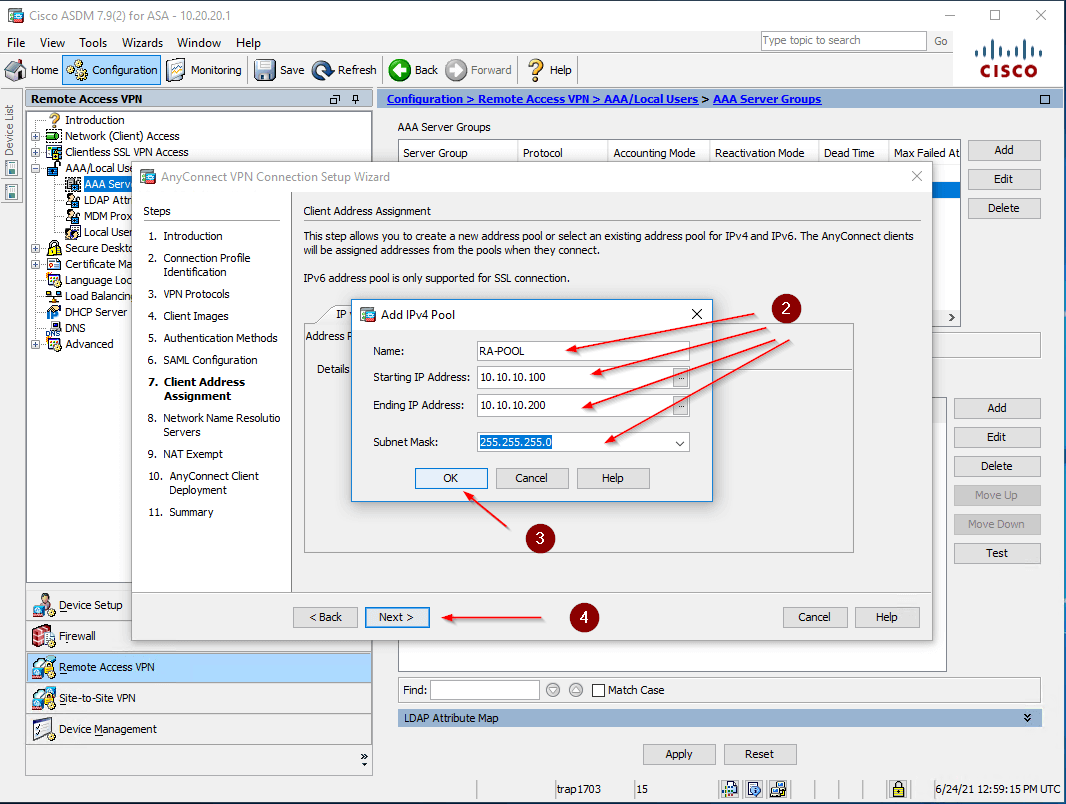
- Especifique los parámetros de IP Pool: Name, Starting IP Address, Ending IP Address y Subnet Mask (2, 3)
- Luego haga clic en Next (4)
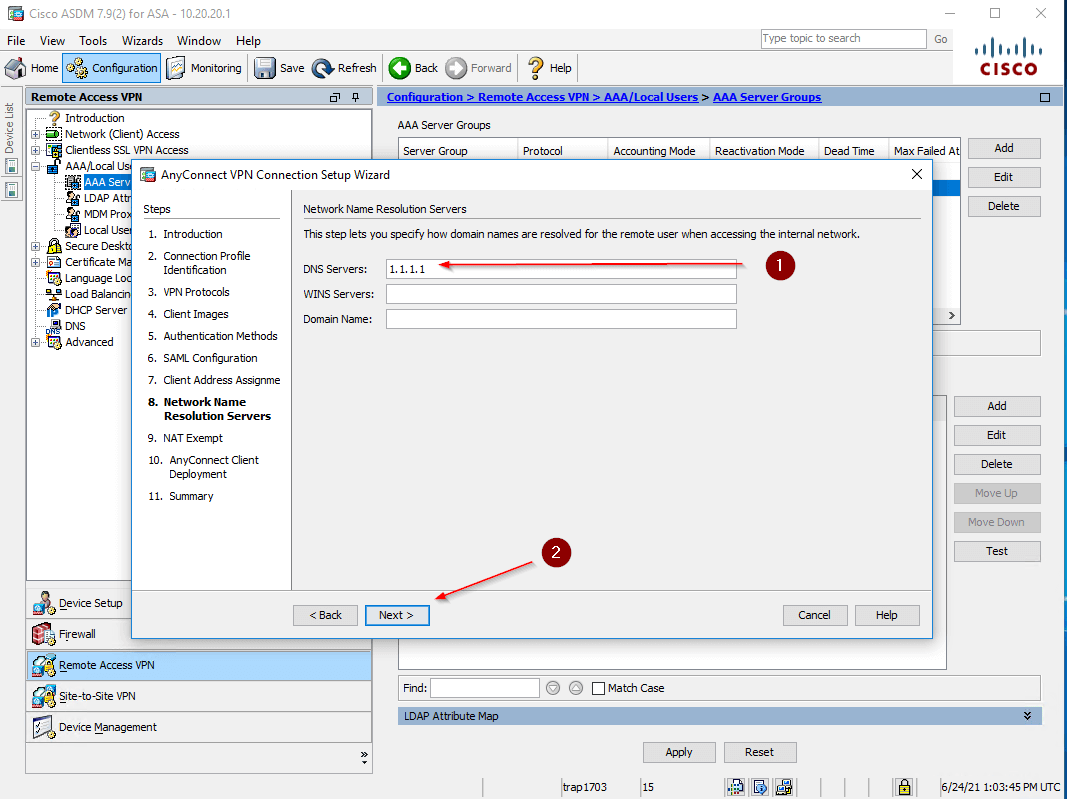
- Especifique el servidor DNS
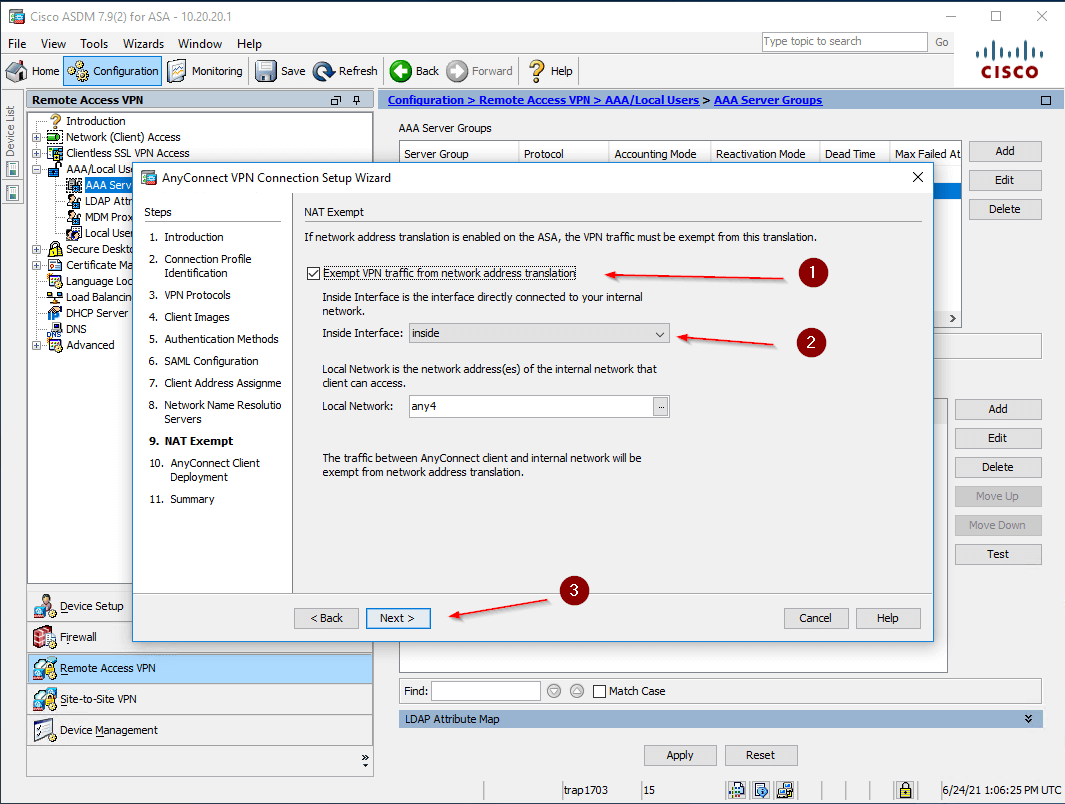
- Configure las excepciones de NAT:
- Marque la casilla Exempt VPN traffic from network address translation (1)
- Configure una excepción para Inside Interface (2)
- Haga clic en Next (3)
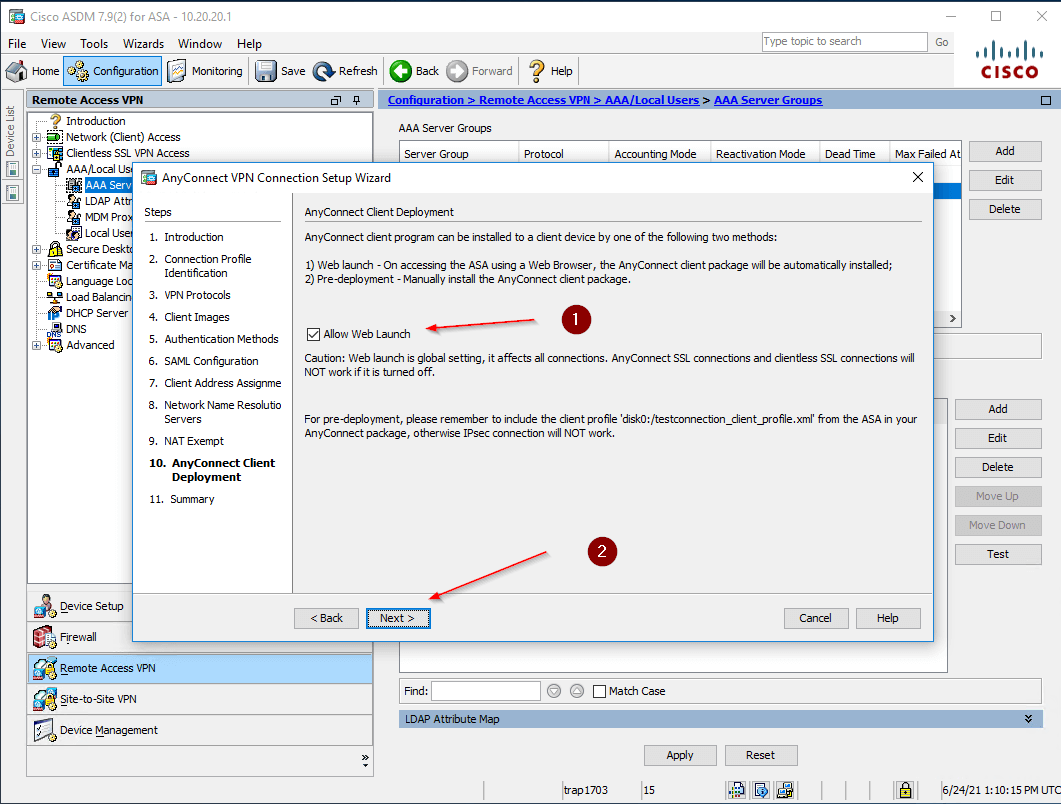
- Para permitir la conexión mediante HTTPS, marque la casilla Allow Web Launch (1).
Después, haga clic en Next.
- Revise los ajustes especificados y haga clic en Finish.
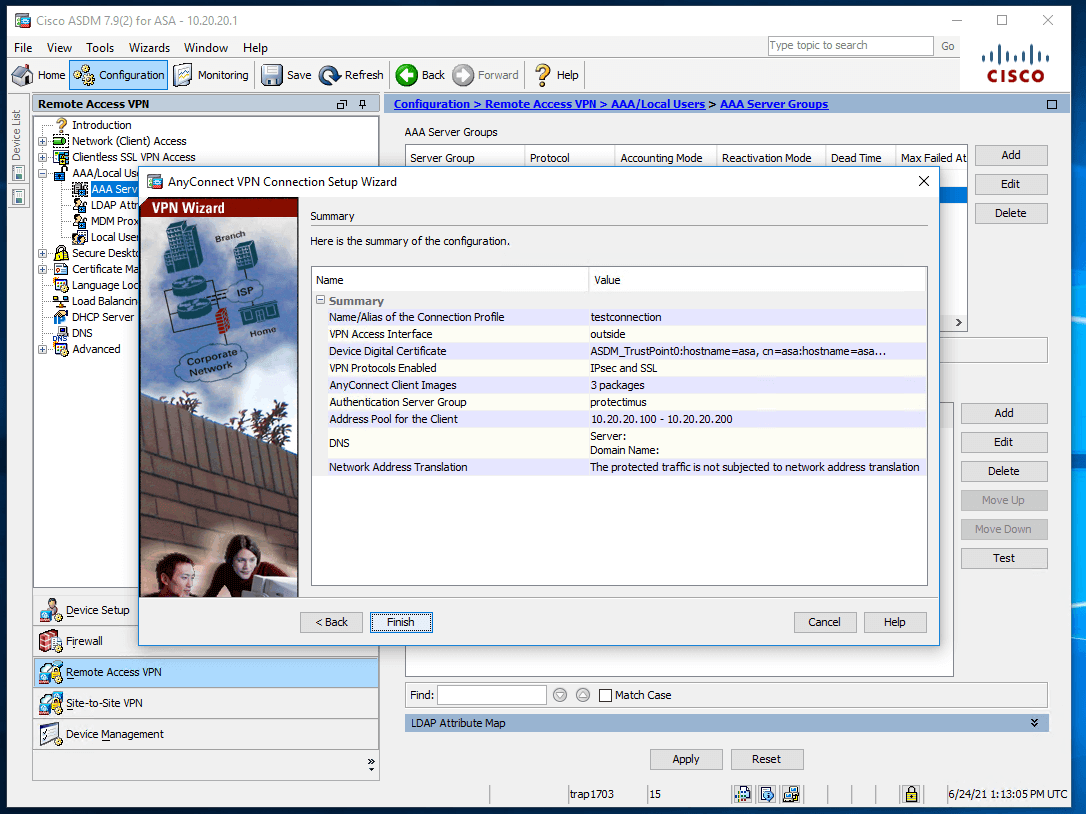
La integración de la 2FA de Cisco AnyConnect ha finalizado.
Si tiene alguna otra pregunta, póngase en contacto con el servicio de atención al cliente de Protectimus.













