Gestión de recursos en el servicio SaaS: guía paso a paso
Los recursos se utilizan para agrupar usuarios. Por ejemplo, puede crear recursos independientes para distintos proyectos web o departamentos.
El número de recursos que puede crear depende de su
plan de servicio. Para crear recursos adicionales, amplíe o personalice su plan.
1. Cómo añadir un recurso
-
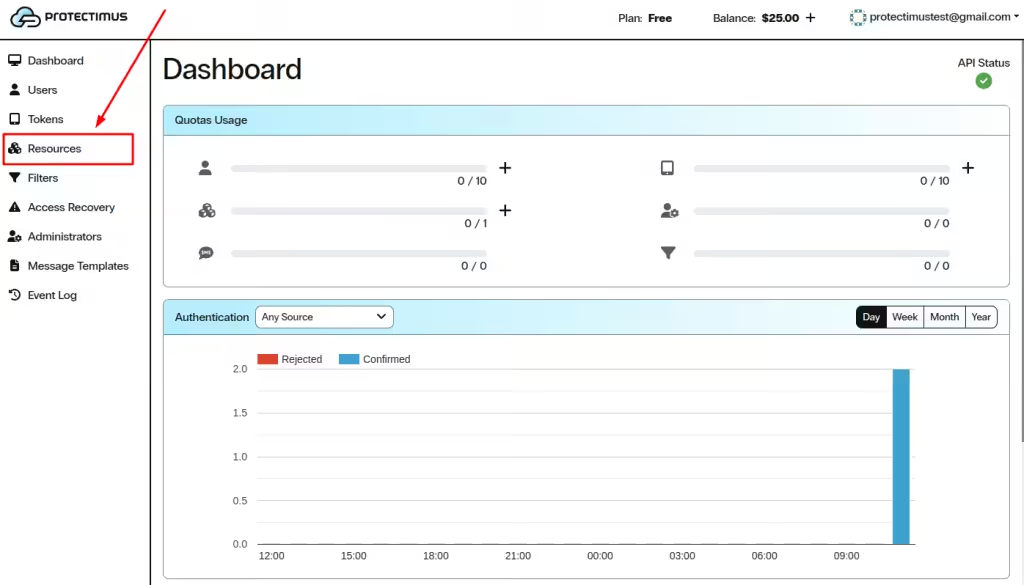
Inicie sesión en su
cuenta del servicio SaaS de Protectimus y vaya a la
página Recursos.
-
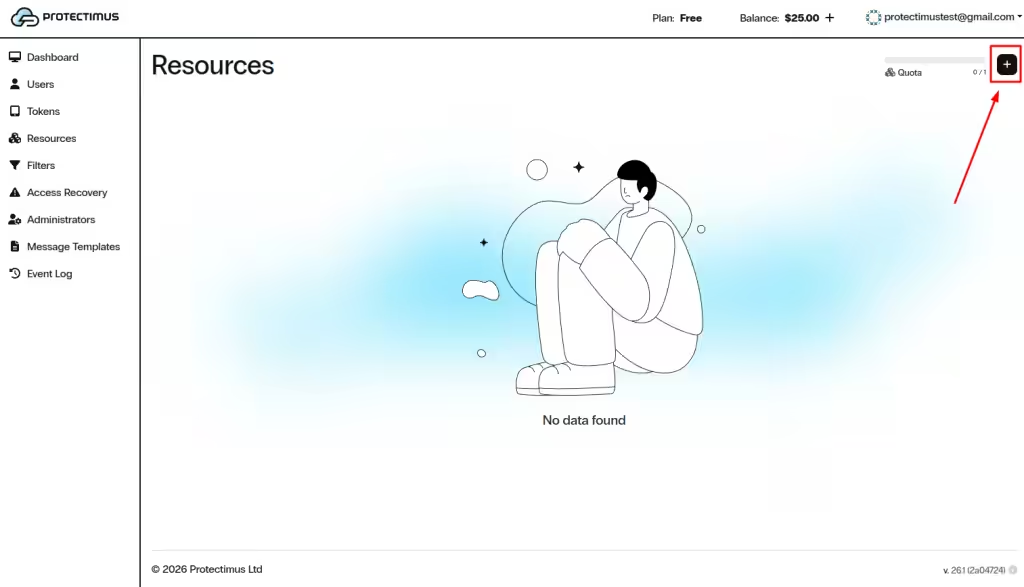
Haga clic en el botón + (Crear recurso) de la esquina superior derecha.
-
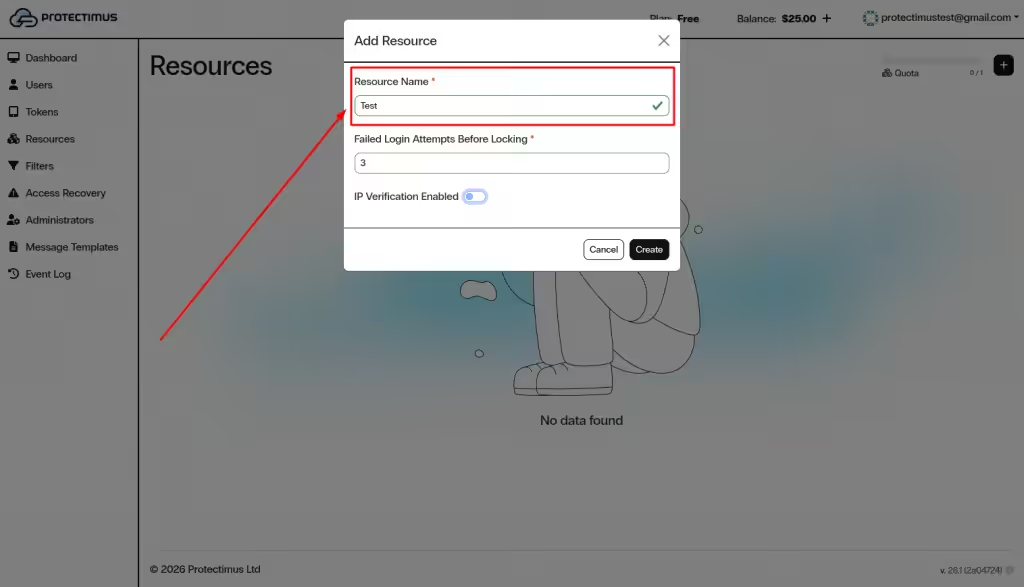
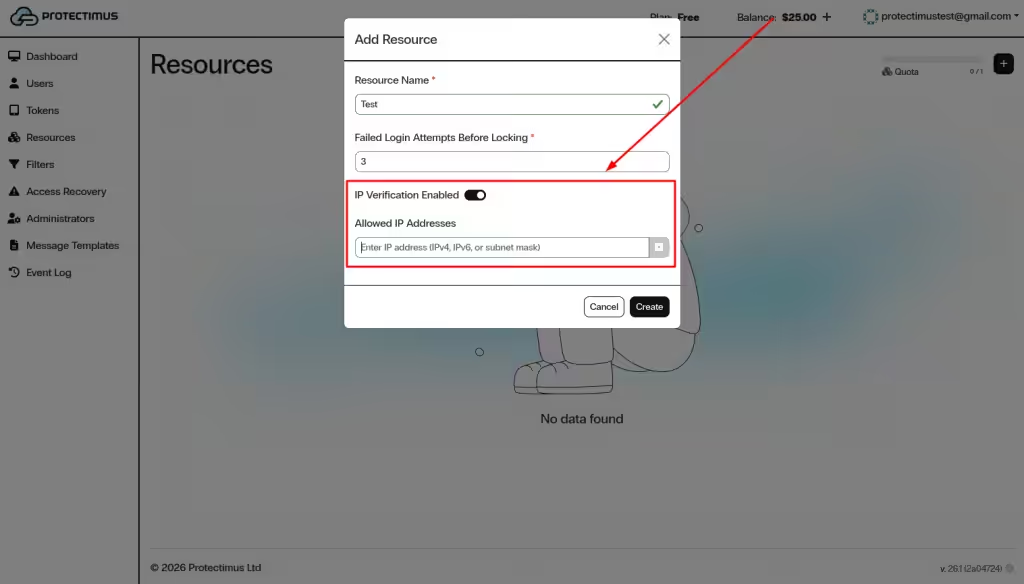
Introduzca un nombre para el recurso y haga clic en Crear.
-
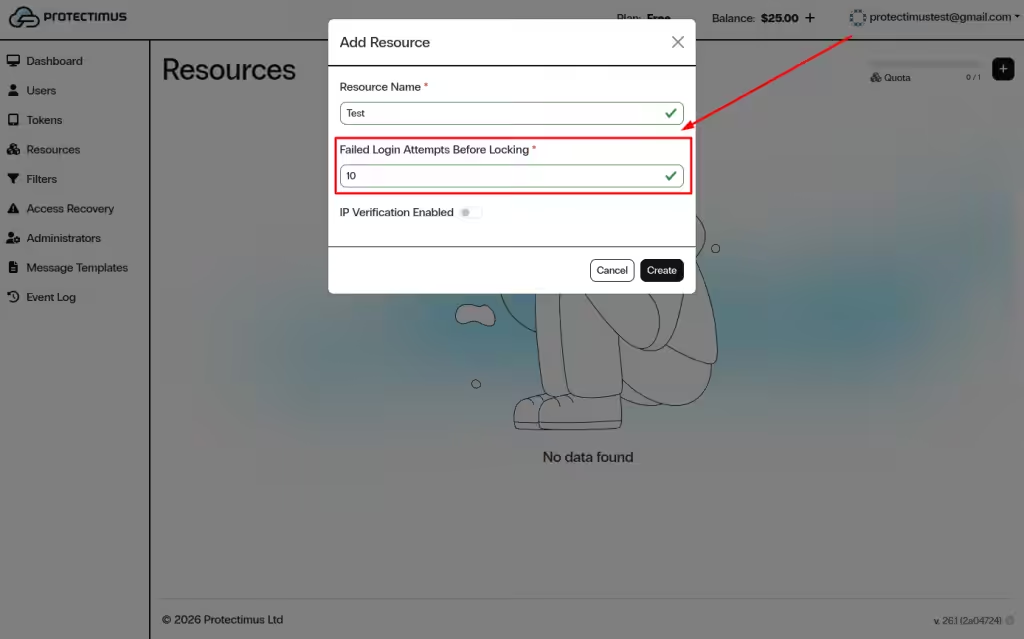
También puede configurar los siguientes ajustes opcionales:
Intentos fallidos antes del bloqueo
- Intervalo permitido: 3–10.
- Si el número de intentos de autenticación fallidos supera este límite, el usuario queda bloqueado.
- Una autenticación correcta reinicia el contador si el usuario no está bloqueado.
- Los usuarios pueden desbloquearse mediante la interfaz web o la API.
Verificación de IP
- Cuando está activa, los usuarios solo pueden acceder desde las direcciones IP de confianza especificadas.
2. Configuración y gestión del recurso
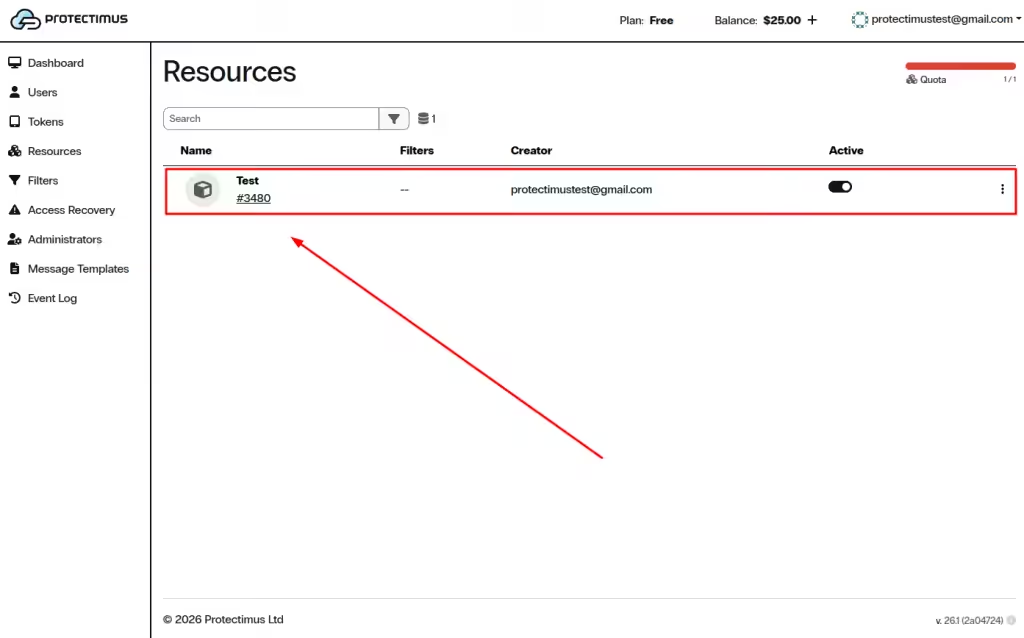
Después de crear un recurso, abra su panel para configurar los ajustes y gestionar el acceso.
Para abrirlo, vaya a la
página Recursos y haga clic en el nombre del recurso.
El panel del recurso incluye estas secciones:
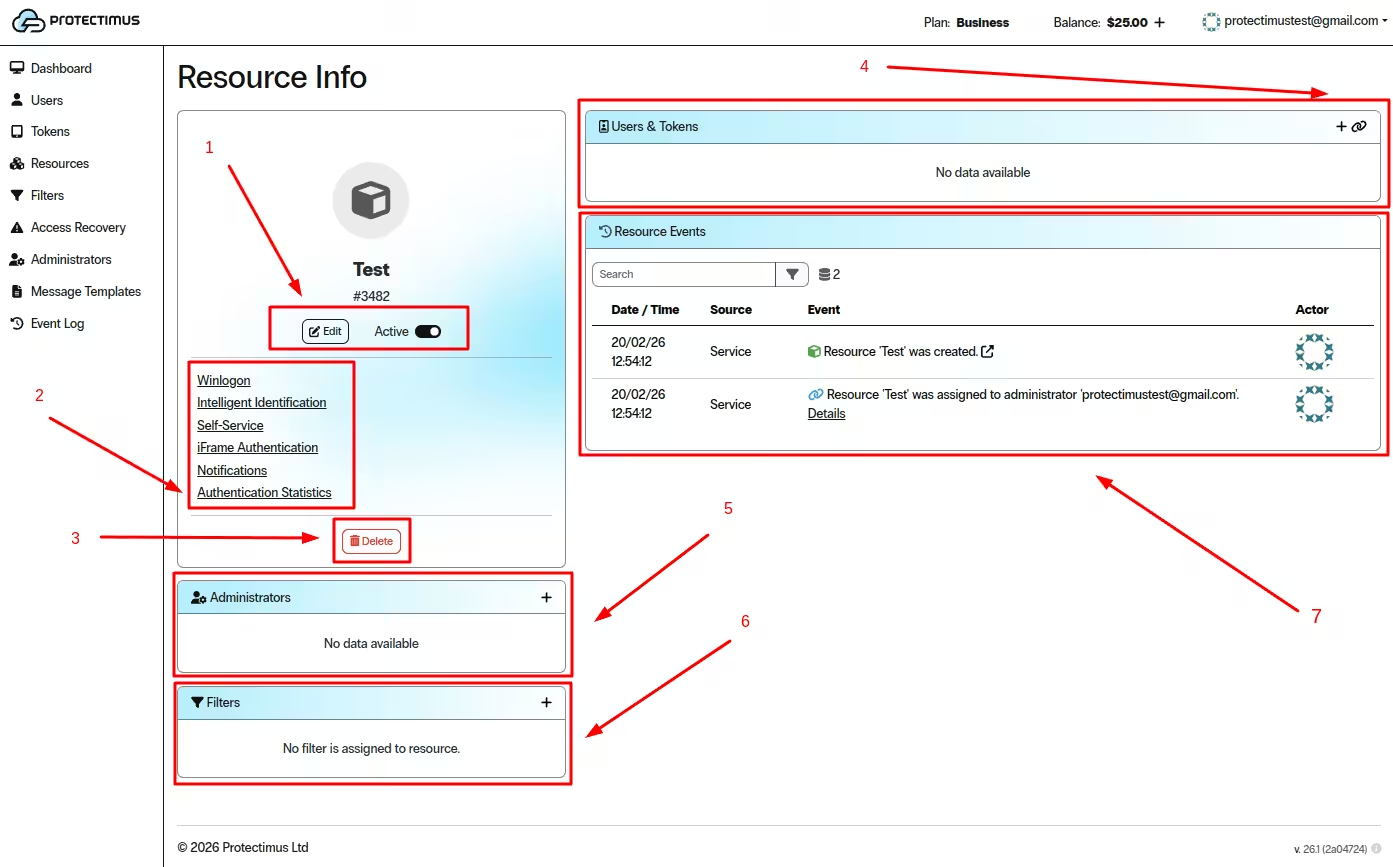
1. Editar y activar el recurso
- Haga clic en Editar para modificar los ajustes.
- Utilice el interruptor Activo para activar o desactivar el recurso.
2. Configurar funciones del recurso
Utilice estas secciones para configurar funciones y consultar estadísticas:
- Winlogon
- Identificación inteligente
- Autoservicio
- Autenticación iFrame
- Notificaciones
- Estadísticas de autenticación
Haga clic en una sección para configurarla.
3. Eliminar el recurso
- Haga clic en Eliminar para borrar permanentemente el recurso.
4. Añadir y asignar usuarios y tokens
Los usuarios y tokens deben estar asignados al recurso; de lo contrario, los usuarios no tendrán acceso y los tokens no funcionarán.
- Haga clic en el icono + para añadir usuarios o tokens.
- Utilice el icono de enlace para asignar usuarios y tokens existentes.
5. Asignar administradores
- Haga clic en el icono + de la sección Administradores para asignar administradores.
- Los administradores asignados aparecerán aquí.
6. Aplicar filtros
- Haga clic en el icono + de la sección Filtros para asignar filtros.
- Los filtros activos aparecerán aquí.
7. Supervisar la actividad del recurso
- La sección Eventos del recurso muestra toda la actividad.
- Utilice el campo de búsqueda para filtrar los eventos.
3. Cómo editar o eliminar un recurso
-
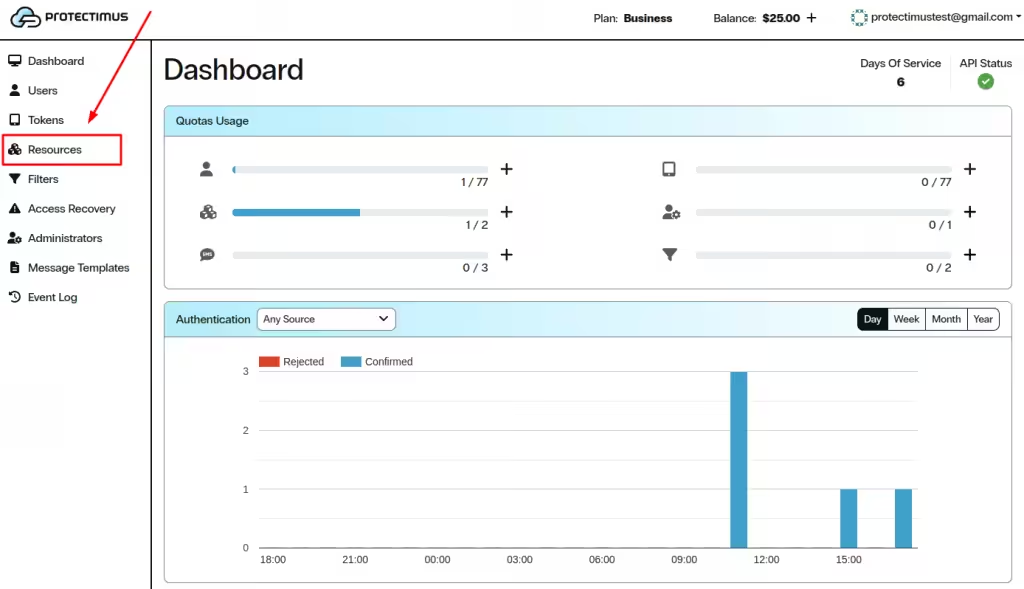
Vaya a la
página Recursos.
-
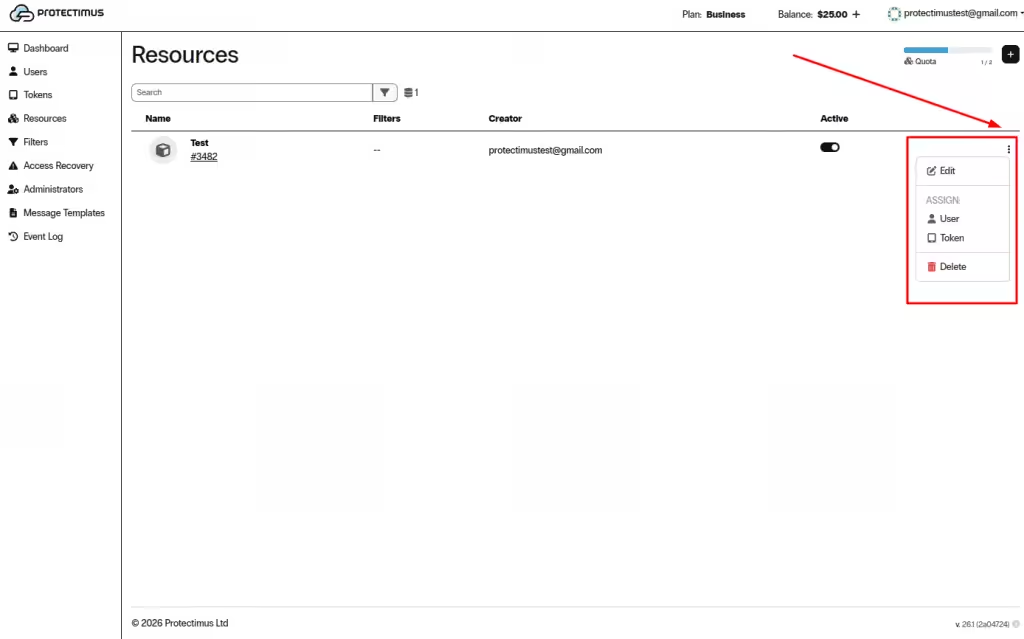
Seleccione el recurso y haga clic en los tres puntos de la derecha.
-
Elija una opción:
- Editar
- Asignar usuario o token
- Eliminar
4. Cómo asignar usuarios y tokens a un recurso
Los usuarios y tokens deben asignarse al recurso; de lo contrario, los usuarios no tendrán acceso a este recurso y los tokens no funcionarán. Protectimus admite varios métodos de autenticación:
- Autenticación con contraseña estática. El usuario debe tener una contraseña y estar asignado al recurso.
- Autenticación con contraseña de un solo uso. El usuario debe tener un token asignado, y tanto el usuario como el token deben asignarse al recurso.
- Autenticación con contraseña estática y contraseña de un solo uso. Combina los dos métodos anteriores. El usuario debe tener un token asignado, y ambos deben asignarse al recurso. Si el token del usuario está desactivado, no se realizará la autenticación mediante OTP; en ese caso, solo se verificarán la contraseña estática del usuario y el cumplimiento de los requisitos de los filtros, si los hubiera.
- Autenticación del token en un recurso. Permite verificar una OTP sin asignar el token a un usuario concreto. El token debe estar asignado al recurso.
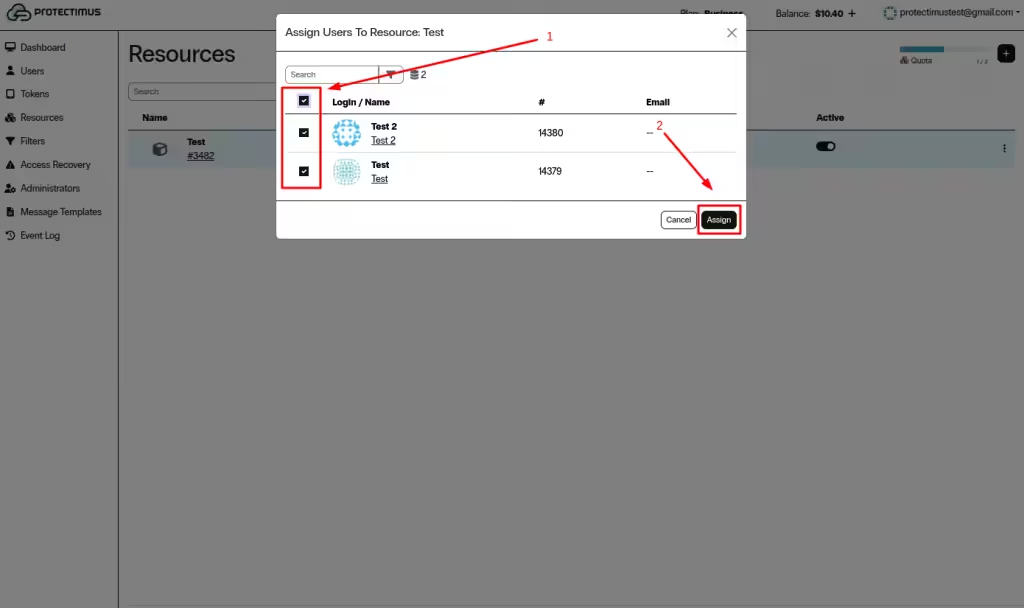
- Vaya a la página Recursos.
- Seleccione el recurso y haga clic en los tres puntos de la derecha. Después, asigne un usuario o un token si ya se han añadido.
- Seleccione los usuarios y tokens que desea asignar y haga clic en Asignar.
Si tiene alguna pregunta, póngase en contacto con el servicio de atención al cliente de Protectimus.













