Protección de Citrix ADC y Citrix Gateway mediante autenticación de dos factores
Esta guía muestra cómo configurar la 2FA de Citrix mediante el sistema de autenticación de dos factores de Protectimus.
Citrix ADC (NetScaler ADC), Citrix Gateway (NetScaler Gateway) y Citrix Virtual Apps and Desktops (XenApp & XenDesktop) pueden integrarse con Protectimus Two-Factor Authentication System mediante el protocolo RADIUS.
La configuración de las políticas de autenticación en Citrix permite transmitir una solicitud de autenticación mediante el protocolo RADIUS a Protectimus RADIUS Server. Tras recibir la solicitud, Protectimus RADIUS Server se comunica a su vez con el servidor de autenticación de Protectimus para verificar la contraseña de un solo uso del usuario y devuelve la respuesta a Citrix mediante RADIUS.
A continuación, se muestra un ejemplo de integración de la solución Protectimus Citrix 2FA con Citrix Gateway (NetScaler Gateway).
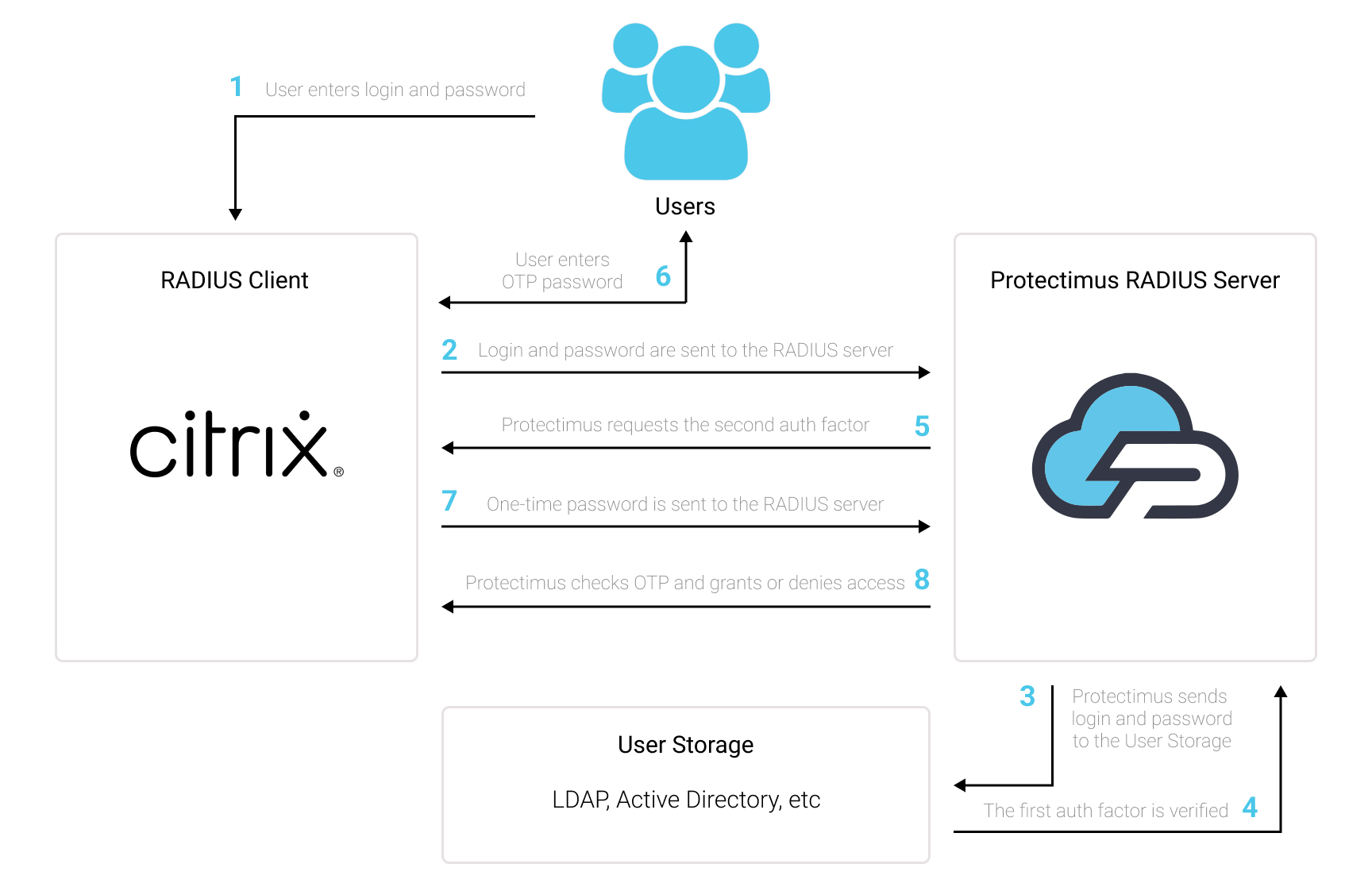
Para habilitar la autenticación de dos factores (2FA) de Citrix Gateway:
- Regístrese en Protectimus SAAS 2FA Service o instale On-Premise 2FA Platform y configure los ajustes básicos.
- Instale y configure Protectimus RADIUS Server.
- Configure las políticas de autenticación de Citrix.
1. Registrarse y configurar los ajustes básicos
Elija la opción de despliegue y complete la configuración básica:
Protectimus Cloud Service
- Registrarse en Protectimus Cloud Service y activar la API.
- Añadir un recurso.
- Añadir usuarios.
- Añadir tokens manualmente o activar el portal de autoservicio para usuarios.
- Asignar tokens a los usuarios.
- Asignar usuarios y tokens al recurso.
Protectimus On-Premise Platform
- Instalar Protectimus On-Premise Platform. Si instala Protectimus Platform en Windows, seleccione la opción RADIUS durante la instalación.
- Añadir un recurso.
- Añadir usuarios.
- Añadir tokens manualmente o activar el portal de autoservicio para usuarios.
- Asignar tokens a los usuarios.
- Asignar al recurso los tokens junto con los usuarios.
2. Instalar y configurar Protectimus RADIUS Server para la 2FA de Citrix
Encontrará instrucciones detalladas para instalar y configurar Protectimus RADIUS Server en nuestra guía de instalación de Protectimus RADIUS Server para la 2FA de Citrix.
3. Configurar las políticas de autenticación de Citrix Gateway
3.1. Configurar la política LDAP
Para el primer factor, utilizaremos la autenticación de dominio de Active Directory del usuario. Para ello, configure la política LDAP:
- Vaya a Citrix Gateway → Policies → Authentication → LDAP
- Seleccione la pestaña Servers y añada un servidor nuevo
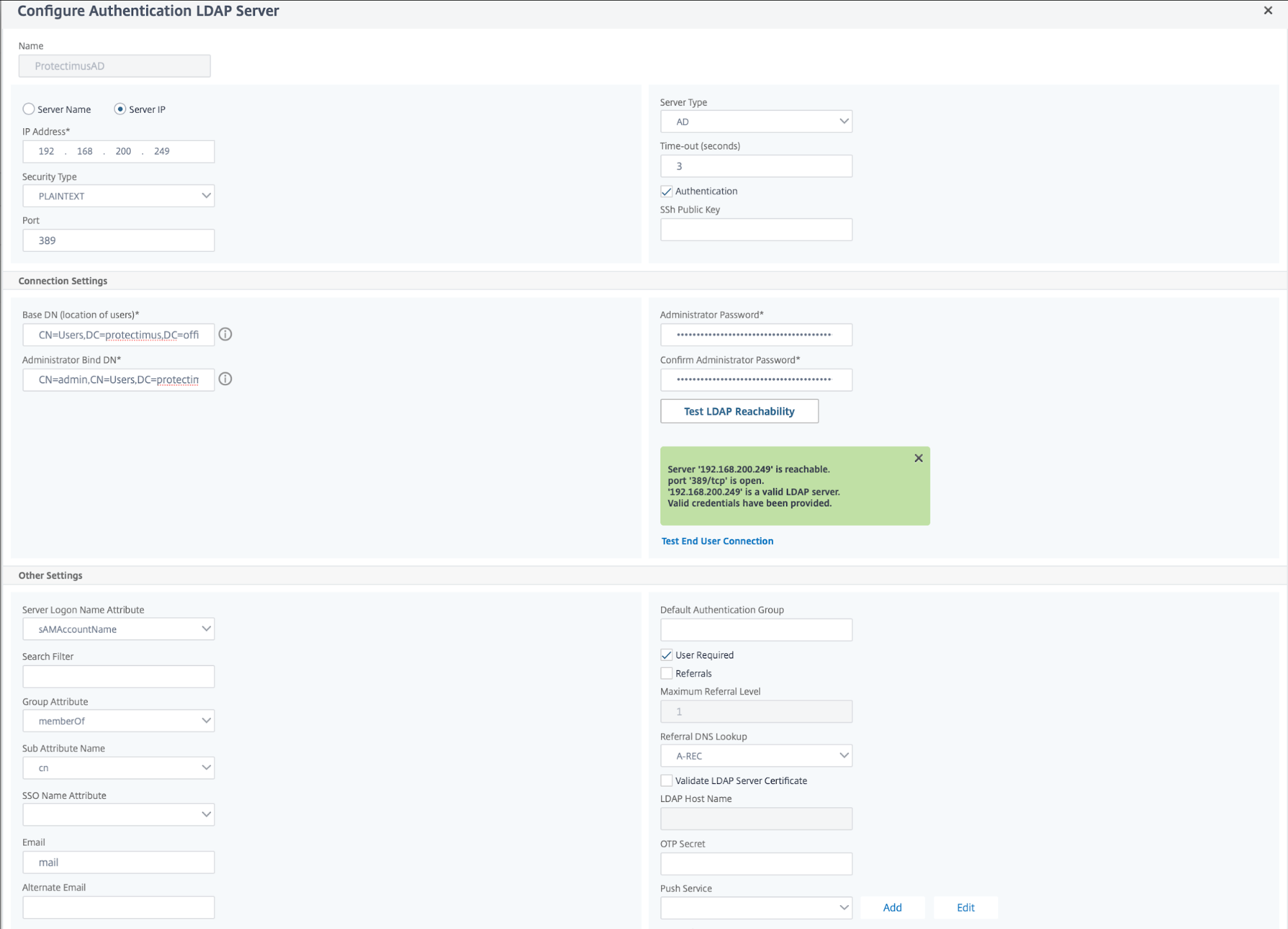
- Configure la conexión LDAP:
- Especifique la dirección IP del servidor de Active Directory y su puerto. De forma predeterminada, se utiliza el puerto 389.
¡TENGA EN CUENTA! Para permitir el cambio de contraseña durante el primer inicio de sesión y cuando caduque la contraseña, utilice LDAPS en el puerto 636. Para que esta función funcione correctamente, también debe importar un certificado SSL.
- Especifique la ruta completa al directorio de usuarios:
CN=Users,DC=protectimus,DC=office
- Especifique el nombre completo del administrador del dominio:
CN=admin,CN=Users,DC=protectimus,DC=office
- Haga clic en "BindDN Password" e introduzca la contraseña del administrador del dominio. El resto puede dejarse sin cambios.
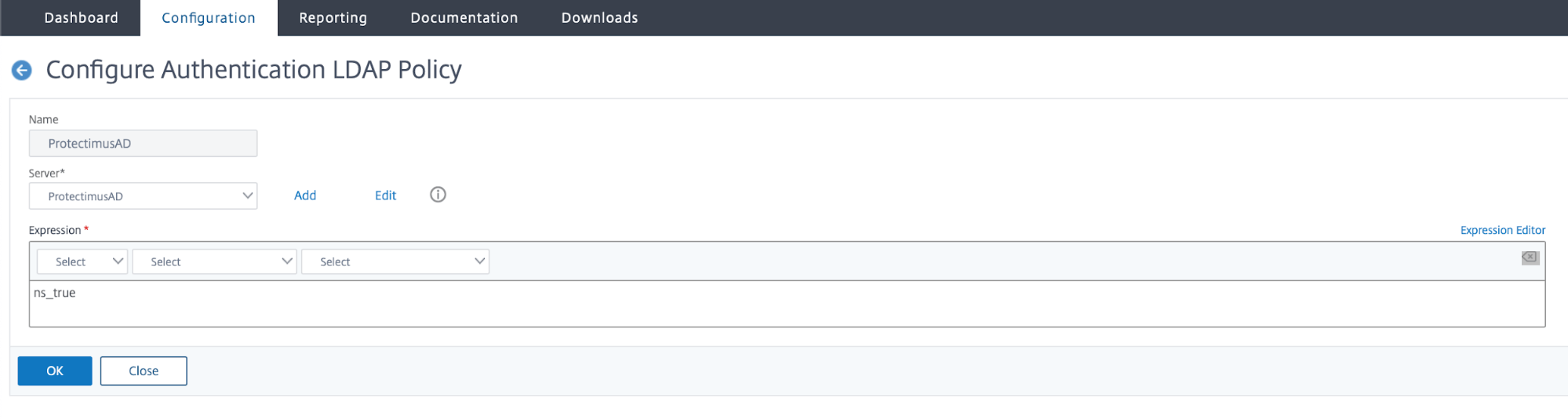
- Vaya a la pestaña Policies y añada el servidor creado.
- En Expression, introduzca ns_true
3.2. Configurar el segundo factor mediante el protocolo RADIUS
- Vaya a Citrix Gateway → Policies → Authentication → RADIUS y seleccione la pestaña Servers.
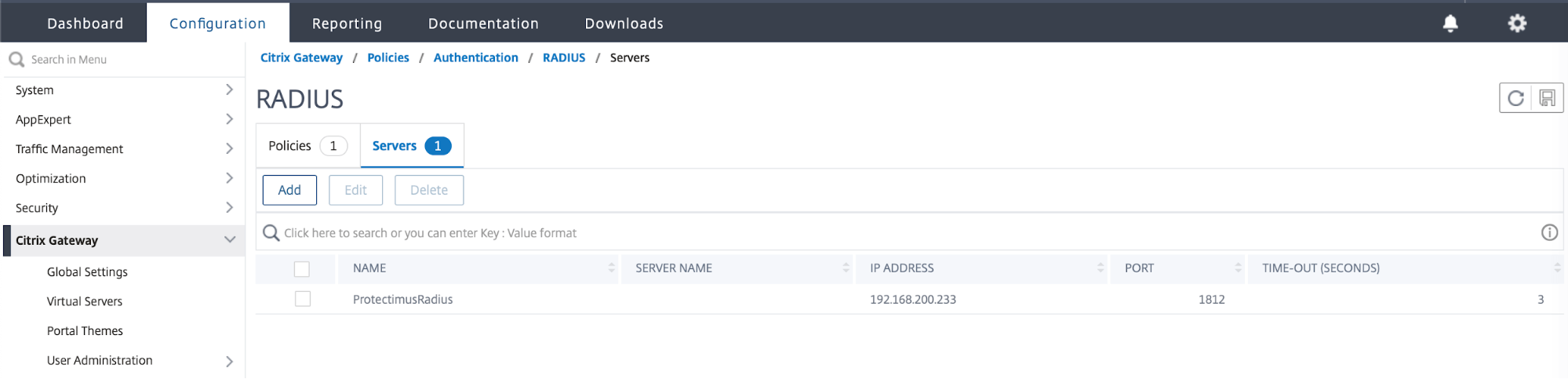
- Añada el servidor
- Especifique los ajustes del servidor RADIUS para conectarse a Protectimus RADIUS Server
- Especifique la dirección IP del equipo en el que se ejecuta Protectimus RADIUS Server y el puerto, según se haya establecido en el archivo de configuración radius.yml
- Especifique SecretKey, también según se haya establecido en radius.yml
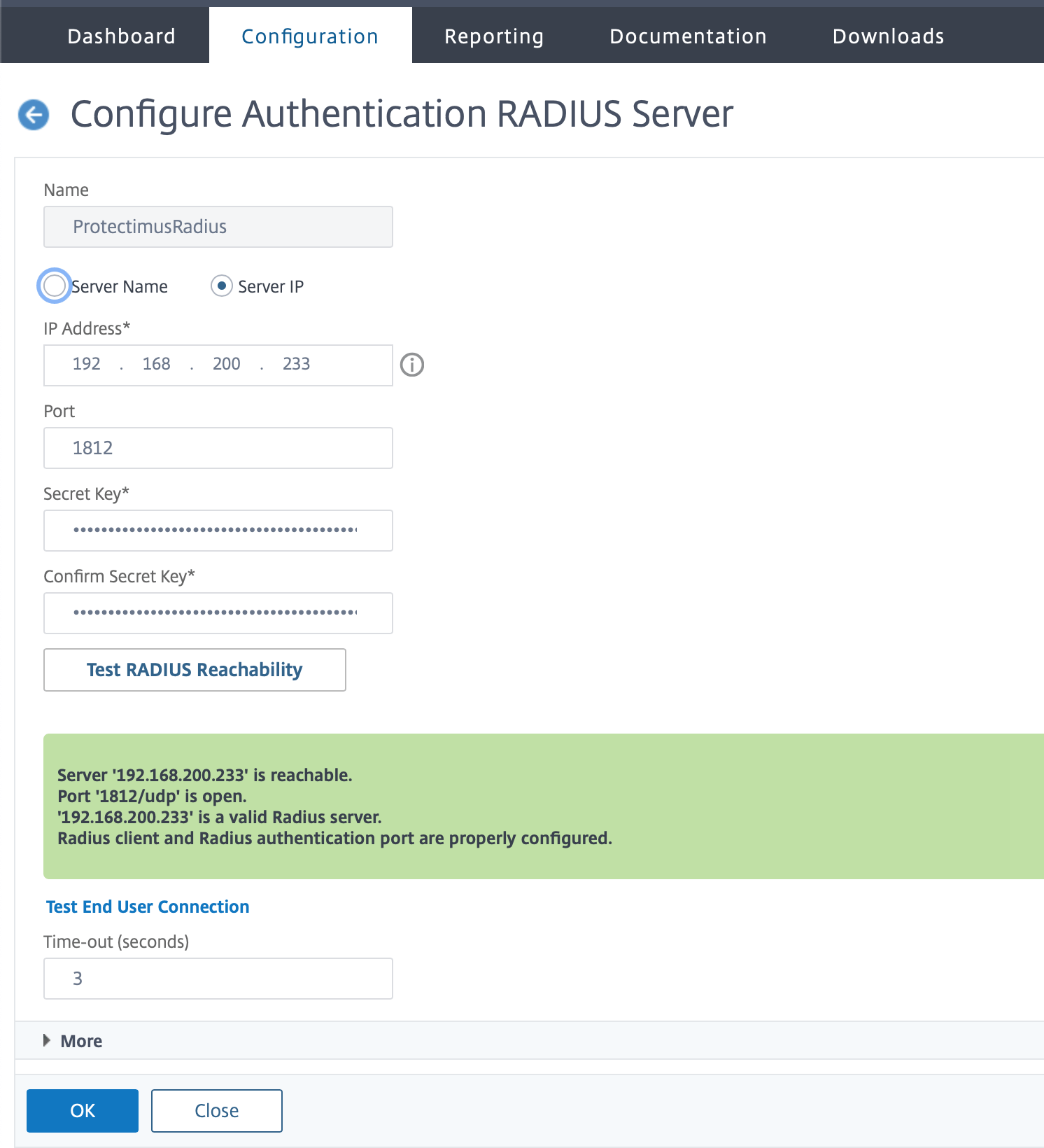
- Vaya a la pestaña Policies y seleccione el servidor creado. En Expression, introduzca ns_true
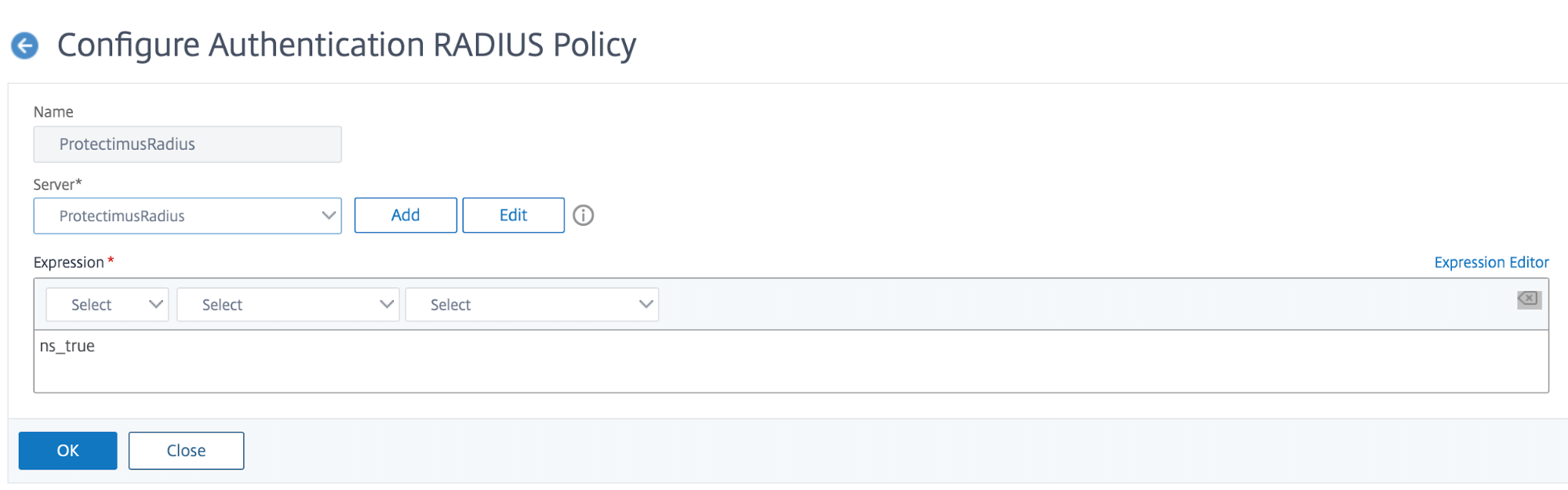
3.3. Configurar el servidor virtual
La configuración de las políticas y los factores de autenticación ha finalizado; a continuación, debe especificarlos en el servidor virtual.
- Vaya a Citrix Gateway → Virtual Servers, seleccione su servidor y, en la pestaña Basic Authentication, haga clic en "+"
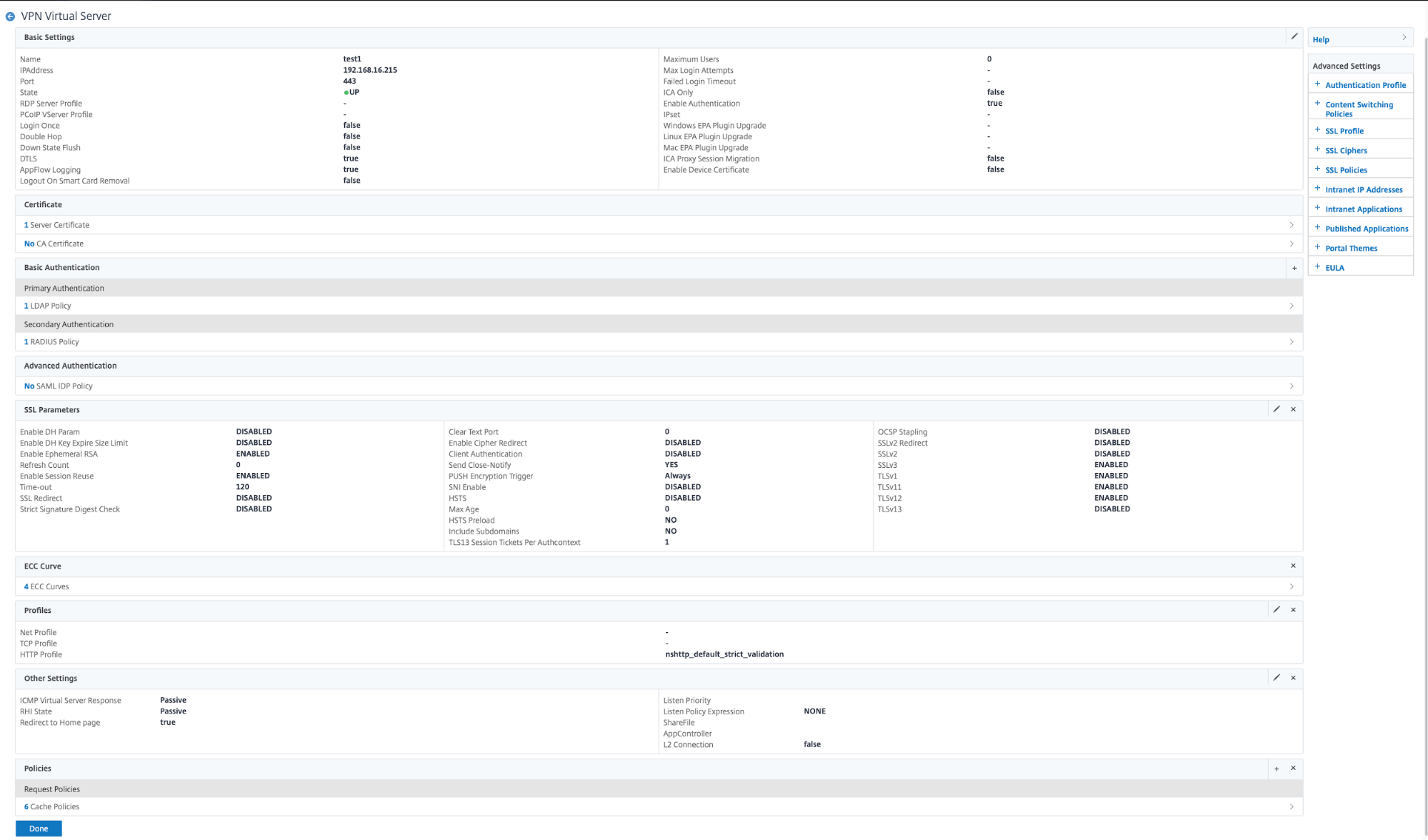
- En Choose Policy, seleccione LDAP y, en Choose Type, seleccione Primary. A continuación, haga clic en Continue.
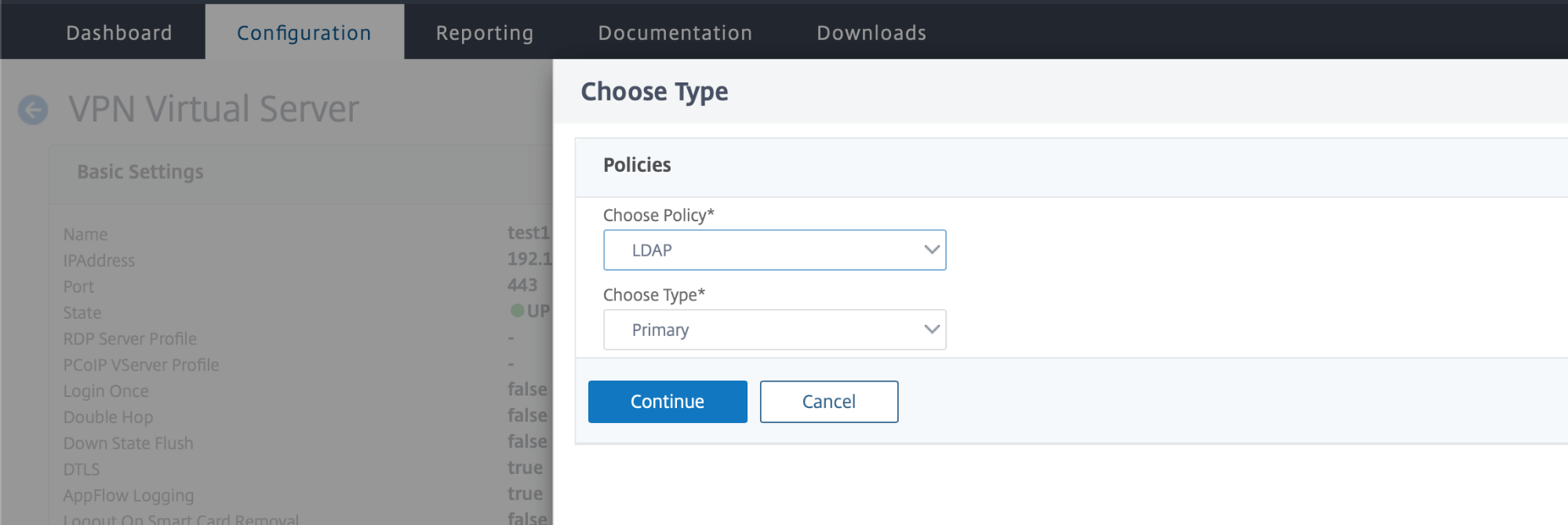
- Haga clic en Add Binding y seleccione una política mediante Select Policy. Seleccione la política LDAP.
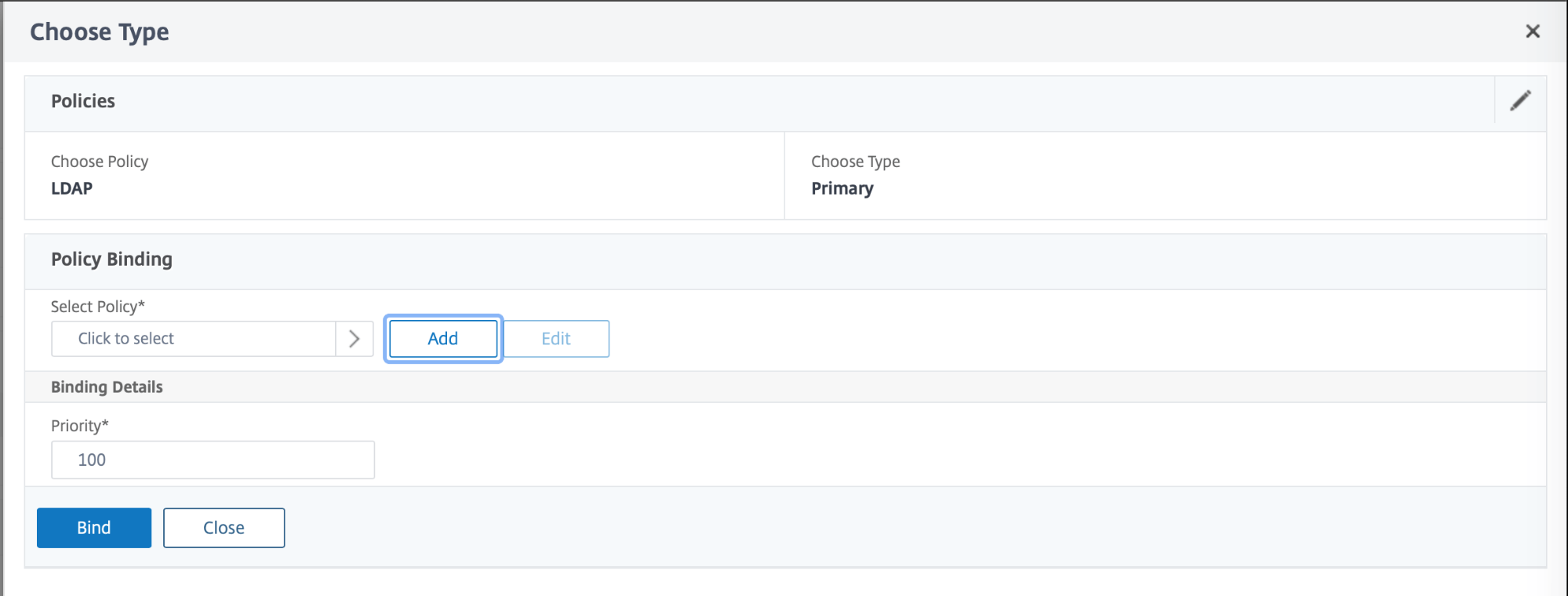
- Haga lo mismo para RADIUS.
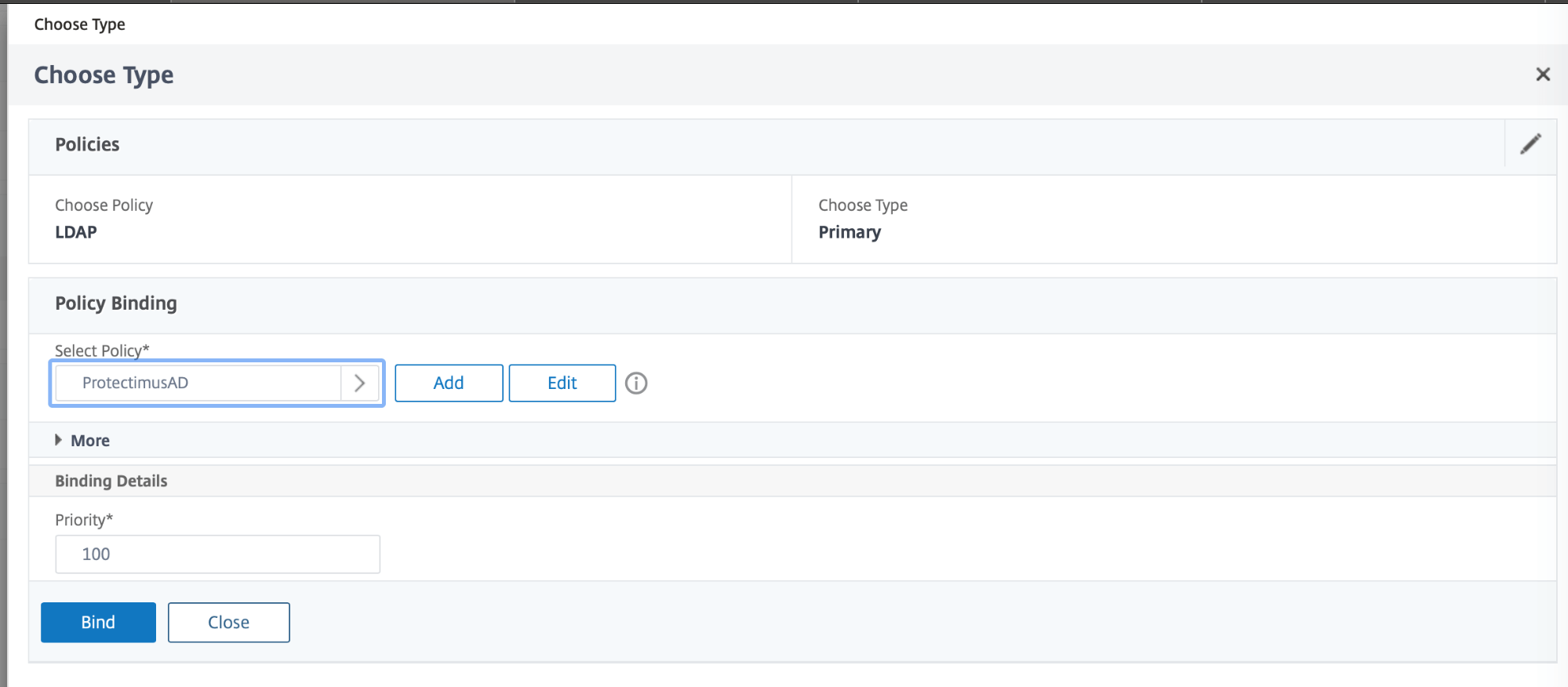
- En Choose Policy, seleccione RADIUS y, en Choose Type, seleccione Secondary. A continuación, repita los pasos de la política LDAP.
La integración de la 2FA de Citrix ha finalizado.
Si tiene alguna otra pregunta, póngase en contacto con el servicio de atención al cliente de Protectimus.













