



Esta guía describe cómo configurar la autenticación de dos factores (2FA) para su solución SonicWall VPN con Protectimus como proveedor de autenticación multifactor (MFA).
El sistema de autenticación de dos factores de Protectimus se integra con SonicWall SSL VPN mediante el protocolo RADIUS. Para ello, instale el componente local Protectimus RADIUS Server y configure el dispositivo SonicWall Network Security Appliance para que utilice Protectimus RADIUS Server al autenticar a los usuarios.
El siguiente esquema muestra cómo funciona la solución de autenticación de dos factores de Protectimus para SonicWall VPN.
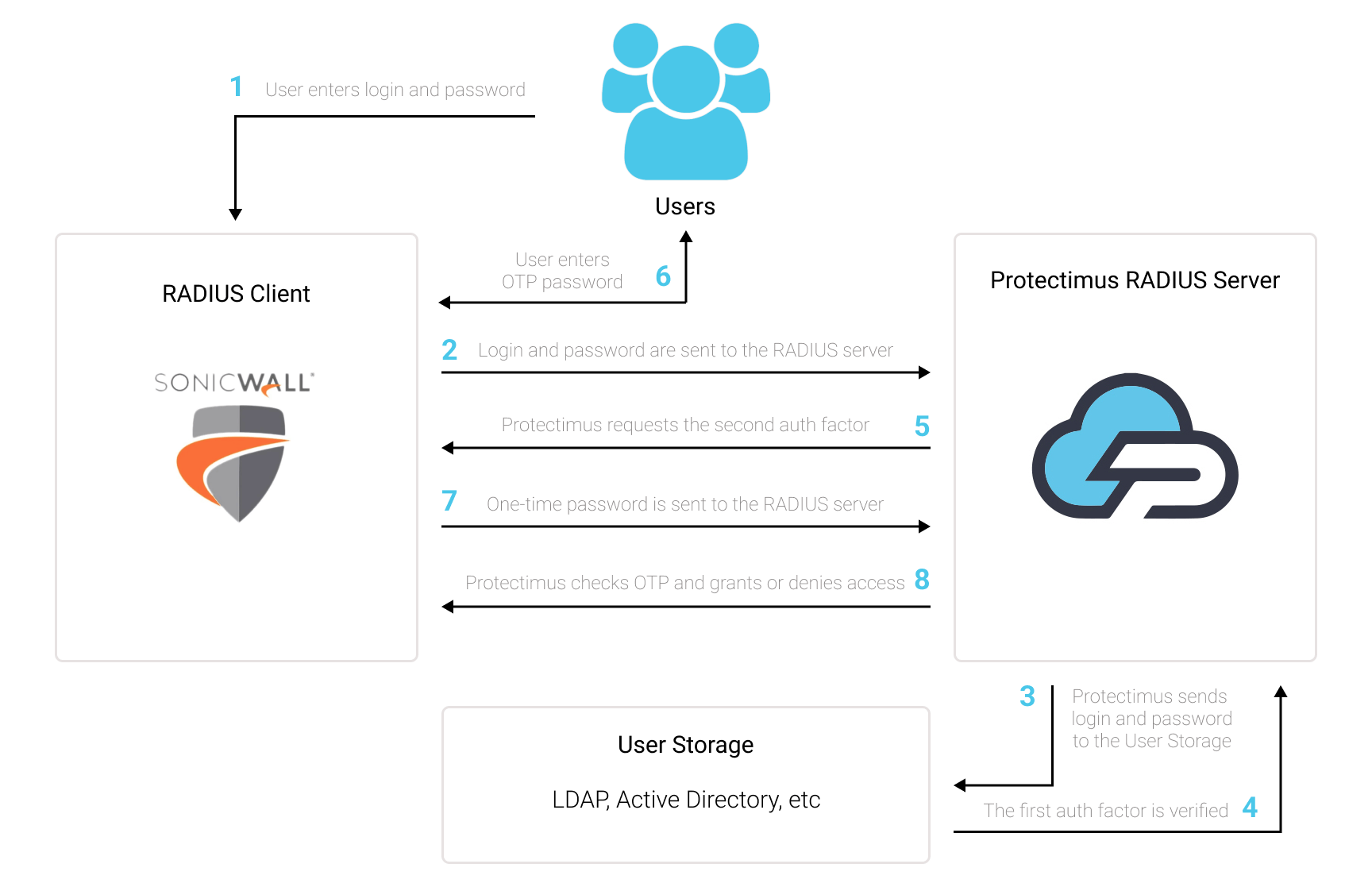
Protectimus añade un segundo factor de autenticación al inicio de sesión de SonicWall VPN. Después de configurar la autenticación de dos factores, los usuarios deberán proporcionar dos factores diferentes al acceder a sus cuentas de SonicWall VPN:
Protectimus ofrece distintos tipos de tokens de autenticación de dos factores para SonicWall:
Puede habilitar un único método de autenticación para todos los usuarios o permitir que cada usuario elija el suyo activando el portal de autoservicio de usuarios de Protectimus.
La autenticación de dos factores protege SonicWall VPN frente a numerosas amenazas relacionadas con el robo de credenciales, como phishing, ingeniería social, fuerza bruta, registradores de teclas y suplantación de datos.
Para un atacante resulta muy difícil vulnerar dos factores de distinta naturaleza —algo que el usuario sabe y algo que posee— y utilizarlos simultáneamente durante los 30 segundos en los que la contraseña de un solo uso permanece activa. Por eso, la autenticación de dos factores sigue siendo una de las mejores medidas de seguridad para SonicWall VPN.
Puede configurar la autenticación de dos factores (2FA) de SonicWall VPN con Protectimus mediante el protocolo RADIUS:
- Regístrese en el servicio SaaS de Protectimus o instale la plataforma local Protectimus On-Premise y configure los ajustes básicos.
- Instale y configure Protectimus RADIUS Server.
- Configure las políticas de autenticación de SonicWall VPN.
Elija su opción de implementación y complete la configuración básica:
Servicio en la nube de Protectimus
Plataforma local Protectimus On-Premise
Encontrará instrucciones detalladas para instalar y configurar Protectimus RADIUS Server para la autenticación de dos factores de SonicWall VPN mediante RADIUS en nuestra guía de instalación de Protectimus RADIUS Server para la 2FA de SonicWall VPN.
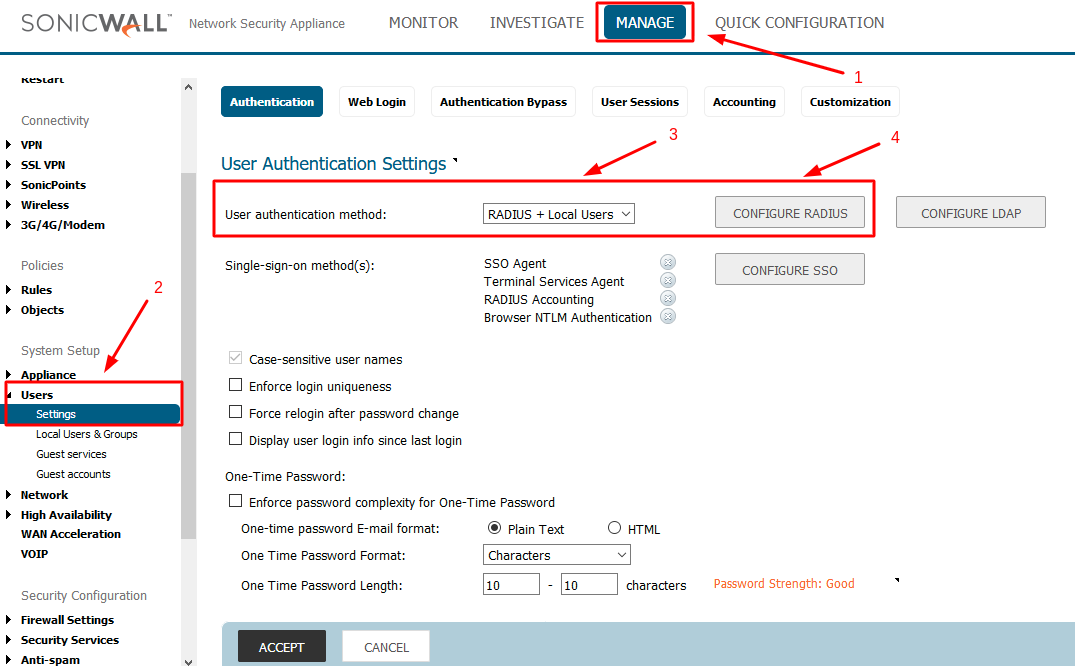
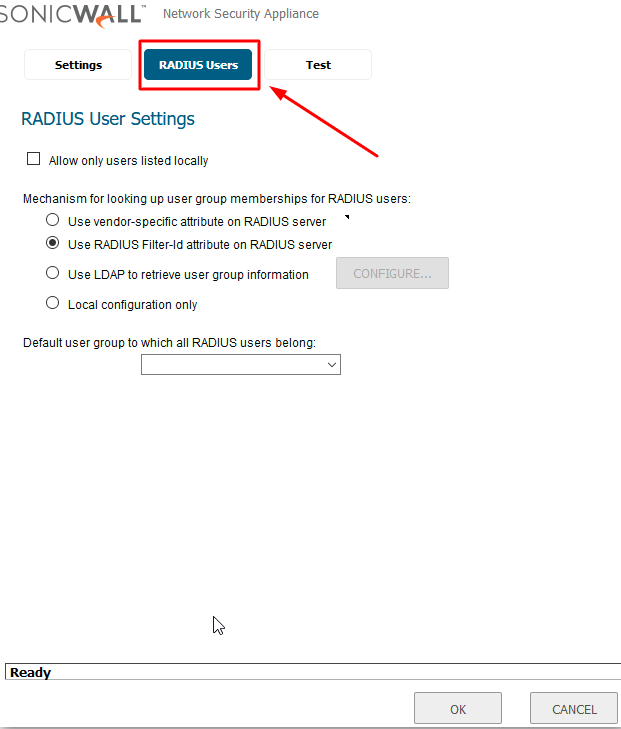
A continuación encontrará dos instrucciones para añadir Protectimus como servidor RADIUS al dispositivo SonicWall Network Security Appliance:
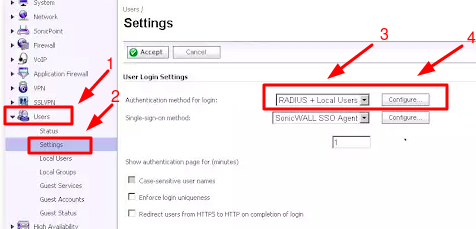
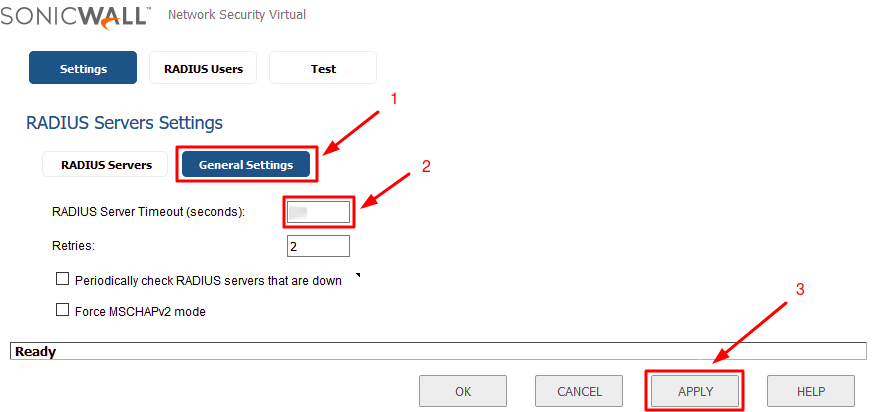
| RADIUS Server Timeout | Establézcalo en 30 segundos o más para que el usuario disponga de tiempo suficiente para recibir e introducir la OTP. |
| Name or IP Address | Dirección IP del servidor donde está instalado el componente Protectimus RADIUS Server. |
| Shared Secret | Indique el secreto compartido que creó en el archivo radius.yml de Protectimus (propiedad radius.secret) al configurar Protectimus RADIUS Server. |
| Port Number | Indique 1812 o el puerto que haya configurado en el archivo radius.yml de Protectimus al configurar Protectimus RADIUS Server. |
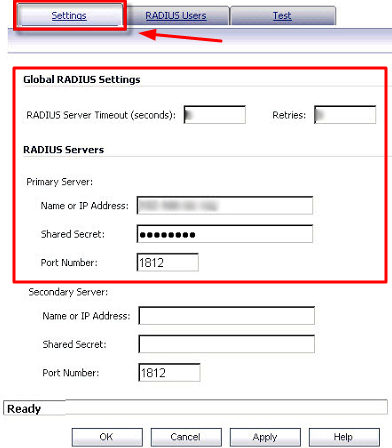
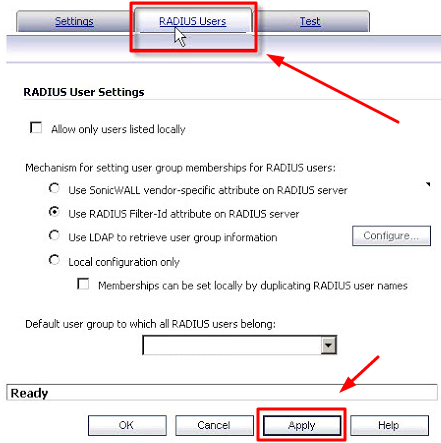
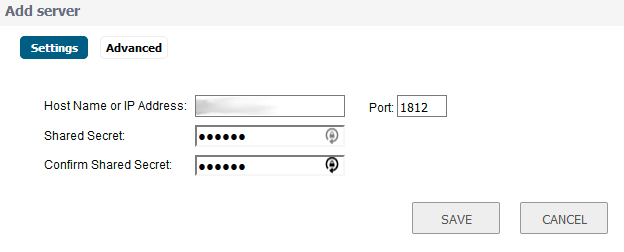
| Host Name or IP Address | Dirección IP del servidor donde está instalado el componente Protectimus RADIUS Server. |
| Shared Secret | Indique el secreto compartido que creó en el archivo radius.yml de Protectimus (propiedad radius.secret) al configurar Protectimus RADIUS Server. |
| Confirm Shared Secret | Confirme el secreto compartido. |
| Port | Indique 1812 o el puerto que haya configurado en el archivo radius.yml de Protectimus al configurar Protectimus RADIUS Server. |
La integración de la autenticación de dos factores (2FA/MFA) con SonicWall VPN ha finalizado.
Si tiene alguna otra pregunta, póngase en contacto con el servicio de atención al cliente de Protectimus.










