



Esta guía explica cómo habilitar la autenticación multifactor (MFA/2FA) para F5 BIG-IP APM VPN mediante el sistema de autenticación de dos factores de Protectimus.
El sistema de autenticación de dos factores de Protectimus se integra con F5 BIG-IP APM VPN mediante el protocolo de autenticación RADIUS. En este escenario, Protectimus Cloud 2FA Service u On-Premise 2FA Platform desempeña la función de servidor RADIUS, mientras que F5 BIG-IP VPN actúa como cliente RADIUS.
A continuación se muestra el esquema de funcionamiento de la solución de Protectimus para la 2FA de F5 BIG-IP APM VPN.
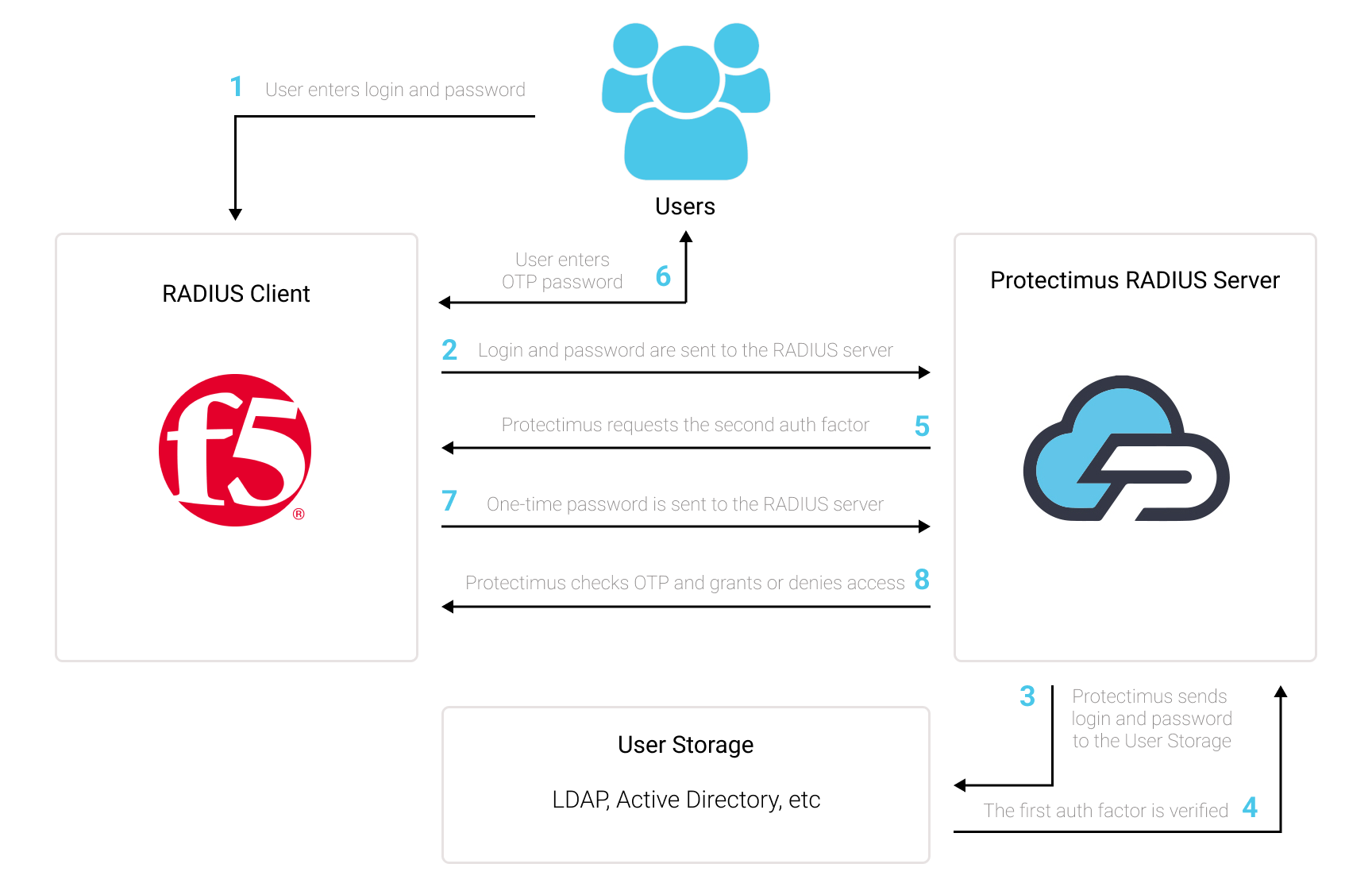
La solución de autenticación de dos factores de Protectimus para F5 BIG-IP APM VPN permite añadir una capa de seguridad adicional a los inicios de sesión de F5 BIG-IP VPN.
Al añadir 2FA/MFA a F5 VPN, los usuarios utilizarán dos factores de autenticación diferentes para acceder a sus cuentas.
Para vulnerar una F5 BIG-IP APM VPN protegida mediante autenticación de dos factores, un atacante tendría que obtener al mismo tiempo una contraseña estándar y una contraseña de un solo uso. Además, solo dispone de 30 segundos para obtener y utilizar la contraseña de un solo uso. Esto resulta prácticamente imposible, por lo que la autenticación de dos factores es tan eficaz frente a ataques de fuerza bruta, falsificación de datos, keyloggers, phishing, ataques man-in-the-middle, ingeniería social y otros ataques similares.
Puede configurar la autenticación multifactor (2FA) para F5 BIG-IP VPN con Protectimus mediante el protocolo RADIUS:
- Regístrese en Protectimus SAAS Service o instale On-Premise 2FA Platform y configure los ajustes básicos.
- Instale y configure Protectimus RADIUS Server.
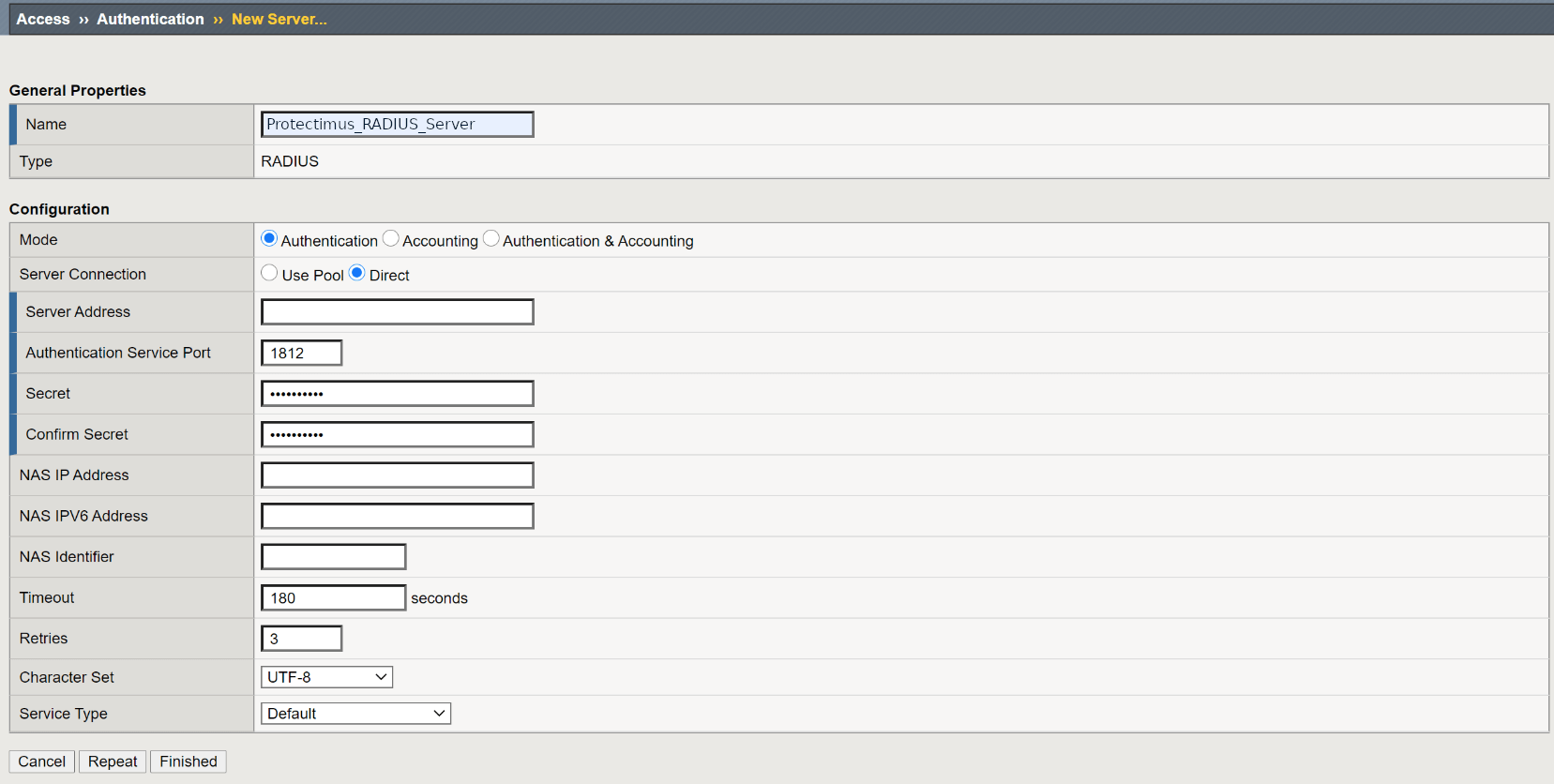
- Añada Protectimus como servidor RADIUS para F5 BIG-IP APM VPN.
Elija la opción de despliegue y complete la configuración básica:
Protectimus Cloud Service
Protectimus On-Premise Platform
Encontrará instrucciones detalladas para instalar y configurar Protectimus RADIUS Server para la autenticación de dos factores de F5 BIG-IP APM VPN mediante RADIUS en nuestra guía de instalación de Protectimus RADIUS Server para la 2FA de F5 BIG-IP APM VPN.
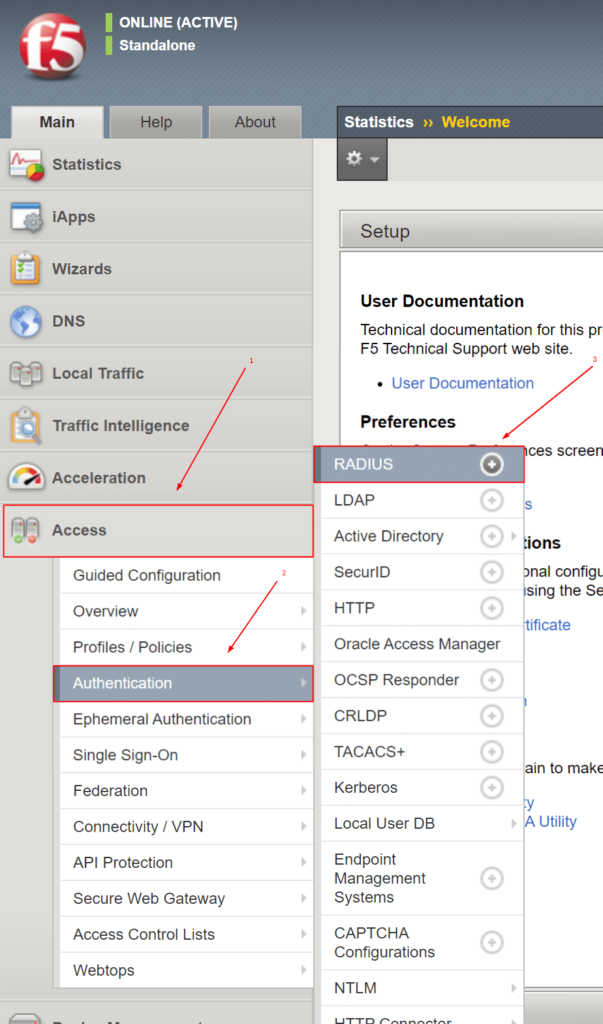
| Name | Introduzca cualquier nombre para el servidor RADIUS: Protectimus_RADIUS_Server u otro nombre que desee. |
| Mode | Authentication |
| Server Connection | Direct |
| Server Address | Introduzca la dirección IP del servidor en el que está instalado el componente Protectimus RADIUS Server. |
| Authentication Service Port | Indique 1812 (o el puerto que haya configurado en el archivo radius.yml de Protectimus al configurar Protectimus RADIUS Server). |
| Secret | Indique el secreto compartido que creó en el archivo radius.yml de Protectimus (propiedad radius.secret) al configurar Protectimus RADIUS Server |
| Confirm Secret | Confirme el secreto compartido. |
| Timeout | Establezca el valor en 180 segundos. |
| Retries | Establezca el valor en 3. |
| Character Set | Establezca el valor en UTF-8. |
| Service Type | Default. |
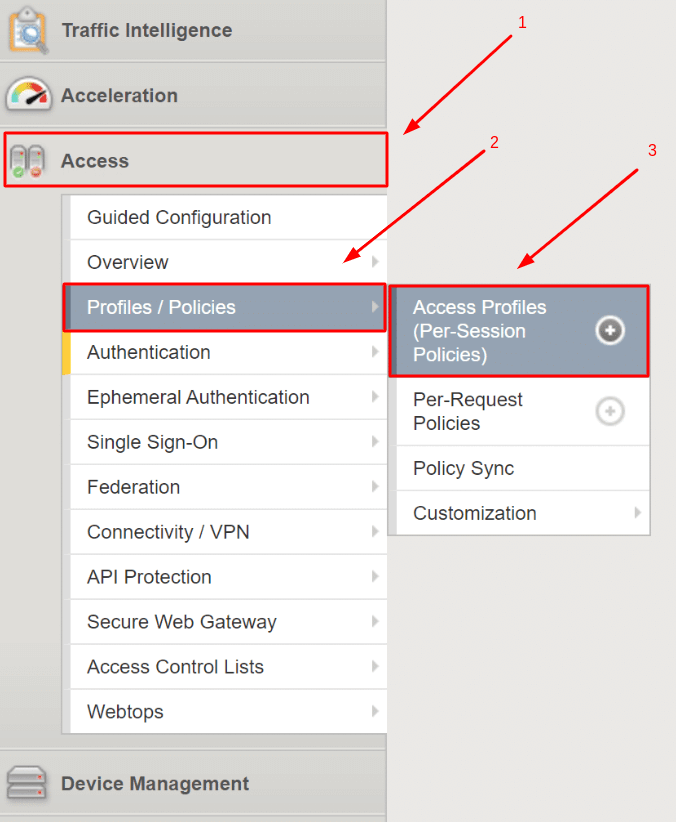

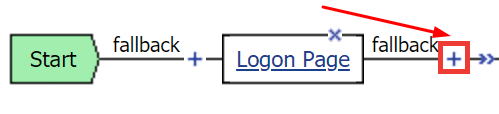
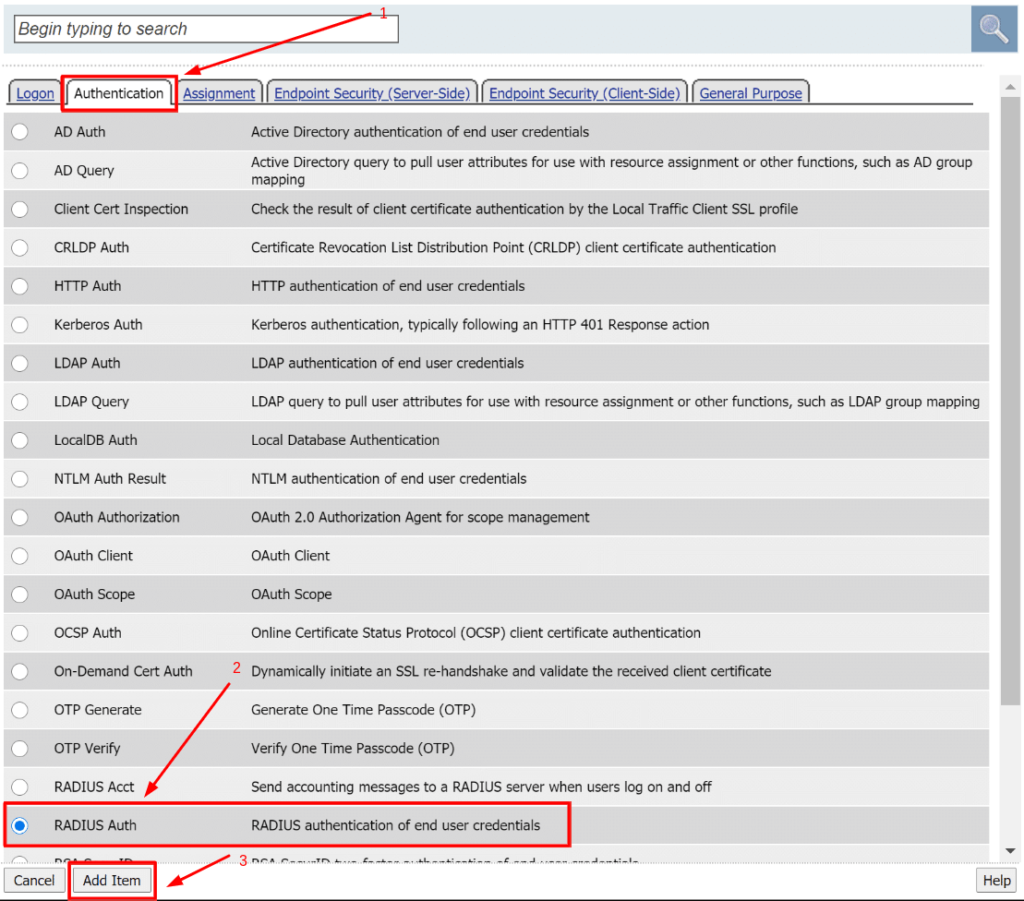
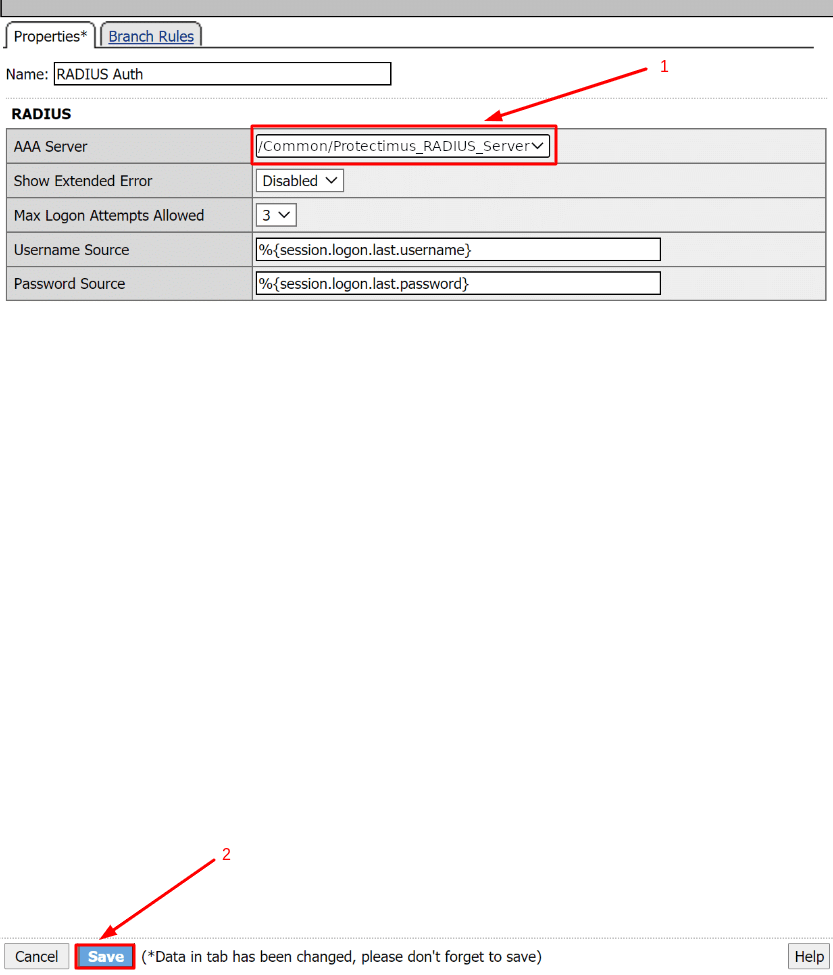
TENGA EN CUENTA:
Si utiliza un método de autenticación anterior (por ejemplo, Active Directory), puede eliminarlo o conservarlo.
Puede conservar el método de autenticación anterior y utilizar Protectimus antes o después de dicho método.
Para eliminarlo, haga clic en X, seleccione Connect previous node to Successful branch y haga clic en Delete.
La integración de la autenticación de dos factores (2FA/MFA) para F5 BIG-IP APM VPN ha finalizado.
Si tiene alguna otra pregunta, póngase en contacto con el servicio de atención al cliente de Protectimus.










