



This guide shows how you can set up VMware Horizon View two-factor authentication (2FA) via RADIUS using the Protectimus multi-factor authentication system.
Protectimus two-factor authentication system integrates with VMware Horizon View via RADIUS authentication protocol. In this scenario, the Protectimus Cloud 2FA Service or On-Premise 2FA Platform takes the role of a RADIUS server via a special connector Protectimus RADIUS Server, and the VMware Horizon View performs as a RADIUS client.
The Protectimus RADIUS Server connector transfers authentication requests from the VMware Horizon View to the Protectimus multi-factor authentication (MFA) server and returns the answer permitting or denying access.
Below is an example of integration of the Protectimus 2FA solution with VMware Horizon View.
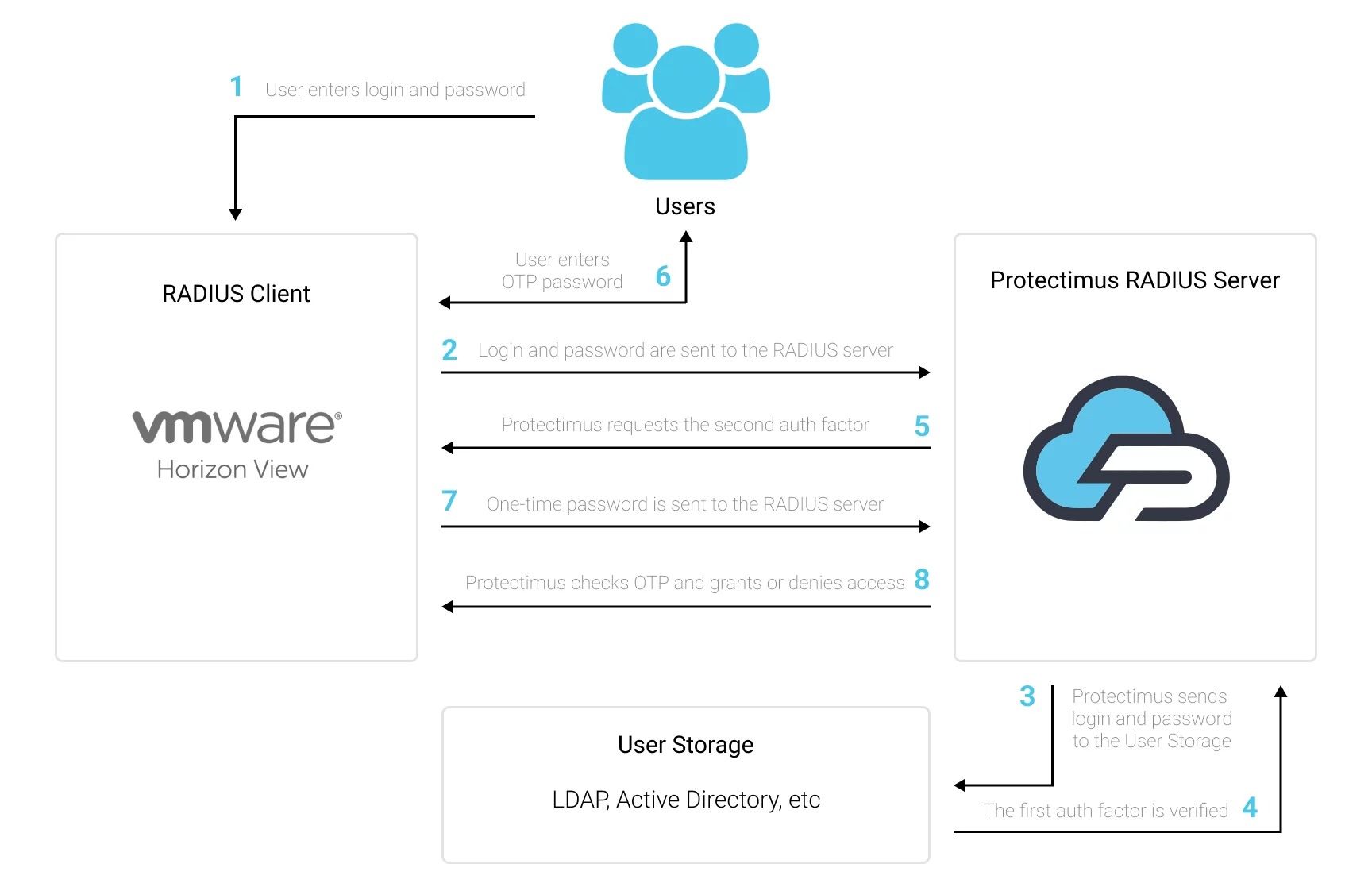
You can set up multi-factor authentication (2FA) for VMware Horizon View with Protectimus using the RADIUS protocol:
- Get registered with Protectimus SAAS Service or install the On-Premise 2FA Platform and configure basic settings.
- Install and configure Protectimus RADIUS Server.
- Add Protectimus as RADIUS Server for VMware Horizon View.
Choose your deployment option and complete the basic setup:
Detailed instructions for installing and configuring the Protectimus RADIUS Server for VMware Horizon View two-factor authentication using RADIUS are available in our Protectimus RADIUS Server Installation Guide for VMware Horizon View 2FA.
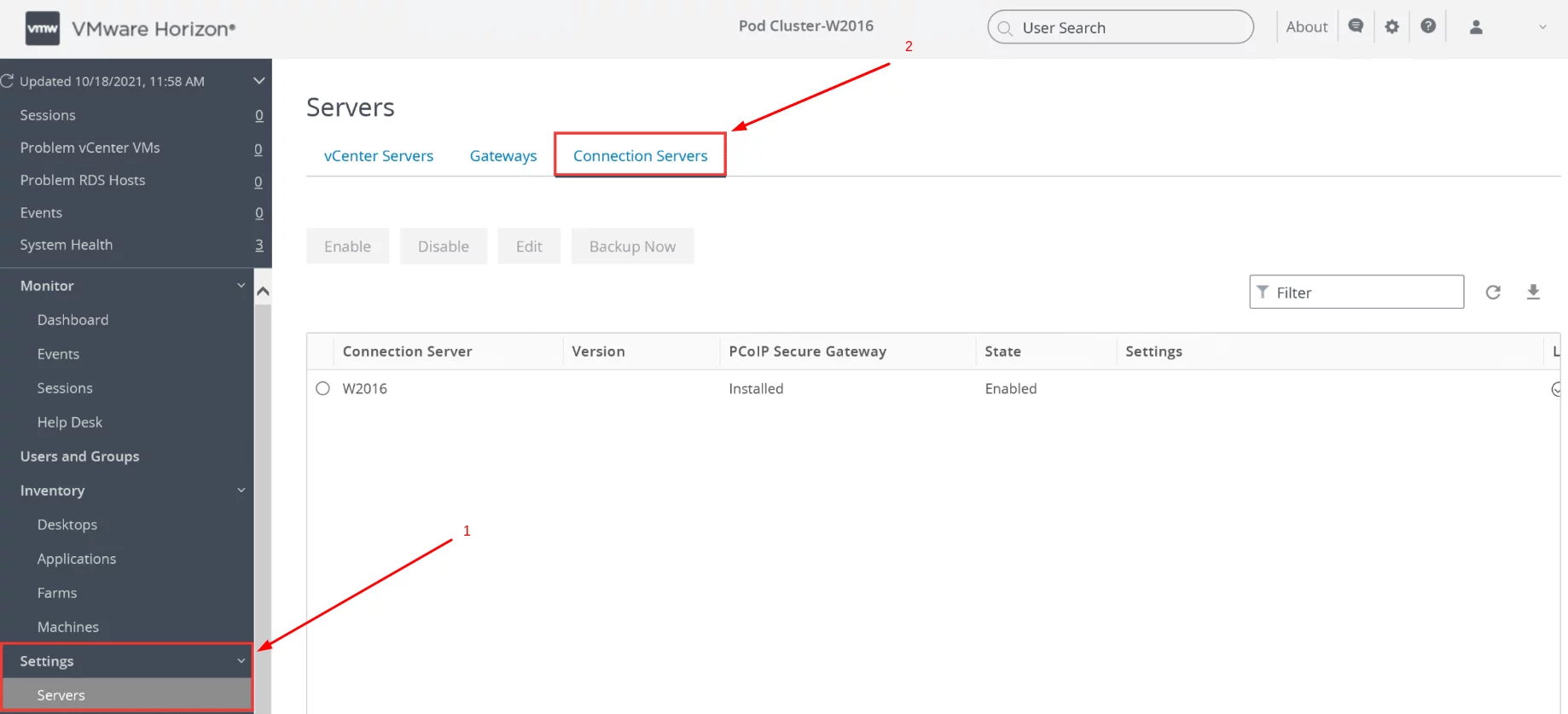
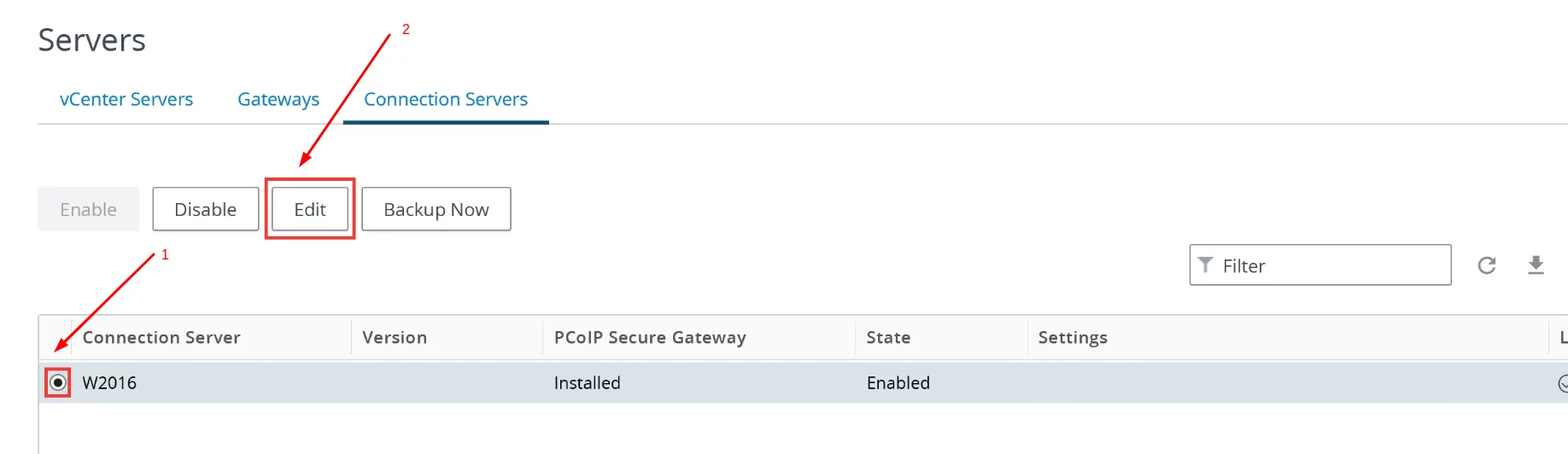
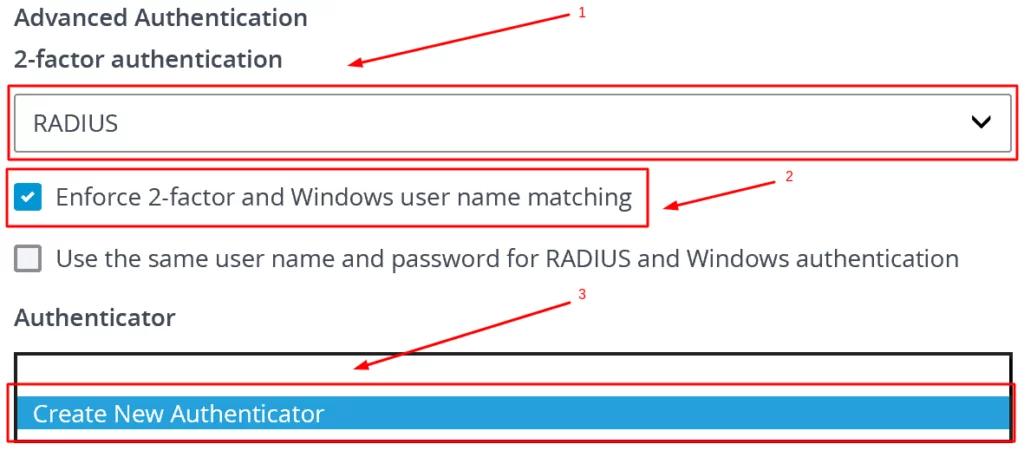
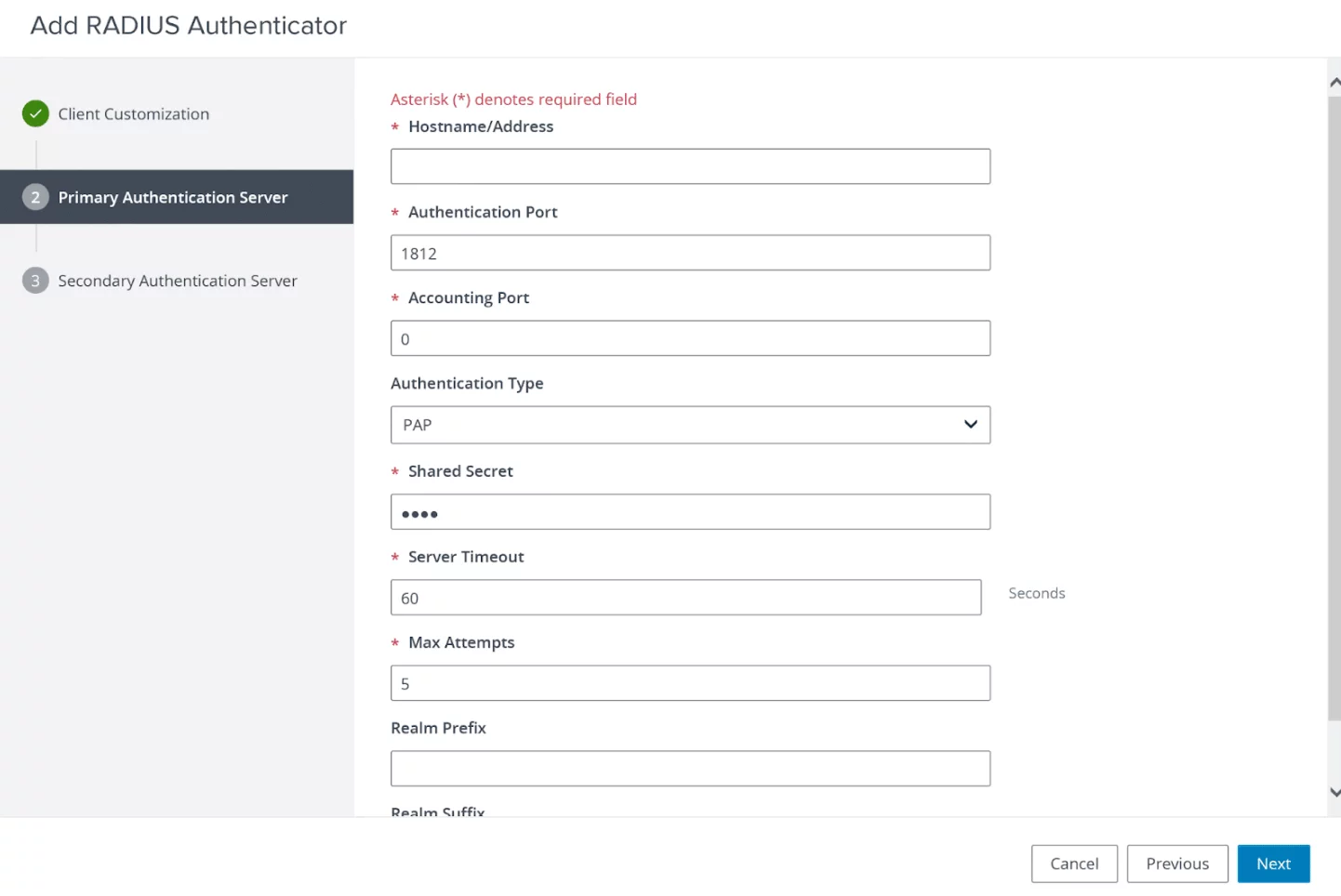
| Hostname/Address | Enter the IP of server where the Protectimus RADIUS Server component is installed. |
| Authentication Port | Indicate 1812 (or whichever port you configured in the Protectimus radius.yml file when configuring Protectimus RADIUS Server). |
| Accounting Port | Leave the default value. |
| Authentication Type | PAP. |
| Shared Secret | Indicate the shared secret you created in the Protectimus radius.yml file (radius.secret property) when configuring Protectimus RADIUS Server. |
| Server Timeout | Set to 60. |
| Max Attempts | Set to 5. |
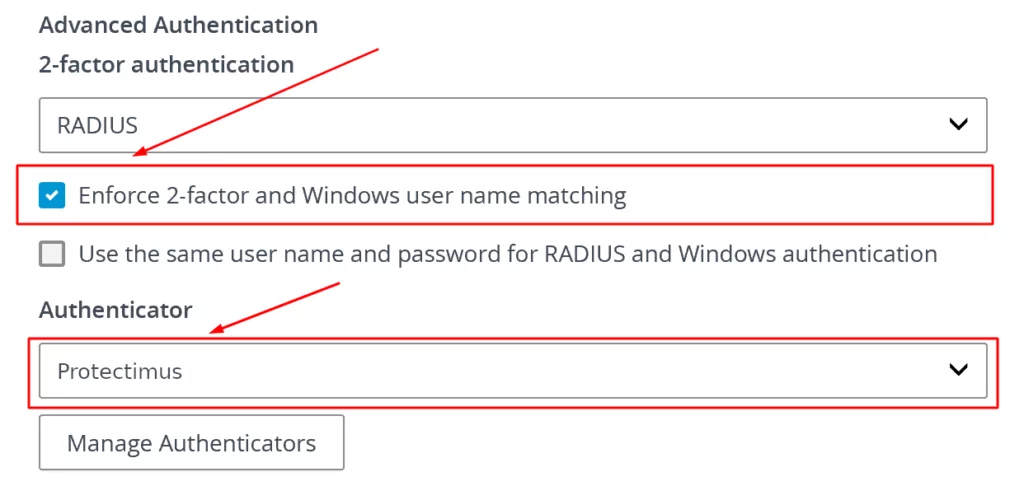
Integration of two-factor authentication (2FA/MFA) for your VMware Horizon View 2FA is now complete.
If you have other questions, contact Protectimus customer support service.










