Configuring Two-Factor Authentication for Barracuda SSL VPN
This Barracuda SSL VPN 2FA guide shows how to enable two-factor authentication (2FA / MFA) for Barracuda SSL VPN using the Protectimus Cloud 2FA Service or On-Premise 2FA Platform.
Protectimus integrates with Barracuda SSL VPN via RADIUS authentication protocol to add two-factor authentication (2FA) to Barracuda SSL VPN logins.
In this scenario, the Protectimus two-factor authentication solution for Barracuda VPN 2FA performs as a RADIUS server, and the Barracuda SSL VPN takes the role of a RADIUS client. You will find the scheme of work of the Protectimus solution for Barracuda SSL VPN two-factor authentication below.
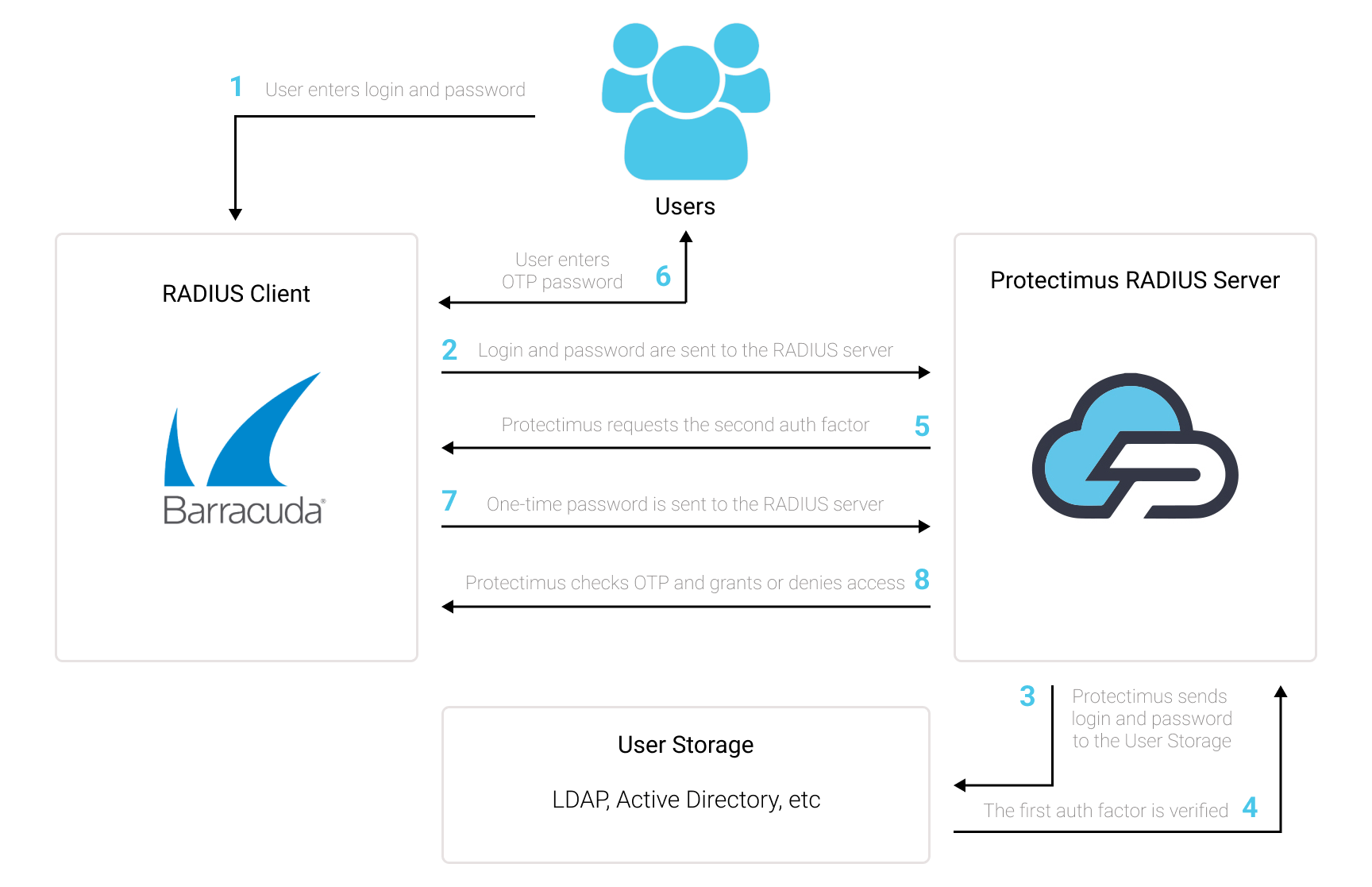
1. How Barracuda SSL VPN Two-Factor Authentication (2FA) Works
Setting up two-factor authentication for Barracuda SSL VPN means that your users will have to enter two different factors of authentication when they get access to their accounts.
- The first 2FA factor is a username and password (something the user knows);
- The second 2FA factor is a time-based one-time password generated with the help of an OTP token or an app on a phone (something the user owns). A one-time passwords remains valid only for 30 seconds.
It is too hard to get unauthorized access to the Barracuda SSL VPN account protected with multi-factor authentication. A hacker has to get two passwords of different natures and use them simultaneously. Moreover, he has only 30 seconds to hack and use a one-time passcode, which complicates the task умут further and makes it almost impossible.
Two-factor authentication (2FA / MFA) is an effective protection measure against such cybersecurity threats like phishing, keylogging, social emgeneering, brute force, MITM attacks, data spoofing, etc.
2. How to Enable Barracuda SSL VPN 2FA
You can set up Barracuda SSL VPN two-factor authentication (2FA) with Protectimus using the RADIUS protocol:
- Get registered with Protectimus SAAS Service or install the On-Premise 2FA Platform and configure basic settings.
- Install and configure Protectimus RADIUS Server.
- Configure Barracuda SSL VPN authentication policies.
2.1. Get Registered and Configure Basic Protectimus Settings
Choose your deployment option and complete the basic setup:
Protectimus Cloud Service
- Register with the Protectimus Cloud Service and activate API.
- Add a Resource.
- Add Users.
- Add Tokens manually or activate the Users’ Self-Service Portal.
- Assign Tokens to Users.
- Assign Users and Tokens to the Resource.
Protectimus On-Premise Platform
- Install the Protectimus On-Premise Platform. If you install the Protectimus Platform on Windows, select the RADIUS option during installation.
- Add a Resource.
- Add Users.
- Add Tokens manually or activate the Users’ Self Service Portal.
- Assign Tokens to Users.
- Assign Tokens with Users to the Resource.
2.2. Install and Configure Protectimus RADIUS Server
Detailed instructions for installing and configuring the Protectimus RADIUS Server for Barracuda SSL VPN 2-factor authentication using RADIUS are available in our
Protectimus RADIUS Server Installation Guide for Barracuda SSL VPN 2FA.
2.3. Add Protectimus as RADIUS Server for your Barracuda SSL VPN
- Log in to Barracuda VPN interface.
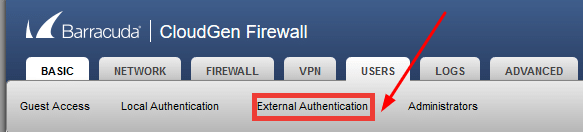
- Navigate to Users –> External Authentication.
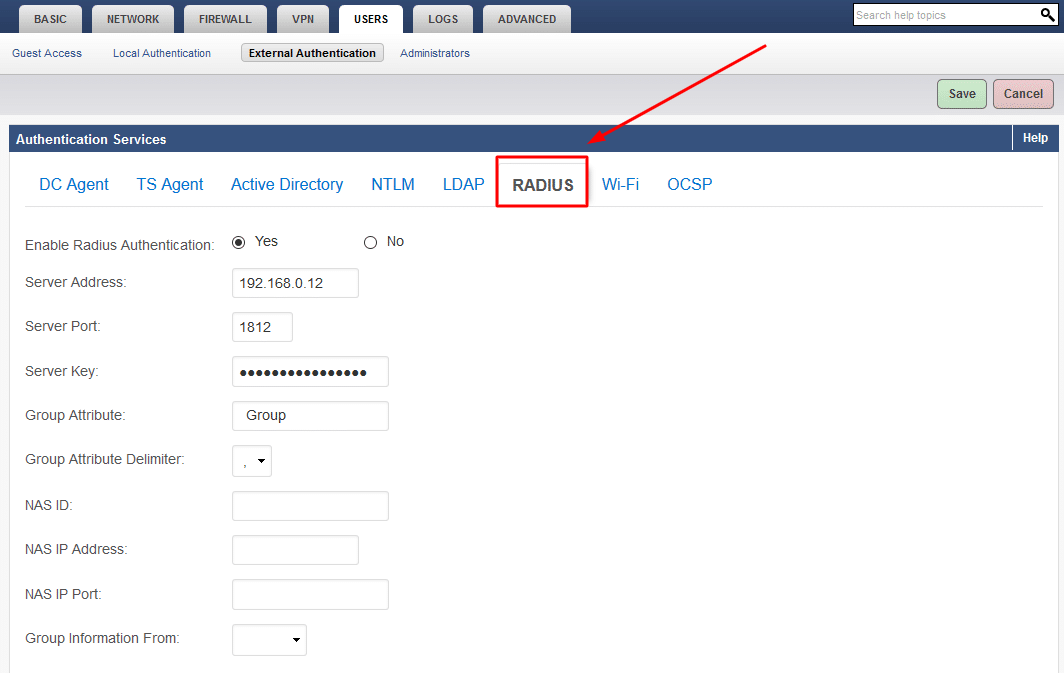
- Select RADIUS and configure the following RADIUS settings to add a RADIUS Server. After that, click Save to save the changes.
| Server Address |
IP of server where the Protectimus RADIUS Server component is installed. |
| Server Port |
Indicate 1812 (or whichever port you configured in the Protectimus radius.yml file when configuring Protectimus RADIUS Server). |
| Server Key |
Indicate the shared secret you created in the Protectimus radius.yml file (radius.secret property) when configuring Protectimus RADIUS Server. |
| Group Attribute |
Keep the default value. |
| Group Attribute Delimiter |
Keep the default value. |
| NAS ID |
If your RADIUS server requires NAS credentials to be set, enter the NAS identifier. |
| NAS IP Address |
If your RADIUS server requires NAS credentials to be set, enter the NAS IP Address. |
| NAS IP Port |
If your RADIUS server requires NAS credentials to be set, enter the NAS IP Port. |
| Group Information From |
Set to blank/empty. |
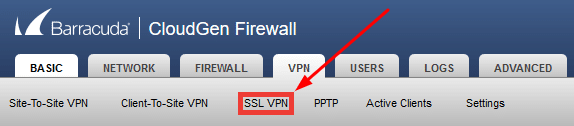
- Navigate to VPN –> SSL VPN.
- Go to the Authentication section. Select RADIUS in User Authentication. Click Save.
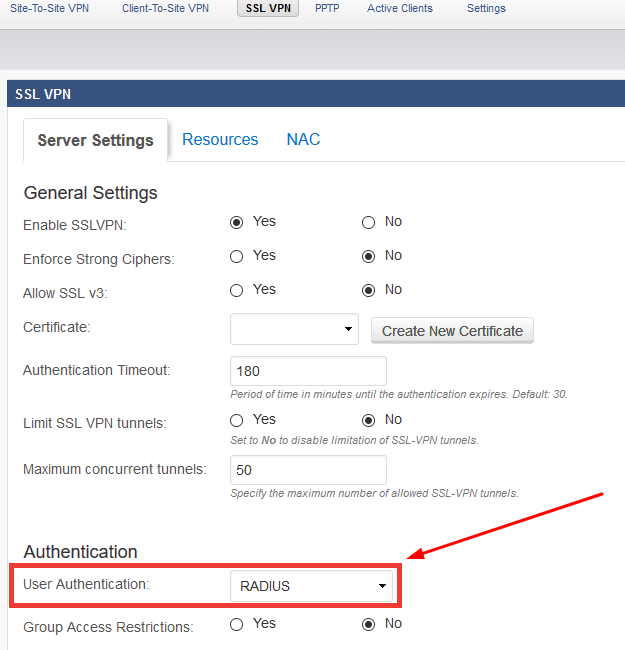
Integration of two-factor authentication (2FA/MFA) for your Barracuda SSL VPN is now complete.
If you have other questions, contact
Protectimus customer support service.













