Cómo configurar el portal de autoservicio para usuarios en el servicio SaaS de MFA
El portal de autoservicio para usuarios de Protectimus permite gestionar de forma autónoma los tokens y el perfil personal. El administrador del sistema controla qué acciones están disponibles para cada recurso.
Importante:
- El portal de autoservicio se configura por separado para cada recurso.
- Los usuarios deben estar asignados a un recurso específico para acceder a su portal de autoservicio.
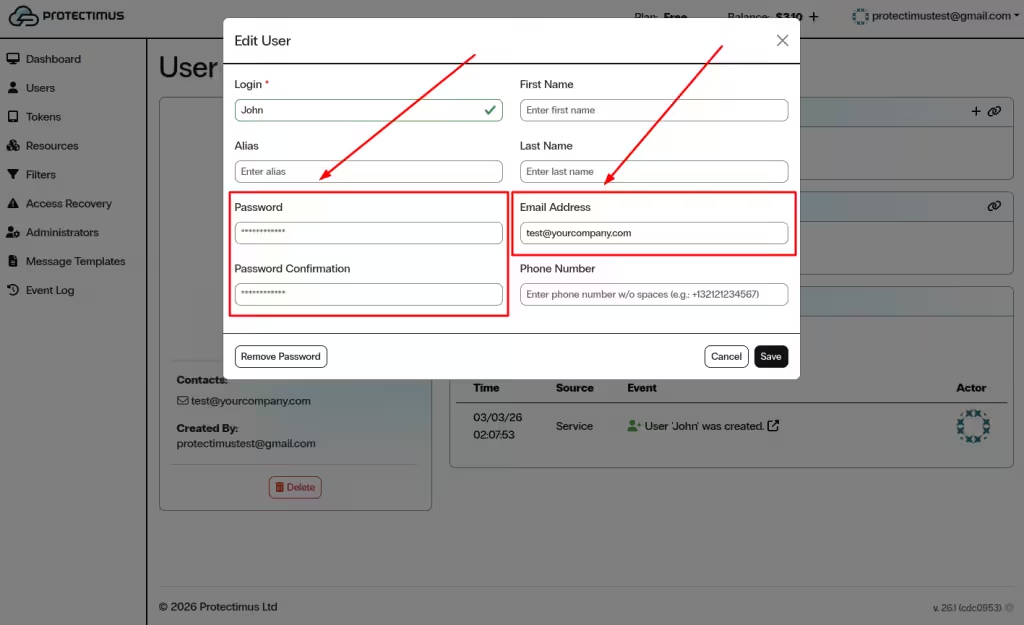
- Cada usuario debe disponer de una contraseña o de una dirección de correo electrónico registrada:
- Si se han configurado ambas opciones, se utiliza la contraseña para iniciar sesión.
- Si solo se ha especificado una dirección de correo electrónico, se enviará un código de verificación a esa dirección.
- Si hay un token asignado al recurso, los usuarios también deben introducir una contraseña de un solo uso (OTP) al iniciar sesión.
1. Habilitar el portal de autoservicio para un recurso
- Inicie sesión en su cuenta de Protectimus SaaS Service.
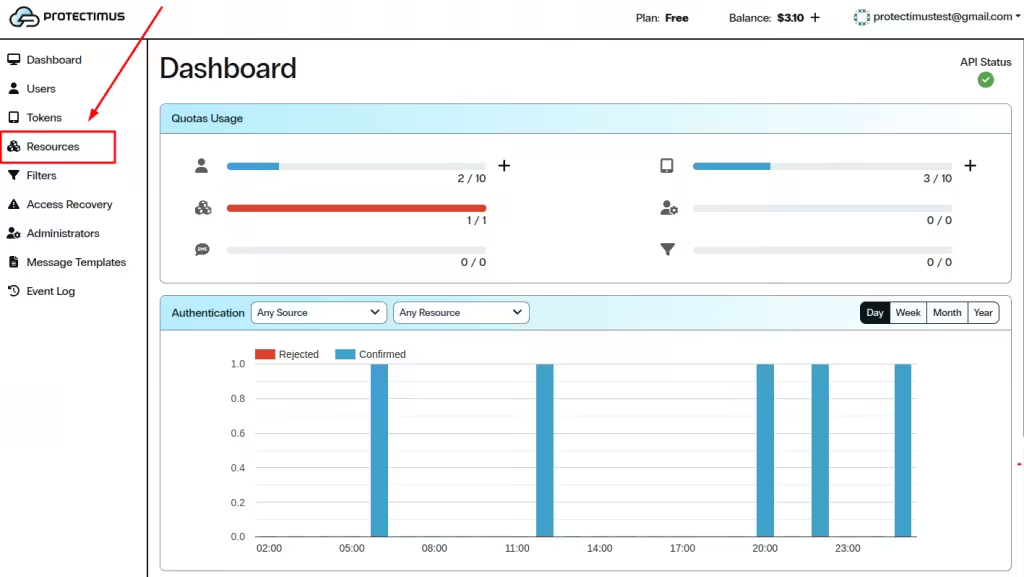
- Abra la página Resources.
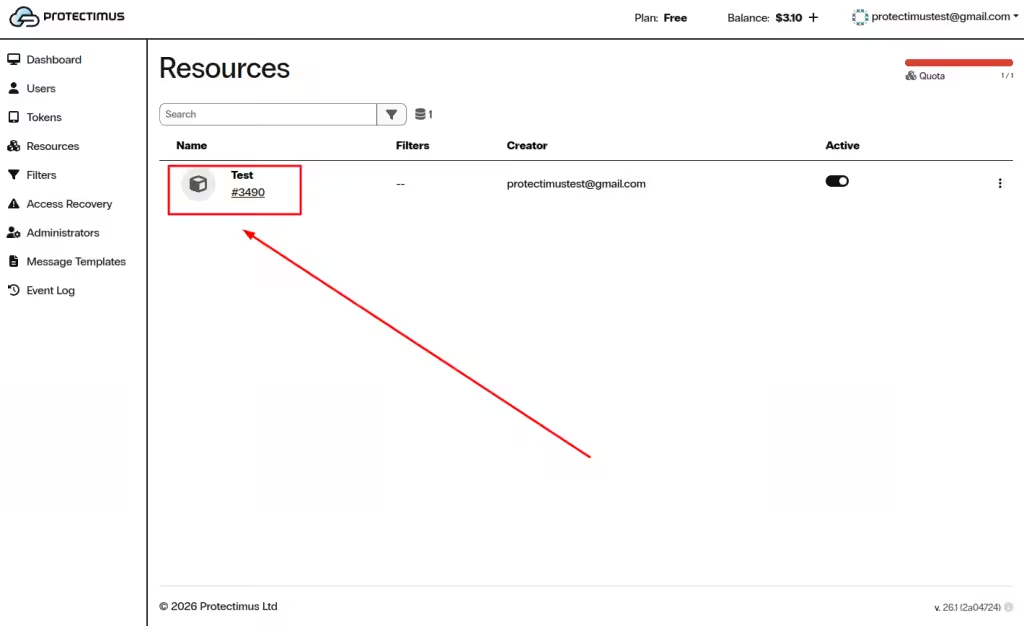
- Haga clic en el nombre del recurso correspondiente.
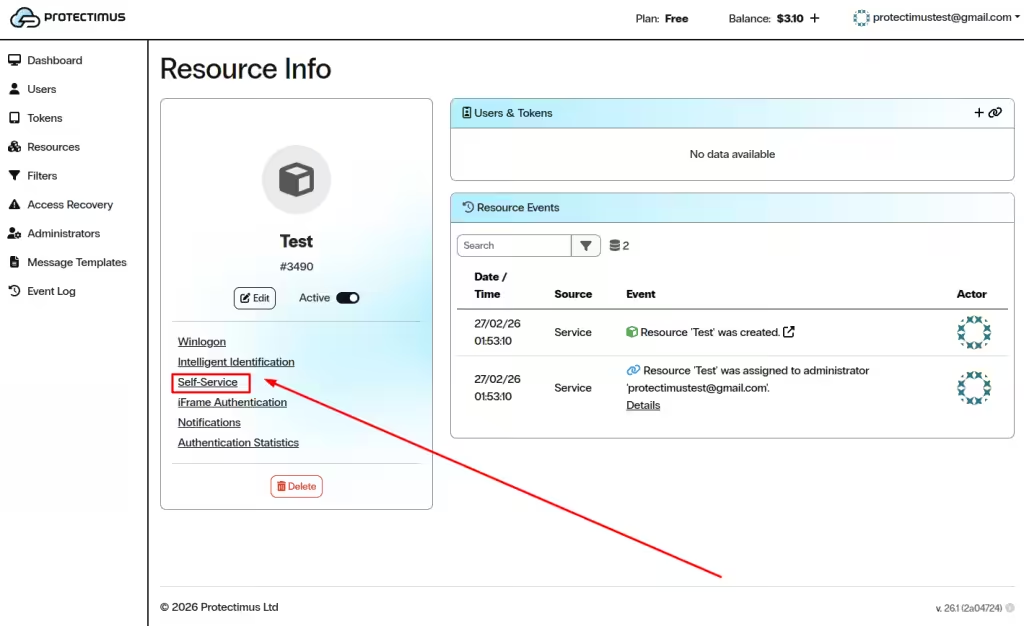
- Abra la pestaña Self-Service.
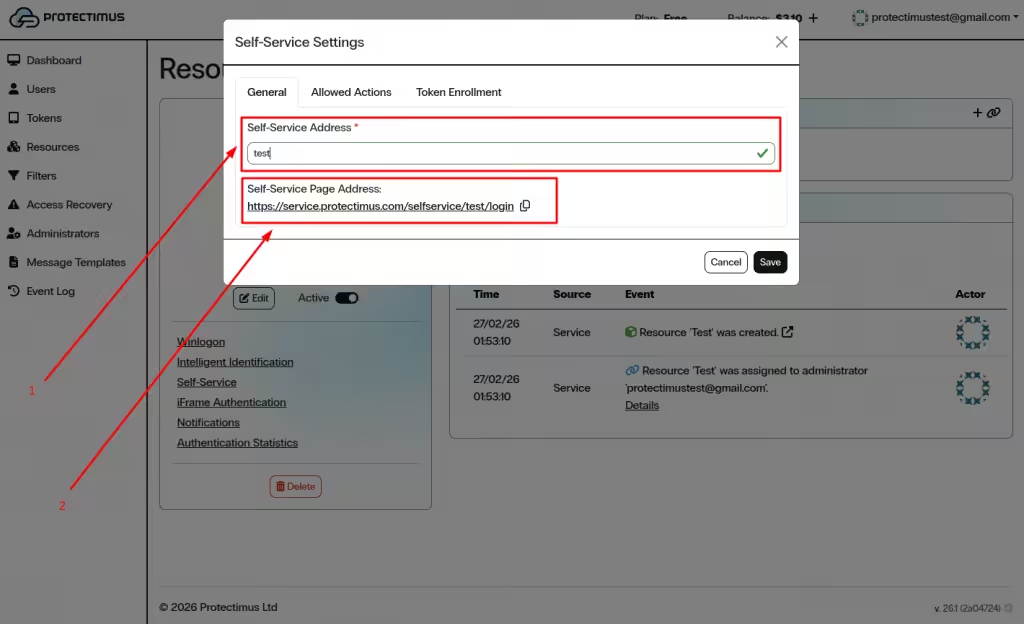
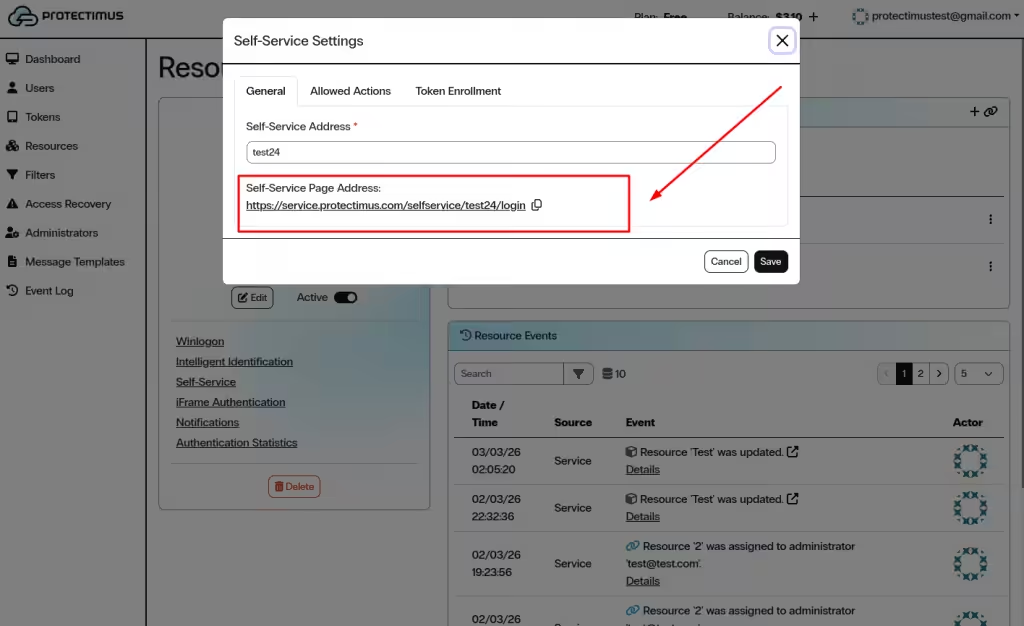
- En la pestaña General, introduzca un valor único en el campo Self-Service Address.
- El sistema genera automáticamente la dirección indicada en Self-Service Page Address (URL). Este es el enlace que utilizarán los usuarios para acceder al portal.
- Haga clic en Save para activar el portal para este recurso.
2. Configurar las acciones disponibles
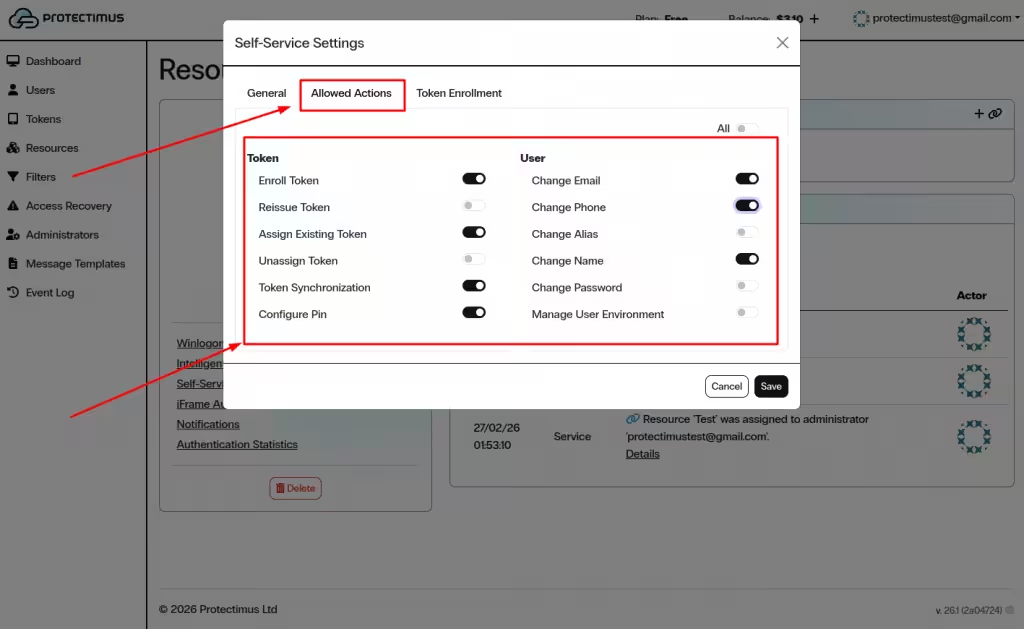
Tras guardar la dirección de autoservicio, abra la pestaña Allowed Actions para definir qué operaciones pueden realizar los usuarios.
Las acciones se agrupan en dos categorías: Token y User. Todas las opciones están deshabilitadas de forma predeterminada.
2.1. Gestión de tokens
- Enroll Token — Permite a los usuarios registrar y asignar un token nuevo.
- Reissue Token — Sustituye un token existente por uno nuevo.
- Assign Existing Token — Asigna un token emitido previamente.
- Unassign Token — Desvincula un token del recurso.
- Token Synchronization — Sincroniza los tokens de hardware cuando sea necesario.
- Configure PIN — Permite que los usuarios establezcan o modifiquen el PIN de un token.
2.2. Gestión del perfil de usuario
- Change Email — Actualiza la dirección de correo electrónico registrada.
- Change Phone — Actualiza el número de teléfono registrado.
- Change Alias — Modifica el nombre de usuario (identificador de inicio de sesión).
- Change Name — Actualiza el nombre y los apellidos.
- Change Password — Cambia la contraseña de Protectimus.
- Manage User Environment — Gestiona los entornos de confianza empleados para la identificación inteligente.
También puede utilizar el selector All para habilitar o deshabilitar todas las acciones simultáneamente.
Haga clic en Save para aplicar los cambios.
3. Configurar las opciones de registro de tokens
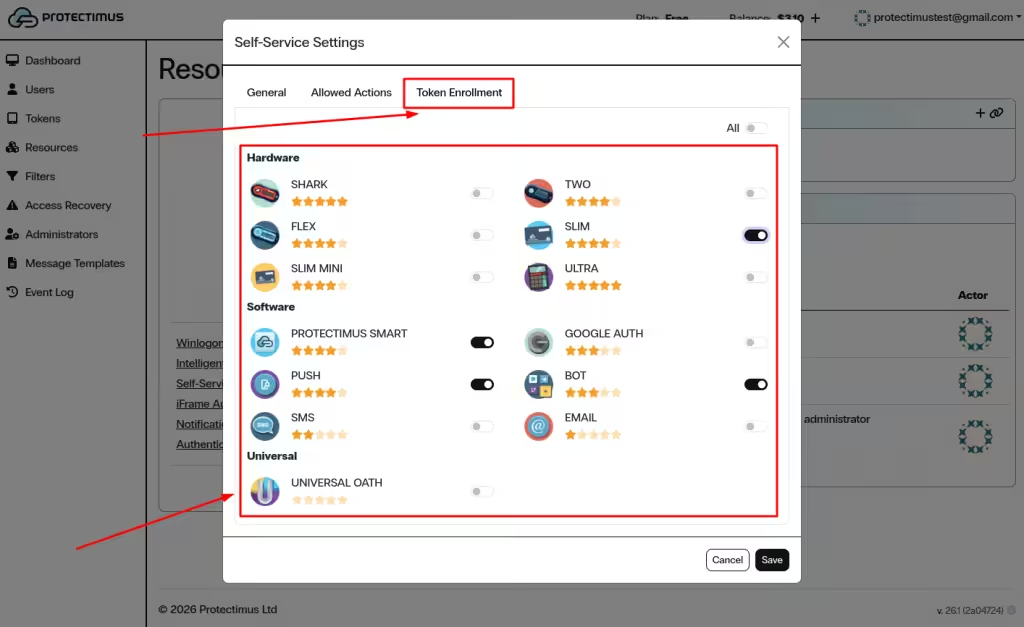
Abra la pestaña Token Enrollment para definir qué tipos de token pueden registrar los usuarios mediante el portal de autoservicio.
Habilite únicamente los tipos de token necesarios para su implementación. Si es necesario, utilice el selector All.
Haga clic en Save para finalizar la configuración.
4. Proporcionar acceso a los usuarios
Para acceder al portal de autoservicio, los usuarios necesitan:
- La dirección generada, denominada Self-Service Page Address.
- Una contraseña o bien una dirección de correo electrónico registrada en su perfil de usuario.
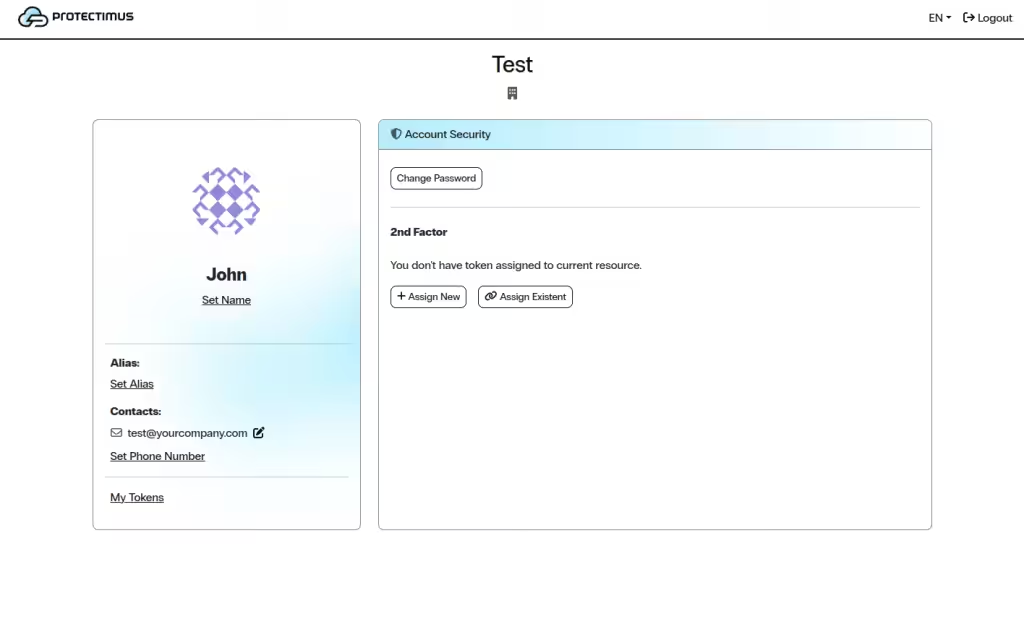
Los usuarios deben abrir la URL proporcionada, iniciar sesión con sus credenciales y realizar las acciones habilitadas para el recurso.
Si tiene alguna pregunta, póngase en contacto con el
servicio de atención al cliente de Protectimus.













