



This guide shows how to enable Check Point VPN two-factor authentication (2FA) integrating Check Point VPN with Protectimus multi-factor authentication service or on-premise MFA platform via RADIUS.
Two-factor authentication (2FA) 2FA will protect your users’ accounts and, consequently, your corporate infrastructure from unauthorized access. By activating Check Point VPN 2FA, you protect your users’ accounts from phishing, brute force, data spoofing, keyloggers, man-in-the-middle, social engineering, and a bunch of other cyber attacks.
Two-factor authentication means using two different types of authenticators to get access to the Check Point account protected with 2FA.
Thus, when Check Point VPN 2FA is enabled, it becomes too hard to hack both two-factor authentication passwords at the same time, especially considering that a one-time password is valid only for 30 seconds.
This guide shows how you can set up Check Point 2FA via the RADIUS authentication protocol using the Protectimus Cloud Two-Factor Authentication Service or Protectimus On-Premise 2FA Platform.
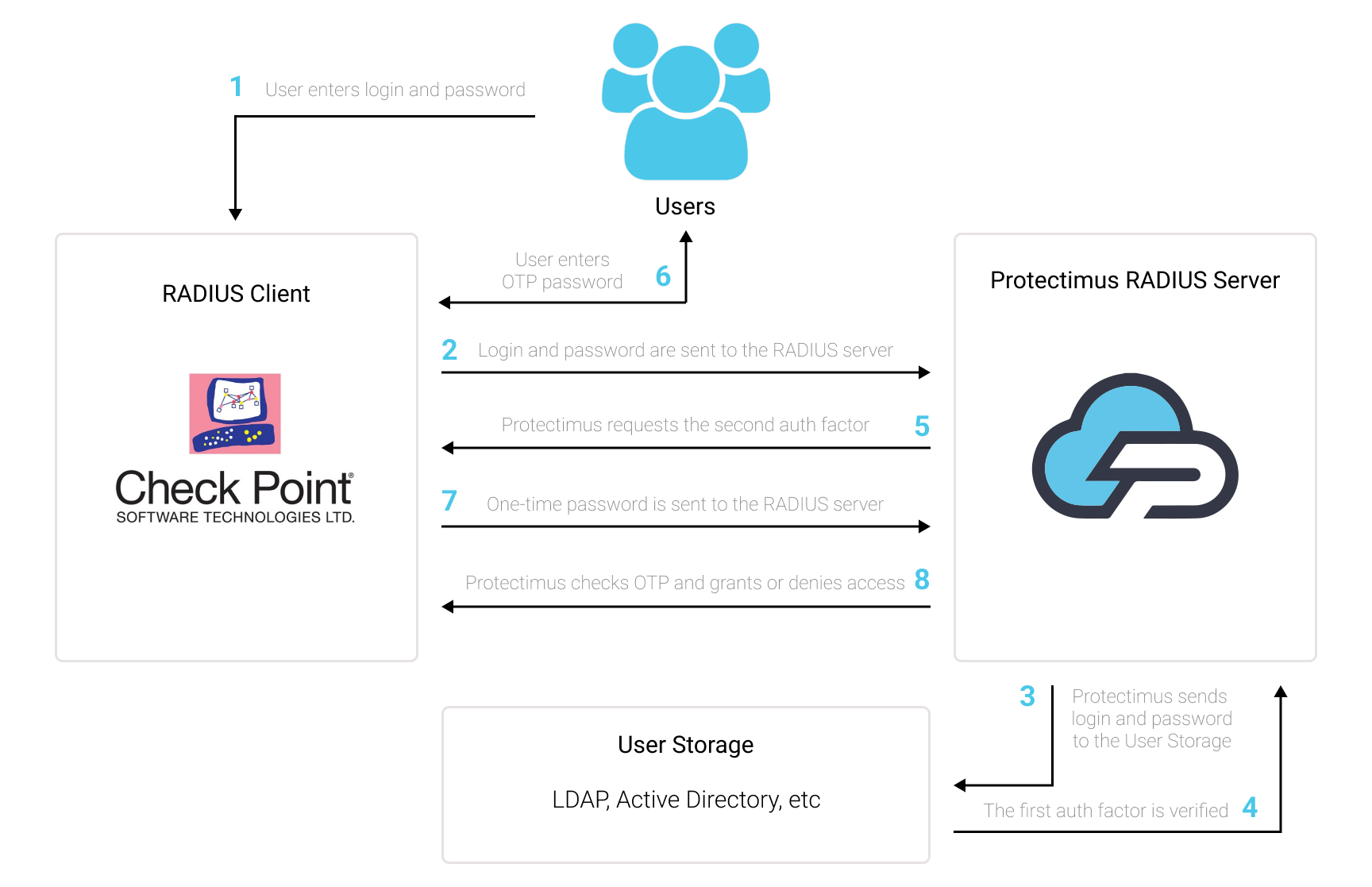
You can set up Check Point VPN two-factor authentication (2FA) with Protectimus using the RADIUS protocol:
- Get registered with Protectimus SAAS Service or install the On-Premise 2FA Platform and configure basic settings.
- Install and configure Protectimus RADIUS Server.
- Configure Check Point VPN authentication policies.
Choose your deployment option and complete the basic setup:
Protectimus Cloud Service
Protectimus On-Premise Platform
Detailed instructions for installing and configuring the Protectimus RADIUS Server for Check Point VPN 2-factor authentication using RADIUS are available in our Protectimus RADIUS Server Installation Guide for Check Point VPN 2FA.
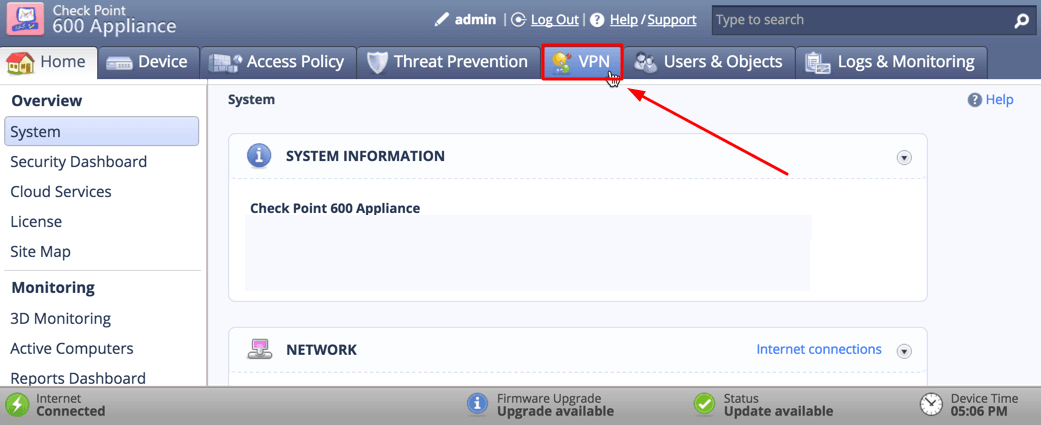
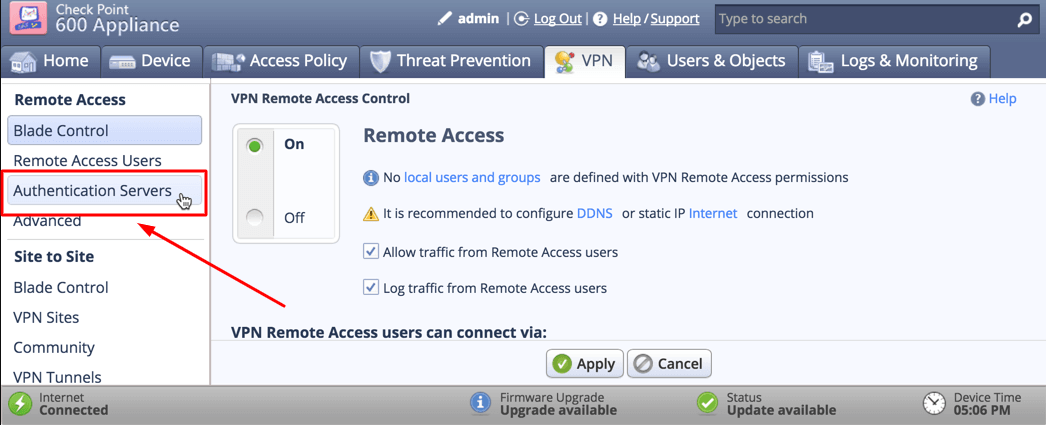
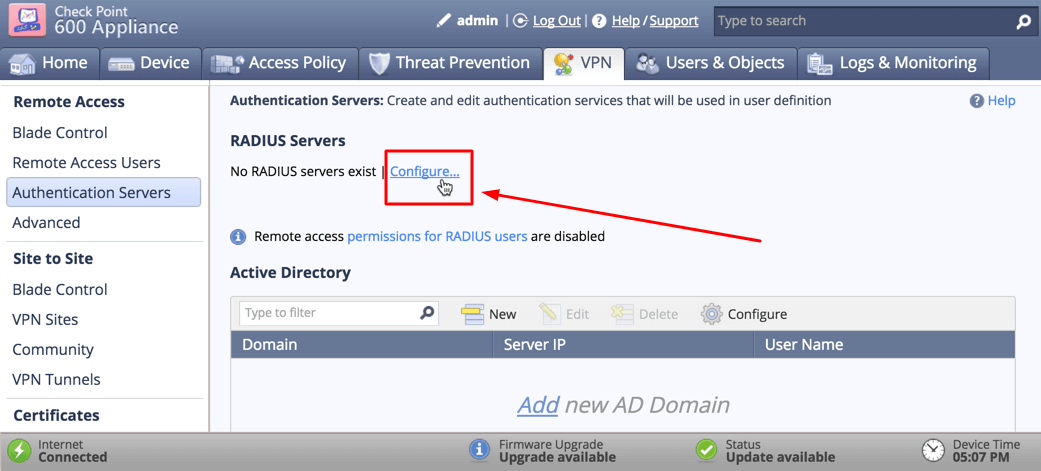
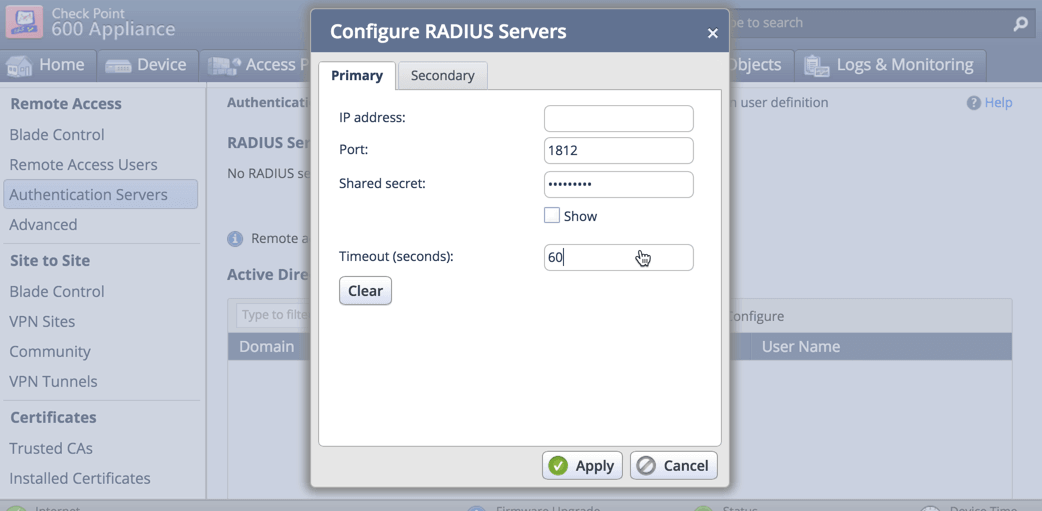
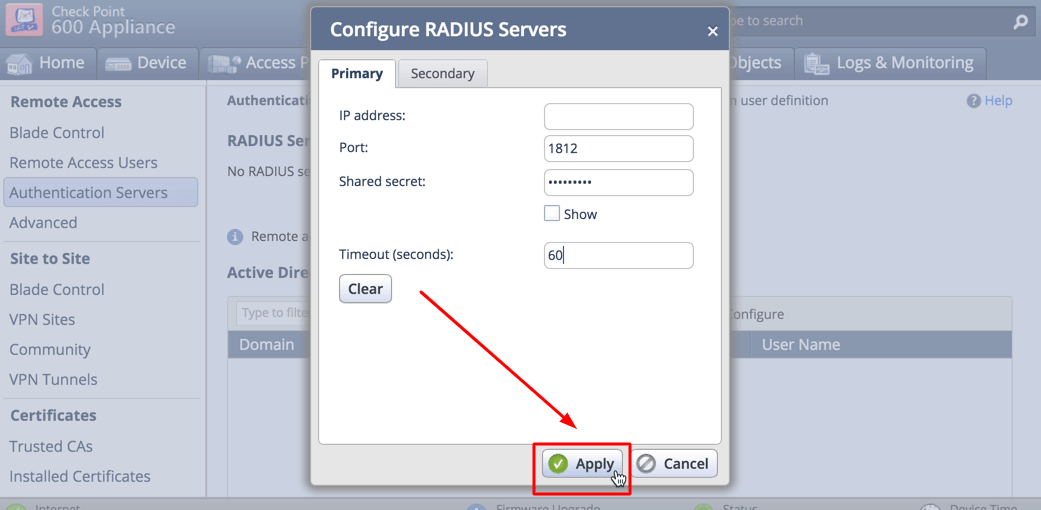
| IP address | IP of server where the Protectimus RADIUS Server component is installed. |
| Port | Indicate 1812 (or whichever port you configured in the Protectimus radius.yml file when configuring Protectimus RADIUS Server). |
| Shared Secret | Indicate the shared secret you created in the Protectimus radius.yml file (radius.secret property) when configuring Protectimus RADIUS Server. |
| Timeout (in seconds) | Set to 60 seconds. |
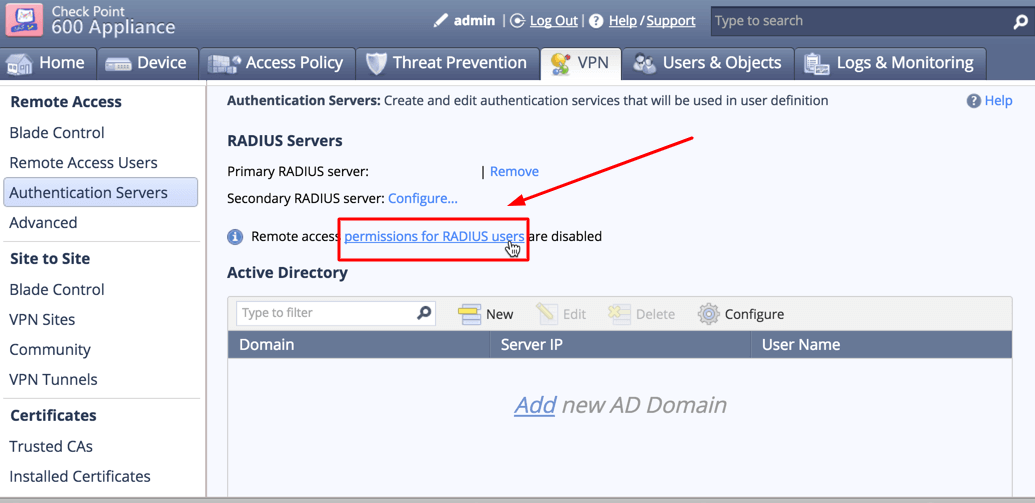
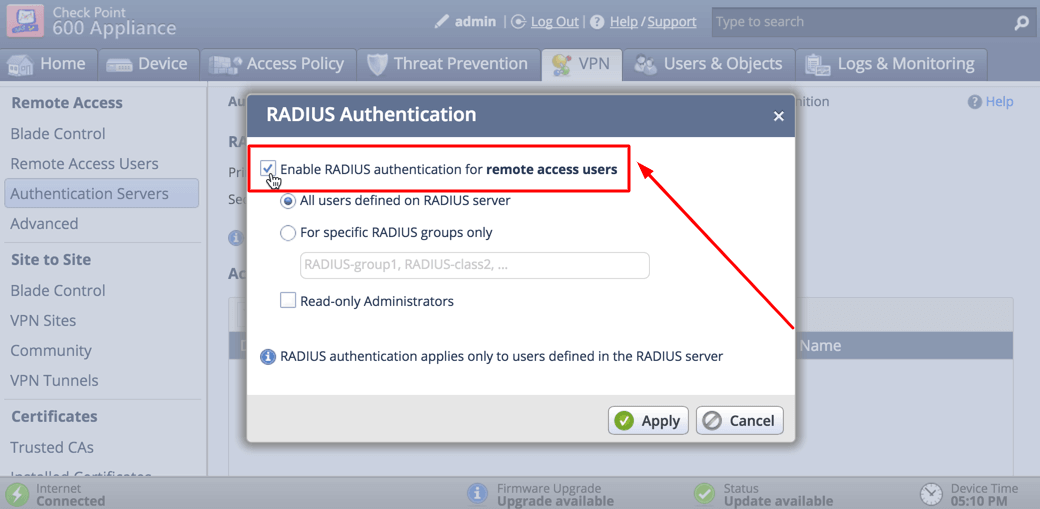
Integration of two-factor authentication (2FA/MFA) for your Check Point VPN is now complete.
If you have other questions, contact Protectimus customer support service.










