



Habilite fácilmente la autenticación de dos factores (2FA) en Wallix PAM con Protectimus utilizando el protocolo RADIUS.
Para ello, configure las políticas de autenticación de Wallix de modo que envíen las solicitudes por RADIUS a Protectimus RADIUS Server. Este componente reenvía cada solicitud a la plataforma de autenticación de Protectimus para comprobar la contraseña de un solo uso (OTP) del usuario y devuelve el resultado a Wallix a través de la misma conexión RADIUS.
Eche un vistazo al esquema de configuración Wallix PAM 2FA para ver exactamente cómo funciona en acción este proceso de autenticación de dos factores basado en RADIUS.
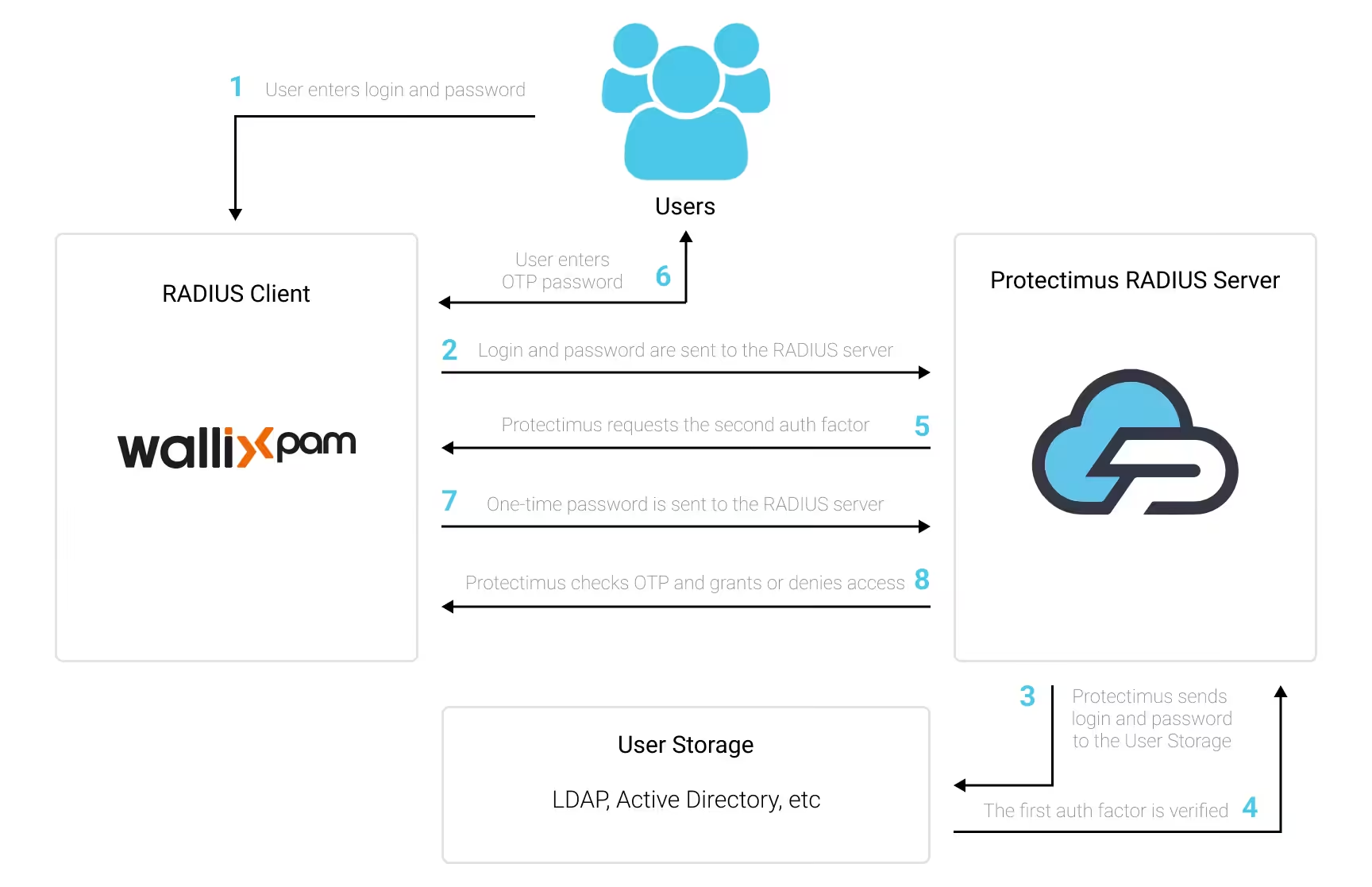
Para habilitar la autenticación de dos factores Wallix PAM (2FA):
- Instale y configure Protectimus RADIUS Server.
- Regístrese en Protectimus SAAS 2FA Service o en On-Premise 2FA Platform y configure los ajustes básicos.
- Configure las políticas de autenticación de Wallix.
Elija su opción de implementación y complete la configuración básica:
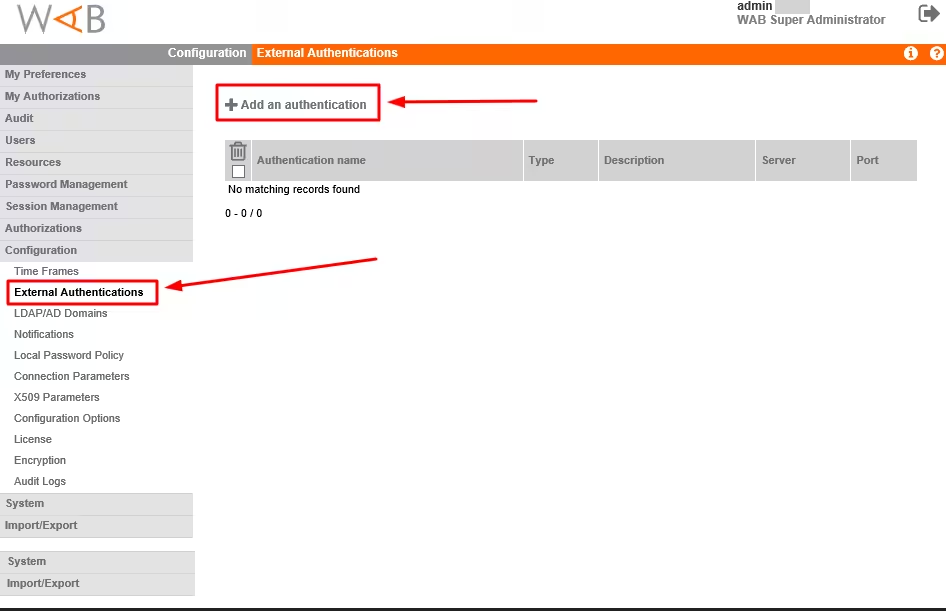
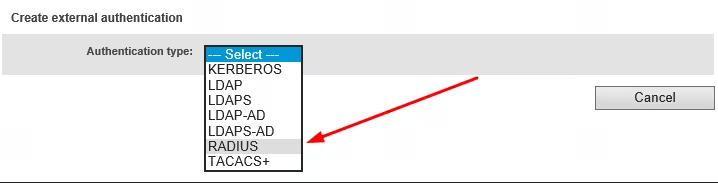
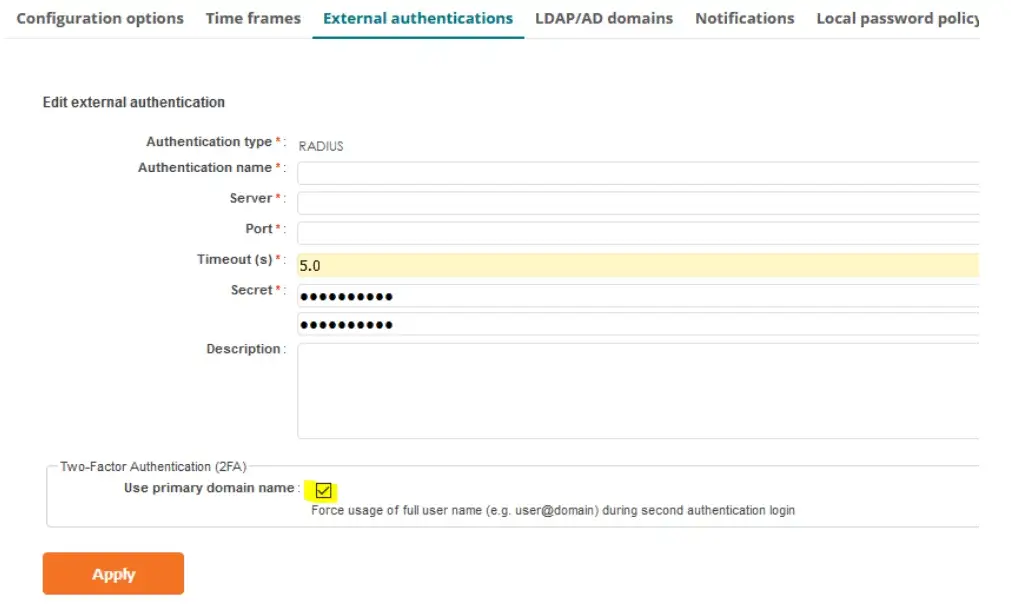
| Authentication type | RADIUS |
| Authentication name | Introduzca un nombre para el servidor RADIUS, por ejemplo, Protectimus RADIUS Server. |
| Server | Introduzca el nombre de host o la dirección IP del servidor donde está instalado el componente Protectimus RADIUS Server. |
| Port | Indique 1812 (o el puerto que configuró en el archivo radius.yml de Protectimus al configurar el servidor Protectimus RADIUS). |
| Timeout (s) | Establezca el valor en 5 segundos. |
| Secret | Indique el secreto compartido que creó en el archivo radius.yml de Protectimus (propiedad radius.secret) al configurar el servidor Protectimus RADIUS. |
| Description | Introduzca una descripción de su elección (opcional). |
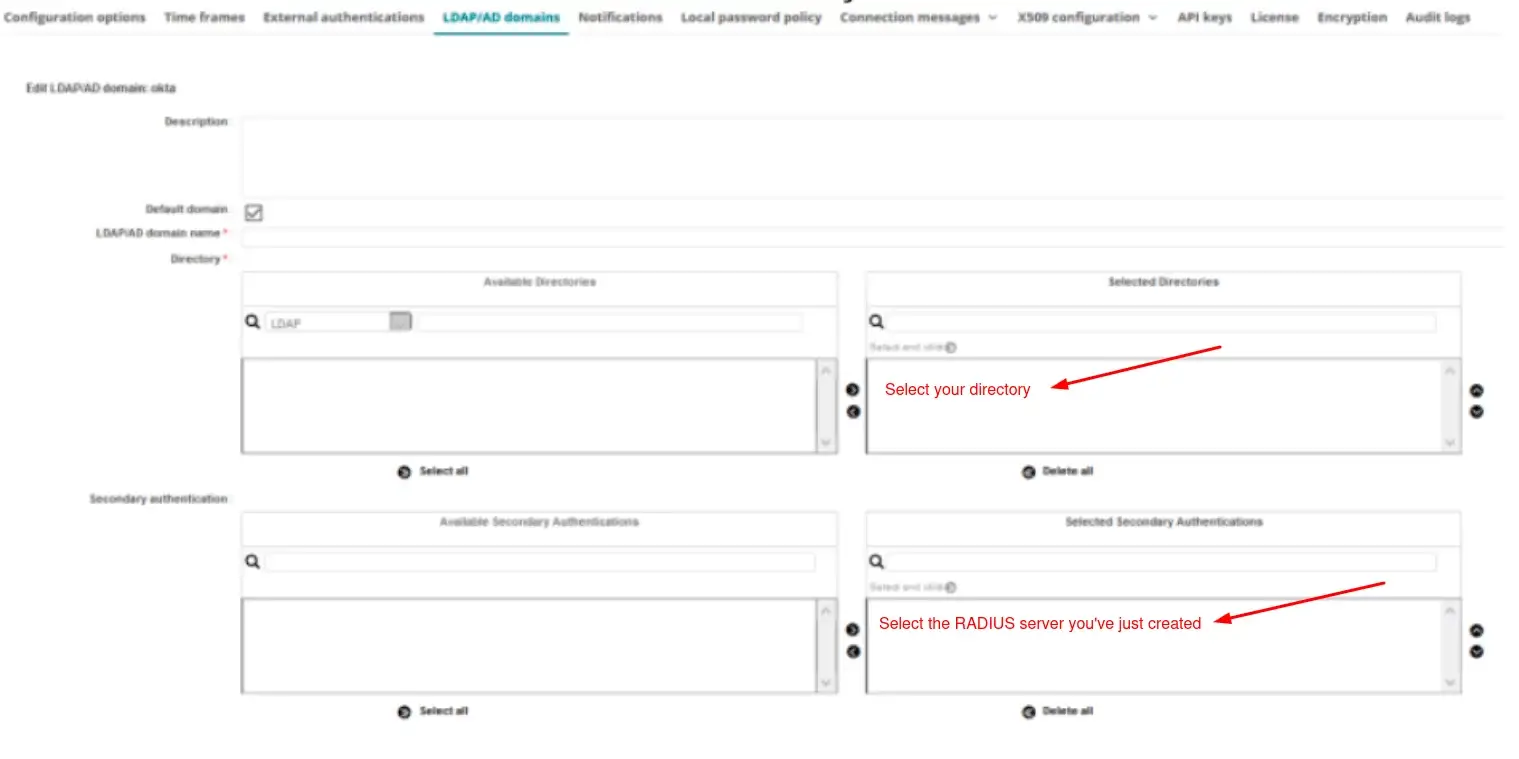
Ha integrado con éxito la autenticación de dos factores (2FA/MFA) con Wallix PAM.
Para obtener ayuda, póngase en contacto con el equipo de soporte de Protectimus.










