MFA for Active Directory: Complete Guide to Securing Your AD Environment
Active Directory is the backbone of identity management in over 90% of Fortune 1000 companies — and it is also one of the most targeted systems in modern cyberattacks. A compromised AD account gives attackers access to everything: file servers, email, VPNs, cloud services, and internal applications. Passwords alone are no longer sufficient protection. Multi-factor authentication for Active Directory adds a critical second layer of verification that stops credential-based attacks even when passwords are stolen.
Quick answer: There’s no single way to add multi-factor authentication to Active Directory. The right approach depends on which entry points you need to cover, and how much of your AD-connected environment should be affected at once. Protectimus offers two architecturally different paths: component-level MFA, which uses dedicated integrations to protect individual services such as Windows logon and RDP, RADIUS-connected VPNs, OWA, and ADFS; and directory-level MFA through Protectimus DSPA (Dynamic Strong Password Authentication), where a single integration with AD extends protection to every service that authenticates directly against the AD password.
Table of Contents
- Why Active Directory Needs MFA in 2026
- How MFA for Active Directory Works
- Component-Level MFA vs. Directory-Level MFA
- Which Approach Fits Your Environment
- Supported Integrations for Active Directory
- Supported MFA Methods for Active Directory
- Active Directory MFA for ADFS
- Deployment Options: Cloud vs On-Premise
- Multidomain and Enterprise Environments
- How to Set Up MFA for Active Directory with Protectimus
- FAQ
- Conclusion: Securing Active Directory with MFA in 2026
Key facts
99.9% of attacks blocked by MFA
According to Microsoft, over 99.9% of account compromise attacks can be blocked by MFA
$4.4M average breach cost in 2026
The average cost of a data breach in 2026 reached approximately $4.4 million (IBM Cost of a Data Breach Report 2026)
60% of breaches involve credentials
60% of breaches involve the human element — primarily credential abuse and phishing (Verizon 2026 DBIR)
Key Takeaways

One Integration, Full Coverage
DSPA secures Active Directory at the directory level, not the endpoint. One integration automatically protects Winlogon, RDP, OWA, ADFS, and LDAP simultaneously.

No Software on User PCs
No client-side agents required. DSPA is a directory-level approach that extends MFA to services authenticating directly against Active Directory, without installing anything on user endpoints.

On-Premise or Private Cloud
Deploy on local infrastructure or in your private cloud for full data sovereignty, isolated network support, and regulatory compliance.

Audit-Ready Out of the Box
OATH-certified solution aligned with PCI DSS v4.0, HIPAA, NIST SP 800-63B, SOC 2, and ISO 27001 requirements.

Rollout at Your Pace
Start with one entry point such as RDP or VPN, then extend protection service by service or across all of AD at once.

Built for Enterprise AD
Supports multidomain forests, clustering, group-based MFA policies, and high-availability deployments with automatic failover.
Why Active Directory Needs MFA in 2026
Active Directory is the single most valuable target in any corporate network — and password-only protection leaves it critically exposed. Deploying two-factor authentication for Active Directory is no longer optional for any organization handling sensitive data.
Active Directory stores user credentials, group policies, access rights, and authentication data for every system in the organization. When an attacker gains access to even one privileged AD account, they can move laterally across the entire infrastructure, escalate privileges, exfiltrate data, and deploy ransomware — all using legitimate credentials that bypass most security controls.
The scale of the problem is well-documented:
- 60% of breaches involve the human element, with stolen credentials remaining the leading initial access vector, according to the Verizon 2026 Data Breach Investigations Report.
- Pass-the-hash and pass-the-ticket attacks reuse captured Active Directory authentication material, so the attacker never needs the actual password. They usually start with one compromised login, and that first step is exactly where MFA raises the bar.
- Kerberoasting targets AD service accounts, whose passwords tend to be static and rarely changed, and cracks them offline, away from any login screen.
- Brute force attacks against RDP and Winlogon — both AD-authenticated — account for a significant portion of initial access in ransomware incidents
- DCSync and Golden Ticket attacks let adversaries who reach a domain controller extract or forge authentication material. The fewer stolen credentials actually work at login, the fewer attackers get that far.
The fundamental problem is architectural: AD was designed in an era when the corporate perimeter was clearly defined. Today, with remote work, cloud services, and contractor access, that perimeter no longer exists. Credentials can be phished, stolen via malware, exposed in third-party breaches, or guessed through brute force.
Multi-factor authentication significantly reduces the risk of stolen credentials by requiring a second factor that attackers cannot obtain remotely. Even if a password is compromised, the account remains inaccessible without access to the user’s authenticator app or another second authentication factor.
The challenge, historically, has been implementing AD 2FA across the full environment without disrupting existing workflows or requiring massive infrastructure changes. This is the problem both component-level and directory-level MFA address, each in its own way. The next section explains how.
For a real-world example, see how DXC Technology deployed Protectimus DSPA across all AD-connected services.
How MFA for Active Directory Works:
Two Architectural Approaches
Active Directory two-factor authentication can be implemented in two structurally different ways, and most vendor comparisons blur the distinction.
The first adds a second verification step to a specific service that authenticates against AD. The second changes what counts as a valid AD password at the directory level itself, so every service that checks that password directly against AD inherits the change automatically.
Component-level MFA
A dedicated integration is installed for one specific entry point: Winlogon and RDP for Windows logins, a RADIUS connector for VPNs and Wi-Fi, a plugin for OWA, a component for ADFS. Each integration protects exactly the service it’s built for and nothing else.
This is the more common model across the MFA industry. And it maps well to phased rollouts: you can protect RDP this month and OWA next month, without one rollout depending on the other.
Directory-level MFA (Protectimus DSPA)
Instead of adding a separate prompt, Protectimus DSPA replaces the user’s static AD password with a dynamic, time-based one-time password (TOTP) that rotates automatically at an administrator-defined interval.
Since the temporary code becomes the valid AD password, any service that authenticates directly against AD (Winlogon, RDP, OWA, LDAP-bound applications, command-line AD access) inherits MFA without a separate per-service integration.
The trade-off is scope: DSPA doesn’t ask whether a specific service should require MFA, it changes what a valid AD credential looks like everywhere at once. See the full technical breakdown of how DSPA works.
Component-Level MFA vs. Directory-Level MFA
| Component-level MFA | Directory-level MFA (DSPA) | |
|---|---|---|
| Integration scope | One service per integration | Entire AD-connected environment |
| Client-side software | Depends on the integration: for example, Winlogon requires local installation, while RADIUS, OWA, and ADFS use server-side components | None on the endpoint |
| Rollout pattern | Incremental, per service | Single integration, broad effect |
| AD/LDAP/CLI access | Not covered unless a matching component exists | Covered automatically |
| Deployment | Cloud or On-Premise, depending on component | On-Premise Platform only |
| Typical fit | Selective coverage, phased rollout, mixed environments | Organizations planning full AD-connected coverage from the start |
Which Approach Fits Your Environment
Neither approach is categorically more secure than the other. Both add a genuine second authentication factor; the real question is scope: one entry point at a time, or the whole AD-connected environment from a single integration.
Choose component-level MFA when:
- You need to protect a specific entry point, such as RDP, OWA, or a VPN, without changing authentication anywhere else in the AD-connected environment.
- Different systems have different rollout timelines or owners, making a service-by-service deployment more practical.
- You want a cloud-hosted MFA service for some components rather than running everything on-premises.
- You’re piloting MFA on one service before deciding whether to expand it.
Choose directory-level MFA (DSPA) when:
- You already know MFA needs to cover everything tied to Active Directory (Winlogon, RDP, LDAP, OWA, command-line access), not just one entry point.
- Managing one directory-level mechanism fits how your infrastructure team prefers to operate, rather than maintaining several separate components.
- Your environment is on-premises and can run the Protectimus On-Premise Platform, since DSPA isn’t available through the cloud service.
- Closing gaps in direct LDAP or CLI access, which component-level MFA typically doesn’t reach, is a specific requirement.
Supported Integrations for Active Directory
Protectimus offers dedicated components for the most common AD-connected entry points, alongside the directory-level DSPA option:
Windows logins and RDP: a component for local Windows authentication and Remote Desktop sessions, including offline scenarios. See the Windows and RDP MFA page.
RADIUS-connected services: VPNs, Wi-Fi, and network equipment that support RADIUS authentication. See the RADIUS MFA page.
OWA and Exchange Admin Center: a plugin specifically for Outlook Web App and EAC logins. See the OWA MFA page.
ADFS: a component for AD FS-federated applications, covering SSO to cloud services without per-application integration. See the ADFS MFA page.
AD, LDAP, and databases (DSPA): directory-level MFA that extends to every service authenticating directly against AD. See the full DSPA breakdown.
Supported MFA Methods for Active Directory
Which second factor your users can use depends on the integration you choose. The component-level integrations (Windows and RDP, RADIUS, OWA, and ADFS) support a broader set of methods, including:
- Hardware OTP tokens: classic TOTP tokens with pre-installed secret keys, such as Protectimus TWO (SHA-1) and Protectimus SHARK (SHA-256), and programmable tokens Protectimus Slim NFC and Protectimus Flex.
- Protectimus SMART, a free authenticator app for Android and iOS that generates TOTP codes
- Protectimus BOT, which delivers one-time passwords through chatbots in Telegram, Viber, and Facebook Messenger
- Push notifications, SMS, and email delivery of one-time passwords
Exact availability depends on the component and deployment model. The full list of options is on the Protectimus tokens page.
Protectimus DSPA works differently: the one-time password itself becomes the Active Directory password and has to follow the password rotation interval, so DSPA works with Protectimus SMART and Protectimus BOT only. Details are on the DSPA product page.
Active Directory MFA for ADFS
Protectimus also provides a dedicated ADFS component for organizations that use Active Directory Federation Services, enabling MFA for all ADFS-federated applications in under 15 minutes.
ADFS (Active Directory Federation Services) is Microsoft’s identity federation solution that enables Single Sign-On (SSO) across cloud services and web applications. When MFA is configured at the ADFS level, it applies to all services federated through ADFS — without any per-application integration.
Supported ADFS versions:
ADFS and DSPA: the ADFS component works at the federation level, while DSPA changes the AD password itself. Organizations that need both can combine them: DSPA for services that authenticate directly against AD, and the ADFS component for federated cloud applications such as Microsoft 365, Salesforce, or Slack. Integration steps and the full list of compatible services are on the ADFS MFA page.
Deployment Options: Cloud vs On-Premise
Protectimus MFA for Active Directory is available both as a cloud service and as a fully on-premise platform. Components such as ADFS MFA integration support both deployment models, while Protectimus DSPA is available exclusively with the on-premise platform, which can be deployed on local infrastructure or in a private cloud environment.
Cloud (SaaS) Deployment
The Protectimus cloud service requires no server infrastructure on the client side. The MFA platform is hosted and maintained by Protectimus, and ADFS connects to it via API. This is the fastest path to deployment.
Advantages:
- No server hardware required
- Automatic updates and maintenance
- Rapid deployment (hours, not days)
- Pay-as-you-go pricing model
Considerations:
- Authentication data passes through Protectimus cloud infrastructure
- Requires internet connectivity
- Not suitable for air-gapped environments
- Active Directory user synchronization is available only with the On-Premise Platform; in the cloud service, users are added manually

On-Premise Deployment
The Protectimus On-Premise platform is installed within the client’s own infrastructure — either on physical servers or in a private cloud. It provides complete data sovereignty and supports isolated network deployments.
Technical specifications for on-premise installation:
| Component | Requirement |
|---|---|
| Instance type | 2 Core CPU, 8 GB RAM |
| Operating system | Linux (primary), FreeBSD, Windows |
| Storage | 100 GB per instance per month |
| Network traffic | 1,000 GB per month |
| High availability | Minimum 3-node cluster with HAProxy |
For step-by-step installation instructions, see the Protectimus On-Premise Platform installation guide.
On-premise features:
- Full control over all authentication data
- Multidomain environment support
- Clustering and high availability
- Data replication and backup
- Private cloud deployment option
- Air-gapped network support
- Active Directory and LDAP user synchronization

Private Cloud Deployment
A hybrid option where the Protectimus platform is deployed in the client’s private cloud infrastructure (AWS, Azure, Google Cloud private instances). This provides cloud scalability with on-premise data control.
For most regulated industries — financial services, healthcare, government — the on-premise or private cloud deployment is preferred due to data residency requirements.
Not sure which deployment model fits your environment? Protectimus solutions architects can review your AD topology, compliance requirements, and existing infrastructure to recommend the right path. Request a free architecture consultation.
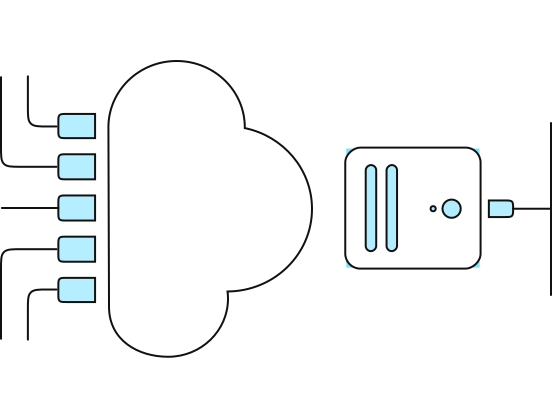
Multidomain and Enterprise Environments
Protectimus Microsoft AD MFA fully supports multidomain environments, making it suitable for large enterprises with complex AD forest structures and distributed domain controller MFA deployments.
Enterprise Active Directory environments frequently involve multiple domains within a single forest, trust relationships between forests, and geographically distributed domain controllers. Traditional MFA solutions struggle in these environments because they require separate configuration for each domain or rely on endpoint agents that must be deployed across thousands of machines.
Protectimus multidomain support:
The Protectimus On-Premise platform is specifically designed for multidomain environments. Key capabilities include:
- Cross-domain authentication: Users from different domains within the same organization can all be authenticated through a single Protectimus deployment.
- Forest trust support: Authentication flows across trusted AD forests are handled correctly
- Centralized management: All users, tokens, and policies managed from a single Protectimus admin console, regardless of domain.
- Group-based policy: MFA can be applied to specific AD groups rather than all users — useful for phased rollouts or applying stricter security to privileged accounts.
Selective MFA deployment:
A common enterprise requirement is applying MFA to specific user groups (IT administrators, privileged users, remote workers) while leaving other groups on Active Directory authentication during a transition period. In directory-level deployments, this is done through AD group-based targeting.
High availability and clustering:
For enterprise deployments, Protectimus On-Premise supports a clustered architecture:
| Configuration | Description |
|---|---|
| Standard cluster | Minimum 3 nodes for high availability |
| Master-slave replication | Real-time data replication across nodes |
| HAProxy load balancing | Traffic distribution and health monitoring |
| Automatic failover | Seamless switching if a node fails |
| Backup and restore | Scheduled backups of all authentication data |
This architecture ensures that MFA never becomes a single point of failure in the authentication infrastructure.
How to Set Up MFA for Active Directory with Protectimus
Setting up Protectimus MFA for Active Directory starts with choosing the appropriate deployment model and integration method. Protectimus supports both Cloud Service and On-Premise Platform deployments, depending on the components and authentication requirements of your environment.
Prerequisites:
- Microsoft Active Directory or a compatible LDAP directory.
- Administrative access to the systems you plan to protect.
- A Protectimus Cloud Service account or an installed Protectimus On-Premise Platform.
- A compatible MFA component for the selected entry point, or Protectimus DSPA for directory-level protection.
Step-by-step setup:

Step 1: Choose your deployment model
Use the Protectimus Cloud Service with a payment plan, or install the On-Premise Platform on your own servers or in a private cloud. DSPA requires the On-Premise Platform.

Step 2: Create a resource and add users
Create a resource to group users and their tokens. Add users manually, or sync them from Active Directory on the On-Premise Platform.

Step 3: Assign authentication methods
Enroll users with the methods your integration supports: authenticator apps, hardware tokens, push, SMS, email, or chatbots.

Step 4: Configure and test
Install the component for Windows and RDP, RADIUS, OWA, or ADFS, or configure DSPA. Test with a pilot group before expanding.
For detailed configuration instructions, refer to the corresponding Protectimus integration guide
Deployment Timeline
Deployment time depends on the selected MFA component, infrastructure complexity, number of users, and rollout scope. Dedicated integrations can be deployed individually, while directory-level protection through DSPA requires additional configuration of Active Directory password rotation.
FAQ
What happens if a user loses their token or authenticator app?
Protectimus provides several recovery options. Administrators can temporarily disable MFA for a specific user via the admin console, allowing access with the static password while a new token is issued. The Protectimus Smart OTP app supports cloud backup, enabling users to restore their tokens to a new device without administrator intervention. For other token loss, a replacement token can be issued and assigned in the admin console.
Is Protectimus MFA for Active Directory compatible with Azure AD (Entra ID) hybrid environments?
Yes. Organizations running hybrid environments with both on-premise Active Directory and Microsoft Entra ID can use Protectimus to secure the on-premise AD component. Protectimus MFA can also be integrated with AD FS, allowing MFA to be applied to authentication flows that rely on Active Directory federation.
What compliance frameworks does Protectimus AD MFA help satisfy?
Protectimus MFA for Active Directory directly addresses MFA requirements in multiple compliance frameworks. NIST SP 800-63B requires multi-factor authentication for systems handling sensitive data. PCI DSS v4.0 (Requirement 8.4) mandates MFA for all access into the cardholder data environment. HIPAA technical safeguards require access controls for systems containing protected health information. SOC 2 Type II commonly requires MFA as part of the logical access controls tested during audit. ISO 27001 Annex A control A.9.4 addresses access control to systems and applications. Protectimus is an OATH-certified solution, which supports compliance claims in environments requiring certified authentication standards.
Should I use a component or DSPA to secure Active Directory?
If you need MFA on one or two specific entry points, such as RDP or OWA, without touching how anything else authenticates, a dedicated component is the more contained choice. If your goal is to cover everything tied to Active Directory from the start, directory-level MFA (DSPA) does that in one integration.
Conclusion: Securing Active Directory with MFA in 2026
Securing Active Directory with MFA isn’t a single decision. It’s a choice: protect specific entry points one by one, or change authentication at the directory level and cover the whole AD-connected environment at once.
Protectimus supports both paths. There are dedicated components for Windows and RDP, RADIUS-connected services, OWA, and ADFS. And there’s Protectimus DSPA, for teams that want directory-level coverage from a single integration.
Whether you’re protecting a 50-user SMB or a 50,000-user enterprise with a complex multidomain forest, the right starting point comes down to scope, not which approach is “better” in the abstract.
Ready to secure your Active Directory environment?
Request a free demo or contact Protectimus to review your AD environment and choose the right deployment approach for your organization.