




MFA for Cisco AnyConnect: Complete Guide to Securing VPN Access 2026
Cisco AnyConnect handles remote access for millions of enterprise users — and it has no native second-factor enforcement. The client passes credentials to whatever authentication backend the ASA or Firepower device is configured to use. If that backend validates only a username and password, the VPN session opens on a stolen credential just as readily as on a legitimate one.
According to the Verizon 2026 Data Breach Investigations Report and multiple CISA ransomware advisories, VPN compromise remains one of the primary ransomware initial access vectors observed across 2024–2026 campaigns, including operations linked to Akira, LockBit, and Black Basta. The attack path is rarely sophisticated: harvest credentials through phishing or infostealers, identify the AnyConnect gateway, authenticate, and establish persistence. The only reliable barrier is a second authentication factor that cannot be reused alongside stolen credentials.
This guide explains how to implement MFA for Cisco AnyConnect using RADIUS-based authentication, what authentication methods are available, how deployment works in both cloud and on-premise environments, and which compliance frameworks the architecture supports.
For a vendor-neutral overview of MFA deployment across FortiGate, Palo Alto, SonicWall, OpenVPN, and other gateways, see the Protectimus MFA for VPN solution.
Quick Answer: Cisco AnyConnect MFA is implemented by configuring the ASA or Firepower device to forward authentication requests to a RADIUS server. The Protectimus RADIUS Server sits between the ASA and the Protectimus authentication platform: it receives the request on UDP port 1812, validates the primary credential against your directory, and verifies the OTP with the Protectimus platform before returning Access-Accept or Access-Reject to the ASA. Users authenticate using the Protectimus SMART OTP app, a hardware token, or OTP delivery via chatbot — typically by entering the OTP in a secondary challenge prompt.
Key facts
99.9% of attacks blocked by MFA
Microsoft reports that MFA blocks over 99.9% of account compromise attacks — the single highest-impact control against credential-based intrusions (Microsoft Digital Defense Report)
$4.4M average breach cost in 2026
The global average cost of a data breach reached $4.44 million in 2025, while US organizations hit an all-time high of $10.22 million (IBM Cost of a Data Breach Report 2025)
87% of ransomware claims start at remote access
Coalition’s Cyber Claims Report found remote access services served as the entry point for 87% of ransomware claims, with VPN compromises alone responsible for 73% of intrusions where an entry vector was identified.
Key Takeaways

RADIUS-Based Integration
Cisco AnyConnect has no native MFA — second-factor enforcement requires a RADIUS server handling authentication on behalf of the ASA or Firepower device

Zero Client-Side Changes
Protectimus RADIUS Server proxies authentication requests between the ASA (UDP 1812) and the Protectimus platform — no changes to the AnyConnect client or VPN tunnel configuration required

6 Second-Factor Methods
Supported second factors: TOTP app (Protectimus SMART), hardware tokens (Slim NFC, TWO, FLEX, SHARK), chatbot OTP via Telegram/Viber/Facebook, SMS, email

Cloud or Fully On-Premise
Both cloud (SaaS) and fully on-premise deployment are available — on-premise requires no external connectivity and supports air-gapped environments

Granular Group-Based Rollout
MFA can be scoped to specific connection profiles or user groups via AAA server group assignment and RADIUS filter attributes
Audit-Ready Compliance
Implementation helps organizations meet MFA requirements in PCI DSS v4.0, HIPAA, NIST SP 800-63B, SOC 2, and ISO 27001
Why Cisco AnyConnect Needs MFA in 2026
Password-only AnyConnect authentication is a documented ransomware initial access vector — stolen VPN credentials are actively traded and exploited at scale.
The credential theft pipeline for VPN access is industrialized. Infostealer malware — RedLine, Lumma, Vidar, and similar — specifically targets browser-saved credentials and VPN client configuration files. Harvested credentials are packaged with the associated VPN gateway hostname and sold within hours of collection. An attacker purchasing a credential log from a compromised endpoint in your organization already has the AnyConnect server address, the username, and the password. Two-factor authentication for Cisco AnyConnect is the only control that makes those credentials unusable.
Coalition’s Cyber Claims Report found that remote access services served as the entry point for 87% of ransomware claims, with VPN compromises alone responsible for 73% of ransomware intrusions where an entry vector was identified — up from 38% in 2023 and 66% in 2024. The increase is not incidental. Ransomware operators have shifted toward identity-based initial access precisely because it generates less noise than vulnerability exploitation and scales more efficiently with automated tooling.
The specific attack patterns targeting AnyConnect environments:
Credential stuffing. Verizon’s analysis of SSO provider logs found that credential stuffing accounted for 19% of all authentication attempts on a median daily basis. The same pattern applies to VPN gateways. Attacks run at low velocity to avoid lockout triggers, testing breach-compiled credential lists against the AnyConnect endpoint continuously.
Brute force. Cisco ASA and Firepower gateways with weak or default account lockout policies are continuously scanned. CISA has issued multiple advisories specifically addressing credential stuffing campaigns by state-sponsored threat actors against Cisco ASA VPN infrastructure.
AiTM session token theft. For deployments using push-based MFA, Tycoon2FA and similar adversary-in-the-middle toolkits capture session tokens in real time during authentication. TOTP-based codes that expire every 30 seconds are significantly more resistant because the replay window is extremely limited — a captured TOTP is worthless before it can be replayed.
Infostealer harvest. A single compromised endpoint can exfiltrate saved VPN credentials, Cisco AnyConnect profile XML files, and — for push-based MFA implementations — session cookies valid for hours or days. TOTP-based Cisco AnyConnect 2FA limits the window of exposure to the token’s time step.
None of these attack patterns require the attacker to break encryption, exploit a software vulnerability, or spend significant resources. They require only a valid credential. Enforcing MFA for Cisco AnyConnect removes static credentials as a viable attack primitive.
How MFA for Cisco AnyConnect Works
Cisco AnyConnect MFA operates through the RADIUS protocol — the ASA or Firepower device forwards authentication requests to an external RADIUS server that handles second-factor verification.
Cisco ASA and Firepower do not natively support TOTP, HOTP, or push authentication. Their AAA framework is built on RADIUS and LDAP. Adding AnyConnect RADIUS MFA means deploying an intermediary RADIUS server that accepts requests from the ASA, performs both primary credential validation and OTP verification, and returns a standard RADIUS Access-Accept or Access-Reject response.
Authentication flow:
- User opens Cisco AnyConnect and enters credentials (username + password)
- ASA or Firepower forwards the authentication request to the Protectimus RADIUS Server on UDP port 1812
- RADIUS Server forwards primary credential to the configured directory (Active Directory, LDAP, or local store) for first-factor validation
- If the primary credential passes, RADIUS Server requests the second authentication factor, and when received, forwards the OTP to the Protectimus authentication platform for second-factor validation
- Protectimus platform validates the OTP against the user’s enrolled token and returns pass/fail
- RADIUS Server sends Access-Accept or Access-Reject to the ASA
- ASA grants or denies the VPN tunnel
Credential entry formats:
Challenge-response format: ASA validates the primary password first, then issues a RADIUS Access-Challenge requesting the OTP in a secondary input field. This provides a cleaner user experience and is commonly used in modern AnyConnect MFA deployments, including Protectimus integrations, but requires challenge-response support enabled on the ASA connection profile.
Combined format: Some RADIUS deployments support combined authentication, where the user enters [password][OTP] as a single credential — for example, P@ssw0rd!459812. The RADIUS Server strips the trailing 6 digits as the OTP. No secondary prompt in the AnyConnect client. This is the simpler configuration and works with all AnyConnect versions.
Cisco Firepower (FTD) compatibility:
The RADIUS integration applies equally to Firepower Threat Defense managing AnyConnect remote access VPN. Configuration path in Firepower Management Center: Remote Access VPN → Connection Profiles → AAA → RADIUS Server Group. Port and shared secret configuration is identical to ASA.
Cisco ISE:
For organizations using Cisco ISE as their AAA infrastructure, Protectimus integrates via standard RADIUS proxy. ISE forwards authentication requests to the Protectimus RADIUS Server, which handles OTP verification and returns the result to ISE for policy evaluation.
Supported MFA Methods
Protectimus supports six second-factor delivery methods for Cisco AnyConnect, covering TOTP app, hardware tokens, chatbot OTP, SMS, email, and push notifications — each with different security and operational characteristics.
Protectimus SMART OTP App
The Protectimus SMART OTP app generates OATH TOTP codes on Android and iOS. Key enterprise features: cloud backup for self-service token recovery after device loss, PIN and biometric protection at the app level, and configurable time steps (30, 60, 90 seconds and multiples up to 3000 seconds). The cloud backup feature reduces help desk load during device replacement — users restore their own tokens without administrator involvement.
Hardware OTP Tokens
For environments where mobile devices are not permitted — secure facilities, manufacturing floors, air-gapped networks, or organizations with strict BYOD restrictions — Protectimus offers four hardware token models:
| Token | Form Factor | Time Step | Interface | Description |
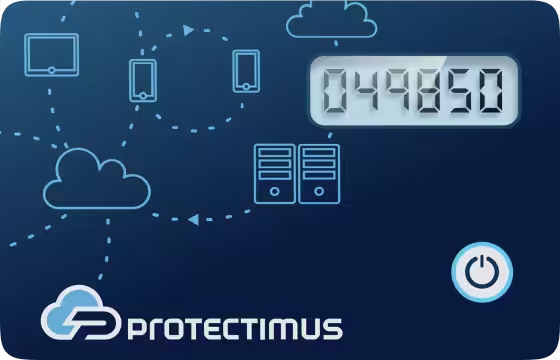
| Protectimus Slim NFC | Credit card | 30/60s | NFC | Wallet-friendly reprogrammable card-format token with NFC support |
| Protectimus TWO | Key fob | 30/60s | None | Standard SHA-1 hardware token for traditional OTP deployments with fixed token seeds |
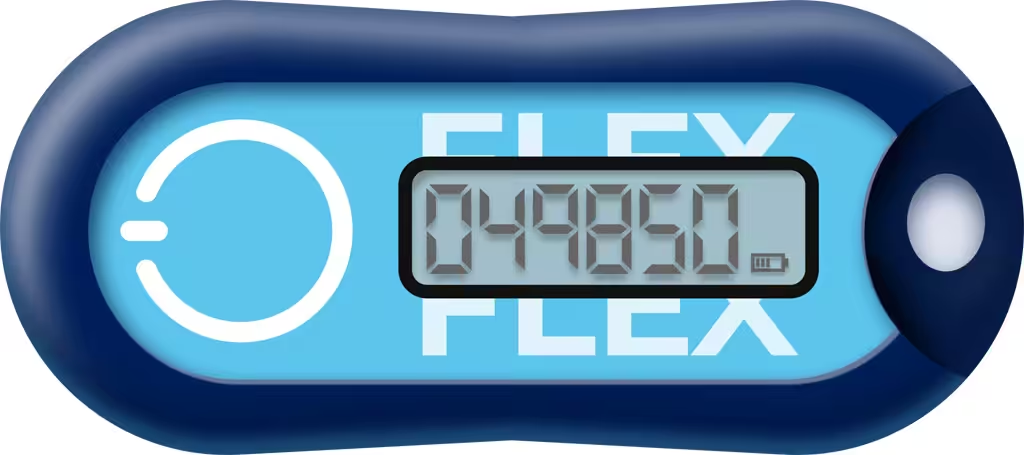
| Protectimus FLEX | Key fob | 30s | NFC | Reprogrammable key fob token for flexible enterprise deployment |
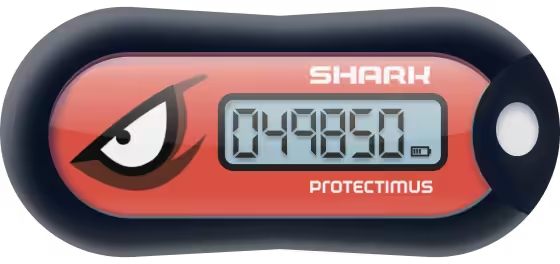
| Protectimus SHARK | Key fob | 30s | None | SHA-256 hardware token for organizations requiring stronger cryptographic algorithms in large-scale deployments |
All four models use OATH TOTP standard and are provisioned through the Protectimus admin console. NFC-enabled programmable models (Slim NFC, FLEX) can be reprogrammed via an Android smartphone using NFC, allowing administrators or users to replace the secret key instead of replacing the token itself.
Protectimus BOT (Chatbot OTP Delivery)
OTP codes delivered via chatbot in Telegram, Viber, or Facebook Messenger. The user receives a time-limited code in their connected messenger account. Requires internet connectivity on the user’s device but eliminates authenticator app installation. Suitable for users without corporate device management or in BYOD environments where app provisioning is constrained.
SMS OTP
One-time passwords delivered via SMS. Protectimus supports custom SMS provider integration via SMPP, allowing routing through existing SMS infrastructure. Lower security than TOTP app or hardware token but suitable as a fallback method for specific user populations.
Email OTP
OTP delivery via email. Lowest security tier — email accounts are themselves a target for credential theft — but provides a fallback for users without mobile access.
Push Authentication
Push notifications are sent for approval to the user’s mobile device instead of requiring manual OTP entry. Users confirm or deny the login attempt directly in the Protectimus SMART app. However, this authentication method may still be vulnerable to MFA fatigue and push bombing attacks.
Comparative overview:
| Method | Phishing resistance | Offline capable | Self-service recovery | Device required |
| SMART OTP App | High | Yes | Yes (cloud backup) | Smartphone |
| Hardware Token | High | Yes | No (admin replaces) | Hardware token |
| BOT (Telegram/Viber) | Medium | No | N/A | Smartphone |
| SMS | Medium | No | N/A | Mobile phone |
| Low-Medium | No | N/A | Email access | |
| Push | Medium | No | Yes (cloud backup) | Smartphone |
For 2FA for Cisco VPN deployments specifically, TOTP-based methods — SMART app and hardware tokens — are the operationally appropriate choice. Both are offline-capable (OTP codes are generated locally on the device and do not require internet connectivity on the user side) and both are resistant to AiTM token capture due to the 30-second expiry window.
Step-by-Step Setup Guide
Configuring Cisco AnyConnect MFA with Protectimus requires four stages: Protectimus platform or service setup, RADIUS Server configuration, ASA/Firepower AAA configuration, and user enrollment.
Step 1: Set Up the Protectimus Platform or Cloud Service
Register at protectimus.com for the cloud service, or install the Protectimus On-Premise Platform on your infrastructure. In the platform:
- Create a Resource representing the AnyConnect VPN integration
- Note your API URL, Login, and API Key — required for RADIUS Server configuration
Step 2: Install and Configure the Protectimus RADIUS Server
If using the Protectimus cloud service, install the Protectimus RADIUS Server on a Linux host (recommended) or Windows server accessible from the ASA. For on-premise deployments, the RADIUS Server is installed together with the Protectimus platform.
Edit the radius.yml configuration file. Here is an example basic radius.yml configuration:
auth:
  providers:
    - LDAP
    - PROTECTIMUS_OTP
  re-enter-otp: true
  principal-normalization: true

protectimus-api:
  login: your-api-login
  api-key: your-api-key
  url: https://api.protectimus.com/
  resource-id: your-resource-id

radius:
  secret: your-shared-secret
  clients:
    - name: cisco-asa
      secret: your-shared-secret
      ips:
        - 192.168.1.100/32   # ASA outside interface IP
  auth-port: 1812
  listen-address: 0.0.0.0

ldap:
  base: dc=example,dc=com
  urls:
    - ldap://192.168.1.10:389
  username: admin@example.com
  password: your-ldap-password
  principal-attribute: userPrincipalName
This example shows a basic LDAP + OTP configuration for Cisco AnyConnect MFA. Actual deployments may require additional settings depending on the authentication providers, inline OTP mode, RADIUS attributes, or Active Directory integration used in your environment.
Full Protectimus RADIUS Server configuration documentation is available in the Protectimus RADIUS 2FA Guide.
Start the RADIUS server service. Confirm it is listening on UDP 1812. Verify firewall rules allow UDP 1812 and 1813 (accounting) from the ASA IP to the RADIUS Server.
Step 3: Configure Cisco ASA AAA Server Group
In Cisco ASDM, navigate to: Configuration → Remote Access VPN → AAA/Local Users → AAA Server Groups:
- Click Add in the AAA Server Groups section.
- Specify the AAA Server Group name (for example, protectimus) and set Protocol to RADIUS.
- Configure the group parameters:
- Accounting Mode — Single
- Reactivation Mode — Depletion
- Dead Time — 10
- Max Failed Attempts — 3
- Click OK.
- Select the newly created AAA Server Group.
- In the Servers in the Selected Group section, click Add.
- Configure the RADIUS server settings:
- Interface Name — interface used to communicate with the Protectimus RADIUS Server
- Server Name or IP Address — IP address of the Protectimus RADIUS Server
- Timeout — 10 seconds (increase if users require additional time to enter OTP codes)
- Server Authentication Port — 1816
- Server Accounting Port — 1815
- Retry Interval — 10 seconds
- Server Secret Key — must match the secret configured in the Protectimus RADIUS Server
- Click OK.
For Cisco Firepower via FMC, navigate to:
Objects → Object Management → RADIUS Server Group → Add Group.
Add a new RADIUS Server Group. Parameters are identical.
Step 4: Configure the AnyConnect VPN Connection
In Cisco ASDM, open:
Wizards → VPN Wizards → AnyConnect VPN Wizard
- Configure the connection profile:
- Specify the Connection Profile Name
- Select the VPN Access Interface
- Configure VPN protocols:
- Enable SSL
- Enable IPsec
- Select or generate a device certificate
- Add AnyConnect client image (*.pkg) files.
- In the Authentication Methods step:
- Select the previously created protectimus AAA Server Group
- In the SAML Configuration step:
- Set Authentication Method to AAA
- Select the protectimus AAA Server Group
- Leave SAML Server set to None
- Configure the client IP address pool.
- Configure DNS settings.
- Enable Exempt VPN traffic from network address translation.
- Enable Allow Web Launch.
- Review the configuration summary and click Finish.
Step 5: Enroll Users
Add users to the Protectimus platform manually, via CSV import, or via LDAP sync with Active Directory. Assign tokens to users manually or activate the Self-Service Portal so users can enroll and manage their own tokens. Run authentication tests with a pilot group before broader rollout.
Deployment Options: Cloud vs On-Premise
Protectimus MFA for Cisco AnyConnect is available as a cloud SaaS service or a fully on-premise platform — both support the complete RADIUS integration and full feature set.
Cloud Deployment
The cloud service requires only the RADIUS Server component deployed locally. The RADIUS Server communicates with the Protectimus Cloud Service API to validate OTPs. No platform infrastructure on the client side.
Technical requirements for cloud deployment:
- One Linux or Windows server for the RADIUS Server component
- Outbound HTTPS access from RADIUS Server to api.protectimus.com
- Inbound UDP 1812/1813 from ASA to RADIUS Server
On-Premise Deployment
The Protectimus On-Premise Platform runs entirely within your infrastructure. No authentication data leaves your network at any point.
Technical requirements:
Component | Requirement |
CPU | 2 cores minimum |
RAM | 8 GB minimum |
Storage | Minimum 20 GB disk space |
OS | Linux (primary), Windows |
HA configuration | Optional 3-node cluster with HAProxy |
Load Balancing | Load balancer recommended for HA deployments |
Deployment comparison:
Factor | Cloud | On-Premise |
Infrastructure required | RADIUS Server only | Protectimus On-Premise Platform (includes RADIUS Server) |
Time to first authentication | Typically a few hours | Typically a few hours after infrastructure preparation |
Platform maintenance | Managed by Protectimus | Self-managed |
Data residency | Protectimus cloud | Fully within your network |
Air-gapped support | No | Yes |
HA / clustering | Managed by Protectimus | Self-managed (3-node recommended) |
Private cloud deployment | No | AWS/Azure/VMware private cloud |
For environments operating under PCI DSS cardholder data environment requirements, HIPAA, FISMA, or any framework where authentication data residency is evaluated during audit — on-premise deployment is the architecturally appropriate choice.
Protectimus vs Cisco Duo for AnyConnect
Both Protectimus and Cisco Duo integrate with Cisco AnyConnect via RADIUS and support TOTP-based second factors — the architectural differences lie in deployment model, hardware token availability, and external connectivity requirements.
This section outlines objective technical differences. The appropriate choice depends on your organization’s specific infrastructure requirements.
Integration architecture
Both solutions use RADIUS as the primary integration path for AnyConnect SSL VPN and IPSec VPN. Duo additionally offers a SAML-based integration that enables an interactive enrollment and authentication prompt for browser-based VPN logins (AnyConnect 4.6+ client). The RADIUS path — used by both — covers all AnyConnect connection types without additional configuration differences.
On-premise deployment and external connectivity
Protectimus On-Premise runs as a fully self-contained platform. Once deployed, it requires no external connectivity to validate authentication requests — all OTP verification happens within your network.
Duo’s on-premise component (Duo Authentication Proxy) proxies authentication requests to Duo’s cloud infrastructure for processing. Authentication requests pass through Duo’s servers even in “on-premise” configurations. For organizations with network isolation requirements, air-gapped environments, or compliance frameworks that restrict authentication data egress, this is a relevant architectural distinction.
Hardware token support
Protectimus offers four hardware OTP token models available directly: Slim NFC, TWO, FLEX, and SHARK. All support OATH TOTP standard. NFC-equipped models support NFC-based token reprogramming via Android smartphone. Duo supports OATH-compatible hardware tokens from third-party vendors but does not offer its own hardware token line.
Cisco ecosystem integration
Duo’s direct integration with Cisco ISE, Cisco Umbrella, and Cisco SecureX provides tighter policy enforcement for organizations already operating within the Cisco security stack. Protectimus integrates with Cisco ISE via standard RADIUS proxy but does not have dedicated connectors for other Cisco platform components.
Objective comparison:
Factor | Protectimus | Cisco Duo |
RADIUS integration for AnyConnect | Yes | Yes |
SAML / interactive web prompt support | No | Yes |
Hardware token support | 4 hardware token models(classic and programmable) | Supports third-party OATH tokens |
On-premise with no external dependencies | Yes | No (requires Duo cloud) |
Air-gapped environment support | Yes | No |
Self-service enrollment portal | Yes | Yes |
Cisco ISE integration | Via RADIUS proxy | Native integration |
Cisco ecosystem integration (ISE, Umbrella, SecureX) | Standard RADIUS-based integration | Native integration |
Compliance and Use Cases
Cisco AnyConnect MFA via Protectimus directly addresses mandatory second-factor requirements in PCI DSS v4.0, HIPAA, NIST SP 800-63B, SOC 2, and ISO 27001.
PCI DSS v4.0
Requirement 8.4.2 mandates MFA for all non-console administrative access and all remote network access originating from outside the cardholder data environment. AnyConnect VPN connecting to systems in scope for PCI DSS falls under this requirement without exception. The Protectimus TOTP implementation satisfies Requirement 8.4.2; the on-premise deployment addresses data residency considerations relevant to PCI DSS assessors evaluating authentication infrastructure placement.
HIPAA
The HIPAA Security Rule Technical Safeguards (45 CFR §164.312) require access controls and authentication for systems containing electronic protected health information. HHS guidance explicitly recommends MFA for remote access to ePHI systems. For healthcare organizations using AnyConnect to access clinical systems, enforcement of Cisco AnyConnect MFA is consistent with current HHS audit expectations.
NIST SP 800-63B
At Authenticator Assurance Level 2 (AAL2), NIST requires a multi-factor authentication mechanism using an approved “something you have” authenticator. OATH TOTP satisfies AAL2. Hardware tokens satisfy AAL2 without additional conditions; Protectimus SMART OTP app with PIN or biometric protection satisfies AAL2. Organizations operating under FedRAMP or FISMA reference NIST 800-63B directly for remote access authentication requirements.
SOC 2
SOC 2 Type II audits evaluate logical access controls under Common Criteria 6.1 (CC6.1). Enforced MFA on remote access VPN — with documented policy, implementation evidence, and audit logs — satisfies CC6.1 and is standard audit evidence for SOC 2 engagements.
ISO 27001
Annex A control A.9.4.2 (Secure log-on procedures) addresses authentication strength for system access. MFA on remote access VPN is standard evidence for this control in ISO 27001 certification audits.
Industry use cases:
Sector | Compliance driver | Deployment notes |
Financial services | PCI DSS v4.0, SOX | On-premise deployment; hardware tokens for privileged access |
Healthcare | HIPAA, HITECH | On-premise deployment; SMART app + hardware token fallback |
Government / Defense | NIST 800-63B, FISMA | On-premise deployment; air-gapped support |
Energy / Critical infrastructure | NERC CIP, NIS2 | On-premise deployment; hardware tokens support |
Professional services | SOC 2 Type II | Cloud or on-permise deployment |
Troubleshooting Common Issues
The majority of Cisco AnyConnect MFA authentication failures trace to four root causes: RADIUS connectivity, shared secret mismatch, OTP time drift, and AAA attribute configuration.
RADIUS connectivity failures
Confirm UDP 1816 is open from the ASA outside or inside interface (depending on RADIUS Server placement) to the RADIUS Server IP. Run test aaa-server authentication protectimus host <ip> username <user> password <password> from ASA CLI to isolate whether the failure is ASA-to-RADIUS or RADIUS-to-Protectimus-API. Check RADIUS Server logs for reject reason codes and API connectivity errors.
Shared secret mismatch
The shared secret in the ASA AAA server configuration must exactly match the secret value in the RADIUS Server clients configuration — case-sensitive, no trailing whitespace. A mismatch typically presents as a timeout or ERROR response rather than an explicit Access-Reject, because the ASA cannot decrypt a response signed with a different secret.
OTP time drift
TOTP validation is time-dependent. Clock drift exceeding 30 seconds between the RADIUS Server host and the token will cause OTP failures. Verify NTP is configured and synchronizing on the RADIUS Server host. The Protectimus platform accepts a ±1 time step window by default (validating previous and next OTP in addition to current), providing 90 seconds of tolerance — this does not compensate for sustained clock drift. The allowed time drift window can be expanded in the Protectimus platform or cloud service configuration if required, although this should not replace proper time synchronization.
Authentication timeout during OTP entry
Default ASA AAA server timeout is often 10–12 seconds. But short AAA server timeout values may interrupt authentication before users have time to enter an OTP code, especially when using SMS, email, or chatbot delivery methods. If users experience timeout-related authentication failures, increase the timeout value in the AAA server configuration to 60 seconds or more. For SMS or email delivery, 90–120 seconds is more appropriate given potential delivery latency.
FAQ
How do I enable MFA on Cisco AnyConnect?
Cisco AnyConnect does not have a built-in MFA engine — second-factor enforcement requires configuring the ASA or Firepower device to use an external RADIUS server for AAA authentication. The process with Protectimus: install and configure the Protectimus RADIUS Server on a Linux or Windows host reachable from the ASA; create an AAA server group in ASDM or FMC pointing to the RADIUS Server IP on UDP 1816; assign that server group to the AnyConnect connection profile under Authentication; enroll users in the Protectimus platform with their token type. First authentication with MFA enforced is achievable within 2–4 hours for a standard single-domain deployment. The full setup walkthrough is at protectimus.com/guides/cisco-anyconnect/.
Does Cisco AnyConnect support TOTP authenticator apps like Google Authenticator?
Cisco AnyConnect is TOTP-agnostic — it passes credentials to the RADIUS server, which handles OTP validation. Any OATH TOTP-compatible app works, including Google Authenticator, Microsoft Authenticator, and Protectimus SMART OTP. The functional difference for enterprise deployments is in management capabilities. Protectimus SMART OTP supports cloud backup for self-service token recovery, PIN and biometric protection, and configurable time steps beyond the 30-second default. Google Authenticator and Microsoft Authenticator do not expose management APIs and do not support time step configuration, which limits their usefulness in large-scale deployments where token recovery and audit visibility matter.
Can I use hardware OTP tokens with Cisco AnyConnect VPN?
Yes. Hardware OATH TOTP tokens integrate with AnyConnect via RADIUS identically to software tokens — the user enters the 6-digit OTP displayed on the token as the second step after entering their VPN password and username. Protectimus offers four hardware token models: Slim NFC (programmable credit card form factor token with NFC support), TWO (key fob, no NFC), FLEX (programmable NFC hardware token in key fob format), and SHARK (SHA-256 hardware TOTP token in key fob format, not programmable). All use OATH TOTP standard, support 30 time steps (or 60-second optionally), and are managed through the Protectimus admin console. Hardware tokens are operationally appropriate for environments where mobile devices are prohibited, for field workers without reliable smartphone access, or for high-security roles requiring a physical authenticator separate from the user’s primary device.
How does Protectimus MFA for Cisco AnyConnect differ from Cisco Duo?
Both integrate via RADIUS and support TOTP-based second factors for AnyConnect. The primary architectural difference is in on-premise deployment: Protectimus On-Premise processes all authentication requests within your infrastructure with no external connectivity required. Duo’s Authentication Proxy forwards each authentication request to Duo’s cloud infrastructure, meaning on-premise Duo deployments require outbound internet access to Duo’s servers. For environments with network isolation requirements or air-gapped networks, this distinction is relevant. On hardware tokens, Protectimus offers four models for direct provisioning; Duo relies on third-party OATH-compatible devices. Duo provides tighter integration with the broader Cisco security stack — ISE, Umbrella, SecureX — for organizations standardized on Cisco’s platform ecosystem.
Is Protectimus MFA for Cisco AnyConnect compliant with PCI DSS, HIPAA, NIST?
Yes. The TOTP-via-RADIUS implementation satisfies MFA requirements across major compliance frameworks. PCI DSS v4.0 Requirement 8.4.2 mandates MFA for all remote access into the cardholder data environment — OATH TOTP via RADIUS satisfies this requirement. HIPAA Technical Safeguards require access controls for ePHI systems; MFA on VPN access is explicitly recommended in current HHS guidance. NIST SP 800-63B AAL2 requires a “something you have” authenticator — OATH TOTP satisfies AAL2; hardware tokens provide the strongest AAL2 assurance. SOC 2 CC6.1 (logical access controls) and ISO 27001 A.9.4.2 (secure log-on procedures) are both addressed by documented, enforced MFA on remote access. The on-premise deployment option is specifically relevant where compliance assessors evaluate authentication data residency and processing location.
Can MFA be applied only to specific Cisco AnyConnect user groups?
Yes, through multiple configuration methods. At the ASA level, each connection profile (tunnel group) can be assigned a different AAA server group — allowing specific profiles to enforce RADIUS MFA while others use local or Active Directory authentication. Within the Protectimus platform, group-based policies allow MFA enforcement for specific user groups while different authentication policies apply to other groups. This flexibility supports phased rollouts — starting MFA enforcement with privileged accounts and IT staff before extending to all users.
What happens if a user loses their OTP token or smartphone?
Recovery depends on the authentication method. For Protectimus SMART OTP app users with cloud backup enabled, the user restores their token to a replacement device through the Protectimus self-service portal without administrator involvement. For hardware token loss, an administrator deactivates the lost token in the Protectimus admin console and provisions a replacement. In urgent scenarios, an administrator can temporarily disable MFA for a specific user account — this action is time-limited, requires administrator authorization, and is recorded in the Protectimus audit log. Activating the self-service portal and enabling cloud backup in the SMART app before rollout is strongly recommended to minimize help desk dependency for routine device replacement scenarios.
Does Protectimus support Cisco AnyConnect with on-premise deployment?
Yes. The Protectimus On-Premise Platform installs on Linux or Windows servers within your infrastructure — physical hardware, on-premise VMware, or private cloud environments such as AWS or Azure). Minimum requirements: 2-core CPU, 8 GB RAM, 200 GB storage. For high availability, a minimum 3-node cluster with HAProxy load balancing is supported, with master-slave replication across nodes. No authentication data leaves your network at any point — OTP validation, user management, and audit logging all occur locally. The on-premise deployment is appropriate for organizations under HIPAA, PCI DSS cardholder data environment requirements, NIST 800-63B/FISMA frameworks, or any environment where network isolation or data residency requirements constrain the use of external authentication services.
Conclusion
Cisco AnyConnect is a reliable remote access VPN client. Its security in 2026 depends entirely on what authentication controls the ASA or Firepower device enforces before granting a tunnel. Password-only authentication on an internet-facing VPN gateway is a documented initial access vector for ransomware operators — and one that scales efficiently with automated credential testing tools.
The RADIUS integration path is technically straightforward. The Protectimus RADIUS Server installs in hours, the ASA AAA configuration requires a ten-minute ASDM walkthrough, and the result is enforced two-factor authentication on Cisco AnyConnect for every user across every connection profile — without changes to the AnyConnect client, the VPN tunnel configuration, or the existing directory infrastructure.
Key decisions before deployment: cloud versus on-premise (data sovereignty and network isolation requirements determine this), authentication method (TOTP app for most environments, hardware tokens where mobile devices are restricted), and rollout sequence (phased by connection profile or user group to manage enrollment load and support impact).
For organizations under PCI DSS, HIPAA, NIST 800-63B, or operating environments with network isolation requirements, the on-premise deployment is the architecturally appropriate choice. For standard enterprise deployments without regulatory data residency constraints, the cloud deployment provides a faster path to enforced Cisco AnyConnect MFA with lower operational overhead.
Ready to add MFA to your Cisco AnyConnect deployment? Contact Protectimus to discuss your ASA or Firepower environment, confirm RADIUS compatibility with your existing AAA infrastructure, and request a technical demo.