



You can easily set up Sophos Firewall VPN two-factor authentication (2FA) with Protectimus using the RADIUS protocol. By adding MFA as an additional layer of security, you can better protect remote access to your network even if a user’s password is compromised.
Protectimus enables multi-factor authentication for Sophos Firewall VPN using the Protectimus RADIUS Server. It receives authentication requests from Sophos Firewall, verifies the authentication factors, and returns a response permitting or denying access.
The scheme of work of the Protectimus solution for Sophos Firewall VPN two-factor authentication is presented below.
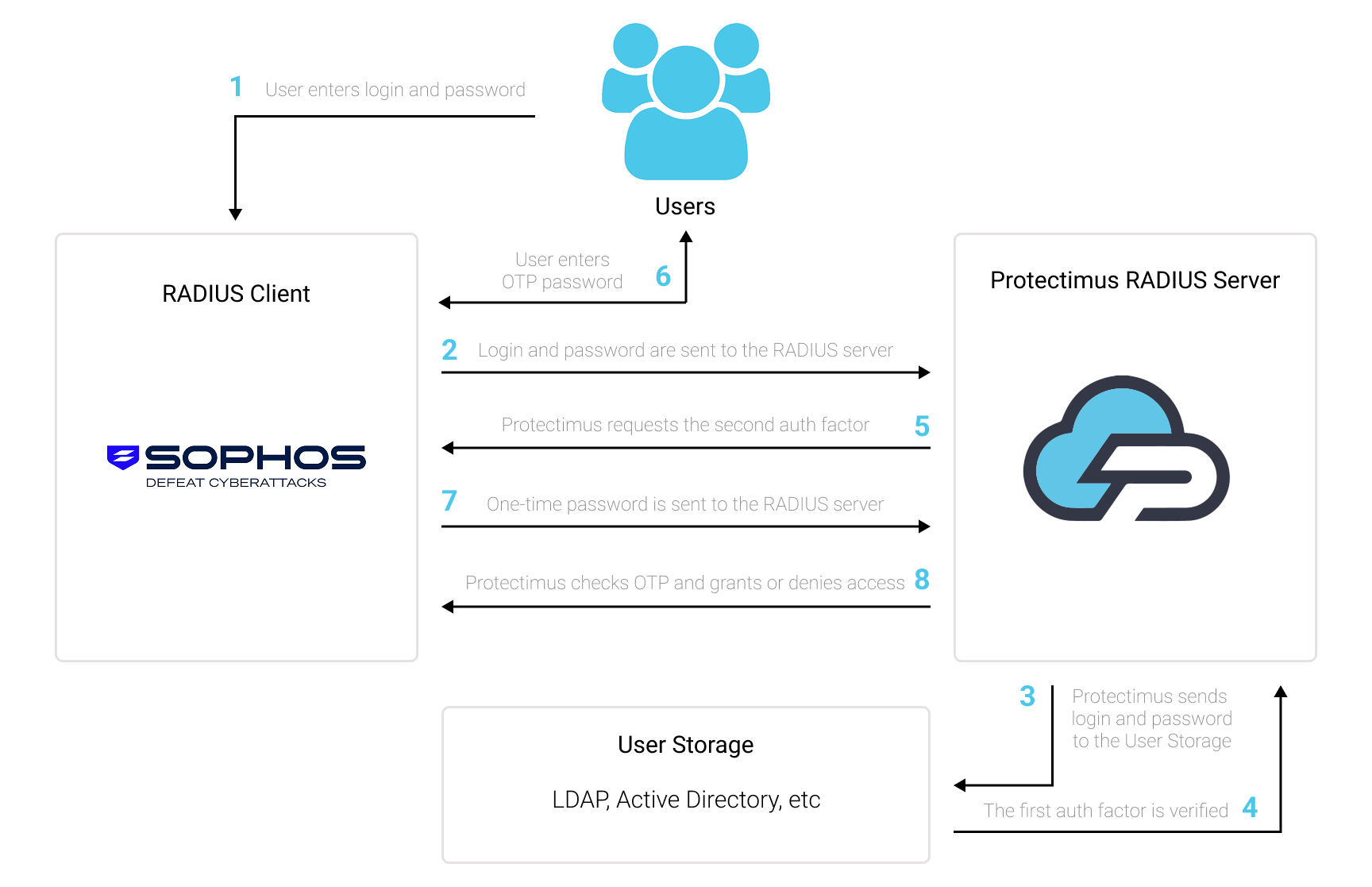
Protectimus Two-Factor Authentication Solution for Sophos Firewall VPN provides an extra layer of security to prevent unauthorized access to your VPN.
Once you enable two-factor authentication (2FA) for Sophos Firewall VPN, users authenticate using two different factors:
This means that a compromised password alone is not enough to gain access to the Sophos Firewall VPN, since a valid one-time password is also required.
You can set up multi-factor authentication (2FA) for Sophos Firewall VPN with Protectimus using the RADIUS protocol:
- Get registered with Protectimus Cloud Service or install the On-Premise MFA Platform and configure basic settings.
- Install and configure Protectimus RADIUS Server.
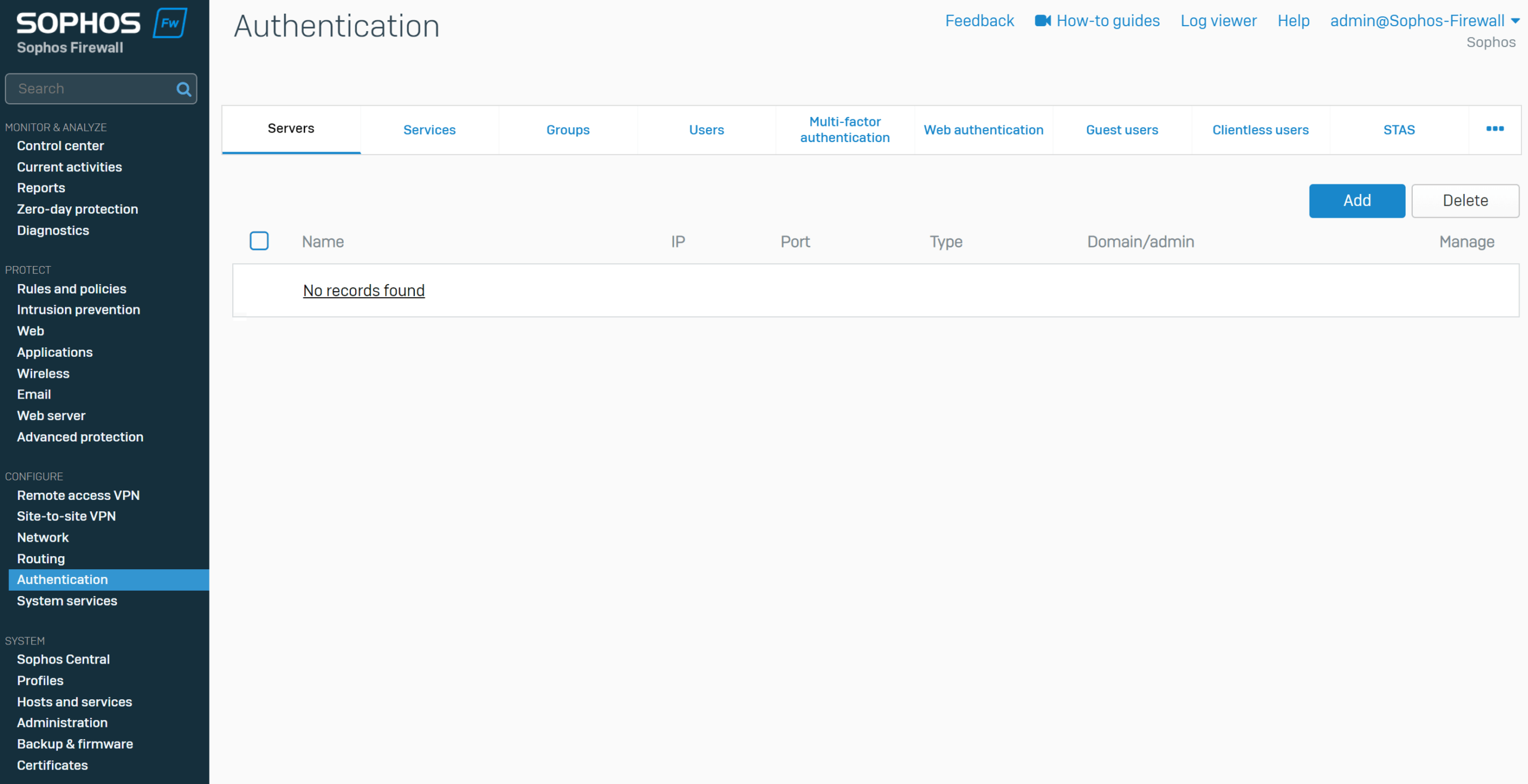
- Add Protectimus as a RADIUS server in Sophos Firewall.
- Configure Sophos Firewall to use the Protectimus RADIUS Server for VPN authentication.
Choose your deployment option and complete the basic setup:
Protectimus Cloud Service
Protectimus On-Premise Platform
Install and configure the Protectimus RADIUS Server following our Protectimus RADIUS Server Installation Guide.
When configuring the RADIUS Server, make sure that the Sophos Firewall is allowed to send authentication requests to the Protectimus RADIUS Server and note the authentication port and shared secret. You will need to specify the same settings when configuring the RADIUS server in Sophos Firewall.
Note: If your Sophos VPN client does not support the RADIUS Access-Challenge flow for OTP authentication, configure the Protectimus RADIUS Server to use inline mode. In this mode, the user’s password and one-time password are submitted together in a single authentication request.
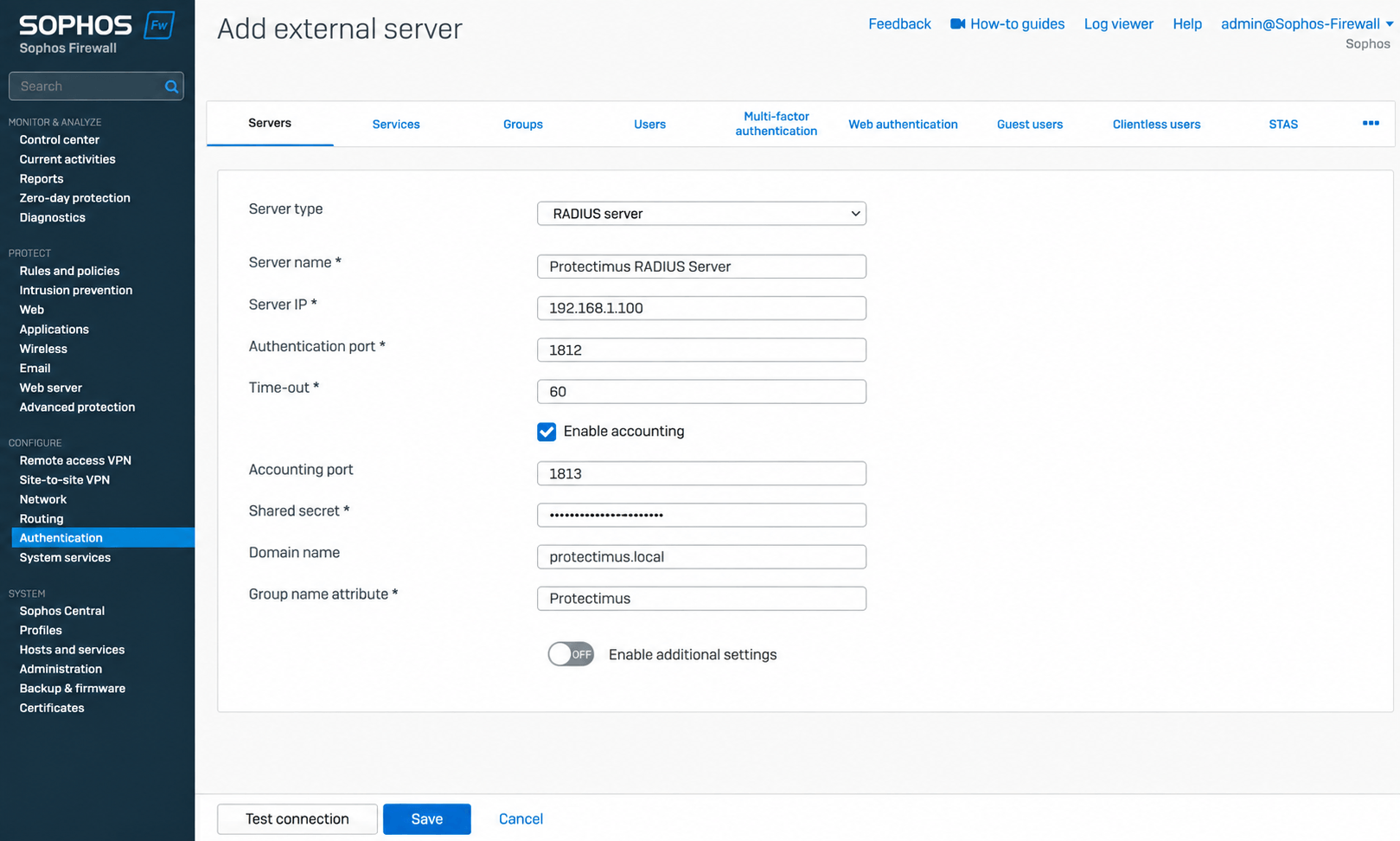
| Server type | Select RADIUS server. |
| Server name | Enter a name for the server, for example, Protectimus RADIUS Server. |
| Server IP | Enter the IP address of the server where the Protectimus RADIUS Server component is installed. |
| Authentication port | Enter 1812, or the authentication port configured for the Protectimus RADIUS Server. |
| Time-out | Set the timeout to 60 seconds. |
| Enable accounting | Enable this option. |
| Accounting port | Enter 1813. |
| Shared secret | Enter the same shared secret that is configured for the Sophos Firewall client in the Protectimus RADIUS Server configuration. |
| Domain Name | Enter your domain name if required. This field is optional. |
| Group name attribute | Enter the group name attribute configured for your RADIUS setup. |
This guide assumes that the required VPN connection is already configured on Sophos Firewall.
After adding the Protectimus RADIUS Server, configure Sophos Firewall to use it as the authentication source for the required VPN service.
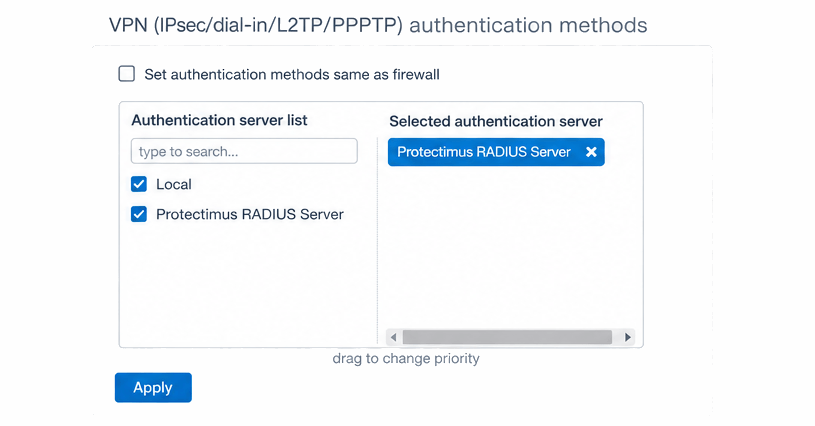
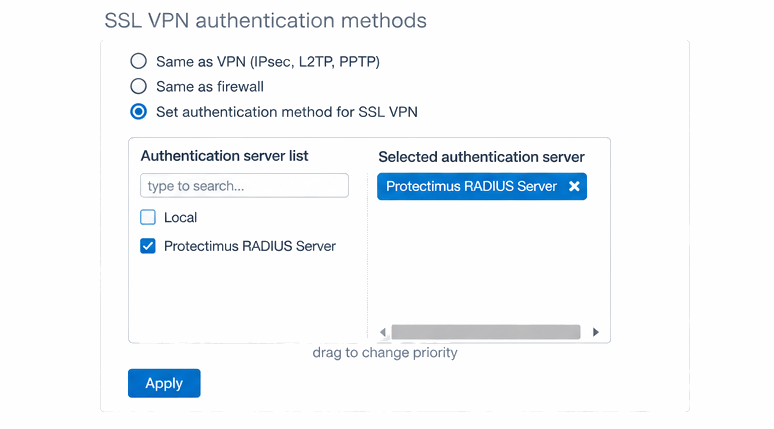
After configuring the Protectimus RADIUS Server as the authentication source for the required VPN service, test the configuration by connecting to the corresponding Sophos Firewall VPN.
Complete the authentication using the user’s credentials and one-time password. If inline-mode is used, enter the user’s password followed by the one-time password in the password field. For example, if the password is Password123 and the OTP is 456789, enter Password123456789 in the password field.
If both authentication factors are successfully verified, the user will be granted access to the VPN.
Integration of two-factor authentication (2FA/MFA) for Sophos Firewall VPN using the Protectimus RADIUS Server is now complete.
If you have other questions, contact Protectimus customer support service.










