Securing Citrix ADC and Gateway with Two-Factor Authentication
This guide shows how you can set up Citrix 2FA using the Protectimus two-factor authentication system.
Citrix ADC (NetScaler ADC), Citrix Gateway (NetScaler Gateway), as well as Citrix Virtual Apps and Desktops (XenApp & XenDesktop) can be integrated with Protectimus Two-Factor Authentication System using the RADIUS protocol.
Configuring authentication policies in Citrix allows the transmission of an authentication request over the RADIUS protocol to Protectimus RADIUS Server. Having received the request, the Protectimus RADIUS Server, in its turn, contacts the Protectimus authentication server to verify the one-time password of the user and returns the answer to Citrix using RADIUS.
Below is an example of integration of the Protectimus Cirtix 2FA solution with Citrix Gateway (NetScaler Gateway).
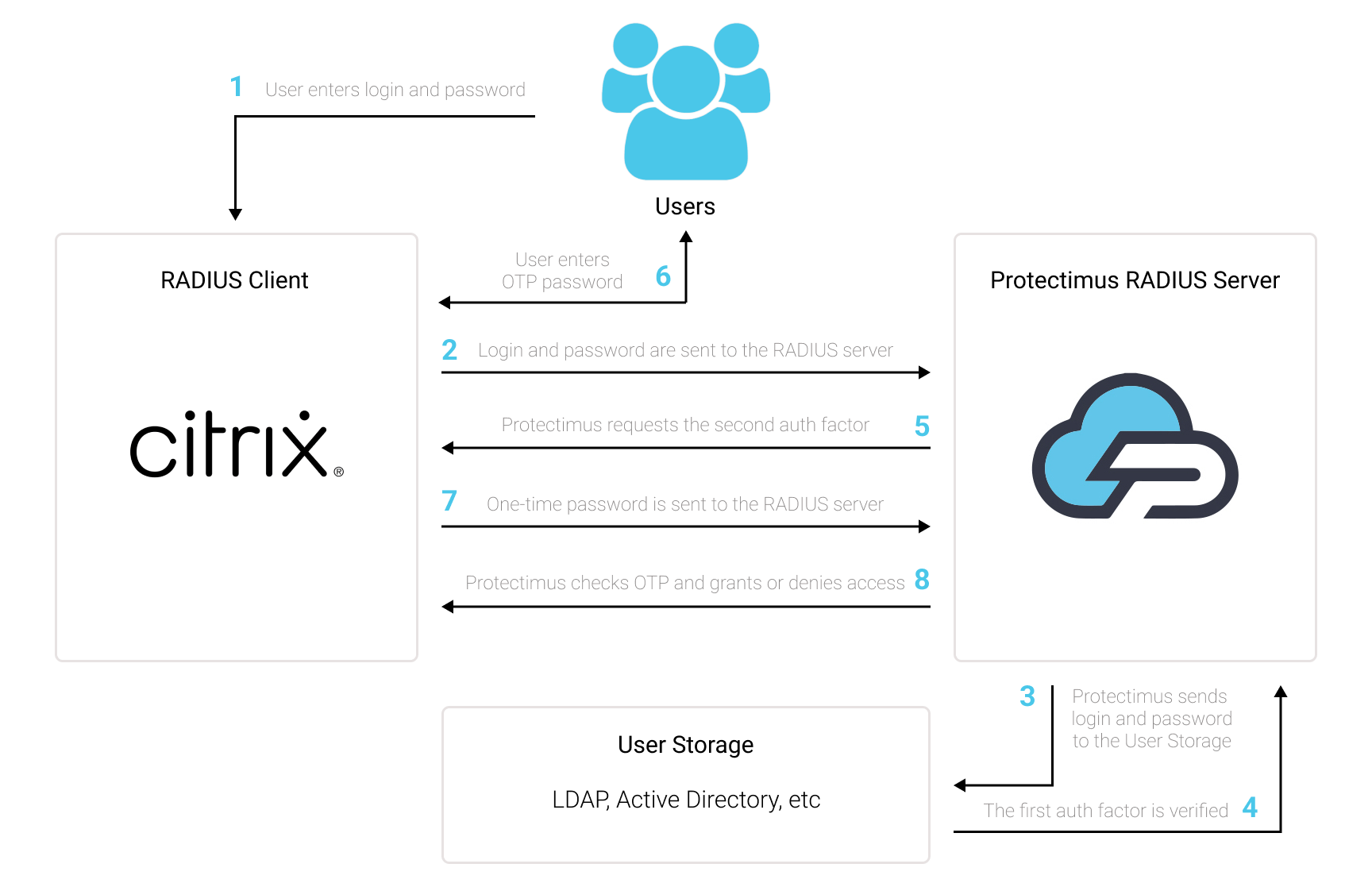
To enable Citrix Gateway two-factor authentication (2FA):
- Get registered with Protectimus SAAS 2FA Service or On-Premise 2FA Platform and configure basic settings.
- Install and configure Protectimus RADIUS Server.
- Configure Citrix authentication policies.
1. Get Registered and Configure Basic Settings
Choose your deployment option and complete the basic setup:
Protectimus Cloud Service
- Register with the Protectimus Cloud Service and activate API.
- Add a Resource.
- Add Users.
- Add Tokens manually or activate the Users’ Self-Service Portal.
- Assign Tokens to Users.
- Assign Users and Tokens to the Resource.
Protectimus On-Premise Platform
- Install the Protectimus On-Premise Platform. If you install the Protectimus Platform on Windows, select the RADIUS option during installation.
- Add a Resource.
- Add Users.
- Add Tokens manually or activate the Users’ Self Service Portal.
- Assign Tokens to Users.
- Assign Tokens with Users to the Resource.
2. Install and configure Protectimus RADIUS Server for Citrix 2FA
Detailed instructions for installing and configuring the Protestimus RADIUS Server are available in our Protectimus RADIUS Server Installation Guide for Citrix 2FA.
3. Configure Citrix Gateway authentication policies
3.1. Configure the LDAP policy
For the first factor, we’ll use the user’s Active Directory domain authentication. To do so, configure the LDAP policy:
- Navigate to Citrix Gateway → Policies → Authentication → LDAP
- Choose the Servers tab and add a new server
- Configure the LDAP connection:
- Specify the IP address of the Active Directory server and its port. By default, the port used is 389.
PLEASE NOTE! To support the password-change function when first logging in and upon password expiry, use LDAPS on port 636. For this function to work correctly, you must also import an SSL certificate.
- Specify the full path to the user directory:
CN=Users,DC=protectimus,DC=office
- Specify the full name of the domain administrator:
CN=admin,CN=Users,DC=protectimus,DC=office
- Click “BindDN Password” and input the administrator password for the domain. The rest can be left as it is.
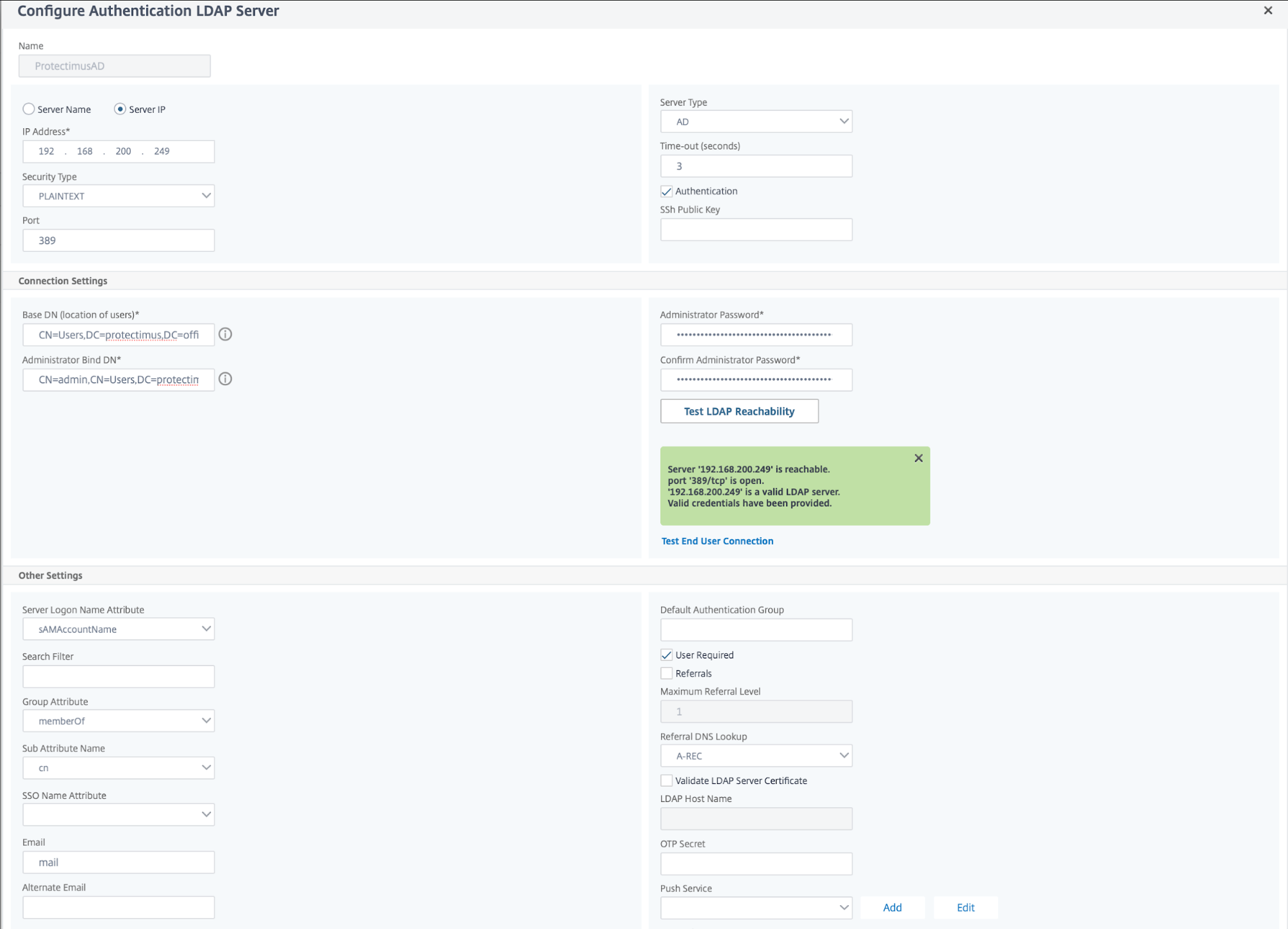
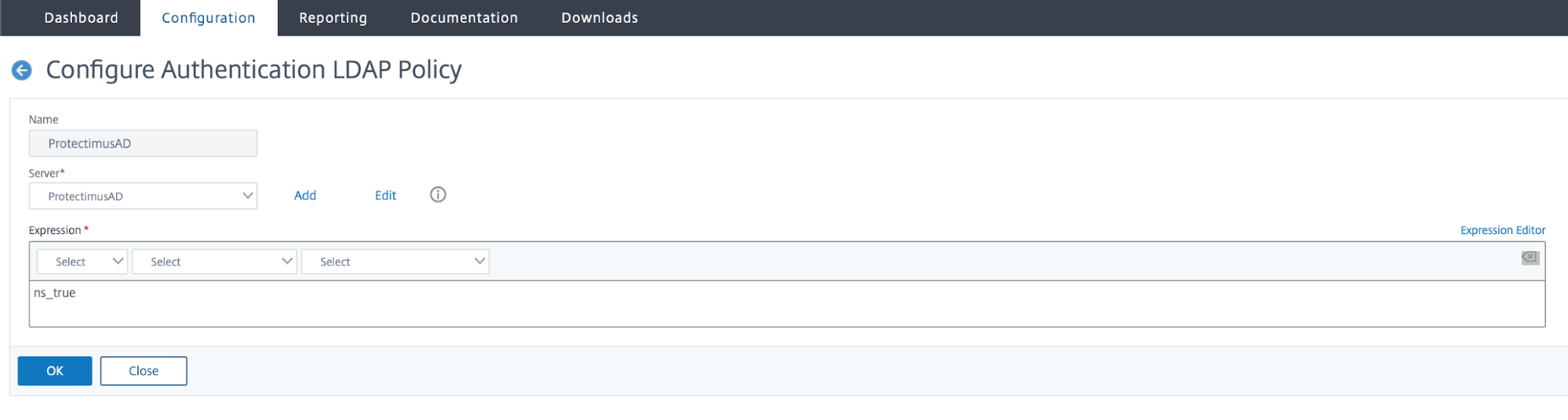
- Navigate to the Policies tab and add the created server.
- For Expression, input ns_true
3.2. Configure the second factor over the RADIUS protocol
- Navigate to Citrix Gateway → Policies → Authentication → RADIUS; choose the Servers tab.
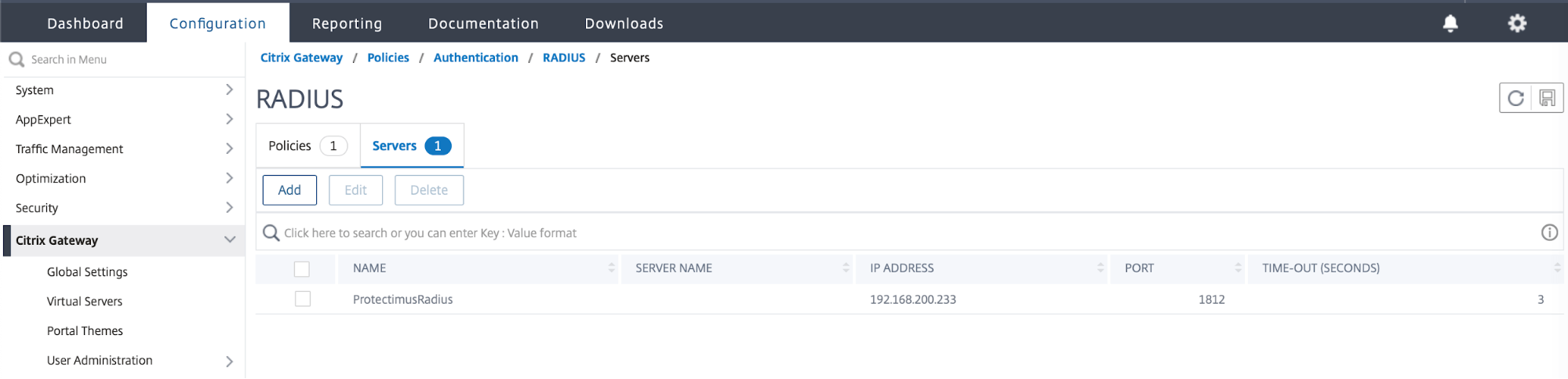
- Add the server
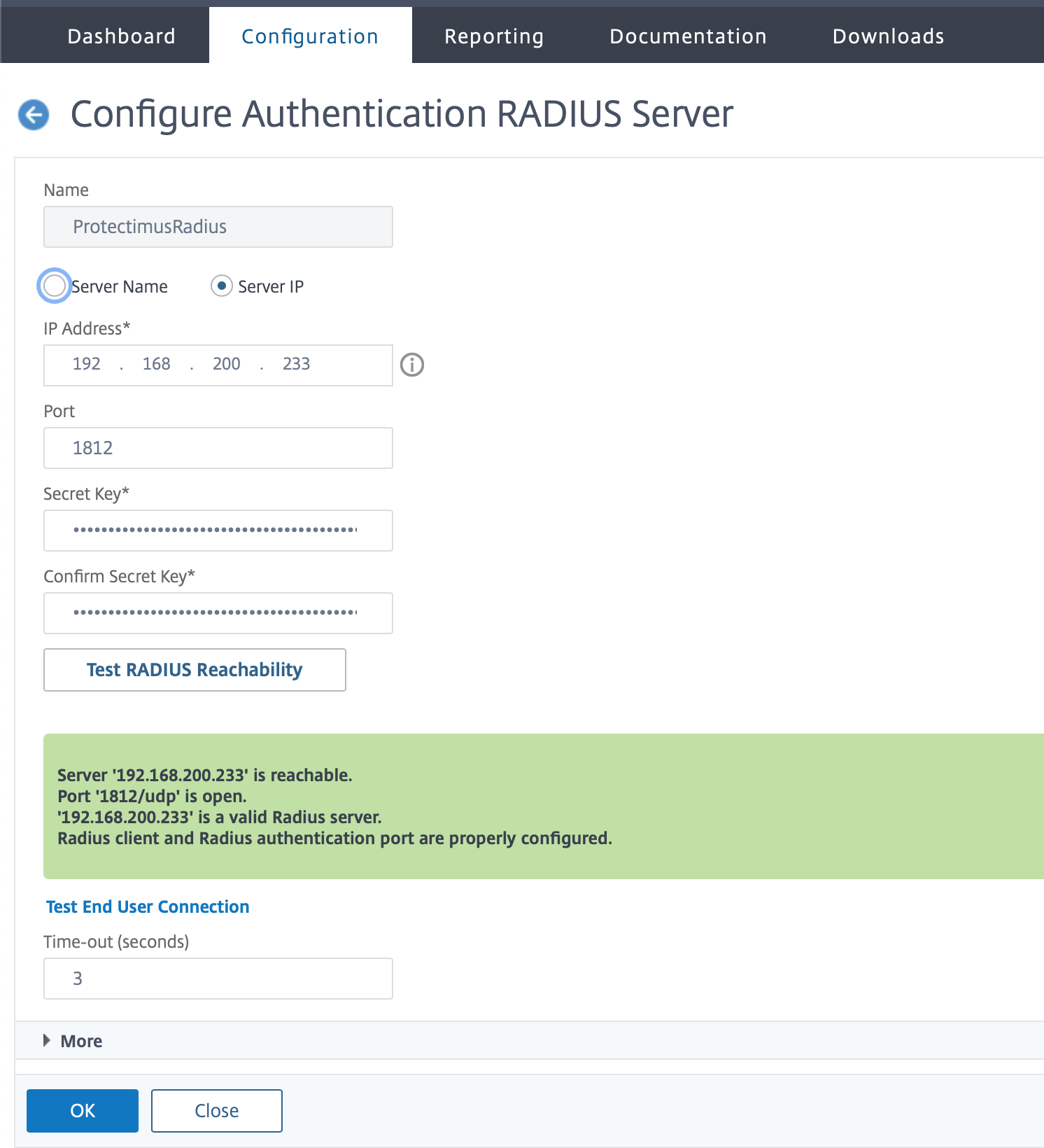
- Specify the RADIUS server settings for connecting to Protectimus RADIUS Server
- Specify the IP address of the computer running the Protectimus RADIUS Server and the port, as set in the configuration file, radius.yml
- Specify the SecretKey, again as set in radius.yml
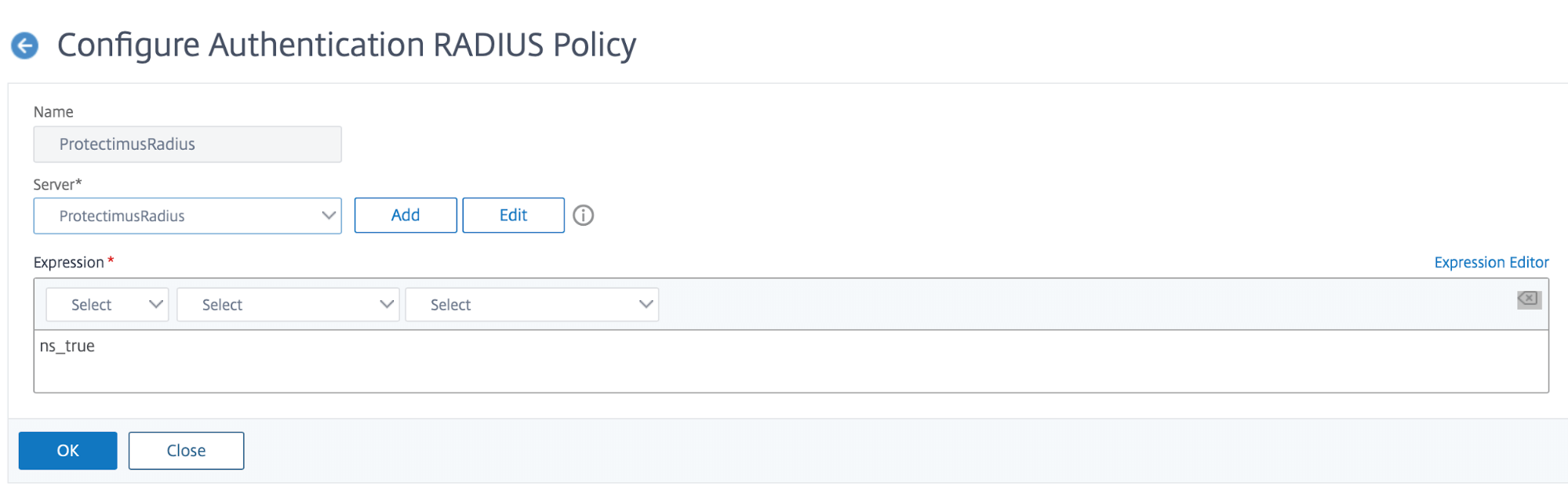
- Navigate to the Policies tab and choose the created server. For Expression, input ns_true
3.3. Configure the virtual server
Policy and authentication factor setup is now complete; next, you must specify them on the virtual server.
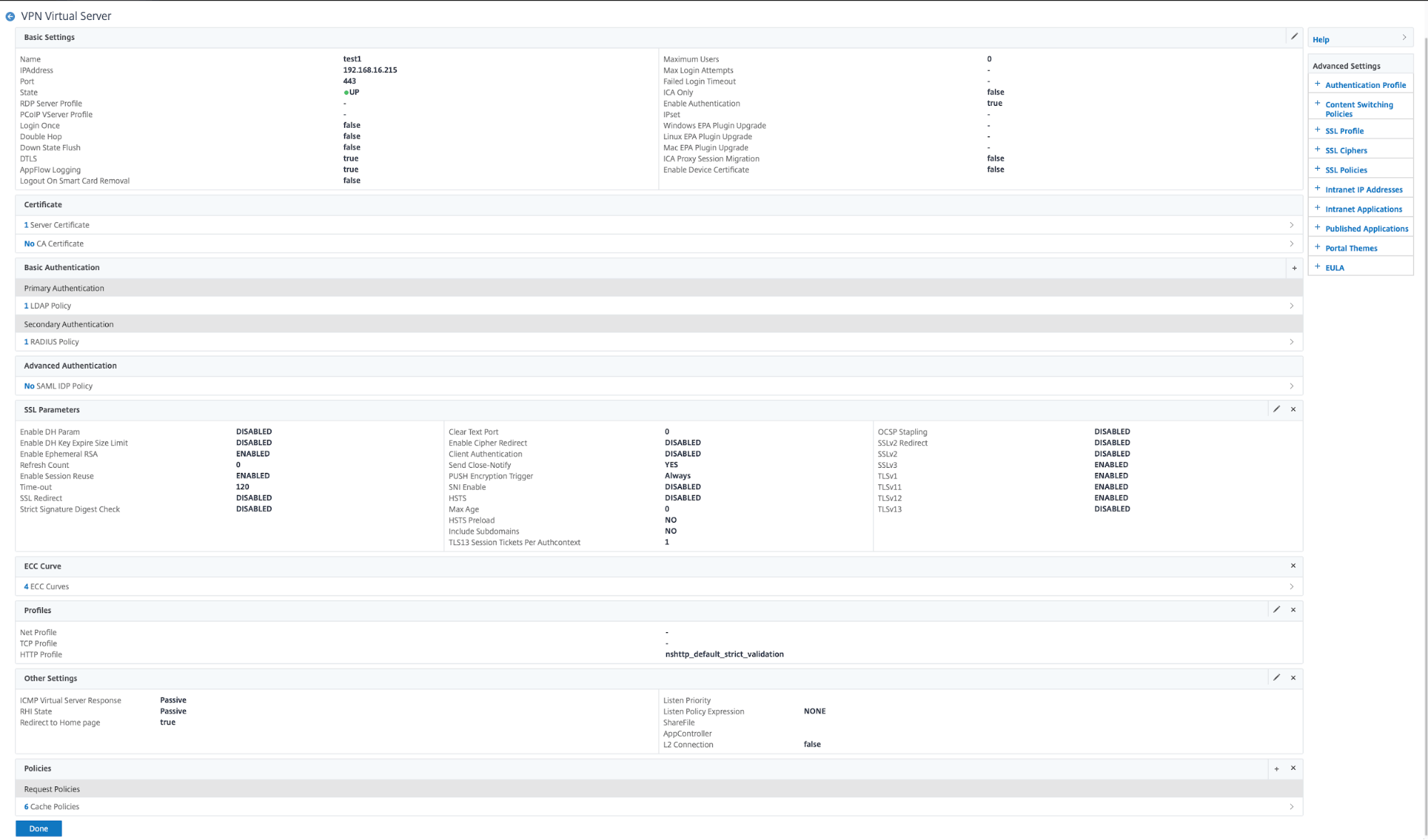
- Navigate to Citrix Gateway → Virtual Servers, and choose your server; in the Basic Authentication tab, click “+”
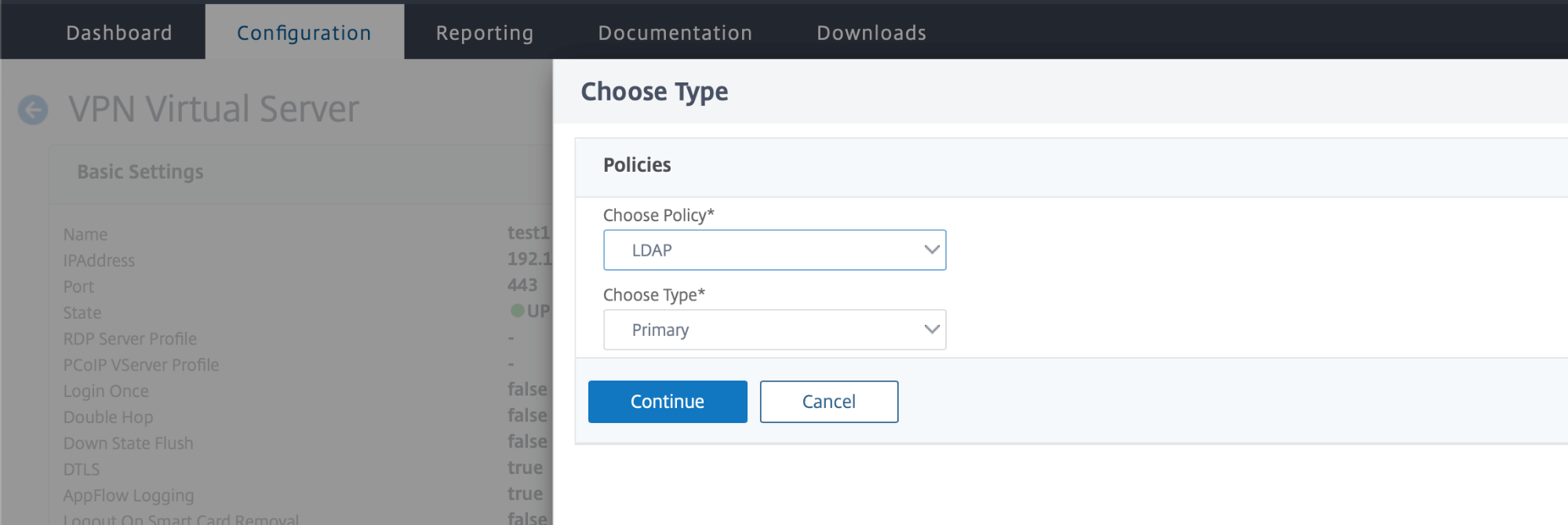
- Choose Policy – LDAP Choose Type – Primary. Then click Continue.
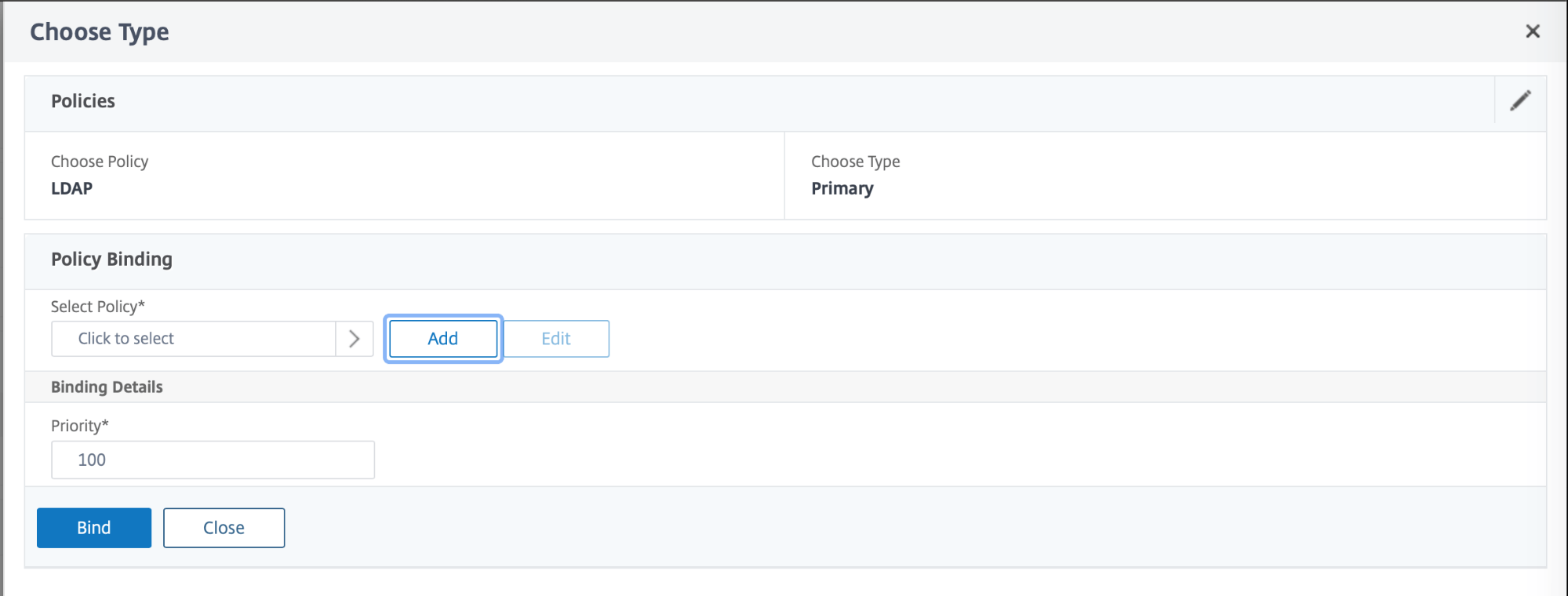
- Click Add Binding and select a policy using Select Policy. Select the LDAP policy.
- Do the same for Radius.
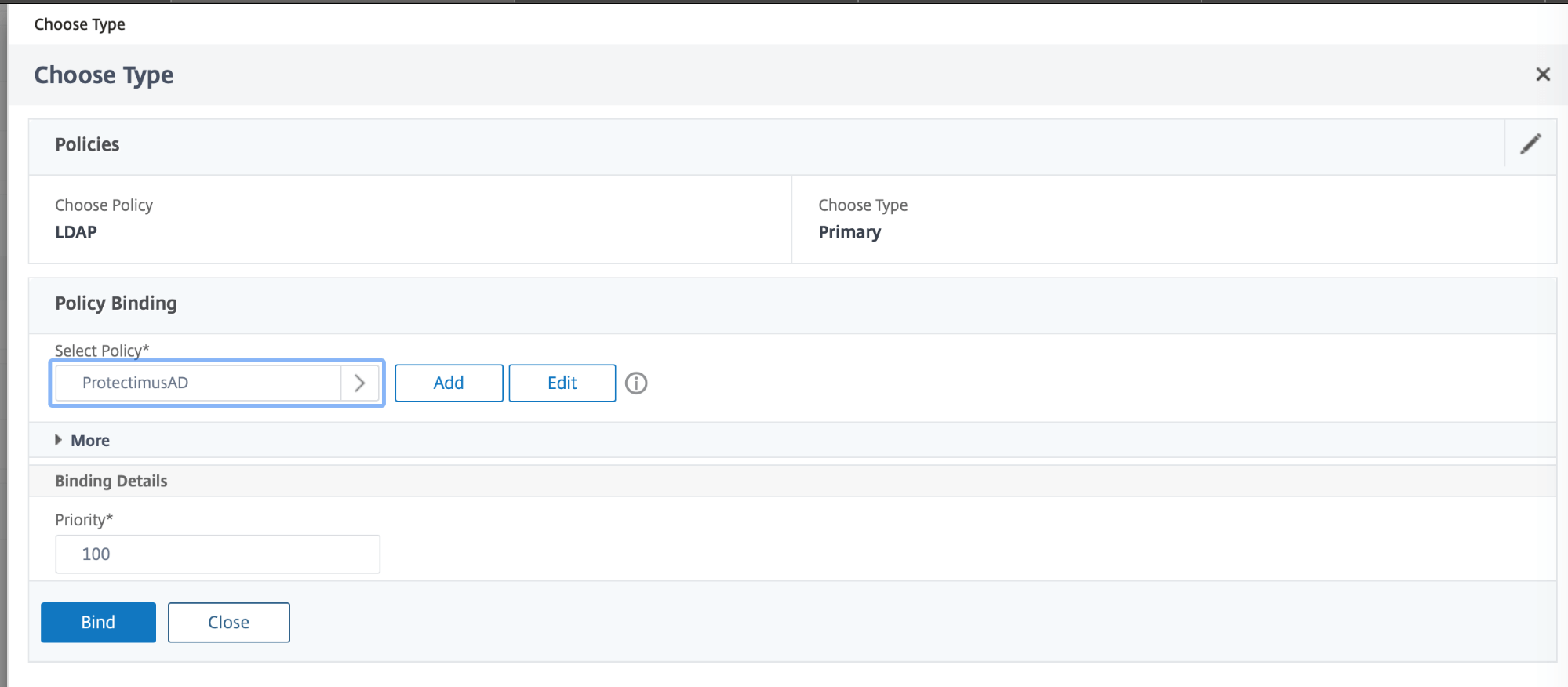
- Choose Policy – RADIUS ChooseType – Secondary, and repeat the steps as for the LDAP policy.
Integration of Citrix 2FA is now complete.
If you have other questions, contact Protectimus customer support service.