
Blog Feed
Mobile Authentication Pros and Cons

The popularity of mobile devices increases every day. Smartphones, tablet computers, smart watches – today these lightweight portable ‘mini-computers’ are sold better than traditional desktops and laptops. This trend is set by the rhythm of modern life, full of flights and journeys – often on the other end of the world. Today, a lot of people don’t work in the traditional offices. They can work remotely in comfortable conditions – either at home or during the journey. A small, lightweight mobile device is convenient to be kept within reach of the hand. In this situation, there is an urgent need in reliable authentication methods to access personal and especially work-related accounts. Thus, the significance of mobile authentication cannot be overestimated. It is worth noting that the mobile authentication can denote two different things: User authentication as the owner of the smartphone or tablet. User authentication in any service that supports two-factor authentication (2FA), using the smartphone as a token – mobile authenticator. Let us consider the second option in more detail as the more versatile and interesting one. Two-factor authentication process generally consists of two stages. At first, you enter a common reusable password assigned to you on a particular website. And the system checks the entered combination of symbols with the one stored in its database. If the first check is successful, there is the second step of user authentication, which finally confirms the right to enter the account. Usually, the system requires the OTP password (one-time password), which can be delivered to the user in different ways. And it is this very stage, the second stage of 2-factor authentication, the mobile gadgets can provide invaluable help. Mobile authentication in 2FA 1. Getting one-time password by SMS. When logging into a computer or laptop, the user enters the OTP passwords sent in SMS to confirm his identity. SMS authentication is considered very comfortable because the user doesn’t have to do anything to get the password. There is no need to go to the bank or post office for additional user authentication – hardware token. There is even no need to install any special software: the SMS function is originally installed on every phone. The user shouldn’t have anything else but a cell phone, a thing that almost everyone has today. But as you know, every coin has two sides – and this authentication method is not an exception. The fact is that mobile communication channels are protected rather weakly and theoretically fraudsters can connect and intercept the OTP password. Besides, the signal quality may be low. This means SMS can be received too late, and the one-time password, valid only for a short time, becomes of no use. 2. The smartphone as a one-time password generator. There are more modern and reliable ways to get the OTP password. For example, a special program that generates one-time passwords may be installed on the smartphone. This turns the device into a full OTP token or mobile authentication. Developers have created several applications of this type, suitable for a variety of mobile operating systems. Protectimus also has one – it is called Protectimus Smart. It can be installed free on Android and iOS smartphones, as well as on the smart watches Android Wear. The software token has a fairly wide range...
read moreHow to Choose and Use Strong Passwords

In 2007, the most popular password among the Internet users was the word ‘password’. Later, people have realized that strong passwords should include not only letters but also numbers. And in 2008 “password1” became the users’ favorite password. Despite all efforts of cyber security experts, who tried to explain to the average users, that predictable and frequently used passwords cannot be trustworthy, “password1” is still wearing the leader’s yellow jersey. Perhaps, only “123456” can compete with it for the crown. All these passwords do not lose popularity even today. At least, let’s recall the list of the most popular passwords of Ashley Madison users laid open to the public this fall. Most people understand the importance of data protection on the Internet and the importance strong passwords, providing it. At the same time, mistakes, which we make while choosing and using passwords, make this protection almost useless. What factors should be taken into account to choose really strong passwords, appropriate for their real work: the protection of our data in the network? More passwords – strong and different A scary large number of people use the same password for all their accounts. In the best case – two. It’s like having one key “for all occasions”: for the apartment, garage, office, bank safe. The loss of such a key endangers absolutely all objects it protects. After hacking one even the strongest password, the hacker will have a full access to all confidential data. And, for example, a dishonest employee of one of the systems you are registered even doesn’t have to hack any system to get your confidential data of money. After receiving a login and password from a database of this system, he will be able to get access to all your other accounts with the same password. Ideally, you should use a different combination for each website. It is especially important for e-mail services and bank accounts. Strong passwords are complex, long, and non-standard It is important to define what password is secure. Doubtless, a correct password must be long enough – not less than 8-10 characters. It is well known that the more senseless is the combination of letters, numbers, and special characters, the more difficult it is to hack them. But how is it possible to remember a senseless password? There are different original methods of creation both credible and memorable passwords. One of them is a mnemonic technique. To create a new strong password, you need to remember a phrase from a song, movie, or a favorite poem, which is meaningful for you. After that, you should write out the initial letters of the first 5-7 words, and insert a special character between them. For everybody except you, this combination will not make sense, and at the same time, you will be able to recollect it with ease. This “key” does not have to be stored on a hard disk or on a piece of paper where it is accessible to fraudsters. What should those users, who do not want to spend time and energy on creating strong passwords but still want to protect their accounts, do? Before, there was only one variant: to use the password manager. But, like any other computer program, password managers are vulnerable. Fraudsters can hack them. Still, passwords created...
read moreThe Most Common Ways of Credit Card Fraud
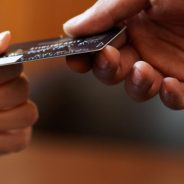
The faster is the technical progress developing, the more sophisticated and ingenious become the fraudsters’ attempts to turn it to their advantage. The more actively we replace cash money in our pockets with credit cards, the more ways to hack money from our bank accounts emerge. Not to become an easy prey for fraudsters, it is useful to know what techniques the violators use to steal data from credit cards. We are going to provide an overview of the fraudsters’ favorite methods of credit card fraud. How does the credit card fraud occur? Whatever scheme is used for credit card fraud, one of the main tasks of the violator is to find out a credit card PIN. For this purpose a fraudster may use: ATM overlays on a keypad. The thief sets a barely noticeable cover plate on the top of the real buttons. And this device is able to “remember” the digits of every PIN-code. A miniature camera can be attached just above the screen under the hood of the ATM and transmit images to the nearby fraudster’s laptop. Yet, it’s easy to withstand this method if to have a habit of covering a keyboard with your hand while typing the PIN (just in case). Visual observation. The PIN-code may be simply peeped by the person standing nearby. Fake ATM. They are usually installed in popular walking areas. Of course, this ATM does not give money. Instead, it records all PIN-codes of the inserted cards. It can also read data embedded in the magnetic strip. These data may further help to make a full-fledged copy of the credit card. A fake ATM is a large-scale variant usually applied for a long-term operation. It’s unlikely that anyone would turn to this method for the sake of one or two stolen PIN-codes. Once a fraudster receives a PIN-code, he needs to get a credit card data. He can steal it – the simplest method. He can defraud the card holder. For this purpose, a special plastic envelope unnoticeable at a casual glance is enclosed into the card slot. When a cardholder tries to withdraw money, the ATM does not ‘see’ the card through the envelope. It’s also impossible to return the card without knowing how to do this. Then a seemingly well-meaning stranger comes up and says that recently he has faced the same problem and tackled it by typing the PIN-code twice and pressing the enter button. After a several predictably failed attempts a victim goes to inform the bank about the incident. The fraudster gets your credit card with an envelope (he knows how to do that) and withdraws the money, using the code you just entered. These two methods have one disadvantage: the limited time for cards use. When realizing the fraudster has stolen money from the card, the customer will immediately ask the bank to block it. The more time passes after the fraudster had withdrawn the money, the better it is for him. That’s why there is one more method. He can make a duplicate of a credit card. Another one way to get necessary information is skimming credit cards. Here again, the main instrument is a pad placed over the real card slot, but not to make a credit card invisible for the ATM, but to copy...
read moreHardware or Software Token – Which One to Choose?

Striving for maximum versatility and convenience is the main trend of our time. It triggers a general affection (which often borders on addiction) for smartphones. For a modern person, these small devices embody the principle “All that is mine, I carry with me”. A regular phone has now become a mini laptop computer, which also enables you to make calls (but it is no longer its leading feature). Since any computer should have a reliable data protection system and two-factor authentication is one of its most important elements – developers have proposed a solution that turns a smartphone into a full-fledged OTP token. Users and cyber security experts gladly accepted this means of authentication as it is really convenient. As for the advantages, they are quite weighty. Let’s take Protectimus SMART as an example of a convenient software token for one-time password generation: The smartphone is always at hand, available at any time, and the application, installed on it, is also available. Token has a PIN-code, allowing protecting an OTP passwords generator from unauthorized access in the case your phone for various reasons occurs into the wrong hands. Flexible configurations: the choice of the password length and algorithm of its generation. You can create many tokens on one device. There are versions available both for Android and iOS Moreover, you can use smart watches Android Wear to get OTP passwords as well. It supports the data signing function (CWYS), which allows protecting transactions from such threats as data modification, replacement, and banking Trojans with automated transfer system. Data protection with the help of software token Protectimus Smart does not require any expenses – the application is absolutely free. Do software tokens have any disadvantages? Unfortunately, they do. And the main one is that the devices, on which we install software tokens, are not completely isolated from external influences. First of all, from computer viruses. This is especially true for Android smartphones, the majority of which have those or other vulnerabilities. Time-tested hardware tokens are completely devoid of this problem. Although many advanced users and experts consider hardware tokens the devices of the past, in reality, today they remain the most reliable means of two-factor authentication. Not the most convenient, perhaps. But this is the matter of dispute. Is it so difficult to use a traditional hardware token? Let’s try to understand what progressives usually say about it: The battery of a hardware OTP token cannot be recharged, unlike the smartphone with the software token on it. Those who think so, forget that the work period of a hardware token battery is 3-5 years. In most cases it exceeds the lifecycle of the smartphone battery. And even more – you have to charge the smartphone’s battery every day. The chances that the smartphone will run down at the right time are much higher than that of the OTP token. A hardware token is inconvenient to carry and can be lost. It may be objected saying that you can also lose the smartphone. As for carrying, the modern hardware tokens are very small, light and often have a pleasant design, which makes them nice and stylish things. For example, the token Protectimus One has a shape of a small key fob and can be easily attached to a keychain...
read moreWhy Everyone Should Care About Data Protection

There is an opinion that an average Internet user can not be a subject of interest for hackers and other thieves of confidential data. The head of the CIA or celebrity is a completely different story. But what can hacker expect from an ordinary person? No intriguing secrets, no big money. It seems like there is no need in data protection for common people. But everyone thinking this way is seriously mistaken. There are a lot of network fraudsters and not so many top people to go around. Thus, hackers do not shun ordinary people’s accounts. Especially because many of us think that they are too ‘boring’ for hackers and, therefore, do not have any data protection. Why is data protection important for an average person? Smartphones are vulnerable. For many people smartphones have become not only electronic organizers. We use them for chatting with friends or business partners, for making online-purchases, buying train and music concerts tickets. But the smartphones are usually protected far worse than computers. On the Internet, you can read a lot of stories telling how an innocent user may get a ‘bonus’ in the form of a full-fledged Trojan virus together with a downloaded application. The latter makes all the data on a smartphone (addresses, phone numbers, and passwords) available for hackers. Not so long ago, the police exposed a criminal group that has managed to create a botnet of more than 16 thousand Android smartphones. All smartphones were infected with the malware allowing stealing money from victims’ bank cards. Data protection on your computer is the issue of primary importance. Today, almost every family has a computer. Any computer connected to the Internet is a potential source of danger. It is enough just to click on the link in the phishing email to ‘give’ your data to fraudsters. And these e-mails are usually quite convincing and look just like real messages from banks and other major institutions. Downloading illegal content containing a lot of ‘surprises’ is out of the question. Smart TV – a new target for the hackers. Devices using Smart TV systems are an easy prey for the hackers. Some models are capable of recording the user’s actions and even the conversations taking place nearby. Digital locks are also a rather easy target. They are often used on the front doors, yard gates and in the garages. Unfortunately, such a lock, if desired, can be broken by a simple password guessing. What data protection methods can enhance your cyber security? Strong passwords You should choose passwords seriously and pay attention to their reliability as it is a key, which unlocks the access to all accounts: from social networks to bank accounts. So the password should be: Reliable, long, and containing both characters and numbers. There are different password managers that may come to your assistance while choosing passwords. But as a newly discovered vulnerability in a famous password manager KeePass has showed lately, you should be careful even with them. Individual for every website where the user is registered. Quite often, having stolen one password, hackers gain access to all other victims’ accounts. Kept in a safe place. And this place is not a piece of paper taped to the monitor. Two-factor authentication When a reusable password appeared to be hacked,...
read moreWhat Is Phishing and How Not to Fall into Its Nets

Phishing is a special kind of online fraud, which presupposes fishing out the user’s login and password or another sensitive information with the aim to enter the naive user’s account and to cause damage both to the user and to the system the hacker managed to get access to. What is the phishing attack and what are its objectives? One of the main phishing methods is mass mailing, often from a bank or another service. For example, it can be a notification about the receipt of the money order. The mail proposes to learn more details about this money order by clicking on the link in it. the link usually leads to the fake website, which only looks like the real one. Any email address available on a public domains, forums, and different groups in social networks can fall a prey to the phishing attack. Special bots constantly search the internet looking for the active e-mail addresses to enter them to the spam list. Often hackers attack a certain site and its clients. Most often among such companies are banks and other financial companies running their business online. A hacker creates a fake version of a legal resource. As a rule, it is enough to create only a login page – hackers do not need more. After the user logs in, he receives the message with notification that the authentication data are wrong. In most cases, this is a trustworthy signal that he just entered a fake web page. Meanwhile, the hackers manually or automatically withdraw money from the victim’s account. Phishing attacks are dangerous. It is hard to recognize such threats and stop them. This happens because a hacker doesn’t need a direct physical access to the victim’s computer. And, thus, data protection system doesn’t raise the alarm. The hackers get all the necessary information from the users. First of all, they are interested in passwords and logins to enter social networks and websites, and the credit card numbers and PIN-codes. How to minimize damage from phishing attacks? When you are working on the Internet, it is necessary to follow these simple rules: Carefully check the sender of the email, and do not follow suspicious links. If it is possible, contact the company by telephone, and check whether it has sent the letter to you or not. Keep all your passwords in secret and do not to give them to anyone under any ground. Big companies do not require sending confidential information (credit card numbers, passwords) via e-mail and other unencrypted channels. The customer’s data protection is extremely important for them. Type the addresses of the websites storing your sensitive information manually. Or use your own bookmarks. But do not click on e-mail links. When typing by hand it is important to pay attention to what is written in the address bar of a site which requires login and password. Often the domain name of the fake site only slightly differs from the original one – sometimes the difference is only in one letter. Regularly update your browser and anti-virus programs. The majority of modern web browsers can identify phishing websites and do it better with each update. The websites of banks and payment systems must have a secure connection by the protocol HTTPS. If this protocol is...
read more9 Data Protection Tips for Safe Online Shopping

Annual sales season is in full swing! Black Friday, Cyber Monday and Christmas Sales cause an unprecedented stock-jobbing. Everyone wants to make his or her best bargain in 2015. Besides, today there is no need in exhausting shopping in malls and emporiums. We can order everything from home with the help of the computer or smartphone. But, in anticipation of the holidays and bargains we should not forget about the importance of data protection. After all, hackers are also preparing for the holidays. They invent new ways to celebrate them in the expense of other people. We decided to remind you the basic rules of cybersecurity, which you should follow during shopping at online stores. Following these rules, you will avoid becoming a victim of fraud, and will celebrate Christmas with joy in your eyes. Data protection rules during online shopping: Attachments to the letters from online stores may contain Trojan viruses. Especially those, who promise fabulous discounts. Often the references in letters from unknown emails lead to phishing sites. The only task of such websites is to steal information (card numbers, passwords). When you receive the letter from an unverified source, it is better to delete immediately. Don’t open attachments and don’t follow links it contains. Before you order anything in the online store and provide the information about your payment card number, spend some time to read the comments from other users of this particular website. Public Wi-Fi can be created by hackers to steal passwords and logins. We don’t recommend making purchases by connecting to an open channel. If you are going to buy something using a smartphone, it is better to turn off Bluetooth and to use the mobile connection to get access to the Internet. The mobile connection provides better protection. Data protection starts with strong passwords. To be so, the password must consist of letters in different cases, numbers, and special characters. We repeat once again: the name of your pet and your own date of birth – is not the best choice for the password. On the Internet, we often meet offers to install different useful programs for free. Remember, such a “gift” can hide an adware or even Trojan virus. Two-factor authentication (2FA) should be turned on any website that holds or obtains confidential users’ data. This is especially important for the resources which transfer the funds on the Internet. Among them are banks, payment systems, currency exchanges, etc. With this method of payment, the fraudsters do not even need to steal someone’s plastic card. It is enough to know its number (PAN), expiration date, CVV, and the name of the owner. But if the system uses two-way authentication, then even owning all the information about the payment card and its owner, attackers will not be able to carry out any transaction on behalf of the user. One-time passwords are delivered of generated in different ways: SMS, token, email, mobile token. The most popular method of organizing data protection today presupposes the installation of a special application for one-time passwords generation on the smartphone. For example, Protectimus developed a software token Protectimus SMART, which can be installed on Android and iOS smartphones, and even on the smart watch. Mobile authentication is enough reliable and does not require much effort from the...
read moreIdentification, authentication, and authorization – what’s the difference

Identification, authentication, and authorization. We all face these three concepts every day, but not everyone knows the difference. Since these terms are essential in data protection, they deserve to be explained better. To begin, let’s take an example from everyday life. It will help you to understand the difference between authentication and identification in general. A new employee comes to work for the first time. At the entrance, he introduces himself to a security guard and says that he is a new manager. Thus, he identifies himself – tells who he is. The security guard does not believe the words he says. He demands to provide evidence that this person is a new manager and has the right to enter the office. To solve the problem, the employee has to show his pass with the photo. And the security guard should compare it with his list of registered employees. The employee confirms his authenticity – this is authentication. Finally, a forbidden door opens, and the guard lets the employee in. Once the employee receives the permission to enter the office the authorization happens. In the virtual world, everything is almost the same as in the real. Only the names of the “characters” are changing. The security guard is a server that controls the access to the website. And the manager who came to work – a user who wants to log in. It should be added that the security guards will repeat the procedure every day. Even when all the security guards know the manager by his look and name. They just do their job, like the server does. All three concepts – identification, authentication, and authorization – are the stages of one process that controls users’ access to their accounts. To perform any action on a website, the user must “introduce himself” to the system. User’s identification means presenting grounds for the entry to the site or service. As a rule, your username or email address provided during registration serve as identificators. If the server finds in its database the data coinciding with that entered by the user, the user’s identification is successful. Login is a perfect thing. But where is the guarantee that it was entered by the person registered on the site? To finally verify the user’s identity, the system typically authenticates the user. Now, more and more often the two-factor authentication is used. A usual static password serves as the first factor. The second factor may be different depending on the types of authentication methods used in this or that case: one-time password or PIN-code; magnetic stripe cards, smart cards, certificates with a digital signature; biometric factors: voice, retina, fingerprints, etc. Despite the rapid development of biometric authentication methods, they are not enough reliable when used remotely. It is not always possible to guarantee the correct operation of devices and applications which perform retina or fingerprints scanning. You cannot be 100% sure whether the mould of the hand or fake user’s picture is used during verification. So this method can be considered valid only if authentication is directly controlled. For example, biometrics is quite efficient when the employee enters the office. Under the conditions when the verifier and the verified are remote, as it happens on the Internet, the 2-factor authentication method using one-time passwords...
read morePassword Manager KeePass Is Vulnerable
It is not news that a fair amount of threats waits for the user in the vast global network. And it is clear that the best way out is to keep valuable information in encrypted form and protect it with a strong password. But the fact that it is possible to “pull” out in a form of a simple text file all the data from the password manager – the program which encrypts and generates passwords – became a surprise for many. A well-known cross-platform free password manager KeePass appeared to be under the threat. Password Manager KeePass has demonstrated its vulnerability This password manager came into service in 2003. At first, there was only a version for Windows, but later the password manager started support of other operating systems: starting from Linux and Max OS X for the desktops and laptops and to the mobile platforms Android and Pocket PC. Until recently KeePass has been considered almost invulnerable and its users could feel safe. If to take into account that it a free cross-platform solution, which had a good reputation for a long time, you can imagine the number of users who have entrusted the storage of their passwords to this program. This problem can touch almost everyone. Fortunately, the person who discovered the vulnerability is not a hacker. It is a Security Assessment employee Denis Andzakovic. He posted on GitHub a free tool called KeeFarce able to decrypt all data (usernames, passwords, notes) stored in the KeePass Password database. The operating principle of this tool is based on the introduction of the DLL-injection to the victim’s computer. During the KeePass runtime, an application-cracker exports currently open database decrypts it and creates a text file, which the hacker will be able to pick up later on his own (in the case of physical access to the victim’s computer) or get remotely. Andzakovic notes that the vulnerability of the KeePass data protection is not a problem only of this program. DLL-injection may be introduced (by using a Trojan virus, for example) into any password manager. How to protect your data if your password manager was hacked So how the data protection should be carried out taking into account the identified risks? Which means should we use to secure our data against a password attack? The answer is quite simple and clear to everyone: it is two-factor authentication. Such means of authentication as tokens, special smartphone applications or one-time passwords delivery via SMS, act as a second “defense line” for the user’s account. Their advantage is that every generated password is valid only for a short period of time. And even if the hacker intercepts OTP password, in a minute he needs to intercept a new one. There are even further ways to secure one-time password. For example, the CWYS function (transaction data signing). Modern authentication methods can help to protect your account even if somebody stills the password. You need only to set up 2FA (two-factor authentication) on any account, where it is possible. The confidence that the attackers would not be able to take control of your account even if an encrypted password is stolen will offset some time expenditures and inconveniences related to the two-factor...
read moreCybersecurity Lesson from T-Mobile and Experian

Recently, the whole world and especially the U.S. citizens have been stirred up by the news about the leakage of credit history data of 15 million subscribers of the international mobile operator T-Mobile. What is notable in this story is that the information was not stolen directly from T-Mobile’s database but from the servers of its partner – Experian. Considering this example in details gives a valuable cybersecurity lesson, so let’s review it now. The popular proverb says, ‘No man is an island’. It is much easier to solve any task together. Not everyone and not always has a possibility, time and enough knowledge to solve the specific problem personally and comprehensively. Thus, to reach success in business, large companies often cooperate with other companies that provide them with certain types of services. Depending on the type of services, some providers may ask the registration data of the company or the personal data of its employees and customers. It is to be noted that two-factor authentication provider Protectimus is not among such partners. During the authentication process, Protectimus does not require and doesn’t transfer any users’ personal data. It is reasonable, since often we enter the requested information automatically, without giving due attention to how and where these data will be stored, who can get this information, and what consequences this may entail. How T-Mobile users’ data have been stolen A good example of such carelessness became the cooperation between the T-Mobile Company, working in the field of mobile communications, and global information service Experian, which assessed the customers’ credit history before they signed a contract with T-Mobile. This partnership resulted in a large scandal – personal information of 15 million T-Mobile customers was stolen by unknown violators from Experian server. The stolen data included names, dates, birthdays, addresses of the clients, as well as encrypted social security numbers, passport details and driver’s license numbers of people who used or intended to use the T-Mobile service in the period from September 01, 2013 to September 16, 2015. This sensational event demonstrated the basic lesson of cyber security – each and everyone should take care of data security. Hackers are crafty, and if they can’t find a gap in the system of one company, then they’ll find it in a partner’s company and will get all the information they need. Thus, everyone should think whether their data is in reliable hands, whether they don’t let their partners down, and their partners don’t let them down. So, we cleared up that the main lesson of cybersecurity is that both partners are obliged to take care of the data protection, and keep information on resources carefully protected from compromise. For example, Experian’s mistake led to a chain of troubles for its innocent partner and its clients. It is still unknown how the hackers managed to gain access to the Experian servers, and moreover, to gain access to the T-Mobile encrypted files. But it is clear that the company did not fully take care of the security of confidential information, which should be stored under lock and key. In connection with the situation, it is our duty to remind you that one of the key elements of data protection is two-factor authentication of users via hardware tokens or special applications for smartphones, which generate one-time...
read more