
Blog Feed
10 Things You Can Do with the Smartwatch

How often do you have to worry about your cell phone running out of battery when you have a whole heap of things to do today? Have you ever forgotten your phone at home while hurrying to work in the morning? And how did you feel this day? Waiting for an important call, you have to carry your cell phone everywhere (even to the toilet)? And what it is like when you are in a crowded transport and your phone starts ringing being in the depths of your inner jacket pocket or at the bottom of your purse? I think there is no need to tell how greatly a modern person depends on the cell phone, as well as describe curious situations one can get in if deprived of the opportunity to answer the call or to read an important SMS. Fortunately, these disadvantages can be easily bypassed since now the smartphones have multi-functional companions – smartwatches. Tiny, convenient, and connected to the smartphones they are easy to use and always at hand being fixed on your wrist. What is a smartwatch, and what are its main functions The smartwatch looks like a simple watch but has more functions. Depending on the manufacturer the smartwatches can differ in features, but the majority can receive and send text messages, receive Push notifications and social media alerts, provide access to the Internet, play music, and give an opportunity to do many other manipulations. So let’s find out how to use the smartwatches in everyday life as efficiently as possible. Use case №1: Call Management This feature allows the user to accept or reject incoming calls, to set a speakerphone mode, to mute a microphone, and also provides the information on the caller and the duration of the call. Also, you can check the call history and make calls. If you have a headset, you even do not need to get a smartphone out of your pocket. Use case №2: Receiving notifications One of the main functions the smartwatches is to receive notifications like a mini-pager. The user can set up the preferred apps that are allowed to send Push notifications to the smartwatch. Without holding the phone in hand, this feature allows you to receive social media notifications, SMS, messages from Hangouts, WhatsApp Messanger or Viber. Use case №3: Music Management Smartwatch knows how to adjust the volume, switch records, run and manage music apps on your phone. Use case №4: Reading E-books With the help of the smartwatch menu, you can open a text file without taking your phone out of the pocket. Some smartwatches read the txt files. This is also a handy tool to save cribs. You need to press just one button and the smartwatch will quickly switch to the normal operation mode. At the same time, it will remember the place in the file where you stopped reading, which is useful when you re-open a file. You can change the font size, line spacing or a paragraph intervals, and the highlight color. Use case №5: Wrist Navigator It is convenient to use a smartwatch for walking and cycling navigation. The application that works with the online maps will give you a verbal assistance on the route every time you pass the next checkpoint. The screen also displays the speed, distance to the next...
read morePanama Papers Leak – Evil or Good?

Information bomb, known as the “Panama Papers Leak,” was planted a year ago, although it was detonated April 3, 2016, when the Panama documents were put on the Internet. It all started in 2015 when an unknown person proposed the journalists of the German newspaper Süddeutsche Zeitung the official documents of the Panamanian law firm Mossack Fonseca. The source didn’t ask for money, but only for preserving his anonymity. “John Doe” contacted Frederik Obermaier and Bastian Obermayer, the correspondents of the Süddeutsche Zeitung. Having estimated a huge amount of information provided in the Panama papers, they decided to engage the International Consortium of Investigative Journalism (ICIJ) in work. For a year, an international community, which included more than 400 journalists from different countries, had been examining and analyzing the Panama archive. Every effort was made to keep the investigation confidential. The project participants used a specially created website, which was protected with 2-step verification and other information security means. In real time, the journalists communicated (both with each other and with the informer) only in the encrypted chats and used only free software at all stages of processing and storing the data. This hard work resulted in relatively large amounts of the materials put on the Consortium (ICIJ) website. It is worth mentioning that the original documents have not been posted – only their interpretation and analysis made by the researchers. The very same archive is stored on the Amazon Cloud Drive and is available only for those who know the URL and the password. The journalists, who were the first to cover the Mossack Fonseca case – Bastian Obermayer and Frederik Obermaier, – published a book “Panama Papers: The Story of a Worldwide Revelation” describing a scandal with the Panama documents. The book was released in Germany April, 6. It does not duplicate the materials on the ICIJ website but tells how the authors communicated with a stranger who submitted the sensational materials and how the work was organized. What is the crux of the matter The law firm Mossack Fonseca holds more than forty offices worldwide, and its main office is located in Panama. The main activity of the company is financial consulting of organizations and individuals especially on issues relating to opening and running the offshore companies. Although offshores are not illegal, they make it possible to hide the names of the real owners of the companies, that in its turn allows them to evade taxes and launder shadow capital. And this is where the law may have certain questions. It is not the first time Mossack Fonseca has fallen victim to fraud: in 2014, the German government already had a chance to buy some official documents of the company. But that file was not even nearly so big, and the data were older. The current leak of Panama Papers, of course, is one of the largest in the history of similar incidents. Never before such big and valuable data have been put into the public domain: The size of the Panamanian file is 2.6 TB, and the number of files in it is more than 11 million. The records provide the information on nearly forty years of the company’s activity (since 1977). The Papers contains data on more than 214 thousand companies. The already processed documents reveal...
read moreDutch Scientists: SMS Verification Is Vulnerable

Computer security experts in their confrontation with the hackers are always trying to work ahead of the curve: to model and foresee probable “loopholes” in the data protection systems of different services and operating systems. In recent years, special attention has been paid to the mobile operating systems as more and more people use smartphones to enter their accounts or use them as 2-step verification means. Most often, users get 2-step verification codes (one-time passwords) via SMS. Sometimes, OTP passwords are also delivered via voice messages or generated with the help of a special application – mobile one-time password generator. But in this article, we will discuss the most popular OTP delivery method – SMS verification. Unfortunately, SMS verification cannot provide a proper level of reliability. First of all, mobile networks use open, unencrypted communication channels where any data protection is almost impossible. It is not difficult for a person who has the necessary technical skills and equipment to get connected to such a network. But, according to the researchers of the Free University of Amsterdam, even this is not so important: they have found another critical vulnerability of the SMS-based authentication. What is the problem with SMS verification Usually, a hacker needs two conditions for carrying out two-factor verification on behalf of his victim: a victim’s computer must be infected with the Trojan virus and the hacker should know the static password, which is the first factor of 2-step verification. But the Dutch researchers have found how to intercept the SMS tokens on the mobile devices with Android and iOS operating systems without having a permanent account password. The source of trouble lies in the possibility to synchronize your smartphone and computer. Once invented for convenience, this Apple and Google provided function now can endanger the user’s data protection. Moreover, although earlier the Android operating system was considered the most vulnerable, the present study showed that the vaunted iOS is even easier to hack. In both cases, the only thing the hacker needs to bypass the SMS-based authentication is to have a victim’s computer infected with the Trojan virus. Usually, it is not difficult to install it: there have already been precedents when the spyware in the guise of the useful programs penetrated to the official app stores. And yes, we shouldn’t forget about phishing, which, despite many warnings, keeps working. Further events are developing in different ways depending on the operating system – Android or iOS. In the Android case, the Trojan virus, disguised as the account holder, asks to download a spyware application on your smartphone, connected to the account. Once the malware is installed, it does not manifest itself and waits for an SMS with the OTP password. Then the one-time password is sent to the fraudsters’ server even before the real account holder enters the OTP. “Working” with OS X and iOS is even easier for the Trojan virus. The latest versions of these operating systems have a feature allowing to read iMessages right from the computer. All incoming messages are placed in a separate file on the computer’s hard drive. The virus only needs to monitor the content in anticipation of the “H-hour.” Possible Solution If the SMS verification can be compromised, what can help you to avoid this threat? Currently, the most obvious solution...
read moreWhy Gamers Need 2-Step Verification

Online games ceased to be considered a not serious occupation long ago. Today not only students but also bankers, senior managers, and other adult solid people play computer games. For some, it has even become a rather profitable profession. Even if the game is played just for fun, it is still about large sums of money: to buy bonuses and gaming resources, upgrade items and characters. Besides, paid online games are growing in popularity. As we know fraudsters always show up when it comes to money and seeking to get their hands on them. Thus, the player account protection requires close attention. Often, the first barrier the fraudsters may face is 2-step verification. Let’s try to figure it out. The risks the gamers should be afraid, and how to avoid them 1. Phishing A threat: When it comes to online games, the phishing pages usually look like popular game websites. Players can be lured to such pages under various pretexts: to change the password, update the registration information, download the update. Such offers are usually enforced with threats to block the game account. When a victim enters personal information on a fake website to log into the account, all the fraudsters have to do to get a full control on his account is simply to change the password. Often the hackers’ goal is to sell game accounts on the black market. How to protect yourself: When entering the game account type the website address manually (after playing the network games for a long time you can memorize it easily), rather than follow the links in the messages. Also, you can make the account theft more difficult for hackers if you use a 2-step verification when logging in. 2. “Dirty” game A threat: Sometimes you can come across the online gamers who try to gain an advantage using fraudulent practices. Some use the game server errors and other practice hacking online games to get the undeserved points, lives, and items. The most “advanced” players even use the automatic players known as bots. But not always a foul play is conducted with the use of technical means. Sometimes it may be either a negotiated game battle or several cheaters can unite to attack a newcomer. Often you may come across people selling virtual items at a lower price. The purpose of this “unprecedented generosity” is usually the same: to lure out money without giving anything in return. How to protect yourself: In games as well as in real life don’t forget the famous proverb “There’s always free cheese in the mouse traps, but the mice there ain’t happy.” As for the virtual gangs, rigged game battles or suspiciously quickly “growing” players, it is a task of the technical support teams to fight them as they have an opportunity to issue the violators a “perpetual” ban. The main thing – do not be lazy to inform the team about the violations. 3. Experienced players are first who need 2-step verification A threat: The game has its own values – and this is not always about money. The fraudsters, who stuck on gaming environment, are looking first of all for the strong characters, resources and items. The question arises: who of the gamers has most of these coveted “goods”? Of course, those who...
read moreA Wrong Lesson on Information Security
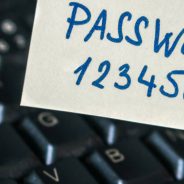
Recently, the CNBC news website gave a quite controversial lesson on information security. The author of the article, indirectly related to the information security issue (it said about the confrontation between Apple and the FBI), decided to add a text box for the passwords strength check. Most likely, this form was included as a “salt” to attract more attention. The author of the publication didn’t aim to improve the computer literacy of the readers. And it should be said the publication called more than enough attention, especially among the information security specialists. After all, this text box called the readers to violate the key information security rule. The password can be entered only in the text box of official authorization on the website for which it is intended. The author, who added this text box to his article, made a small caption (probably to avoid possible lashing) saying that this tool was designed for educational purposes only and that the passwords entered in the text box are not saved. worried about security? enter your password into this @CNBC website (over HTTP, natch). what could go wrong pic.twitter.com/FO7JYJfpGR — Adrienne Porter Felt (@__apf__) 29 марта 2016 г. Struck with such illiteracy, several information security experts decided to take a closer look at the “educational” text box. And, as it turned out, the passwords were not only saved in unencrypted form in Google Docs but were also transmitted to the CNBC partner companies. And then a scandal broke out. The representatives of the information security community required removing the text box from the website immediately. However, the CNBC’s reaction was quite strange. They didn’t reply to the criticism and simply deleted the ill-fated article – together with the text box, of course. The publication cleaned up all references to this article on Twitter and the personal page of the author of the article suddenly became private and closed. As you can see, neither the victims nor the online community will get any apologies from the CNBC administration. We don’t know how many users fell victims to this provocation and entered their passwords in the text box. But if to consider the popularity of the CNBC website (more than 6 million visitors per month) there should be quite a lot of them. The information security specialists (real) recommend everyone who entered their passwords in this text box to change them quickly. Despite this apparent failure, the CNBC’s “lesson” can teach us a lot. First of all, it gives a reason to remind once again: the data protection is the user’s matter. Even the most perfect data protection system cannot substitute simple caution and a certain amount of healthy skepticism. In order not to find yourself in the situation of people who sent their passwords to the unknown direction, we should remember a few simple rules: Any account password should be entered only on the official website. Avoid the third-party resources and the links in the innocuous-looking letters. It doesn’t take much time to manually type the name of the website you need in the address bar or open a saved bookmark. But similar precautions can protect you from phishing. In general, you should not disclose your secret combination to outsiders – either orally or in a written form Even the most carefully...
read moreProtectimus Team at IT Spring Forum

Last week was very active for the Protectimus team. In addition to the participation in OWASP KNURE conference, we attended another event – IT Spring Forum held in Dnipropetrovsk. The participants of the IT Spring Forum discussed international trends in the development of the software industry, the Internet of things (IoT), the development of IT-solutions for the healthcare institutions, and modern tools for users’ data protection in the context of the above-mentioned areas. Last year the healthcare industry came out on top by the volume of the users’ data leakages. The confidential data of more than 100 millions of Americans leaked on the Internet in the result of hacking the databases of some hospitals and insurance companies. In other countries, the situation was similar. Only a lazy one has not heard about the vulnerabilities that are regularly found in modern household items, belonging to the Internet of Things. The fraudsters can connect to the surveillance cameras, installed in your house for the safety, or even to the Smart TV, and spy on you. Hackers can seize control of the car as it has been demonstrated on the Jeep Cherokee example. And it is not a problem for them to get connected to a “smart” refrigerator or even a coffee machine. Two-factor authentication can help us solve many of the current safety problems. Especially if you use the additional 2FA features like smart identification, data signature, reprogrammable OTP tokens, etc. Below you can see a small photo report on the event and the pictures of the wonderful city of Dnipropetrovsk, which we have visited for the first...
read moreProtectimus Report at the OWASP KNURE Conf

Last Saturday Denis Shokotko, the Chief Innovation and R&D Officer at Protectimus, became one of the speakers at the second conference on WEB-security OWASP KNURE Students Chapter. Denis told about the main mechanisms of protection of web-applications and modern trends in two-factor authentication. His presentation touched on the smart identification and data signature functions. The listeners learned about the new generation of hardware tokens – reprogrammable tokens supporting the NFC technology. The participants also learned how to protect themselves from the widespread mobile viruses, intercepting the one-time passwords from the SMS, applications, and even from the voice calls. OWASP (Open Web Application Security Project) is a non-profit international organization, the main goal of which is to analyze and increase the reliability of the software. OWASP organization is dedicated to the development of innovative tools and technologies for data protection. Besides it regularly publishes different tutorials, articles, and documentation in this area. Among the OWASP members are commercial companies, educational institutions, and individuals from all over the world. Recently the Kharkiv National University of Radio Electronics (KNURE), on the basis of which the conference took place, also joined the OWASP...
read moreVideo: A Card Skimmer Was Installed in 3 Seconds
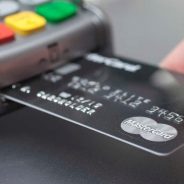
Not so long ago we wrote about tricks the fraudsters use for credit card frauds or identity thefts (and then, of course, for stealing money). But it is one thing to read, and quite another – to see. Thanks to the video record, recently put on the Internet by the Miami police, we can estimate the high “professionalism” of the crooks installing a card skimmer on the POS terminal. The video was recorded in a store at the petrol station. The fraudsters worked in tandem. While one was distracting a seller, another installed an ATM skimmer on a payment terminal at a cash register. His speed is particularly striking as it took him only 3 seconds! The skimming was not successful only by sheer luck. A pad on the terminal was placed a bit askew, an employee noticed it and called the police. We would like to remind that the credit card skimming is a way to steal money placing a special pad on the ATM or a POS terminal. Usually, it is a copy of the ATM keypad fixed on a top of the original one. When a credit card is inserted into the ATM or POS-terminal with a skimmer, the skimmer records the credit card data. The owner of the card doesn’t notice anything. For him, the transaction is carried out in a regular mode. After that, the fraudsters withdraw the credit card data. They take a skimmer away or use a remote reader. Further developments can move in two main scenarios. The fraudsters either use the compromised bank card data to pay for Internet purchases or make a copy of this card and withdraw money from the victim’s account using the...
read moreWas the NASA Hack Real and What It Has Taught Us

Like everyone, hackers are looking for their moment of glory. Perhaps, this explains their constant interest in the well-known and big names: CIA, Pentagon, White House… And not so long ago the NASA’s turn has come. Apparently, not for the first time. The group of hackers AnonSec, which includes representatives of different countries, states that the hack occurred as far back as spring 2015. But they’ve managed to get this information across general public network only last February. If to believe hackers, the NASA server had been infected with the Trojan virus Gozi since 2013. AnonSec simply bought the access rights from the virus developers. The authentication security of the server turned out to be so weak that the brute force password cracking software found the first combination to get root-access in 0.32 seconds. It must be noted that the AnonSec is a fairly widespread category of ideological hackers rather than regular cyber-crooks who hack different resources just to earn some money. In particular, the purpose for hacking NASA servers was to obtain information on the weather control projects. According to the hackers, these projects are actively supported by the US government. The problem is that such experiments can do a great harm to the health of people in the entire region and affecting the quality of crops. This is due to the fact that in the conditions of the climate changes some native plants start growing poorly. Thus, the farmers are forced to use genetically modified seeds. And the negative influence of the genetically modified plants on the health has been proven long ago. Although previously NASA actually worked on the development of the climate change programs, the AnonSec hackers failed to find any evidence that it’s being done now. But en route, the hackers got access to the control over an intelligence drone Global Hawk. In this case, a drone is not a small amateur toy to play with. It is a large aircraft able to carry out flights all day long. Such a toy costs more than $220 million. However, the data protection at the Global Hawk appeared to be not up to par. The hackers nearly drowned the drone in the Pacific Ocean, but having noticed the change of the course an engineer of the flight control center switched the drone into manual control and thus prevented an accident. AnonSec team seeded a 276 GB Torrent archive that includes hundreds of videos from the UAV and weather radars, more than 2 thousand logbooks, real names, and email addresses and phone numbers of about 2.5 thousand NASA’s employees. Although the incident occurred about a year ago, the agency has not provided any official confirmation on it: large security-guarded organizations do not like to admit their mistakes. Moreover, the mass media, which the hackers addressed in order to spread information about hacking the NASA’s holy of holies, refused to publish it. Just last February the InfoWars published a report by the AnonSec. Only after these publications broke out in the network, NASA started responding. But, of course, it has not confirmed their servers have been hacked. According to the official commentary, it was the NASA’s choice to put all the above-mentioned data for public access. They even provided the addresses of the sources the data had been...
read moreThe Evolution of Two-Step Authentication

With the advent of computer technologies in everyday life, the protection of data transmitted and stored in the network has become a necessity. Along with the hardware and software components, the data protection systems must include authentication tools that can prevent unauthorized access to the accounts. At first, the usual reusable passwords seemed a quite sufficient protection means. But, it soon became clear that this way of user’s authentication is extremely unreliable. The passwords may be guessed, stolen or accidentally disclosed. This is where the time of two-step authentication has come. The main problems the 2FA is trying to tackle today boil down to making the two-step authentication process more user-friendly not depriving it of security and reliability. What steps have already been done in this direction, and which are still to come? The cards with the list of codes (TAN-codes) At first, the one-time passwords were sent to the users in a quite primitive way. A list of codes was either delivered in person (for example, together with a credit card at the bank) or e-mailed. Each combination of symbols on the card went off only once, and the next time the user had to choose a different temporary password from the list. Of course, sooner or later, all the passwords on a list were used, and the user had to get a new card with TAN-codes for two-factor authentication. Pros: no pros except for a low price. Thus, the TAN-code cards have almost gone out of use. Cons: a possibility of theft, a need to update the list from time to time. Two-step authentication code via SMS When the cell phones just appeared, they were expensive and only a few could afford such gadget. But over time, the cost of the devices, as well as the tariffs for mobile communications decreased significantly thus increasing the number of the cell phones owners. The temporary passwords and TAN-codes were sent via SMS. SMS authentication is still a fairly common means of the OTP passwords delivery. Pros: convenient for both a system and a client. Cons: mobile communication is not always stable, SMS can be intercepted, as well as it’s quite expensive for the company to send messages to its users. Hardware OTP tokens Hardware OTP token is currently one of the most secure 2-factor authentication means. There are contact and contactless OTP tokens. The first type requires a connection to the computer’s USB-port. The second type runs free from the Internet and public telephone networks. Thus, contactless OTP tokens are protected from any malicious software and the one-time passwords cannot be intercepted. Lately, there appeared the USB-tokens, which, although inserted into the connector, activate only at the touch of a button (eg, Yubikey). Even if there will be a virus on the computer, the latter will fail to infect this token and use it to intercept one-time passwords. Recently, Protectimus has introduced a new type of hardware tokens – reprogrammable OTP tokens in the form of the plastic cards of two sizes. Protectimus Slim token of the standard size ISO/IEC 7810 ID-1 (85.6 × 53.98 × 0.76 mm) and Protectimus Slim mini only 64×38 mm in size. These tokens can be easily reflashed with the help of the NFC technology that turns these hardware tokens into the universal one-time password generators, which...
read more