
Blog Feed
Which messaging apps are trustworthy?
Last time we analyzed the question of what makes for secure messaging apps. Now we’ll take a look at the level of security provided by several of today’s popular message exchange programs. Facebook Messenger and Google Hangouts These apps are built into their respective social networks. For this reason alone, they’re certainly not in the running to win “most secure messaging apps of 2016”. The lion’s share of these companies’ profits comes from targeted advertisements. As such, these companies are always trying to gather more data about their customers. It would be naive to think that they don’t use the same methods with their own messaging apps. In short: it’s inadvisable to discuss business or confidential information through Google Hangouts or Facebook Messenger. Viber Viber is rich in functionality – besides the usual options, it even allows users to send money through Western Union. In the past, Viber has had weak security, but recently its developers have been working hard to turn it into a real, secure messaging app by, for example, adding hidden chats and end-to-end encryption. However, this is not yet available in all countries. Another issue is that messages are stored on company servers (which means they can be read by people other than their sender and intended recipient). The app also lacks password protection. Skype The reputation of this truly mighty yet warmly loved communications juggernaut is somewhat compromised by its belonging to Microsoft, which, naturally, collects users’ data. The elderly among us internet users might remember a time when Skype was an independent program and was, if not the most secure messenger, then certainly among the best. Telegram Pavel Durov’s project was fated for success: it came out at the same time as Edward Snowden’s revelations showed people that privacy online isn’t a luxury, but a necessity. Telegram has always supported end-to-end encryption, but for some reason this function isn’t enabled by default. It also supports automatic deletion of messages. Data that has not been destroyed is stored on company servers in an encrypted format. Every cluster is encoded with a separate key. Many experts, however, have questions about the encryption protocol this company uses. It was developed in-house and is not used by anyone else. Who knows whether it’s adequate? Signal Secure messengers for iOS are old news. Apple has always placed a large, and from a user’s point of view, perhaps excessive, emphasis on security. This secure messenger was first designed for iPhones and iPads. It now has an Android version too. The best testimony for Signal comes from Edward Snowden – he stated on his Twitter account that he prefers it. Everything is as it should be: end-to-end encryption, impossibility of server side access, and open-source. The only thing lacking is that messages can’t self-delete after being read by their addressee. WhatsApp This is the world’s most popular messenger, for many reasons. One of them is its security. Although WhatsApp belongs to Facebook, it’s developed by a separate, independent entity. It’s based on an open-source code base, supports end-to-end encryption as of this year, and does not allow the service provider to read messages. It uses the same encryption protocol as Signal – Open Whisper Systems. This can be safely called a secure messenger. Threema This app is little known but...
read moreWhat Makes for a Secure Messaging App?
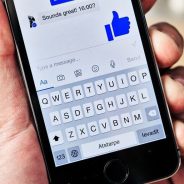
The pace of modern life leaves no time for long, thought-out messages. Perhaps that’s why today’s answer to the wordy correspondences of yesteryear is text messaging. Practically everyone has at least one messaging app on their smartphone, and many of us use several. But what factors do people consider when choosing messaging apps? Is security one of those factors? Recently a team of experts led by a group of Google employees surveyed more than 1500 users to discover what causes them to choose different apps. Unfortunately, the security of messaging apps was the least important feature for most users. The greatest factor turned out to be how many of the user’s friends themselves used the app. The survey also showed that users value free messengers — especially those preinstalled on their devices. Very few respondents said that they care about secure messaging apps. However, the problems of privacy and online security remain urgent. In fact, they’ve grown ever more serious with the mass adoption of smartphones, which are more prone to hacking than stationary computers and laptops. A large number of vulnerabilities in Android devices is especially well-known, but hackers actively target iPhones as well. Taking into consideration that messaging apps are widely used for the transmission of confidential data in both personal and professional spheres, attackers who have gained access to such apps can quickly find interesting information. We often think that hackers only want logins, passwords, and bank account numbers. But any information can be of use for fraudsters, for example, for phishing, or for social engineering. Government agencies also attempt to monitor private communications. The recent scandal over the FBI’s attempt to break into an iPhone is an example of this. But how can we tell that one program or another can actually provide privacy online? Experts look for a few particular functions, the presence or absence of which is important to consider when choosing “your” secure messaging app. End-to-end encryption Clearly, any secure messaging app must rely on the encrypted exchange. But there are different types of encryption. Typically, messengers send texts in an encrypted format, so they cannot be compromised while in transit. End-to-end encryption includes not only messages, but all information exchanged by users – files, photos, video, and music. Secure messaging app is open source app The majority of popular messaging programs rely on closed proprietary architecture. So even tech savvy users have a tough time verifying whether the encryption and security are really as good as the developers claim. Access to messages for the service provider Last February’s scandal between Apple and the FBI, when federal agents demanded that the company unlock the smartphone of a suspected terrorist, is a vivid, memorable example. But one doesn’t need to be a criminal to interest the FBI. Information about completely law-abiding citizens might also be of interest to government agencies for a variety of reasons. To obtain such information, the government most often subpoena service providers – not all of which can offer opposition as strong as giants like Apple. It’s much simpler if the developers of a messaging app don’t have access to their users’ data in the first place. There are two ways to accomplish this: either the app must use an encryption algorithm that cannot be decrypted from the server, or simply the...
read moreProtectimus’ 2FA Solution Compatible with Citrix NetScaler Gateway

The Protectimus Solutions LLP team is happy to announce that our two-factor authentication solution has been successfully integrated with Citrix NetScaler Gateway and that Protectimus has been certified as a Citrix Ready Partner. The Citrix Ready program exists to verify the compatibility of third-party software solutions with Citrix products. This allows users of Citrix to be confident in the reliability and compatibility of third-party software solutions with their existing systems. Protectimus’ two-factor authentication solution has demonstrated its compatibility with Citrix NetScaler Gateway 10.1, NetScaler Gateway 10.5, and NetScaler Gateway 11.0. Citrix Access Gateway is a program used for secure remote connection to key applications and data, and for detailed control of these applications. More often than not, software like this is used in large enterprises with many employees and, sometimes, numerous affiliates. Such companies store large sets of data, such as documentation, important corporate documents, and users’ personal information. Thus, they require hardened security systems. One crucial element of an advanced and reliable data protection system is two-factor authentication. Protectimus is an expert in this area, offering complex 2FA solution available as both a cloud service and a stand-alone platform, as well as the ability to implement custom solutions at clients’ demand. Protectimus can generate one-time passwords using software or hardware tokens, as well as by distribution through SMS or e-mail. We offer physical tokens working on the TOTP and OCRA algorithms, and also reprogrammable TOTP NFC-compatible tokens. Protectimus offers its clients additional functionality that may be of interest: data signing or CWYS (Confirm What You See), temporal and geographical filters, and intelligent identification. These possibilities enable us to reach a high level of reliability and protect our clients’ systems from most of today’s known threats – phishing, Trojan viruses and other malware, data breaches, and “man in the middle”...
read moreSelf-Driving Cars: New Cybersecurity Challenge

Sometimes there is a feeling that we live in a science fiction novel. Kitchen appliances cook dinner when we return from work. TVs remember viewers’ preferences. Smart cars suggest a way to bypass traffic jams and adjust the temperature in the cabin… Yet people have a place in this high-tech chain. We manage smart devices – give orders and monitor their execution. But it seems that very soon smart devices will be able to do without our participation. And one of the first areas where we will see these changes may be transport. Self-driving cars are already passing the “field” testing. Cars that drive themselves are a new idea. Google launched the first driverless vehicles in 2009 and since 2014 its self-driving cars are being tested in a real urban environment. Several traffic accidents have been recorded with the participation of the Google self-driving cars. But as it turned out in the course of investigations these are cars driven by people to blame for these accidents, not the driverless cars. This fact proves a fairly high level of driverless car technology achieved by the smart cars’ developers. Other leading companies are not far behind. Moreover, not only the traditional leaders of the automotive industry but also large IT companies are involved in the creation of fully computer-controlled cars. Along with such companies as Volvo and Daimler, East Asian giants Samsung and Baidu are also working on their own self-driving cars. If to consider the speed of economic and technological development of Asian countries, it is not clear now who will be the first to release a fully efficient self-driving vehicle. It seems that the first field to use the self-driving vehicles will be cargo transportation. Driverless vehicles will naturally fit into the production chain of dispatch and transfer of goods from the warehouse to the customer. Many links in this chain have already been automated: the release of the goods is managed by the warehouse programs; many companies already have computer-controlled loading machines. If we add self-driving trucks, connected to a certain centralized network, to this system, we will get a fully automated production cycle. Such organization of work can significantly reduce the costs of cargo transportation, as well as simplify the delivery and calculations. The US transport concern Daimler is working on a practical implementation of these ideas. The company’s fully computer-controlled trucks have recently been allowed by law to drive in the state of Nevada. The Russia’s company KamAZ is also working on the same project. Company’s experts promise to release an efficient version of the self-driving truck by 2020. However, the benefits from the use of self-driving cars may be nullified by the risks they incur. And it’s not just about traffic safety, as it is only one of the vulnerable points. Another major cause for concerns may be data protection. When driving a modern car (not driverless yet) we use not only the control computer system of the car but also different radars, onboard computers, media centers, GPS systems, stereo cameras, etc. What is especially dangerous in this situation is that data exchange is carried out via existing platforms and communication channels (Wi-Fi, GSM, and so on). Any of these components can be hacked and compromised. Today we already have the precedents of successful cyber...
read moreDo we need multi-factor authentication in social networks?
No one tries to contradict that multi-factor authentication is very important for corporate and personal accounts – especially those relating to financial assets turnover. But for many users, strong authentication in social networks seems an excessive caution. Usually, people use social networks for entertainment, socializing with friends, and following the news. The majority of social networks profiles have no relation to money or corporate secrets. What can awake the hackers’ interest? But, network fraudsters are interested in every Internet user. The recent events have perfectly confirmed this truth. Since the beginning of the year, a real epidemic of users’ confidential information leaks has been raging. And it has already affected data protection systems of several major social networks We have already written about the scandal with LinkedIn. Just a couple of weeks after the incident, a hacker under the nickname Peace_of_mind, who previously was selling the data from LinkedIn, Tumblr, and MySpace on the “black market”, unveiled new “commercial offers”: more than 100 million VKontakte accounts, and following them – 379 million Twitter accounts (according to statistics, every month, Twitter has 310 million active users, but, apparently, even those who have not entered their Twitter accounts for a long time also hit the database…) Leakage aggregator LeakedSourse received a dump with databases on sale from an anonymous well-wisher and reported that the databases contain full names, e-mail addresses, passwords, and phone numbers linked to the accounts. LeakedSourse website gives an opportunity to check whether your account is among those compromised. But this procedure is not free. All recent incidents have one thing in common: data leaks did not occur today, most of them happened in 2011-2013. It would seem that you can take a breath of relief: after such a long period of time, the old secrets have lost their relevance and account passwords have been already changed. Though the reality is not so comforting. The specialists tested 100 random e-mails of those compromised and found out that 92 of them are still bound to the accounts. A father-founder of Facebook Mark Zuckerberg also fell victim to social networks hacks. The hackers took over his Twitter and Pinterest accounts. To prove it they even posted an appeal to Zuckerberg on his own page. It was also alleged that the hackers even cracked into his Instagram account. (The irony is that this service is owned by Facebook.) But this information has not been confirmed. Hacking became possible since Zuckerberg’s password was among those stolen LinkedIn passwords. Zuckerberg used the same password on Twitter and this helped the scammers to compromise this account as well. But it turned out that Zuckerberg has not been using his Twitter account since 2012. Perhaps this explains the fact that the owner did not care about the regular password change and other measures that ensure user’s data protection. As you can see, the Facebook creator made the same mistakes as the ordinary people: one and the same password for many accounts and avoiding the use of multi-factor authentication. Conclusions that can be drawn from a series of hacks of the largest social networks are not new, but still relevant. More attention to passwords The ratings of the poorest and most predictable passwords can be found on many sources – and on our blog, as well....
read moreSocial Engineering Against 2FA: New Tricks
In the digital age, data protection is important for every Internet user since today people entrust network with too much information: passport data, electronic and physical addresses, payment cards information, and social security numbers. There are various authentication scenarios used to protect the user’s confidential information. And two-factor authentication has been recognized as one of the most reliable. All information security experts, and Protectimus as well, strongly recommend enabling 2FA on all accounts where it is possible. However, hackers constantly invent new tricks to bypass the existing data protection systems. Recently the network was stirred up with the message about a new form of social engineering attacks used to compromise 2FA. This time, the victim is SMS authentication – the most popular 2-factor authentication form as of today. The newness of this method is that to intercept one-time passwords it is not necessary to infect a victim’s computer or smartphone with the Trojan virus, as it was before. It has turned out that a little of cunning in combination with social engineering is enough to get the necessary OTP password. Let’s recall how two-factor authentication works on the majority of resources. Often, they activate smart identification to improve the ease of use. Thus, the one-time password is requested only when the user enters his account from new device or browser. And this is a possible loophole the hackers have found. First of all, the potential victim receives a phishing SMS message on behalf of a service (in this case we are talking about Google, but the same thing can happen with any other site supporting 2FA) about an attempt of unauthorized access to his/her account. Be warned, there's a nasty Google 2 factor auth attack going around. pic.twitter.com/c9b9Fxc0ZC — Alex MacCaw (@maccaw) 4 июня 2016 г. The SMS also reports that in the nearest future the user will receive another message with the OTP password in it. He/she has to send this OTP password back in the response message if he or she wants the account to be temporarily blocked. At the same time scammers are trying to enter the victim’s account (of course, from another computer), and the system sends a temporary password to the real owner of the account with the aim to confirm authorization. Whereupon the naive user sends the OTP password straight to the hackers’ greedy hands – at the specified phishing address or phone number. Is it possible to avoid such a threat? It is, and the same 2FA can help you in it. A higher level of data security can be achieved if to use hardware tokens to generate one-time passwords. We have already written on the advantages of the hardware tokens in the article – “Hardware or software token – which one to choose.” You can get some information here on different kinds of OTP tokens – hardware, software, and SMS. Hardware OTP tokens are not connected to any network (Internet, GSM, etc.), and that’s why the one-time passwords generated with the help of the hardware token cannot be intercepted. In addition, the users who opted for the hardware tokens, do not need to worry about the social engineering of the sort described earlier. After all, the hackers simply won’t know the phone number and won’t be able to send an SMS...
read more10 Basic BYOD Security Rules

Up to now, not everyone knows what is BYOD (bring your own device). But anyone who uses a personal laptop or smartphone to gain access to corporate resources uses this technology even though may have no idea about it. This trend gradually penetrates even the “classic” offices, not to mention the companies whose employees work distantly! The “bring your own device” concept emerged in the early 2000s. But an active transition from theory to practice started only in recent years. And now it is going on in front of our eyes. This is for two main reasons: We are witnessing an explosive growth of the number of personal mobile devices, which become more reliable, powerful, and affordable. The number of companies whose employees work remotely is also growing. Hiring freelancers doesn’t only save money for the office equipment but also helps to find and attract skilled professionals from all over the world. Besides, we cannot forget about a psychological factor of the BYOD. A permission to use lovingly selected device significantly increases the employee’s loyalty to the company as they have a feeling of greater freedom and their motivation grows up. Many people unconsciously start spending a part of their personal time on the office tasks (for example, quickly responding to business correspondence, even when they are at home in free time). Thus, the work time expands – by the way, absolutely free of charge for the company. It would seem that everything is fine: the staff is constantly in touch, always ready to discuss urgent business issues. And you can save money on the office equipment as well. But, like any coin, this one also has the other side: an uncontrolled use of BYOD technology can be critical to the company’s security (and thus revenue). It is well known that a “single” device is an easier target for cyber-criminals than a corporate network of trusted gadgets. And corporate information is for internal use only. Is it possible to combine the confidentiality of corporate information and the use of personal laptops and smartphones? To do so, you must overcome two main mobile security challenges: vulnerability of mobile devices to viruses and nonchalance of their owners when it comes to information security. Both problems can be tackled if desired. You should only remember that BYOD security issues should be carefully designed and thought out in advance. Basic BYOD security rules Antivirus and anti-spyware software approved by the IT-security department of the company and updated on a regular basis are compulsory on the employees’ devices. All BYOD devices should be connected to the corporate network via VPN. Mandatory encryption of data stored in the depository of the data center. Usage of a PIN-code to unlock a computer or smartphone and strong authentication to enter the accounts. Prohibition of use of jailbroken devices with unofficial operation systems. The users can resort to jailbreakers’ practices for different reasons: to improve the performance of their devices, get unlimited rights, install hacked or pirated applications. But there is no place for such “improvements” on a smartphone or tablet used to access the corporate network. And this should be clearly explained to employees. Creation of the technical possibilities to erase data remotely in case of a BYOD device loss or theft. Perhaps, the restriction of access...
read moreRansomware – to Pay or Not to Pay
Just recently, a new “creative” ransomware called CryptMix revealed itself in the malware family. The ransomware promises its victims to transfer their money to a children’s charity. This statement might seem like a funny joke, but most likely the victims of this virus deprived of an access to their files do not consider it funny at all. Moreover, so far it is impossible to decrypt the CryptMix with modern decryption tools. Among all the variety of computer viruses – blockers, trojans, spyware, keyloggers – the ransomware is the most unpleasant one. Such viruses usually encode files on the hard disk of the infected computer and demand a ransom for the decryption key. In general, different types of documents can be exposed to attacks: images, presentations, texts, tables, files, and databases. But there is also another kind of malware, like a much-talked-of “Petya“, which can completely encrypt the entire hard drive. Today, the computer is the main working tool for the majority of people. Thus, it is important to know how to protect yourself from the ransomware and how to decipher the files they damage. After all, it is extremely unpleasant for everyone to lose the work results because of a virus attack. As for the companies, the situation is even worse. Except paralyzing the work process, the ransomware can often damage the health and well-being of the company’s clients. Not so long ago we wrote about a similar misfortune that befell the Hollywood Presbyterian Medical Center. In this case, the hospital management did not wait for the outcome of the police investigation and decided to pay hackers not to endanger the patients’ lives. Is it worth paying to unlock the ransomware The idea that the best way to restore the encrypted files is to pay the fraudsters was voiced in the report by an FBI officer during a forum Cyber Security Summit in 2015. But many cyber security experts do not agree with it. They rightly remind us that the “owners” of any ransomware are real criminals. And even after getting from them a “recipe” for the recovery of infected files, you should not think that you are safe. Prevention is better than cure It is better to think in advance how to protect against the ransomware until nothing has happened. For this purpose you should observe a few simple precautions: Create and maintain up to date backups of your files. It is better to have not one, but two backups of the most important information on different types of data carriers: for example, on the external hard drive and in the cloud storage. Yes, it gives a bit of bother, but the recovery of the data infected with the ransomware can make even more fuss. Do not fall for phishing tricks. There are three main sources of the virus infection: downloading content from pirate websites, clicking links in emails from untrusted senders, and opening files attached to such emails. Turning on file name extensions display in the browser settings. Since the virus is a program, files with such extensions as “scr“, “vbs“, and “exe” must be the first to raise suspicions. You should pay attention to the last letters in the file since hackers often put several successive extensions in a row trying to disguise the virus as a video...
read moreTurn on Two-Factor Auth on Linkedin Today
Another scandal with hacked accounts has rocked the network and gave us another reason to think of the importance of two-factor auth for everyone. This time, the data protection system of LinkedIn, the largest social network for business people, was compromised. Actually, this data leakage happened four years ago, in summer 2012. Back then hackers got an access to the email addresses and passwords of the LinkedIn users. Shortly after that 6.5 million of them were put on the Internet. The company could not deny hacking and decided to reset the passwords for those accounts whose data were published. But the losses the LinkedIn data protection system suffered in 2012 appeared to be higher than it was supposed earlier. A few days ago a hacker who calls himself Peace_of_mind posted an offer for the sale of information about the LinkedIn users on one of the DarkNet trading platforms. The hacker sells the data of 167 million accounts (117 million of them with passwords) for the $2,200, but in Bitcoins. According to the LinkedIn experts and representatives, this is that very database “leaked” four years ago. Soon after the database of 167 million LinkedIn users went on sale, a group of fraudsters OurMine Team hacked several Twitter and Tumblr accounts of famous people. Among the victims are Markus Persson, an author of a famous game Minecraft, a pop star David Choi and even the founder of Twitter Biz Stone. The hackers argue they didn’t use the data of 2012 leakage. But all the victims had LinkedIn accounts bound to other accounts and were among those compromised in 2012. Is it a coincidence? What should the LinkedIn hacking victims do? In order not to lose more than has been lost because of the hackers’ attack and the negligence of LinkedIn leadership you should immediately do three following things: Change your LinkedIn password. Although the service has already reset the passwords, it is still better to choose your own combination. After the incident the administration of this social network cannot be trusted one hundred percent as it has been hiding the scale of the data leakage for four consecutive years – apparently hoping that everything “will melt away” on its own. Thus, it is wise to create a new strong LinkedIn authentication password according to all safety rules. Change the passwords for all your accounts. Most accounts on different resources are connected in one way or another. Having hacked one of them, the fraudster can get access to others (as it has probably happened to Choi, Stone, and others). In spite of all precautions, even now a large number of people use at best only 2-3 passwords for different websites. Sometimes, they have only one “universal” password for all the accounts. Under these conditions, the effectiveness of user data protection tends to zero. Thus, only the thought-out authentication on each resource can save the situation. Having a different password for each account is a necessary precaution. Use two-factor authentication. To avoid the recurrence of such stories in the future, use two-factor auth on all the websites supporting this function. Even if the fraudsters hack public databases, they cannot take control of, at least, those accounts that are protected with two-factor auth. The last point should be considered in more details. Many users believe that...
read moreProtectimus Cuts the Prices

Two-factor authentication is an indispensable element of modern information security system. Today, every resource, which stores confidential user data, is obliged to provide reliable data protection. It is dangerous and unprofitable to “recreate the wheel”. Developing a 2-step verification system on its own, the company assumes full responsibility for data protection. Very often such solutions have vulnerabilities that would later lead to disastrous results. This is due to the fact that “self-made” 2-factor authentication solutions do not undergo any safety checks or certification processes. Moreover, independent two-step authentication solution development requires additional financial investments – the purchase of equipment (servers), salaries for the developers, etc. Thus, it will be safer and more convenient to buy a ready-made two-factor authentication solution. Professional 2FA solutions are definitely more reliable. They undergo a number of tests before being placed on the market. For example, Protectimus 2-step verification solution was certified by the industry-wide collaboration OATH, and tested by the hacking experts from the OnSec Company and hackers at the ZeroNights Conference 2014 in Moscow. Unfortunately, many companies cannot afford a ready-made 2-factor authentication solution because they are quite expensive. Indeed, sometimes the cost of the ready-made two-factor authentication solutions can reach up to $6 per user per month. The Protectimus pricing policy is competitive and democratic. We believe it is our duty to popularize the cyber security in general and 2-way authentication in particular. To assure the reliable data protection of the users of the smallest startup 2-factor authentication should be, first of all, affordable. Therefore, we decided to revise our tariffs and further reduce the cost of two-factor authentication service. So, here is the list of changes our users will see. Small companies who just want to try a 2-factor authentication service for free can choose a FREE tariff plan. It is perfect for the protection of up to 10 users. For companies that are going to protect up to 34 users, STARTER tariff plan is a good choice. In this case, the cost is 0.99 dollars per user per month. For larger enterprises that have up to 144 people, BUSINESS tariff plan will be a more profitable choice. The cost is USD 0.77 per user per month. But the most favorable conditions are expected for large companies. If you connect more than 144 people, the service charge is reduced in proportion to the number of users. You can calculate the approximate cost here after the registration. Good news for the startups. We announce the launch of the program “Let You Startup Be Secure”. We offer every startup to implement Protectimus two-factor authentication solution and use it for free for 1 year or more without limits on the number of users. You might be surprised by a little awkward numbers 34 and 144, which mark the boundaries of the tariff plans. We did not want to express the numbers 34 and 144 in round numbers as these 34 and 144 are the elements of the Fibonacci sequence – a sequence that displays an amazing harmony of the universe in...
read more